Sign in to Mod The Sims
 4t2 High Hedgerow
 4t2 High Hedgerow


preview.jpg - width=1400 height=900
wall.jpg - width=1912 height=1057
post.jpg - width=1912 height=1057
summer.jpg - width=1912 height=1057
autumn.jpg - width=1912 height=1057
winter1.jpg - width=1912 height=1057
winter2.jpg - width=1912 height=1057
spring.jpg - width=1912 height=1057
completed hedgerow.jpg - width=1650 height=1400
* Hedgerow from game The Sims 4, wall and post. Seasonal object.
* If you are using "Object Freedom" mod by fwaysims, sims will be able to walk through the hedgerow. Use invisible fence (or short fence by Maxis).
| Object | Price | Location |
|---|---|---|
| High Hedgerow | $48 | Shrubs |
| High Hedgerow Post | $28 | Shrubs |
| Filename | Type | Size |
|---|---|---|
| 4t2-HighHedgerow.zip | zip | |
| 4t2-HighHedgerow1tile(ssn).package | package | 817602 |
| 4t2-highhedgerowpost1tile(ssn).package | package | 809642 |
This is a new mesh, and means that it's a brand new self contained object that usually does not require a specific Pack (although this is possible depending on the type). It may have Recolours hosted on MTS - check below for more information.
The following custom content is included in the downloadable files:
- 4t2 High Hedgerow by ePSYlord
|
4t2-HighHedgerow.zip
Download
Uploaded: 10th Jul 2024, 1.37 MB.
747 downloads.
|
||||||||
| For a detailed look at individual files, see the Information tab. | ||||||||
Install Instructions
1. Download: Click the download link to save the .rar or .zip file(s) to your computer.
2. Extract the zip, rar, or 7z file.
3. Place in Downloads Folder: Cut and paste the .package file(s) into your Downloads folder:
- Origin (Ultimate Collection): Users\(Current User Account)\Documents\EA Games\The Sims™ 2 Ultimate Collection\Downloads\
- Non-Origin, Windows Vista/7/8/10: Users\(Current User Account)\Documents\EA Games\The Sims 2\Downloads\
- Non-Origin, Windows XP: Documents and Settings\(Current User Account)\My Documents\EA Games\The Sims 2\Downloads\
- Mac: Users\(Current User Account)\Documents\EA Games\The Sims 2\Downloads
- Mac x64: /Library/Containers/com.aspyr.sims2.appstore/Data/Library/Application Support/Aspyr/The Sims 2/Downloads
- For a full, complete guide to downloading complete with pictures and more information, see: Game Help: Downloading for Fracking Idiots.
- Custom content not showing up in the game? See: Game Help: Getting Custom Content to Show Up.
- If you don't have a Downloads folder, just make one. See instructions at: Game Help: No Downloads Folder.
Loading comments, please wait...

Uploaded: 10th Jul 2024 at 3:26 PM
Updated: 10th Jul 2024 at 6:35 PM
-
by Liz 28th Dec 2016 at 9:55pm
 5
14.1k
38
5
14.1k
38
-

-
by PineappleForest updated 17th Oct 2021 at 11:27pm
5
9.4k
51
-

by Deastrumquodvicis 8th Apr 2021 at 5:08am
+1 packs
11 6.1k 29 Seasons
-
The Cottage Garden Plot Re-uploaded
by Aysarth updated 6th Nov 2023 at 1:14pm
+1 packs
11 11.2k 32 Seasons
-
-
by ePSYlord updated 30th Jan 2025 at 2:43pm
6
9.9k
37
-
by ePSYlord updated 22nd Sep 2024 at 11:47am
5
3.8k
19
-
-
by minyasim 13th May 2025 at 10:41am
8
1k
4


-
-
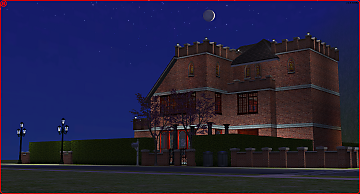
Red Seven ` manor. No CC, no EPs.
by ePSYlord 9th Oct 2022 at 1:24pm
Spacious estate with three floors. The house has space for four bedrooms and two bathrooms. more...
749
4
-
-
-
-

-
-
-
-