
 Sign in to Mod The Sims
 The Sims 4 Back To Classic ( A Override TS1 MOD ) - UPDATE: added Makin Magic
 The Sims 4 Back To Classic ( A Override TS1 MOD ) - UPDATE: added Makin Magic


Title.png - width=1080 height=608
00.png - width=1920 height=1080
01.png - width=1920 height=1080
SMM Splash Screen en.png - width=1600 height=900
02.png - width=1920 height=1080
03.png - width=1920 height=1080
SMM Loading Screen.png - width=1600 height=900
I’ve noticed a small visual bug where the loading plumbob appears as a semi-transparent rectangle instead of completely invisible. I can't seem to fix it myself right now (I've tried but no luck), so please be patient. I'll drop an update once it's fixed!
UPDATE (16/05/2026):
Sorry it took so long, but it's finally updated!
So, what's new?
- Added The Sims MM Splash and Loading Screen
- Replaced the Main Menu with two plain versions
- Removed the Tips as they are no longer necessary. Check out the Classic load tip replacer by Jad Hinto instead (thanks again!).
--------------------------------------------------------------------------------------------------
A quick introduction:
Something made first for myself, but decided to share since i thought somebody may be interested.
What does this mod do?:
It changes the original TS4 opening screen, loading screen and menu screen with a more clear and classic one, just like a "dive into the past".
Thank you to NC4 for the No Loading Screen Plumbob.
For a better experience, here a list of suggested mods you may be interested to download
The Sims 1, 2 and 3 Font Replacements - v1b: by thepancake1 and MizoreYukii
In-Game Music : by Buurz
The Sims 2 inspired UI for The Sims 4 : by vyxated (if you want to use my mod do not put the opening and loading screen from this one, just the interface etc)
How do I install this mod?:
Unzip and put the package files in C:\Users\(Your Username)\Documents\Electronic Arts\The Sims 4\Mods.
That's all, happy Simming!

| Filename | Type | Size |
|---|---|---|
| TS1 Back To The Classic.rar | rar | |
| no plumbob.package | package | 6555576 |
| The Sims 1 Loading Screen.package | package | 2155341 |
| The Sims 1 Opening Screen.package | package | 2465961 |
| main_menuTS1_1778925545522.package | package | 2103683 |
| Filename | Type | Size |
|---|---|---|
| TS1 MM Back To The Classic.rar | rar | |
| no plumbob.package | package | 6555576 |
| The Sims 1 MM Loading Screen.package | package | 1408224 |
| The Sims 1 MM Splash Screen.package | package | 1157698 |
| main_menuTS1 MM_1778925564561.package | package | 1971844 |
|
TS1 MM Back To The Classic.rar
Download
Uploaded: 16th May 2026, 1.63 MB.
66 downloads.
|
||||||||
|
TS1 Back To The Classic.rar
Download
Uploaded: 16th May 2026, 2.57 MB.
78 downloads.
|
||||||||
| For a detailed look at individual files, see the Information tab. | ||||||||
Install Instructions
1. Download: Click the File tab to see the download link. Click the link to save the .rar or .zip file(s) to your computer.
Read the upload description for installation instructions. If nothing else is specified, do the following:
2. Extract: Use WinRAR (Windows) to extract the .package file(s) (if included, ts4script as well) from the .rar or .zip file(s).
3. Cut and paste the .package file(s) (if included, ts4script as well) into your Mods folder
- Windows XP: Documents and Settings\(Current User Account)\My Documents\Electronic Arts\The Sims 4\Mods\
- Windows Vista/7/8/8.1: Users\(Current User Account)\Documents\Electronic Arts\The Sims 4\Mods\
Need more information?
- Anyone can use both .rar and .zip files easily! On Windows, use WinRAR.
- If you don't have a Mods folder, just make one.
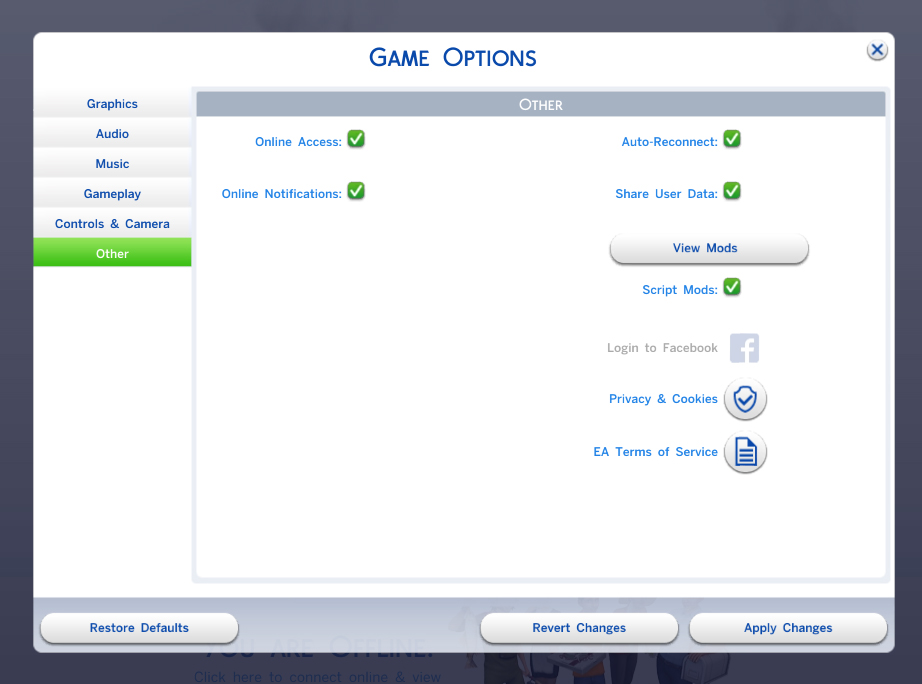
- Mod still not working? Make sure you have script mods enabled
Loading comments, please wait...
Uploaded: 19th Oct 2024 at 12:48 AM
Updated: 17th May 2026 at 7:02 PM
-

by plasticbox updated 17th Dec 2014 at 1:29am
-
by plasticbox updated 16th Dec 2014 at 11:00pm
-
by plasticbox 11th May 2015 at 12:58am
-
by plasticbox 24th Aug 2015 at 2:00am
-
by plasticbox 22nd Sep 2015 at 2:11am
-
by adelin4504 updated 18th Feb 2017 at 11:31am
-
[No CC] [The Sims 01] 05 Everafter Oaks
by EnigmaOFFC 2nd Sep 2019 at 2:17am
 +10 packs
8 4.9k 11
+10 packs
8 4.9k 11 Get Together
 Cats and Dogs
 Seasons
 Get Famous
 Island Living
 Dine Out
 Romantic Garden Stuff
 Vampires
 Jungle Adventure
 Strangerville
-
[No CC] [The Sims 01] 06 Old Man Lum's
by EnigmaOFFC 11th Sep 2019 at 2:18pm
+13 packs
4 3.5k 6 Get to Work
 Outdoor Retreat
Get Together
Cats and Dogs
Seasons
Get Famous
Island Living
Romantic Garden Stuff
Outdoor Retreat
Get Together
Cats and Dogs
Seasons
Get Famous
Island Living
Romantic Garden Stuff
 Backyard Stuff
Vampires
Backyard Stuff
Vampires
 Horse Ranch
Jungle Adventure
Strangerville
Horse Ranch
Jungle Adventure
Strangerville
-
[No CC] [The Sims 01] 07 Alfred's B&B
by EnigmaOFFC updated 30th Sep 2019 at 9:09pm
+2 packs
3 5k 12 Strangerville
 Realm of Magic
-
by DeadRevolution 28th Jul 2024 at 3:08pm


