Sign in to Mod The Sims
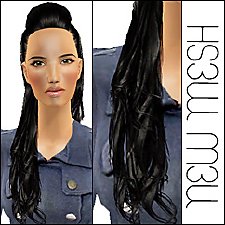
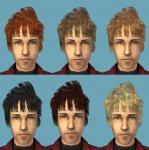
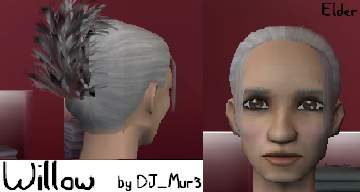
 Mesh New Version:Willow
 Mesh New Version:Willow

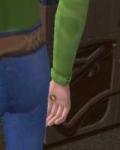
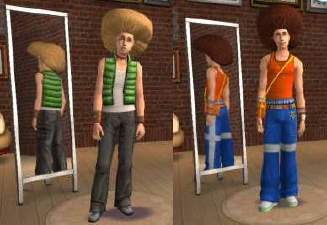
willow.JPG - width=326 height=413
 It wouldn't ever work for me and now I finally got it working.
It should work without expansions because it is edited from an original mesh, but it will probably be a bit see through since it was before on my old computer that only had the original game, without expansions.
As I said before, it got it's name from a character in my story, Willow.
This will not affect the old stuff at all with the exception of replacing the old teen mesh.
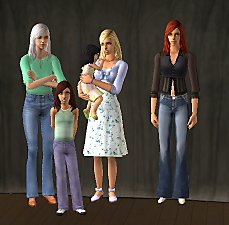
I added the adult mesh so you don't have to go back to teh old thread and get it, so if you downloaded the other one before, when you put it in your downloads folder it will ask you whether or not to replace the other one. It shouldn't matter because they are the same, although with the teen mesh you will have to click yes to replace the old one. So, to avoid confusion, it would probably be better to click yes for both.wow long explanation..
Hope you have fun!
This is a new mesh, and means that it's a brand new self contained object that usually does not require a specific Pack (although this is possible depending on the type). It may have Recolours hosted on MTS - check below for more information.
|
djwillownew.zip
Download
Uploaded: 18th Dec 2005, 558.0 KB.
7,219 downloads.
|
||||||||
| For a detailed look at individual files, see the Information tab. | ||||||||
Install Instructions
1. Download: Click the download link to save the .rar or .zip file(s) to your computer.
2. Extract the zip, rar, or 7z file.
3. Place in Downloads Folder: Cut and paste the .package file(s) into your Downloads folder:
- Origin (Ultimate Collection): Users\(Current User Account)\Documents\EA Games\The Sims™ 2 Ultimate Collection\Downloads\
- Non-Origin, Windows Vista/7/8/10: Users\(Current User Account)\Documents\EA Games\The Sims 2\Downloads\
- Non-Origin, Windows XP: Documents and Settings\(Current User Account)\My Documents\EA Games\The Sims 2\Downloads\
- Mac: Users\(Current User Account)\Documents\EA Games\The Sims 2\Downloads
- Mac x64: /Library/Containers/com.aspyr.sims2.appstore/Data/Library/Application Support/Aspyr/The Sims 2/Downloads
- For a full, complete guide to downloading complete with pictures and more information, see: Game Help: Downloading for Fracking Idiots.
- Custom content not showing up in the game? See: Game Help: Getting Custom Content to Show Up.
- If you don't have a Downloads folder, just make one. See instructions at: Game Help: No Downloads Folder.
Loading comments, please wait...



Uploaded: 18th Dec 2005 at 2:55 AM
-
by Rayne00000 21st Oct 2005 at 7:01pm
-
-
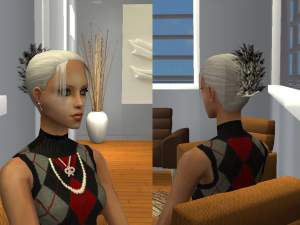
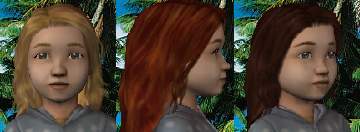
Recolors of DJ Mur3's Willow Hair
by PattyMcPat2666 4th Dec 2005 at 6:17am
-

-
-
-
-
-

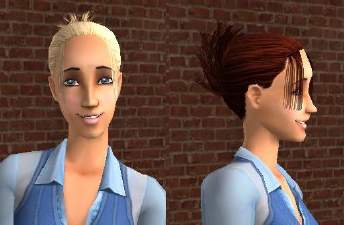
XMsims HAIR RECOL SHORT VERSION
by ShojoAngel 1st Apr 2007 at 2:41am
-