
 Sign in to Mod The Sims
 Fun With Patterns (14 Pattern Set)
 Fun With Patterns (14 Pattern Set)


MonotoneWoodDefault.jpg - width=800 height=500
MonotoneWoodVarious.jpg - width=800 height=500
VerticalWoodDefault.jpg - width=800 height=500
VerticalWoodVarious.jpg - width=800 height=500
NaturalStoneDefault.jpg - width=800 height=500
NaturalStoneVarious.jpg - width=800 height=500
JackOfDiamondsDefault.jpg - width=800 height=500
JackOfDiamondsVarious.jpg - width=800 height=500
Wood:
Monotone Wood:
Converted from a TS2 floor
3 Channels, found in wood
Vertical Wood:
Custom Made by me
3 Channels, found in wood
Stone:
Natural Stone:
Stock Image
1 Channel, found in Rock and Stone
Jack Of Diamonds:
Converted from a TS2 floor
3 Channels, found in Rock and Stone
Tile:
Welcome Back Tera Cotta:
Converted from a TS2 floor
3 Channels, found in Tile
The Queens Jubilee:
Stock Image
2 Channels, found in Tile
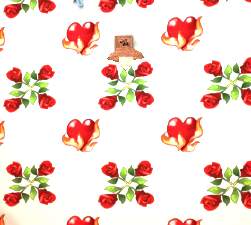
The Queen of Hearts:
Stock Image
2 Channels, found in Tile
Pure:
Custom Made by me
1 Channel, found in Tile
Diamoney:
Converted from a TS2 floor
3 Channels, found in Tile
Masonry:
Bliss:
Custom Made by me
3 Channels, found in Masonry
Carpet:
Plushie:
Stock Image
2 Channels, found in Carpeting and Rugs
Horizontal:
Custom Made by me
3 Channels, found in Carpeting and Rugs
Fantasia:
Custom Made by me
3 Channels, found in Carpeting and Rugs
Ashley:
Stock Image
1 Channel, found in Carpeting and Rugs
The downloads are not located in the comments, the comments only show the extra required pics. The download for these patterns is located in the thread as usual.
The default colors can be seen in the inline pics, the various color choices can be seen in the thumbnails.
Monotone Wood:
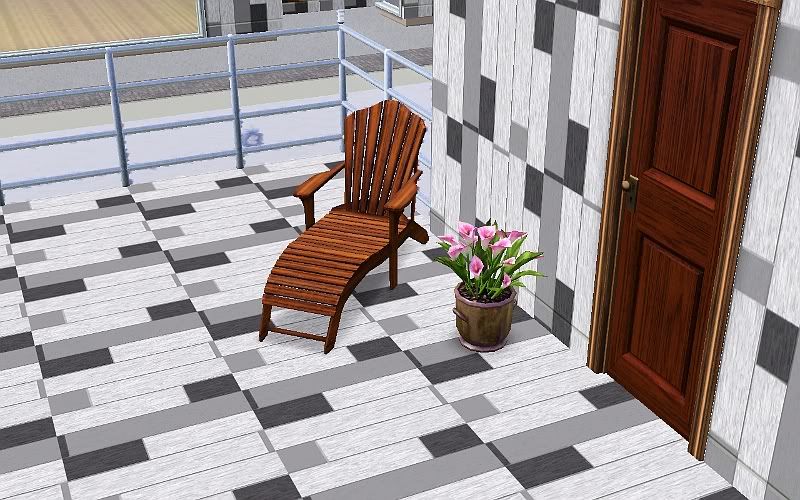
Vertical Wood:
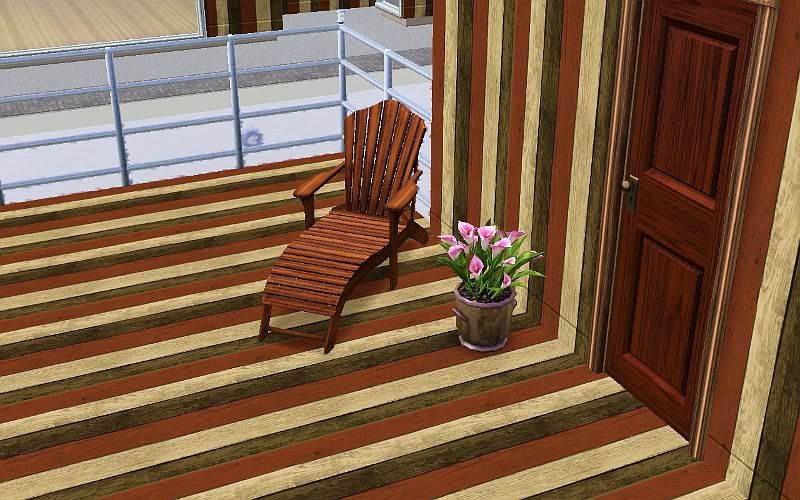
Natural Stone:
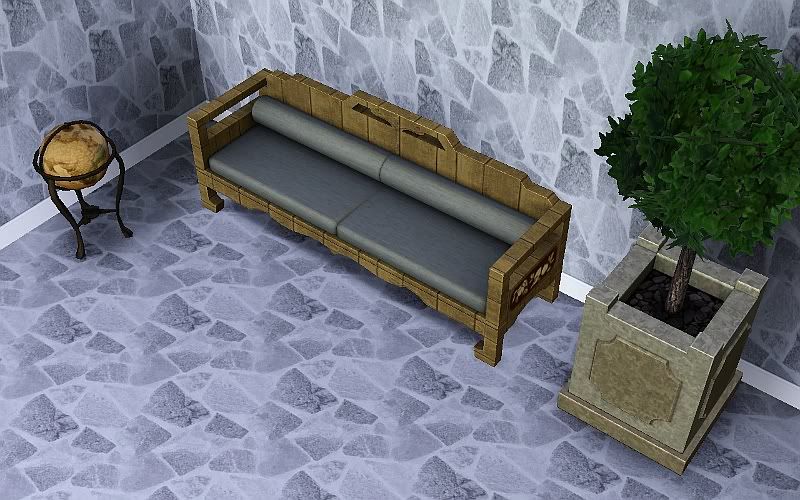
Jack of Diamonds:
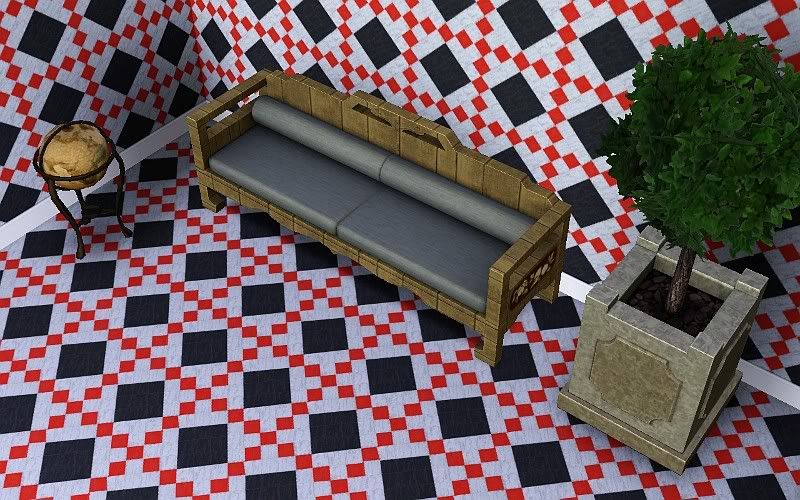
|
Fun_With_Patterns_jimTNW.zip
Download
Uploaded: 15th Apr 2010, 1.53 MB.
3,569 downloads.
|
||||||||
| For a detailed look at individual files, see the Information tab. | ||||||||
Install Instructions
1. Click the download button, or the filename, to download the file to your computer.
2. Extract the zip, rar, or 7z file. Now you will have either a .package or a .sims3pack file.
For Package files:
1. Cut and paste the file into your Documents\Electronic Arts\The Sims 3\Mods\Packages folder. If you do not already have this folder, you should read the full guide to Package files first: Sims 3:Installing Package Fileswiki, so you can make sure your game is fully patched and you have the correct Resource.cfg file.
2. Run the game, and find your content where the creator said it would be (build mode, buy mode, Create-a-Sim, etc.).
For Sims3Pack files:
1. Cut and paste it into your Documents\Electronic Arts\The Sims 3\Downloads folder. If you do not have this folder yet, it is recommended that you open the game and then close it again so that this folder will be automatically created. Then you can place the .sims3pack into your Downloads folder.
2. Load the game's Launcher, and click on the Downloads tab. Find the item in the list and tick the box beside it. Then press the Install button below the list.
3. Wait for the installer to load, and it will install the content to the game. You will get a message letting you know when it's done.
4. Run the game, and find your content where the creator said it would be (build mode, buy mode, Create-a-Sim, etc.).
Extracting from RAR, ZIP, or 7z: You will need a special program for this. For Windows, we recommend 7-Zip and for Mac OSX, we recommend Keka. Both are free and safe to use.
Need more help?
If you need more info, see:
- For package files: Sims 3:Installing Package Fileswiki
- For Sims3pack files: Game Help:Installing TS3 Packswiki
Loading comments, please wait...

Uploaded: 15th Apr 2010 at 6:49 PM
Updated: 15th Apr 2010 at 7:38 PM



-
Original Art by me: "Night Jazz" recolor of Handle and spout
by joninmobile 16th Mar 2008 at 9:37pm
Here is an original painting by me called "Night Jazz" that I made using the gimp.This is a recolor of more...
 3
5.7k
3
3
5.7k
3
-
"The meaning of fruit" recolors - lime
by joninmobile 12th Oct 2007 at 10:31pm
Here are some recolors of the meaning fruit(which can be found in the base game) in lime.In order to get more...
2
5.2k
5
-
Maxis Large Decorative Plants as Functional Centerpieces Repositoried
by joninmobile 12th Sep 2009 at 8:33pm
I've made some of the decorative plants, that were normally too large to sit on the dining tables, now functional more...
12
17.2k
19
-
by joninmobile 28th Jun 2010 at 7:07pm
I really like the decorative dumpster that came with The Sims 3, so I decided to convert it for Sims more...
34
68k
181
-
Sims Always Ask, Or Sims Never Ask "Can My Friend Come Too?"
by joninmobile 20th Jan 2010 at 12:56am
I've made two mods, one where sims will always ask if they can bring a friend when invited over, and more...
21
33.6k
57
-

Original Art by me: "Antartic Dusk"
by joninmobile 18th Mar 2008 at 2:05pm
Here is an original painting created by me using the gimp called "Antartic Dusk".This is a recolor of "Sim City more...
6
7.5k
5
-
by joninmobile 19th Dec 2007 at 11:43pm
Here is a recolor of "A-Stroke" from the Nightlife expansion pack.It is a painting of a large cluster of blackberries more...
+1 packs
3 6.1k 6 Nightlife
-

*Updated 9 Glamour Life Formal Dresses for Elders!
by joninmobile 29th Oct 2007 at 1:06am
Here are six Glamour Life Stuff pack Formal Dresses for Elders.Included are the short indigo dress, the short teal dress, more...
-
One Brick and Three Masonry Walls
by joninmobile 5th Mar 2008 at 4:16am
Here is one brick and three masonry walls.The brick wall is a completley brick wall, and the masonry walls are more...
1
5.4k
2
-

by joninmobile 3rd Nov 2009 at 10:08pm
I finally learned how to make brand new floors, that doesn't involve making a pattern, and is NOT a default more...
 2
9k
7
2
9k
7


About Me
I hope you enjoy all the downloads I've brought to you over the years. It's been fun. Being a part of The Sims community has had it's ups and downs for me, but I keep on truckin' nonetheless. Lots and lots of drama, lots of pain and sorrow, but lots of laughs, and good times too. Made so many new friends over the years, and it all started by uploading to MTS way back in 2006. Have fun with my creations, that's what they're here for!
~ Jon