
 Sign in to Mod The Sims
 Colonial Window Styles
 Colonial Window Styles


Window colonial tallarch plane.jpg - width=639 height=457
Window colonial tallarch_style1.jpg - width=798 height=727
Window colonial tallarch_style2.jpg - width=835 height=724
Window colonial tallarch_style3.jpg - width=814 height=671
Window colonial tallarch_style5.jpg - width=814 height=458
Pic1.jpg - width=863 height=1024
Pic2.jpg - width=900 height=980
pic3.jpg - width=830 height=994

I Was experimenting with the window because I needed new designs rather than the single one we have in the game and then I came up with these and decided to share them.

They are base game compatible and found under build mode in Windows. The only difference to the main colonial window is that these ones cost 300 rather than the initial 265.

Each of the window can be recolored in 4 channels (two in the front and two in the back)
With respect to in game, Have played with it and they appear okay
Polygon Counts:
Window-Plane-Faces-850
Style1-faces-1058
Style2-faces-1026
Style3-faces-1042
Style5-faces-1002
Additional Credits:
Thanks to Inge & Peter Jones for S3OC and s3pe.
Wes_H for his plugins for Milkshape
This is a new mesh, and means that it's a brand new self contained object that usually does not require a specific Pack (although this is possible depending on the type). It may have Recolours hosted on MTS - check below for more information.
|
Adonispluto_Colonialwindows.zip
| A collection of modified Ye olde colonial window
Download
Uploaded: 24th Aug 2010, 1.12 MB.
10,064 downloads.
|
||||||||
| For a detailed look at individual files, see the Information tab. | ||||||||
Install Instructions
1. Click the download button, or the filename, to download the file to your computer.
2. Extract the zip, rar, or 7z file. Now you will have either a .package or a .sims3pack file.
For Package files:
1. Cut and paste the file into your Documents\Electronic Arts\The Sims 3\Mods\Packages folder. If you do not already have this folder, you should read the full guide to Package files first: Sims 3:Installing Package Fileswiki, so you can make sure your game is fully patched and you have the correct Resource.cfg file.
2. Run the game, and find your content where the creator said it would be (build mode, buy mode, Create-a-Sim, etc.).
For Sims3Pack files:
1. Cut and paste it into your Documents\Electronic Arts\The Sims 3\Downloads folder. If you do not have this folder yet, it is recommended that you open the game and then close it again so that this folder will be automatically created. Then you can place the .sims3pack into your Downloads folder.
2. Load the game's Launcher, and click on the Downloads tab. Find the item in the list and tick the box beside it. Then press the Install button below the list.
3. Wait for the installer to load, and it will install the content to the game. You will get a message letting you know when it's done.
4. Run the game, and find your content where the creator said it would be (build mode, buy mode, Create-a-Sim, etc.).
Extracting from RAR, ZIP, or 7z: You will need a special program for this. For Windows, we recommend 7-Zip and for Mac OSX, we recommend Keka. Both are free and safe to use.
Need more help?
If you need more info, see:
- For package files: Sims 3:Installing Package Fileswiki
- For Sims3pack files: Game Help:Installing TS3 Packswiki
Loading comments, please wait...

Uploaded: 24th Aug 2010 at 1:18 AM
-
-
-
by leefish 16th Oct 2009 at 4:56pm
 38
43.9k
69
-
-
by Hekate999 updated 14th Apr 2011 at 12:43pm
18
65.9k
166
-
by Lisen801 18th Jul 2010 at 11:53pm
27
45.9k
96
-
by Lisen801 10th Oct 2010 at 5:01pm
34
76.8k
211
-
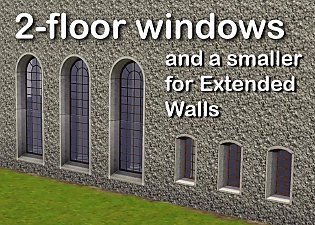
2 new windows for *Extended* walls
by Lisen801 updated 27th May 2012 at 1:44pm
+1 packs
19 60k 106 Late Night
-
-


-


by AdonisPluto updated 20th May 2011 at 6:22am
A wonderful 3 level four bedroom house with an attached garage designed to meet the everyday needs of its owner. While boosting an elegant inside, the outdoor itself is an epitome of loveliness that s more...
+5 packs
8 17.4k 9 World Adventures
 High-End Loft Stuff
 Ambitions
 Fast Lane Stuff
Late Night
-
by AdonisPluto 15th Jan 2013 at 9:37pm
A lovely one bedroom house Ideal for the great Sim Bachelor more...
+14 packs
4 20.9k 4 World Adventures
High-End Loft Stuff
Ambitions
Fast Lane Stuff
Late Night
 Outdoor Living Stuff
 Generations
 Town Life Stuff
 Master Suite Stuff
 Pets
 Katy Perry Stuff
 Showtime
 Supernatural
 Seasons
-
Great Traditions Doorway and Arch
by AdonisPluto 15th Nov 2015 at 7:54am
A door way and arch that goes with Victorian Builds more...
 11
38.4k
108
-


by AdonisPluto updated 6th Nov 2011 at 1:16am
The grand piano redesigned to a flat top more...
+2 packs
23 63.1k 122 Late Night
Pets
-


by AdonisPluto 8th May 2014 at 2:18pm
A modern contemporary rug designed to make sims happy more...
 +1 packs
10 20.6k 47
 Glamour Life
-


by AdonisPluto 16th Jul 2013 at 9:01pm
Decades distressed living chair from TS3 for TS2 more...
-
by AdonisPluto 21st Mar 2013 at 5:36pm
A modern snooker pool table converted from TS3 more...
+1 packs
16 22.4k 47 University
-


by AdonisPluto 6th Apr 2015 at 6:05pm
A conversion of the shrubby fence from the Sims 4.Why use a wooden fence when it can be all green more...
14
17.5k
62
-


by AdonisPluto 28th Sep 2016 at 12:18pm
A collection of Decorative objects for the Sims bathroom more...
12
17.2k
53
-


by AdonisPluto 26th Mar 2014 at 8:59pm
I have always liked the loft window that came with the base game and having a wall height version have more...
12
18.4k
62


