
 Sign in to Mod The Sims
 Little Wings
 Little Wings


Screenshot-5.jpg - width=1024 height=768
Screenshot-6.jpg - width=1024 height=768
Screenshot-7.jpg - width=1024 height=768
Screenshot-8.jpg - width=1024 height=768
Screenshot-10.jpg - width=1024 height=768
Screenshot-11.jpg - width=1024 height=768
Screenshot-12.jpg - width=1024 height=768
Screenshot-13.jpg - width=1024 height=768
Screenshot-14.jpg - width=1024 height=768
Screenshot-15.jpg - width=1024 height=768


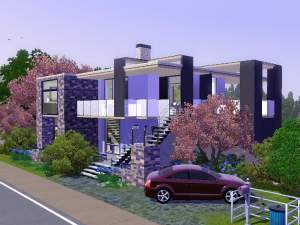
This lot is a sequel to my Wings of Summer. It was suppose to be a starter at first, but as you can see, I failed miserably
 So, I present you a modern luxury home for a couple or a single sim, definitely not a starter :P
Little Wings features:
- Kitchen
- Dining
- Livingroom
- Master bedroom with a study
- A bathroom with laundry
- Entrance hall
- Simming pool and patio
- Fountain
- Rich flowerbeds
- Well maintained yard
- A covered parking space for one car
The lot has been playtested for routing.
No CC has been used, but I suggest you get this mod, so that the curtains stay where they are supposed to:
Curtain Height Adjustment by Granthes
Game requirements:
You will need Base game, WA, Ambitions and Late night installed with patch 6.1.11 or higher
Lot size and prize:
30x20
117117 Furnished
62824 Unfurnished
Additional Credits:
Granthes for the curtain mod
#create for all the feedback, laughs, awesome people who hang out there, thank you!
|
Little Wings.rar
Download
Uploaded: 17th Jan 2011, 2.42 MB.
901 downloads.
|
||||||||
| For a detailed look at individual files, see the Information tab. | ||||||||
Install Instructions
1. Click the filename or the download button to download the file to your computer.
2. Extract the zip, rar, or 7z file.
2. Select the .sims3pack file you got from extracting.
3. Cut and paste it into your Documents\Electronic Arts\The Sims 3\Downloads folder. If you do not have this folder yet, it is recommended that you open the game and then close it again so that this folder will be automatically created. Then you can place the .sims3pack into your Downloads folder.
5. Load the game's Launcher, and click on the Downloads tab. Select the house icon, find the lot in the list, and tick the box next to it. Then press the Install button below the list.
6. Wait for the installer to load, and it will install the lot to the game. You will get a message letting you know when it's done.
7. Run the game, and find your lot in Edit Town, in the premade lots bin.
Extracting from RAR, ZIP, or 7z: You will need a special program for this. For Windows, we recommend 7-Zip and for Mac OSX, we recommend Keka. Both are free and safe to use.
Need more help?
If you need more info, see Game Help:Installing TS3 Packswiki for a full, detailed step-by-step guide!
Loading comments, please wait...



 View with Names
Uploaded: 17th Jan 2011 at 3:51 PM
-
-

by Aspen Creations 22nd Aug 2009 at 11:15pm
 11
14.6k
8
11
14.6k
8
-
-
-
-
by HugeLunatic 13th Jul 2010 at 5:52am
+1 packs
13 16.7k 39 World Adventures
-
-
-
-
by RagdollVioletNeko 18th Jul 2025 at 5:03pm
+6 packs
1.6k 2 Ambitions
 Generations
 Town Life Stuff
 Pets
Pets
 Supernatural
 Seasons


-
Wings of Summer - A Modern return
by armiel 16th Jan 2011 at 3:11pm
A modern luxury home for your simmies! more...
+3 packs
2 10.9k 8 World Adventures
Ambitions
 Late Night
-
-

-
-

-
Community pool - In case of hot summer day.
by armiel 18th Jan 2010 at 4:47pm
Hot summer day? Not to worry, you can always go to community pool. more...
6
19.5k
11
-
-

The Olives - Set of 3 modern homes
by armiel 14th Mar 2010 at 2:45am
Here is something i haven't done yet. Publishing 3 houses at once. more...
+1 packs
7 10.7k 12 World Adventures
-
-
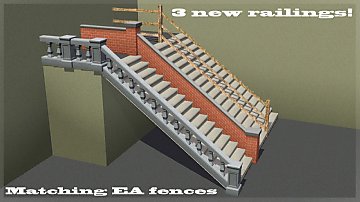
by armiel 16th Jan 2012 at 9:04am
Moar railings to match those EA fences! more...
30
68.2k
194
Build Mode » Stairs » Other
Packs Needed
| Expansion Pack | |
|---|---|
| World Adventures |
| Ambitions |
| Late Night |
About Me
I have retired from simming. This means I won't be supporting my uploads anymore.
Please take this into consideration:
My uploads have a date when they have been uploaded. If I have fixed something later, I have stated so in the post. If something is currently broken, it stays that way, unless you bother on fixing it yourself. :)
Policy regarding my uploads:
You may rip off, tear apart, re-use and destroy my content in any way you feel necessary. You have been given a permission right here and now.
Please do not however re-upload my content as is, and claim it as your own.
Please also notice, that my content is made to be free - do not include it in uploads that require submission, or paysites in general, thanks.
If you do use my work, a credit would be nice, but sure is not required. :)
Thanks for your time for reading this, for possibly using my creations, and for being generally awesome!
~armiel