
 Sign in to Mod The Sims
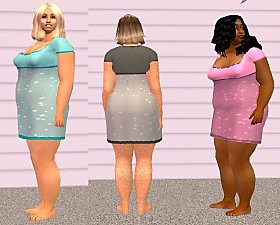
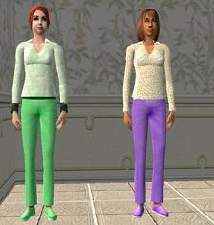
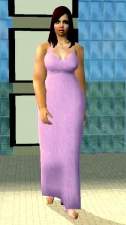
 2 outfits based on Grizelda's Plus size mesh
 2 outfits based on Grizelda's Plus size mesh
SCREENSHOTS


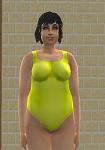
B.JPG - width=167 height=350
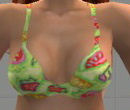
C.JPG - width=171 height=375
Downloaded 341 times
38 Thanks
1 Favourited
13,607 Views
Say Thanks!
Thanked!
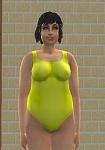
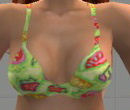
I've done 2 recolors and retextures of Grizelda's plump and sassy (a bigger woman) mesh.

If you want them to show up in your game, you need to get Grizelda's mesh here:
http://modthesims2.com/showthread.p...hlight=grizelda
or you could go to her website here:
http://ts2creations.com/
If you like these, let me know. I will try to do some more soon.
I also do other clothing, so take a look at my profile. I'm learning every day so hopefully my clothes will get better!
Thanks for looking.
If you want them to show up in your game, you need to get Grizelda's mesh here:
http://modthesims2.com/showthread.p...hlight=grizelda
or you could go to her website here:
http://ts2creations.com/
If you like these, let me know. I will try to do some more soon.
I also do other clothing, so take a look at my profile. I'm learning every day so hopefully my clothes will get better!
Thanks for looking.
Advertisement:
This is a new mesh recolour, and means that you will need to download the particular mesh itself in order for this to show up in your game. See the Meshes Needed section or read the text for more information.
|
pinkrecolorHCAC.rar
Download
Uploaded: 17th May 2006, 190.1 KB.
698 downloads.
|
||||||||
|
tealrecolorHCAC.rar
Download
Uploaded: 17th May 2006, 232.2 KB.
807 downloads.
|
||||||||
| For a detailed look at individual files, see the Information tab. | ||||||||
Install Instructions
Basic Download and Install Instructions:
1. Download: Click the download link to save the .rar or .zip file(s) to your computer.
2. Extract the zip, rar, or 7z file.
3. Place in Downloads Folder: Cut and paste the .package file(s) into your Downloads folder:
1. Download: Click the download link to save the .rar or .zip file(s) to your computer.
2. Extract the zip, rar, or 7z file.
3. Place in Downloads Folder: Cut and paste the .package file(s) into your Downloads folder:
- Origin (Ultimate Collection): Users\(Current User Account)\Documents\EA Games\The Sims™ 2 Ultimate Collection\Downloads\
- Non-Origin, Windows Vista/7/8/10: Users\(Current User Account)\Documents\EA Games\The Sims 2\Downloads\
- Non-Origin, Windows XP: Documents and Settings\(Current User Account)\My Documents\EA Games\The Sims 2\Downloads\
- Mac: Users\(Current User Account)\Documents\EA Games\The Sims 2\Downloads
- Mac x64: /Library/Containers/com.aspyr.sims2.appstore/Data/Library/Application Support/Aspyr/The Sims 2/Downloads
- For a full, complete guide to downloading complete with pictures and more information, see: Game Help: Downloading for Fracking Idiots.
- Custom content not showing up in the game? See: Game Help: Getting Custom Content to Show Up.
- If you don't have a Downloads folder, just make one. See instructions at: Game Help: No Downloads Folder.
Advertisement:
Loading comments, please wait...
Author

Download Details
Packs:
None, this is Sims 2 base game compatible!
Uploaded: 17th May 2006 at 11:44 AM
Uploaded: 17th May 2006 at 11:44 AM
Other Download Recommendations:
-
-
-
-
-
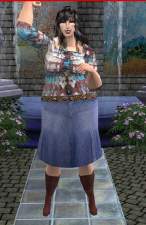
by OpenHouseJack 8th Jun 2006 at 2:24am
-
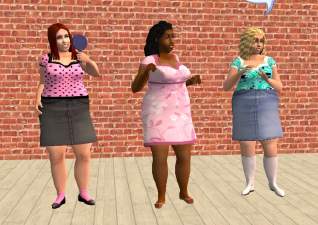
-
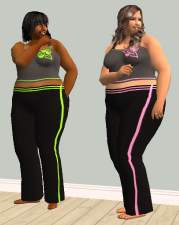
-
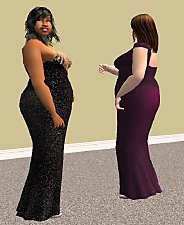
-
-


More downloads by HCAC:
See more
-
-
-
-
-
-
-
-
-
-
6 Outfits bases on Starangel13's Curvy Girl Meshes
by HCAC 17th Apr 2006 at 5:33pm
I'm not sure how many of you still play bigger sims ladies but I have a main character more...
 15
10.8k
1
15
10.8k
1
Female » Mixed Sets » Adult
About Me
Life is too short to say no to cake.