
 Sign in to Mod The Sims
 1910 Wall Phone: new mesh
 1910 Wall Phone: new mesh


Pres.jpg - width=412 height=600
001.jpg - width=661 height=696
01.jpg - width=645 height=401
05.jpg - width=162 height=384
redwood2.jpg - width=325 height=498
white.jpg - width=350 height=498


Here a new wall phone :

Faces 2008 Vertices 1549
*Many thanks to Numenor for his good tutorial and the templates I used for creating this object:http://www.modthesims2.com/showthread.php?t=191727
I add 2 recolors of it: white and red wood.
Hope you like them!
-Maylin-
Feedbacks are always welcome...
* You can recolour my mesh but please, keep your work free and link back to this post for the original mesh.
Including in a house lot is allowed (free only!) but please give credits and link
This is a new mesh, and means that it's a brand new self contained object that usually does not require a specific Pack (although this is possible depending on the type). It may have Recolours hosted on MTS - check below for more information.
|
Meshes&recolors.zip
Download
Uploaded: 10th Dec 2006, 328.4 KB.
57,882 downloads.
|
||||||||
| For a detailed look at individual files, see the Information tab. | ||||||||
Install Instructions
1. Download: Click the download link to save the .rar or .zip file(s) to your computer.
2. Extract the zip, rar, or 7z file.
3. Place in Downloads Folder: Cut and paste the .package file(s) into your Downloads folder:
- Origin (Ultimate Collection): Users\(Current User Account)\Documents\EA Games\The Sims™ 2 Ultimate Collection\Downloads\
- Non-Origin, Windows Vista/7/8/10: Users\(Current User Account)\Documents\EA Games\The Sims 2\Downloads\
- Non-Origin, Windows XP: Documents and Settings\(Current User Account)\My Documents\EA Games\The Sims 2\Downloads\
- Mac: Users\(Current User Account)\Documents\EA Games\The Sims 2\Downloads
- Mac x64: /Library/Containers/com.aspyr.sims2.appstore/Data/Library/Application Support/Aspyr/The Sims 2/Downloads
- For a full, complete guide to downloading complete with pictures and more information, see: Game Help: Downloading for Fracking Idiots.
- Custom content not showing up in the game? See: Game Help: Getting Custom Content to Show Up.
- If you don't have a Downloads folder, just make one. See instructions at: Game Help: No Downloads Folder.
Loading comments, please wait...



Uploaded: 10th Dec 2006 at 9:06 PM
Updated: 9th Oct 2008 at 7:53 AM
#Wall Phone, #phone, #antique
-
by Reyn 10th Nov 2005 at 6:54pm
 15
23.7k
14
15
23.7k
14
-
by fanseelamb updated 16th Dec 2006 at 10:45pm
33
82.9k
105
-
-
-
Wood Recolours of Maxis SCTC Universal Public Phone
by BillySIMS139 7th May 2007 at 6:14am
9
22.2k
28
-
-
-
-
Antique Table Phone in the Yeti Palette (+2 Extra Colours)
by Corax 10th Jan 2023 at 11:18pm
6
8k
39
-
Modern Slim Phone in the Yeti Palette (+2 Extra Colours)
by Corax 10th Jan 2023 at 11:18pm
3
6.8k
30


-

Hello Kitty & Pucca Table Phones: 2 new meshes
by -Maylin- 24th Sep 2008 at 9:38pm
Hi all, Bored to use your old table phone, you can get one of these two new more...
61
118.2k
215
-
-
The Tardis from Dr Who: requested new mesh
by -Maylin- updated 14th Mar 2009 at 11:07am
Hi all, This is a new sculpture requested by Tat2ddevilboy, the Tardis from Dr Who: more...
59
84.4k
124
-
"Traditional Door" and "Iron Patio Door": 2 new meshes and recolours
by -Maylin- 29th May 2008 at 7:27pm
Hi all, I have created 2 new doors, one in wood and iron called "Traditional Door" and one in more...
19
35.3k
60
-
-
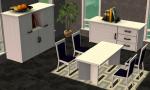
Elegance Dining set: recolour in white and buffets w/o Deco
by -Maylin- 25th Mar 2009 at 6:56pm
Hi all, I have made some recolours of my Elegance Dining set by request: All the set in white: more...
-
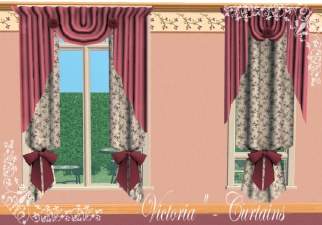
Victorian Curtains: 2 new meshes and 7 recolours
by -Maylin- 5th Apr 2008 at 4:31pm
Hi all, My entry for this challenge is a pair of curtains called "Victoria": Victorian curtains more...
41
82.9k
115
-
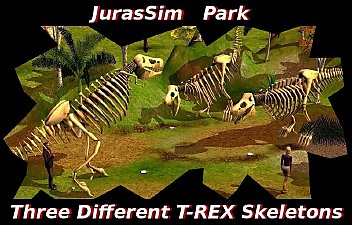
"JurasSim Park" 3 new meshes: T REX Skeletons
by -Maylin- 7th Jun 2008 at 7:31am
Hi all, I have created three T Rex skeletons, first part of requested items by Oasis, and I want more...
45
53.4k
89
-
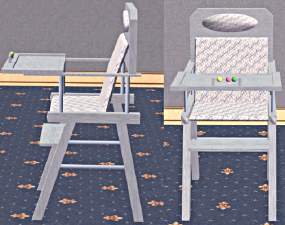
Luxury Highchair: new mesh & 3 recolours
by -Maylin- 22nd Nov 2006 at 8:37pm
Hi everybody, Today, I've created the highchair matching with my Luxury Nursery set that you can find here: more...
-
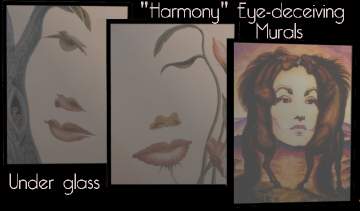
New Mesh: "Harmony" Eye-deceiving murals.
by -Maylin- 28th Jan 2007 at 8:54am
Hi all, I love these pictures and I wanted to get them in my Sims game, so I have more...
7
9.1k
11
