
 Sign in to Mod The Sims
 Global FIX: Fully-functional Custom ToyBoxes in pre-FFS games
 Global FIX: Fully-functional Custom ToyBoxes in pre-FFS games

Screenshot.jpg - width=600 height=450

Fully-functional Custom ToyBoxes in pre-FFS games
NOTICE - This is a GLOBAL FIX, which means that:
- it might be unknowingly included in your uploaded lots (so, use the Clean Installer to remove unwanted hacks from your lots before uploading them);
- it will be copied in any toybox you clone with SimPE, if you have included the Downloads folder in the File Table (so, uncheck the Downloads if you want a "clean" clone).
 WHY THIS FIX?
Before Family Fun Stuff, there was only one toybox in the game; and therefore all the code related to toyboxes "recognized" only one toybox: all the cloned toyboxes worked partially; in particular:
- It's not possible to put away the toys (the sim picks up a toy, and then drops it, because he can't find a suitable toybox where to store it);
- When a sim is already playing, the interactions "Join..." and "Ask ... to join" don't work, because the second sim can't find a suitable toybox.
WHICH GAMES NEED THIS FIX?You DON'T NEED this fix if your game includes at least one of the following EPs:If you have none of the EPs listed above, then you NEED the fix, in order to use a custom toybox in your game.
- Family Fun Stuff
- Glamour Life Stuff
- Pets
- any other EP newer then Pets
HOW TO INSTALL/UNINSTALLExtract the package from the zip archive and put it into your Downloads folder; you can also use the Q-Xpress, if you like.
To uninstall, delete the file "Numenor_GLOBAL-FIX_UsableCustomToyboxes.package" from your Downloads folder.
CREATORS OF CUSTOM TOYBOXES, PLEASE READIf you have FFS, you could just clone one of the new toyboxes included in FFS; but this would create a clone that requires FFS in order to work (which is not advisable).
The best way to create a fully functional cloned toybox is the following:This way, your clone will automatically benefit of the fix, and it will be usable in any game (from the base-game to Pets and newer)
- Deactivate all the EPs in SimPE's file table, as explained HERE.
- Still in SimPE's file table, include the Downloads folder in the table.
- Install this fix.
- Clone the base-game ToyBox.
If you have a little familiarity with BHAVs, you can just skip all the steps above and append a single line to the Init BHAV of your clone:[prim 0x0002] Expression (My 0x003B (category) := Literal 0x0073)In any case, you have to alert the downloaders of your cloned toybox that they need this global fix, in order to your your custom object (if they don't have FFS or above, of course).
TECHNICAL EXPLANATION OF THIS FIXAs said, some interactions rely on the original GUID of the base-game toybox; starting with FFS, Maxis implemented a different check, based on the Category 0x0073: every toybox is assigned to Category 0x0073, and then the BHAVs look for a suitable toybox by searching for objects in Category 0x0073 (before FFS, the BHAVs searched for objects having the GUID of the base-game toybox, instead).
This fix is composed by three edited BHAVs:Basically, they are the BHAVs taken from FFS, made available in the base-game.
- Two BHAVs from the ToyBoxToysGlobals (GroupID 0x7F119F0A, instances 0x2003 and 0x2008): the GUID check is replaced by the Category check.
- One BHAV from the ToyBoxGlobals (GroupID 7F277790, instance 0x2001): it sets the Category to 0x0073 for every ToyBox created in the game.
|
GLOBAL-FIX_UsableCustomToyboxes.zip
Download
Uploaded: 2nd Jan 2007, 579 Bytes.
4,745 downloads.
|
||||||||
| For a detailed look at individual files, see the Information tab. | ||||||||
Install Instructions
1. Download: Click the download link to save the .rar or .zip file(s) to your computer.
2. Extract the zip, rar, or 7z file.
3. Place in Downloads Folder: Cut and paste the .package file(s) into your Downloads folder:
- Origin (Ultimate Collection): Users\(Current User Account)\Documents\EA Games\The Sims™ 2 Ultimate Collection\Downloads\
- Non-Origin, Windows Vista/7/8/10: Users\(Current User Account)\Documents\EA Games\The Sims 2\Downloads\
- Non-Origin, Windows XP: Documents and Settings\(Current User Account)\My Documents\EA Games\The Sims 2\Downloads\
- Mac: Users\(Current User Account)\Documents\EA Games\The Sims 2\Downloads
- Mac x64: /Library/Containers/com.aspyr.sims2.appstore/Data/Library/Application Support/Aspyr/The Sims 2/Downloads
- For a full, complete guide to downloading complete with pictures and more information, see: Game Help: Downloading for Fracking Idiots.
- Custom content not showing up in the game? See: Game Help: Getting Custom Content to Show Up.
- If you don't have a Downloads folder, just make one. See instructions at: Game Help: No Downloads Folder.
Loading comments, please wait...


Uploaded: 2nd Jan 2007 at 10:39 AM
Updated: 2nd Jan 2007 at 12:17 PM
-
Global Fix: Indoor light for the "OpenMe 2Tile Window" - *Now included in CEP*
by MaryLou 10th Apr 2007 at 8:16pm
 +1 packs
23 48.9k 65
+1 packs
23 48.9k 65 Nightlife
-
by simler90 updated 27th Sep 2022 at 4:49am
19
46.2k
160
-
by EvelynnMama 23rd Jun 2021 at 5:50pm
+1 packs
7 15.9k 56 Seasons
-
-
by kestrellyn 26th Jan 2023 at 5:56am
+1 packs
3 7.9k 33 Seasons
-
-
-


-
Artemide "Chimera" - *First object with multiple custom lights!!!
by Numenor 11th Jan 2006 at 11:27pm
ARTEMIDE "CHIMERA" and "MEZZA CHIMERA" The very first objects that contains custom light definitions! more...
223
226.4k
182
-
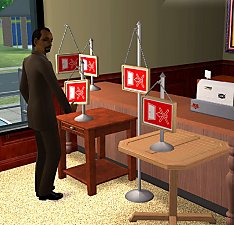
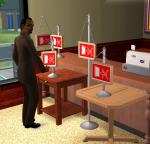
All-placement "Open/Closed" sign (GLOBAL MOD version)
by Numenor 21st Jun 2006 at 12:35am
ALL-PLACEMENT "OPEN/CLOSED" SIGN (*GLOBAL MOD* Version. more...
+1 packs
39 60.1k 117 Open for Business
-
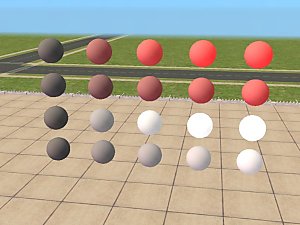
Maxis "Lost & Found" #6: Some *completely usless* test objects
by Numenor 12th Mar 2005 at 2:25pm
I omitted the "Tester Wanded", because 1) There is nothing to test :), and 2) these are original Maxis objects. more...
+1 packs
34 51.6k 12 University
By Function » Extracted Maxis Objects & Collections » Mesh - EP Required
-
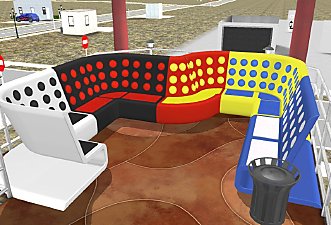
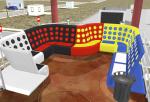
Maxis "Lost & Found" #17: "International" sectional booth (OFB+NL required)
by Numenor 8th Mar 2006 at 4:16pm
As per suggestion/request by Xianah in this thread , I've retrieved and rebuilt (for the missing parts) the Sectional Booth more...
+2 packs
57 72.4k 94 Nightlife
Open for Business
-
-
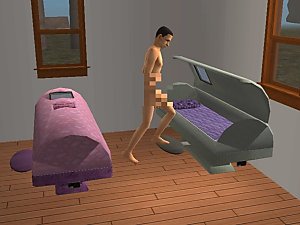
The Numenorean Hibernation Cell (Aspiration reward OR Buyable) - *UPD 08 NOV 2006*
by Numenor 31st Oct 2005 at 12:03am
:new: 08 NOV 2006: ADDED BUYABLE VERSION. more...
475
269.7k
299
-
2x2 A-Frame Special - *No hacks*
by Numenor 6th Feb 2005 at 5:42pm
I'm definitely into small and cheap (but nevertheless, interesting) houses. more...
42
36k
29
-
"Carina SpotLight" Modular Stairs
by Numenor 10th Oct 2006 at 1:12pm
"CARINA SPOTLIGHT" MODULAR STAIRS by Numenor and Chrissy6930 :cool: The very first Modular Stairs with Auto-Lights and custom more...
110
202.4k
166
-
Maxis "Lost & Found" #8: Water Tower *UPD 11 JULY*
by Numenor 29th Apr 2005 at 2:14am
:new: 11 JULY 2005: Fixed an issue that prevented the user-created recolours to show up in the catalog. more...
59
59.7k
44
Miscellaneous » Neighborhoods & CAS Screens » Neighbourhood Deco
-
Custom Walls Repository & Index
by Numenor updated 28th Oct 2006 at 4:40pm
:alarm: IMPORTANT - Walls and Fence-Arches share the same ID space (a custom wall can NOT have the same ID more...
373
504.2k
493

About Me
You may contact me via personal messages here at MTS, and I will reply, but I don't grant I can help you, as a long time has gone by since I created my mods.
This following policy applies to ALL my creations, unless otherwise stated on the download thread.
It's FORBIDDEN: to repost my stuff anywhere.
It's FORBIDDEN: to clone my creations.
It's ALLOWED: to create recolours for my objects (and post them on any site, including paysites), BUT you can't include the mesh in your recolour: you must give credits to me for the mesh, and provide a link to the mesh download thread.
It's ALLOWED: to include my creations in your lots, BUT the lots must be uploaded on free sites (except the Exchange), and you must provide credits and a link to the download thread.