
 Sign in to Mod The Sims
 -Braver Briefs- Default Replacements for Men's Briefs
 -Braver Briefs- Default Replacements for Men's Briefs


amBriefsBlack.jpg - width=327 height=408
amBriefsBlue.jpg - width=327 height=408
amBriefsBrown.jpg - width=327 height=408
amBriefsGreen.jpg - width=327 height=408
amBriefsRed.jpg - width=327 height=408
amBriefsWhite.jpg - width=327 height=408
amBriefsLeopard.jpg - width=327 height=408
BetterBriefs.jpg - width=355 height=280
I'm calling it "Braver" because in my opinion the current Maxis version looks like they are trying to hide behind a swim speedo cut. They aren't actually owning up to the whitie-tightie-ness of it all. I'm sure any guy will tell you, briefs are far more comfortable than speedos any day. I was informed by my boyfriend that the little flap/hatch/fold/pocket/airlock/ect, is included for comfort, so 'things' can expand and the underwear will stay comfortable. To represent this, comfort, I've included it in my version. Now your male sims will remain comfortable in case their nothings(?) - expand? Whatever.
All of the briefs retained their original textures, I just added lines, that way they all kept all the pretty lines and shadows. I raised the cut on the leg and waistband, to give it a better shape. As for colors, they stayed the same this time, except for the brown one, it became gray. If I wanted my underwear to be poop-colored, I'd ... well, maybe not that, but I can't think of any reason I'd want brown underwear in the first place!
I realize some of you don't want to see your male sims in briefs, but think about the alternative, if you DON"T download it, someone might grow up into the Maxis version of it. Do you really want that instead? I'd hope my version is at least a little better than that. Take the 5 seconds, press the download button, and put your mind at ease. Also, make sure you get my Plastic Boxers Replacement Set.
 Updated Version!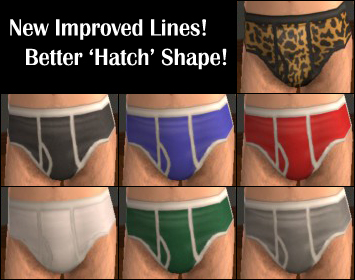
These are DEFAULT REPLACEMENTS, meaning, when you place them in your downloads folder, they will act as Maxis clothing, completely replacing their counterparts. This includes sims currently wearing them. If you want to remove mine and return to the maxis versions, just delete my package from your downloads folder. Btw, if you want your clothing catalog images to reflect these changes, delete your thumbnails folder: C:\Documents and Settings\(yourname)\My Documents\EA Games\The Sims 2\Thumbnails. The game will generate new ones. If you want not default versions, check out this thread of mine.
I've added in a .png file containing just the white lines on the briefs in case anyone wants to use them to make your own briefs. Please link for credit if you do.
Enjoy!
-Phaenoh
P.S. I love reading comments! Leave me a couple?
Additional Credits:
To Kalimos (my model). I love him so much! He was strutting around all sexy like with these briefs to model, he felt like a real professional and darn proud of it! He and I had a bit to much fun with the leopard prints... as I'm sure you can guess from the picture... heh.
|
RecolorersTemplate-BriefLines.rar
Download
Uploaded: 16th Mar 2008, 42.8 KB.
4,275 downloads.
|
||||||||
|
Phaenoh-amBriefsDefaultReplacements.rar
Download
Uploaded: 25th Sep 2007, 161.1 KB.
12,775 downloads.
|
||||||||
| For a detailed look at individual files, see the Information tab. | ||||||||
Install Instructions
1. Download: Click the download link to save the .rar or .zip file(s) to your computer.
2. Extract the zip, rar, or 7z file.
3. Place in Downloads Folder: Cut and paste the .package file(s) into your Downloads folder:
- Origin (Ultimate Collection): Users\(Current User Account)\Documents\EA Games\The Sims™ 2 Ultimate Collection\Downloads\
- Non-Origin, Windows Vista/7/8/10: Users\(Current User Account)\Documents\EA Games\The Sims 2\Downloads\
- Non-Origin, Windows XP: Documents and Settings\(Current User Account)\My Documents\EA Games\The Sims 2\Downloads\
- Mac: Users\(Current User Account)\Documents\EA Games\The Sims 2\Downloads
- Mac x64: /Library/Containers/com.aspyr.sims2.appstore/Data/Library/Application Support/Aspyr/The Sims 2/Downloads
- For a full, complete guide to downloading complete with pictures and more information, see: Game Help: Downloading for Fracking Idiots.
- Custom content not showing up in the game? See: Game Help: Getting Custom Content to Show Up.
- If you don't have a Downloads folder, just make one. See instructions at: Game Help: No Downloads Folder.
Loading comments, please wait...


Uploaded: 25th Sep 2007 at 5:49 AM
Updated: 10th Sep 2008 at 1:40 AM
-
by glnderella 22nd Jan 2005 at 4:23pm
 17
18.6k
5
17
18.6k
5
-
-
-
-
-
-
-
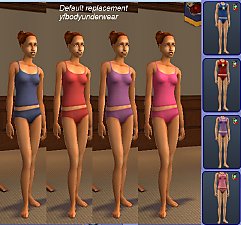
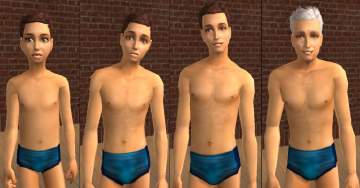
Default replacement - University YAF undies.
by dharden 10th Jul 2015 at 6:07pm
+1 packs
1 8.7k 14 University
-
-


-
-
-
-
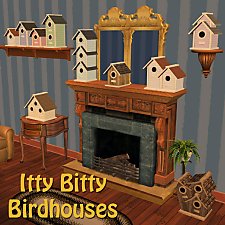
-Itty Bitty Birdhouses- Decorative Maxis Match Birdhouses
by Phaenoh 3rd Jan 2012 at 1:35am
This adorable little bird house is a perfect addition to any yard, tree, garden, or even inside as home decor. more...
35
38.2k
86
-
-
'Cinnamon Retreat' Fully Furnished -Nana Series-
by Phaenoh updated 10th Apr 2008 at 2:52am
Note: I've added a BaseGame version of this house. Many (decorative) things have changed but the floor plan has not. more...
+6 packs
10 12.4k 7 University
 Nightlife
 Open for Business
 Pets
Pets
 Seasons
 Bon Voyage
-
'Katrina Cottages' Homes for Your Post-Disaster Sims -No CC!- (21-25 of 25)
by Phaenoh updated 21st Dec 2007 at 7:22am
Note: Though this is the only one with the little trophy icon, this feature was meant to encompass the entire more...
+2 packs
46 117.4k 73 Open for Business
Pets
-
-Rubber Ducky Floatie Suits- For Boys and Girls
by Phaenoh 23rd Oct 2008 at 6:18pm
It's been a while since I uploaded anything and I've been getting kinda burnt out doing my usual things so more...
+1 packs
10 25.6k 18 Family Fun
-
-
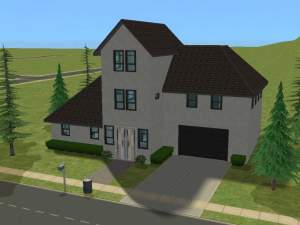
'Fresh Wintergreen' Mid-Priced Family Home (Furnished and Not)
by Phaenoh 17th Sep 2007 at 5:26am
Simspirations Studios Presents: I wanted to make some really cute starter homes for you all, but they are more...
+6 packs
4 8k 10 University
Nightlife
Open for Business
Pets
Seasons
Bon Voyage


About Me
- Please don't reupload my work anywhere else. Just point them back here, I'm not going anywhere! :)
- Please ask permission before using my work as a base for your project. I almost always say 'yes' and often times I will help you with your project! :bunny:
- If you make something (like a story or a video) and it has something of mine in it, send me the link, I love to see my stuff 'in action'!
- Sadly, but honestly, I can't take on requests. You can ask if it's something already related to one of my current projects, but I'm not likely to take on your project for you. MTS has lots of wonderful tutorials ;)