
 Sign in to Mod The Sims
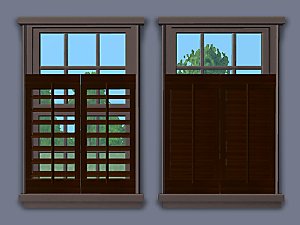
 Shutters - Open and Partially Closed Versions
 Shutters - Open and Partially Closed Versions


HL-wellwishershutter.jpg - width=600 height=343
HL-OpenMeshutter.jpg - width=600 height=343
HL-Lafenetreshutter.jpg - width=600 height=343
HL-IndExpshutter.jpg - width=600 height=343
HL-Euroshutter.jpg - width=600 height=343
HL-DblHungshutter.jpg - width=600 height=343

Includes straight and diagonals, and single and double width where appropriate for window type.
Window Type
- Well Wisher - Base
- Double Hung - Base
- Lafenetre - Base
- Independent Expressions - Base
- Open Me - NL
- Euro - OFB
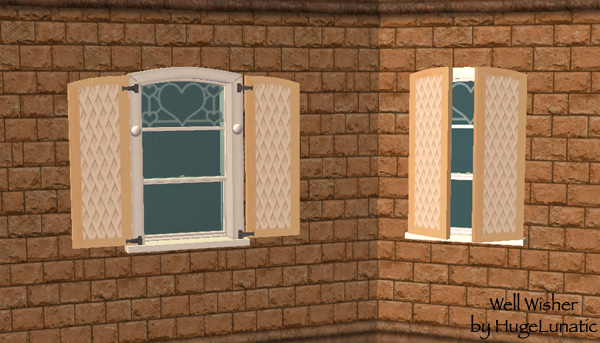
UVMaps are included, there are two, one for the open version and one for the closed. All are mapped identical.
Each one has been added to the collection file that the windows are in, but there is a separate collection file as well for all shutters.
Polygon Counts:
Polys - 306 open, 56 closed
Additional Credits:
Thanks to all who contributed to SimPE otherwise I wouldn't have all these cute little matching items for my sims.
This is a new mesh, and means that it's a brand new self contained object that usually does not require a specific Pack (although this is possible depending on the type). It may have Recolours hosted on MTS - check below for more information.
|
HL_Shutters.zip
Download
Uploaded: 6th Jan 2011, 2.29 MB.
2,067 downloads.
|
||||||||
| For a detailed look at individual files, see the Information tab. | ||||||||
Install Instructions
1. Download: Click the download link to save the .rar or .zip file(s) to your computer.
2. Extract the zip, rar, or 7z file.
3. Place in Downloads Folder: Cut and paste the .package file(s) into your Downloads folder:
- Origin (Ultimate Collection): Users\(Current User Account)\Documents\EA Games\The Sims™ 2 Ultimate Collection\Downloads\
- Non-Origin, Windows Vista/7/8/10: Users\(Current User Account)\Documents\EA Games\The Sims 2\Downloads\
- Non-Origin, Windows XP: Documents and Settings\(Current User Account)\My Documents\EA Games\The Sims 2\Downloads\
- Mac: Users\(Current User Account)\Documents\EA Games\The Sims 2\Downloads
- Mac x64: /Library/Containers/com.aspyr.sims2.appstore/Data/Library/Application Support/Aspyr/The Sims 2/Downloads
- For a full, complete guide to downloading complete with pictures and more information, see: Game Help: Downloading for Fracking Idiots.
- Custom content not showing up in the game? See: Game Help: Getting Custom Content to Show Up.
- If you don't have a Downloads folder, just make one. See instructions at: Game Help: No Downloads Folder.
Loading comments, please wait...


Uploaded: 22nd Aug 2008 at 1:20 PM
Updated: 6th Jan 2011 at 11:26 PM
-
by feeEssen 9th Jul 2006 at 1:05am
 5
12.3k
4
5
12.3k
4
-
More recolours of Xmsims curtains (open and closed)
by discordkitty 12th Jul 2006 at 1:23am
10
27.1k
17
-
-
-
-
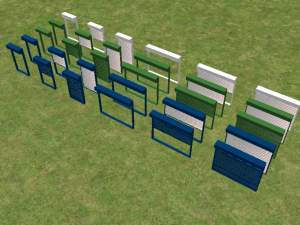
Window shutters - open/closed/partially open
by annevs 25th Feb 2007 at 11:27pm
+4 packs
7 11k 3 University
 Nightlife
 Open for Business
 Pets
Pets
-
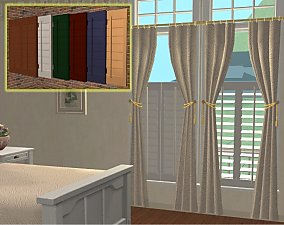
Cafe Shutters - Indoor Window Coverings - New Meshes
by khakidoo 28th Feb 2007 at 6:44am
24
57.8k
88
-
-
by SPOILEDROTTEN165 30th Mar 2007 at 11:02pm
3
15.7k
21
-
by ninipupucea 26th Aug 2008 at 7:17pm
+15 packs
1 3.9k 1 Happy Holiday
 Family Fun
University
Family Fun
University
 Glamour Life
Nightlife
Glamour Life
Nightlife
 Celebration
Open for Business
Pets
Celebration
Open for Business
Pets
 H&M Fashion
 Teen Style
 Seasons
 Kitchen & Bath
 Bon Voyage
 Free Time
 Ikea Home


-
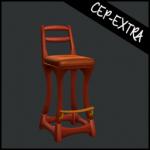
Art Nouveau Bar Stool [CEP-Extra]
by HugeLunatic 8th Oct 2021 at 7:32pm
I'm probably the only simmer who likes this bar stool. more...
7
2.4k
12
-
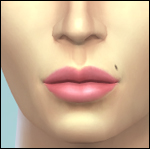
by HugeLunatic 31st Oct 2014 at 12:24am
Do your males need a bit more color to their lips? Here is the female matte lipstick converted for more...
-
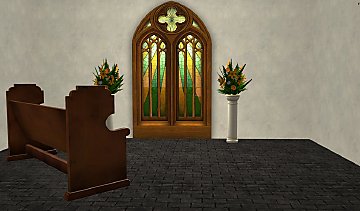
by HugeLunatic 25th Sep 2016 at 10:21pm
The Uni "Out of the Dark Ages Window" resized to encompass the entire wall height and two tiles wide. more...
+1 packs
17 16.7k 56 University
-
by HugeLunatic updated 30th Oct 2022 at 7:59pm
Thanks to MrsM'Quve for pointing out this blue recolor was just hanging out in the game files and nowhere more...
+1 packs
7 10.7k 27 Nightlife
-


by HugeLunatic 22nd Oct 2021 at 12:20pm
The arch from TS4 Romantic Garden made into a proper wedding arch. more...
7
6.7k
42
-


by HugeLunatic updated 6th Apr 2026 at 12:35pm
+1 packs
2 1.5k 5 Open for Business
-
-

by HugeLunatic 5th Mar 2011 at 10:12pm
It seems like every time I build a house I find something in the game that makes me go wtf more...
-
by HugeLunatic 31st Oct 2016 at 2:31pm
Lord Darcy created Stuff Pack Fixes for AL/M&G to fix several objects in various SPs. more...
+1 packs
8 16k 42 Ikea Home
-

by Hood Building Group 31st Aug 2015 at 10:42pm
Hello everyone! Yes! We did it again! more...
69
89.8k
176
Miscellaneous » Neighborhoods & CAS Screens » Neighbourhoods and Worlds


About Me
Pet Stories || Dog Agility Items? || Castaway Stories || Holy Simoly Extras
4esf Archive || Holy Simoly Archive || CEP-Extras List || Buyable Game Objects
lunie content from GoS/s2a
 Installation of CEP Extras
-the package with pfiles appended to the name will go into your cep extras folder where your game is installed (typically c drive, you do you)
-the other goes in CEP extra folder in documents.
The following locations are what I am aware of, beyond that you'll have to do some searching.
Downloads Folder:
C:\Users\<user>\Documents\EA Games\The Sims 2 Legacy
C:\Users\<user>\Documents\EA Games\The Sims 2 Ultimate Collection
With multiple launchers, the location for your game install will vary.
C:\Program Files\EA GAMES\The Sims 2 Legacy\TSData\Res\Catalog\zCEP-EXTRA
C:\Program Files\EA GAMES\The Sims 2\TSData\Res\Catalog\zCEP-EXTRA
C:\Program Files (x86)\EA GAMES\The Sims 2\TSData\Res\Catalog\zCEP-EXTRA