
 Sign in to Mod The Sims
 extra TXTR remover - now with GUI - 20090301
 extra TXTR remover - now with GUI - 20090301


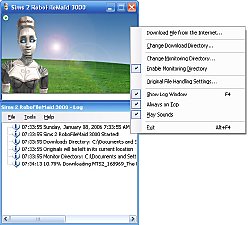
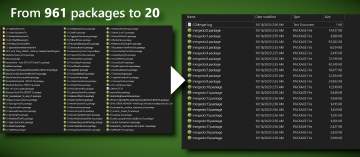
img0.jpg - width=403 height=216
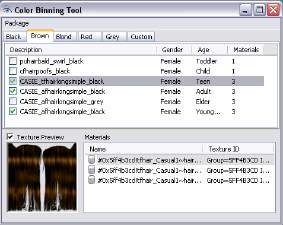
img1.jpg - width=498 height=414
img2.jpg - width=606 height=274
img3.jpg - width=534 height=194
===================================================
Extra Texture Remover
This program removes duplicate TXTRs from clothing and hair recolor packages, making them smaller. (Do NOT use on "mixed method" default skin packages.)
When is this useful? If you recolor hair or clothing with multiple mesh groups that use the same texture, BodyShop makes useless duplicate copies of the TXTR. In the past, you had to manually remove these extra TXTRs with SimPE and manually tell the TXMTs to use just one TXTR. Now you can do it automatically.
----------------------------------------------------------------
Alpha Software Now Available - TESTERS WANTED
version: 20090301 alpha
 now with a GUI
 Installation
The current version runs on Windows only. A Mac version is planned.
Unzip the file extraTXTRremove_alpha_20090301.zip (from this post).
It contains a directory with the extraTXTRremove executable and a manual.
It also contains library files (*.dll) and a manifest file. Do not delete them!
To run this program, double click extraTXTRremove.exe.
Usage
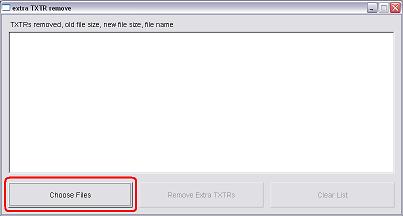
First, press the Choose Files button.
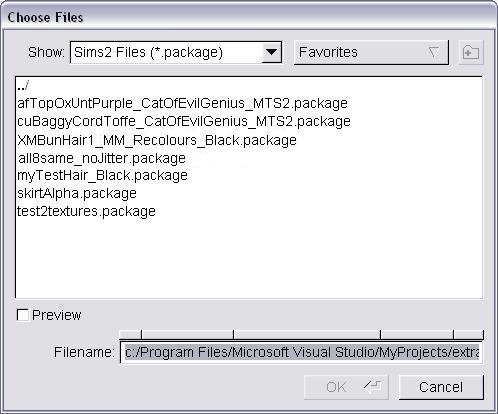
Click a file to select it, SHIFT click or CTRL click to select several files, then press OK.
If you want to select more files from a different directory, press the Choose Files button again.
Do NOT select any default skin packages, just clothing and hair.
A list of files will appear in the main window.
Press the Remove Extra TXTRs button.
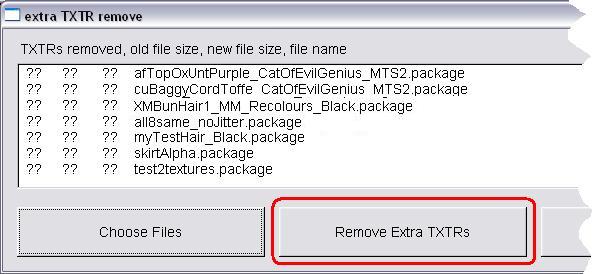
As each file is processed, you will see its entry in the list update.
If there are duplicates, duplicate removal may take a while, so be patient.
If duplicates were found and removed, the program will display the number
of TXTRs removed, the old file size, and the new, smaller file size.
New files overwrite old files, so make backups!
I don't expect this to break anything, but it IS in testing, and might!
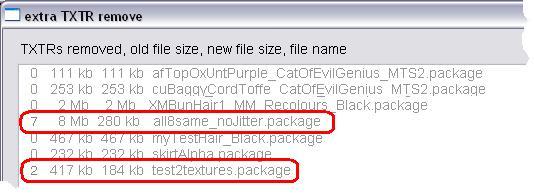
When all files are processed, you can press the Clear List button, and start again with another group of files.
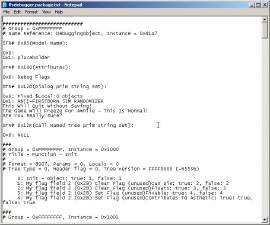
NOTE: This is an alpha, debug version of the program. It will print lots of debugging info in a command window. You can ignore this unless you are submitting a bug report. If submitting a bug report, please include the debug text from that window.
.
|
extraTXTRremove_20090301_alpha.zip
Download
Uploaded: 15th Mar 2009, 1.39 MB.
971 downloads.
|
||||||||
| For a detailed look at individual files, see the Information tab. | ||||||||
Install Instructions
1. Download: Click the download link to save the .rar or .zip file(s) to your computer.
2. Extract the zip, rar, or 7z file.
3. Place in Downloads Folder: Cut and paste the .package file(s) into your Downloads folder:
- Origin (Ultimate Collection): Users\(Current User Account)\Documents\EA Games\The Sims™ 2 Ultimate Collection\Downloads\
- Non-Origin, Windows Vista/7/8/10: Users\(Current User Account)\Documents\EA Games\The Sims 2\Downloads\
- Non-Origin, Windows XP: Documents and Settings\(Current User Account)\My Documents\EA Games\The Sims 2\Downloads\
- Mac: Users\(Current User Account)\Documents\EA Games\The Sims 2\Downloads
- Mac x64: /Library/Containers/com.aspyr.sims2.appstore/Data/Library/Application Support/Aspyr/The Sims 2/Downloads
- For a full, complete guide to downloading complete with pictures and more information, see: Game Help: Downloading for Fracking Idiots.
- Custom content not showing up in the game? See: Game Help: Getting Custom Content to Show Up.
- If you don't have a Downloads folder, just make one. See instructions at: Game Help: No Downloads Folder.
Loading comments, please wait...


Uploaded: 12th Feb 2009 at 9:25 AM
Updated: 27th Nov 2013 at 3:23 PM by Nysha
-
-
by Tashiketh updated 14th Jan 2005 at 2:11pm
 160
417.8k
154
160
417.8k
154
-
-
-
-
-
-
-



-
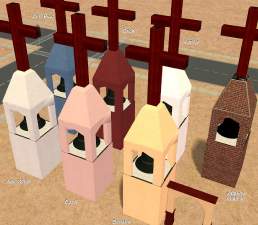
recolor of jobtwo's steeple: Maxis match SW Stucco
by CatOfEvilGenius 14th May 2007 at 7:45am
Want to build a Spanish Mission style church? I've got the steeple recolors for you! more...
5
14.4k
11
-
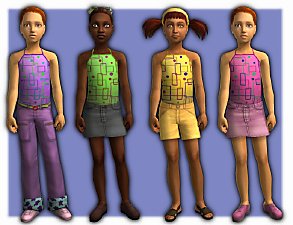
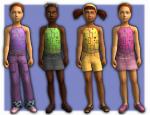
8 Girls Tops - Geometric Halters based on a Maxis Apron ;)
by CatOfEvilGenius 18th Jul 2008 at 5:48am
Bright geometric sleeveless halter tops for hot summer days! more...
-
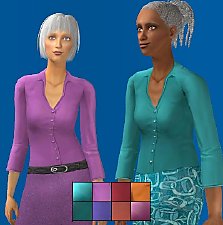
by CatOfEvilGenius 31st Jan 2012 at 1:08pm
Eight more colors. more...
-
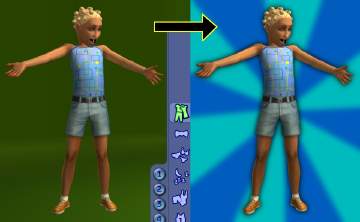
Green Screen CAS / Blue Screen CAS, and YACAS too
by CatOfEvilGenius updated 26th Jul 2008 at 2:03am
== GREEN SCREEN / BLUE SCREEN CAS and YACAS== Compatability This was made with Numenor's AnyGameStarter . more...
22
44.3k
18
-
FIXED Uni neoHippie meshes, for adults too, and MATERNITY
by CatOfEvilGenius 16th Oct 2009 at 4:41am
Default Meshes Here's what I've done with the neoHippie clothing that came with University. more...
-
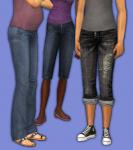
Aikea, HappySim, Sentate Pants as Maternity, with Curvy Morphs, and Untuck Edits
by CatOfEvilGenius 6th Nov 2013 at 7:29am
Aikea, HappySim, and Sentate Pants with pregnancy morphs added, curvy morphs added (Aikea), and untuck recolors enabled or edited more...
-
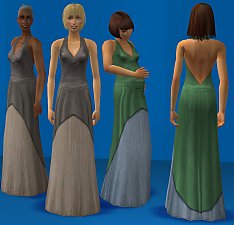
DEFAULT - 6 Formal Dresses for Adults and Elders
by CatOfEvilGenius 12th Dec 2010 at 11:26pm
Default replacements of 6 formal dresses for adults and elders. Wider waist, no dangly bit, modified textures, less saggy elders. more...
-
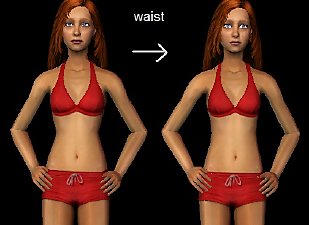
DEFAULT adult Seasons bikini (natural waist) + teen bikini (natural waist)
by CatOfEvilGenius 7th Jan 2012 at 2:43pm
Default replacement of the Seasons bikini for adults, with a natural waist and pregnancy shape. Teen bikini (base game) with natural waist. more...
-
Bun's Highwaist Cigarette Pants - More Colors!
by CatOfEvilGenius 24th Nov 2015 at 3:43am
More colors for bunhead's cigarette pants, both light and dark shoes. more...
-
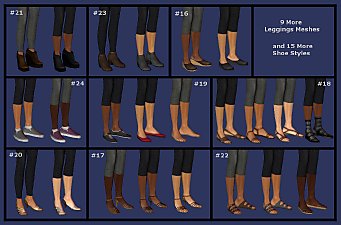
by CatOfEvilGenius 10th May 2015 at 5:17am
leggings for summer, black and grey, sandals, Birkenstocks, heels, wedges, booties, bare feet, and more... for adult and young adult women more...

About Me
+ all my meshes in tables UPDATED 7/19/2010
------------------SOFTWARE--------------------
+ Got mystery recolors with no tooltips in BodyShop? Add filename tooltips automatically!
+ quick and easy hair binner, no SimPE needed
+ MilkShape Plugins
--- Sims Mesh Mirror
--- UV Flip
--- UV Merge