
 Sign in to Mod The Sims
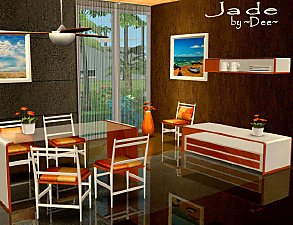
 Madrid Dining
 Madrid Dining


MadridDining01.jpg - width=750 height=561
MadridDining02.jpg - width=750 height=561
MadridDining03.jpg - width=750 height=561

NOTE: This table is larger than most 1-tile tables and walls will eat it! I did this on purpose since I wanted a fuller looking 1-tile table. It does not eat normal or fat Sims, I did not test with pregnant Sims.
All should be base game. Includes UV Maps. The table and sideboard each have a single recolorable subset but are mapped to allow different textures/colors applied to different areas. The chair has two recolorable subsets, the legs and seat.
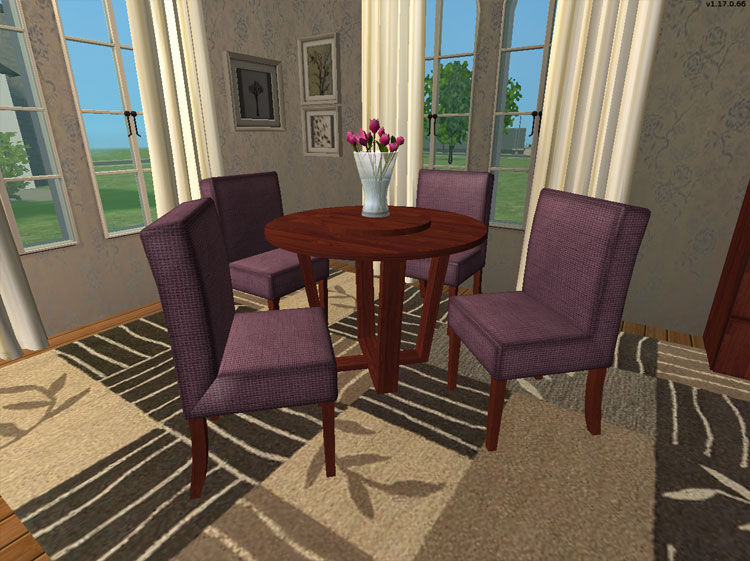
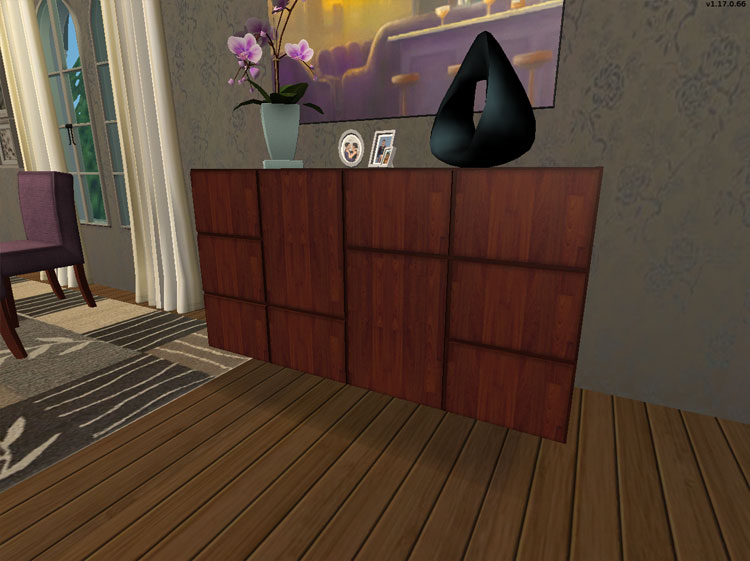
Deco:
Orchid Vase is EA Store, Sculpture and pics are both from an EP, Painting above sideboard is from an EP, Paintings in corner are from BV and from Clutter-a-holic, rug is by echo (recolor probably Sims2Play), and curtains are Holy Simoly.
Polygon Counts:
Dining Chair (892)
Dining Table (720)
Sideboard (252)
This is a new mesh, and means that it's a brand new self contained object that usually does not require a specific Pack (although this is possible depending on the type). It may have Recolours hosted on MTS - check below for more information.
|
HL_MadridDining.rar
Download
Uploaded: 23rd Jul 2009, 634.9 KB.
20,804 downloads.
|
||||||||
| For a detailed look at individual files, see the Information tab. | ||||||||
Install Instructions
1. Download: Click the download link to save the .rar or .zip file(s) to your computer.
2. Extract the zip, rar, or 7z file.
3. Place in Downloads Folder: Cut and paste the .package file(s) into your Downloads folder:
- Origin (Ultimate Collection): Users\(Current User Account)\Documents\EA Games\The Sims™ 2 Ultimate Collection\Downloads\
- Non-Origin, Windows Vista/7/8/10: Users\(Current User Account)\Documents\EA Games\The Sims 2\Downloads\
- Non-Origin, Windows XP: Documents and Settings\(Current User Account)\My Documents\EA Games\The Sims 2\Downloads\
- Mac: Users\(Current User Account)\Documents\EA Games\The Sims 2\Downloads
- Mac x64: /Library/Containers/com.aspyr.sims2.appstore/Data/Library/Application Support/Aspyr/The Sims 2/Downloads
- For a full, complete guide to downloading complete with pictures and more information, see: Game Help: Downloading for Fracking Idiots.
- Custom content not showing up in the game? See: Game Help: Getting Custom Content to Show Up.
- If you don't have a Downloads folder, just make one. See instructions at: Game Help: No Downloads Folder.
Loading comments, please wait...


Uploaded: 23rd Jul 2009 at 1:26 AM
Updated: 23rd Jul 2009 at 10:37 PM
-
-
-
-
-
by joesemsims 2nd Dec 2005 at 12:25am
-
-
-
-
-


-

by HugeLunatic 31st May 2015 at 10:00pm
Five recolors of the Obstacle Course Career Reward. more...
 8
8.2k
8
8
8.2k
8
-
by HugeLunatic 8th Apr 2010 at 10:29pm
The original mapping of the NL Photo Booth had the top part of the curtain overlapping with the rest, making more...
+1 packs
11 34.1k 78 Nightlife
-
Gothic Princess Nursery and Child/Teen Room
by HugeLunatic 30th Dec 2008 at 1:52am
Cinderella style coach bed and crib recolor in a dark red, black, and images of skulls and roses. more...
-
by HugeLunatic 27th Nov 2009 at 6:45pm
10-Dec - The LACK shelves have been updated and no longer cause blue lots. more...
 40
64.9k
110
40
64.9k
110
-

by HugeLunatic 18th Dec 2013 at 11:23pm
A little something for a more masculine, or at least not girly, room. more...
+1 packs
9 7.9k 21 Apartment Life
-
.jpg)
Meadow Creek - An Inhabited Base Game/ No CC Neighborhood *Updated*
by Hood Building Group updated 25th Apr 2015 at 1:55pm
Description of the inhabited version of Meadow Creek: "When the Klein family sold off a little bit of their more...
96
109.8k
178
Miscellaneous » Neighborhoods & CAS Screens » Neighbourhoods and Worlds
-
Green Dragon Brocade Classic Living
by HugeLunatic 21st Aug 2007 at 12:43am
I absolutely adore Crocobaura's new Classic Living meshes and have been waiting to use this texture for what seems forever. more...
-
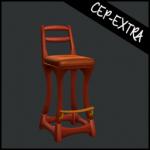
Art Nouveau Bar Stool [CEP-Extra]
by HugeLunatic 8th Oct 2021 at 7:32pm
I'm probably the only simmer who likes this bar stool. more...
7
2.4k
12
-
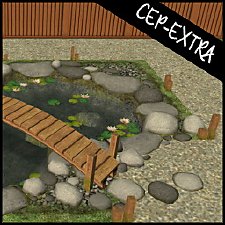
by HugeLunatic updated 30th Oct 2022 at 6:30pm
The FT koi pond recolorable, with two subsets. The wood bits are one and the rocks/grass are another. more...
+1 packs
4 6.4k 20 Free Time
-
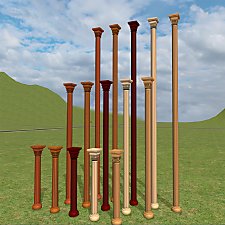
by HugeLunatic 26th Apr 2025 at 1:56pm
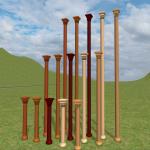
A two and three story version of the base game Canonical column. more...
1
1.5k
7


About Me
Pet Stories || Dog Agility Items? || Castaway Stories || Holy Simoly Extras
4esf Archive || Holy Simoly Archive || CEP-Extras List || Buyable Game Objects
lunie content from GoS/s2a
 Installation of CEP Extras
-the package with pfiles appended to the name will go into your cep extras folder where your game is installed (typically c drive, you do you)
-the other goes in CEP extra folder in documents.
The following locations are what I am aware of, beyond that you'll have to do some searching.
Downloads Folder:
C:\Users\<user>\Documents\EA Games\The Sims 2 Legacy
C:\Users\<user>\Documents\EA Games\The Sims 2 Ultimate Collection
With multiple launchers, the location for your game install will vary.
C:\Program Files\EA GAMES\The Sims 2 Legacy\TSData\Res\Catalog\zCEP-EXTRA
C:\Program Files\EA GAMES\The Sims 2\TSData\Res\Catalog\zCEP-EXTRA
C:\Program Files (x86)\EA GAMES\The Sims 2\TSData\Res\Catalog\zCEP-EXTRA