
 Sign in to Mod The Sims
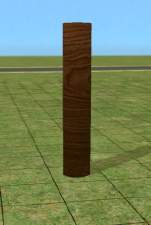
 Multistory Canonical Column
 Multistory Canonical Column


canonical-column-colors.jpg - width=1024 height=1024
canonical-column.jpg - width=635 height=975

Can be found in Multi Story Columns in build mode.
 polys
polyscolumnMultistoryClub2Story 604
columnMultistoryClub3Story 678
| Filename | Type | Size |
|---|---|---|
| HL_columnMultistoryClub.7z | 7z | |
| HL_columnMultistoryClub2Story.package | package | 56226 |
| HL_columnMultistoryClub3Story.package | package | 63250 |
This is a new mesh, and means that it's a brand new self contained object that usually does not require a specific Pack (although this is possible depending on the type). It may have Recolours hosted on MTS - check below for more information.
|
HL_columnMultistoryClub.7z
Download
Uploaded: 26th Apr 2025, 13.6 KB.
553 downloads.
|
||||||||
| For a detailed look at individual files, see the Information tab. | ||||||||
Install Instructions
1. Download: Click the download link to save the .rar or .zip file(s) to your computer.
2. Extract the zip, rar, or 7z file.
3. Place in Downloads Folder: Cut and paste the .package file(s) into your Downloads folder:
- Origin (Ultimate Collection): Users\(Current User Account)\Documents\EA Games\The Sims™ 2 Ultimate Collection\Downloads\
- Non-Origin, Windows Vista/7/8/10: Users\(Current User Account)\Documents\EA Games\The Sims 2\Downloads\
- Non-Origin, Windows XP: Documents and Settings\(Current User Account)\My Documents\EA Games\The Sims 2\Downloads\
- Mac: Users\(Current User Account)\Documents\EA Games\The Sims 2\Downloads
- Mac x64: /Library/Containers/com.aspyr.sims2.appstore/Data/Library/Application Support/Aspyr/The Sims 2/Downloads
- For a full, complete guide to downloading complete with pictures and more information, see: Game Help: Downloading for Fracking Idiots.
- Custom content not showing up in the game? See: Game Help: Getting Custom Content to Show Up.
- If you don't have a Downloads folder, just make one. See instructions at: Game Help: No Downloads Folder.
Loading comments, please wait...


Uploaded: 26th Apr 2025 at 1:56 PM
-
-
-
by Brasstex 6th Jul 2005 at 7:48pm
 40
52.8k
41
40
52.8k
41
-
by darylmarkloc 26th Jan 2006 at 5:35pm
+1 packs
19 23k 14 Nightlife
-
by karidad 23rd Sep 2006 at 8:19am
2
10.8k
5
-
by nanisim 27th Jan 2007 at 1:03am
13
18k
18
-
-
by SimArchitect 12th Sep 2008 at 9:29am
+1 packs
5 22.4k 12 University
-
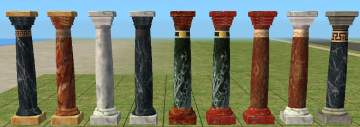
by klein_svenni 31st May 2009 at 8:11pm
+1 packs
4 18.3k 17 University
-
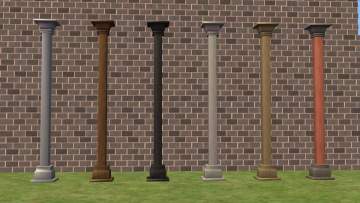
by AdonisPluto 30th Jul 2013 at 12:36am
4
8.9k
18


-
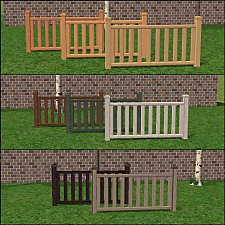
Modular Stairs, Fence, Gate & Column Add- Ons
by HugeLunatic updated 7th Jun 2010 at 5:34pm
New Mesh! more...
32
108k
216
-
Art Nouveau Bar Stool [CEP-Extra]
by HugeLunatic 8th Oct 2021 at 7:32pm
I'm probably the only simmer who likes this bar stool. more...
7
2.3k
12
-
by HugeLunatic 14th Mar 2011 at 1:40pm
The "Gone Legit" door from NL is a single tile door and has a different mesh inside/outside, so you cannot more...
12
24.8k
39
-
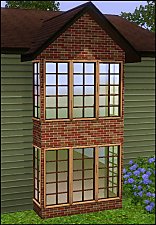
by HugeLunatic 15th Jun 2010 at 6:20pm
A selection of 1 & 2 tile windows to expand on the EA Country Window with the flowerbox. more...
 60
99.7k
254
60
99.7k
254
-
-
-
"Sheep and Sheep" Painting [CEP-EXTRA]
by HugeLunatic updated 17th Jun 2025 at 2:03am
Childs painting from FreeTime that makes the canvas and frame separately recolorable. more...
+1 packs
3 20.6k 28 Free Time
-
by HugeLunatic 8th Sep 2012 at 7:44pm
A new lamp add on set to match the base game table lamp "Ilistara Table Lamp". more...
25
27k
61
-
by HugeLunatic 16th Nov 2010 at 1:14am
Camp Willow is a residential, multi-family house. more...
+3 packs
16 23k 42 World Adventures
 Ambitions
 Late Night
-


by HugeLunatic 15th Apr 2014 at 8:02pm
This hides the non-recolorable modular stairs for those of you who use the modular stairs that I have created. more...
8
26k
40


About Me
Pet Stories || Dog Agility Items? || Castaway Stories || Holy Simoly Extras
4esf Archive || Holy Simoly Archive || CEP-Extras List || Buyable Game Objects
lunie content from GoS/s2a
Installation of CEP Extras-the package with pfiles appended to the name will go into your cep extras folder where your game is installed (typically c drive, you do you)
-the other goes in CEP extra folder in documents.
The following locations are what I am aware of, beyond that you'll have to do some searching.
Downloads Folder:
C:\Users\<user>\Documents\EA Games\The Sims 2 Legacy
C:\Users\<user>\Documents\EA Games\The Sims 2 Ultimate Collection
With multiple launchers, the location for your game install will vary.
C:\Program Files\EA GAMES\The Sims 2 Legacy\TSData\Res\Catalog\zCEP-EXTRA
C:\Program Files\EA GAMES\The Sims 2\TSData\Res\Catalog\zCEP-EXTRA
C:\Program Files (x86)\EA GAMES\The Sims 2\TSData\Res\Catalog\zCEP-EXTRA