
 Sign in to Mod The Sims
 Ginormous Rocks Mountain Edition: UPDATED File
 Ginormous Rocks Mountain Edition: UPDATED File


.jpg?cb=1252432543)
.jpg?cb=1252432543)
.jpg?cb=1252432543)
.jpg?cb=1252432543)
.jpg?cb=1252432543)
Mountain Edition.jpg - width=385 height=385
Mountainous Rocks.jpg - width=800 height=499
Mountainous Rocks (2).jpg - width=800 height=499
Mountainous Rocks (3).jpg - width=800 height=499
Mountainous Rocks (4).jpg - width=800 height=499
Mountainous Rocks (5).jpg - width=800 height=499
Mountainous Rocks (6).jpg - width=800 height=499
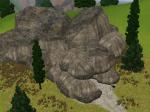
Just like my Ginormous Rocks Granite Edition, these were extracted from the neighborhood/world objects and converted for use in game. Categorized under "Rocks" (for obvious reasons ;P ), these are priced at 25 simoleons.
One issue, if you place a house/usable item, then place a rock on top of it, the items beneath are still usable and sim can walk through the rock. However, if you place the rock first, you will not be able to click anywhere in it and sims path around it. I've done minimal testing. I do plan to build a lot with these. I still have one more set to extract. There's 7 rocks in this, 6 in the Granite. Thusfar, 13 total.
Again, the names all went awry with **** and a bunch of numbers... And some worked fine. One of those great mysteries in life. Better that way, my descriptions were lame. You try to find something clever to say about really big rocks XD
.jpg)
(Is it me, or is he thinking about punching a llama?)
Additional Credits:
Sims 3 Object Cloner (s3oc) by Peter Jones
Pattern on wall is from my Japanese Theme Pack and sim is my creation, though not yet ready for upload. His name is Guile Reignson. (My bf's character from his FPS's)
|
New_Rocks.rar
| Updated version by Ashillion - All Rocks!
Download
Uploaded: 21st Mar 2011, 1.91 MB.
2,236 downloads.
|
||||||||
|
Rocks Mountain.rar
Download
Uploaded: 10th Sep 2009, 1.94 MB.
5,059 downloads.
|
||||||||
| For a detailed look at individual files, see the Information tab. | ||||||||
Install Instructions
1. Click the download button, or the filename, to download the file to your computer.
2. Extract the zip, rar, or 7z file. Now you will have either a .package or a .sims3pack file.
For Package files:
1. Cut and paste the file into your Documents\Electronic Arts\The Sims 3\Mods\Packages folder. If you do not already have this folder, you should read the full guide to Package files first: Sims 3:Installing Package Fileswiki, so you can make sure your game is fully patched and you have the correct Resource.cfg file.
2. Run the game, and find your content where the creator said it would be (build mode, buy mode, Create-a-Sim, etc.).
For Sims3Pack files:
1. Cut and paste it into your Documents\Electronic Arts\The Sims 3\Downloads folder. If you do not have this folder yet, it is recommended that you open the game and then close it again so that this folder will be automatically created. Then you can place the .sims3pack into your Downloads folder.
2. Load the game's Launcher, and click on the Downloads tab. Find the item in the list and tick the box beside it. Then press the Install button below the list.
3. Wait for the installer to load, and it will install the content to the game. You will get a message letting you know when it's done.
4. Run the game, and find your content where the creator said it would be (build mode, buy mode, Create-a-Sim, etc.).
Extracting from RAR, ZIP, or 7z: You will need a special program for this. For Windows, we recommend 7-Zip and for Mac OSX, we recommend Keka. Both are free and safe to use.
Need more help?
If you need more info, see:
- For package files: Sims 3:Installing Package Fileswiki
- For Sims3pack files: Game Help:Installing TS3 Packswiki
Loading comments, please wait...

Uploaded: 10th Sep 2009 at 5:53 PM
Updated: 21st Mar 2011 at 8:20 PM - File Update
#garden, #rocks, #landscaping
 Open Air Jungle Villa - 433 Sunnyside Blvd by Spryte
La Park Bunker by Sookielee
-
-
-
-
-
by TheJim07 15th Jun 2010 at 6:26pm
 29
41.7k
91
29
41.7k
91
-
by porphyria259 13th Jan 2012 at 1:10pm
21
63.2k
147
-
by Amarysauce 11th Dec 2015 at 12:26pm
22
14.5k
70
-
by Amarysauce 18th Dec 2015 at 1:56pm
4
12.7k
54
-
-

-
by Gillianivy 11th Aug 2009 at 12:25pm
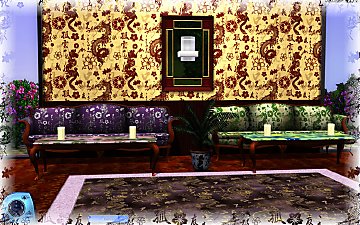
These were designed for the Builder's Boulevard resources with the Japanese themed neighborhood in mind. more...
16
24.2k
41
-
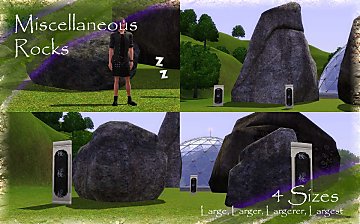
Ginormous Rocks Miscellaneous Edition
by Gillianivy 21st Sep 2009 at 6:01pm
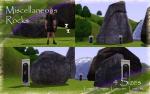
Ashillion has repacked the rocks to make them viewable from map view. more...
18
49.5k
42
-


"Abstraction" Original Art by GillianIvy
by Gillianivy 31st Aug 2009 at 10:41pm
One of my original artworks transfered to the Sims, again. more...
19
30.7k
41
-
Gillian Ivy's Art WallHangings Pack #1
by Gillianivy 15th Mar 2009 at 3:19pm
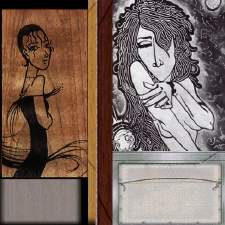
WallArt was made with default game meshes. more...
 +1 packs
19 18.9k 15
+1 packs
19 18.9k 15 Nightlife
-
Mickey Mouse Star - Kid's Long T's (Update 08/31/09 additional downloads in set)
by Gillianivy 7th Jul 2009 at 4:55pm
My 2 yr old son loves Mickey Mouse, and the Sims. more...
12
27k
30
-


by Gillianivy 31st Aug 2009 at 10:43pm
Original art by GillianIvy, my Gel Pen Art (#Gel-Pen-Art) can be found on DeviantART. more...
11
23.7k
19
-
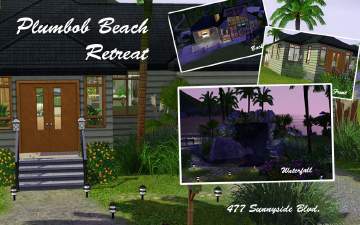
by Gillianivy 20th Jul 2009 at 8:49pm
Plumbob Beach Retreat is a split level house where I employed a different technique to minimize the diagonal texture appearance. more...
9
7.6k
2
-
Writer's Block - Summer of Love Neighborhood Project
by Gillianivy 8th Aug 2009 at 1:36am
My entry for the "Summer of Love" (#670364 ) neighborhood challenge is a home for Allen Ginsberg, William S. more...
11
19.6k
3
-
Acid Wash Designer Jeans with Custom Art by GillianIvy
by Gillianivy 14th Mar 2009 at 9:57pm
Fancy Jeans & matching top were made with default game meshes. more...
-

Wall Mural Art "Full Poster Overlay"by GillianIvy
by Gillianivy 14th Apr 2009 at 5:39pm
Wall Mural is four pieces. I used PixelHate's Patina #10 as my base (pictured in screenshot). more...
8
26.3k
6


About Me
Only available at the Rejected!
***NEW*** The Rejected Wiki ***NEW***
Follow @RejectedSims on Twitter.
I am currently taking custom sim portrait requests. I can emulate a variety of styles. Please check out my gallery at DeviantArt.com http://gillianivy.deviantart.com
http://home.mchsi.com/~gillianivy/Policies.jpg
**No remixes/Updating (Contact me first!)**
Proud participant of the first Builder's Boulevard exclusive neighborhood project:
http://tota.oljud.se/TS3/SanshiSuimei/Signature.jpg
Come check it out!