
 Sign in to Mod The Sims
 IKEA - Karlstad Seating
 IKEA - Karlstad Seating


karlstadChair.jpg - width=750 height=424
karlstadLoveseat.jpg - width=750 height=424
karlstadSofa.jpg - width=750 height=424

- 3 Recolorable Channels - Legs/Seat/Back cushion
- Sofa found in Comfort/Sofas & Loveseats for $335
- Loveseat found in Comfort/Sofas & Loveseats for $225
- Chair found in Comfort/Living Chairs for $115
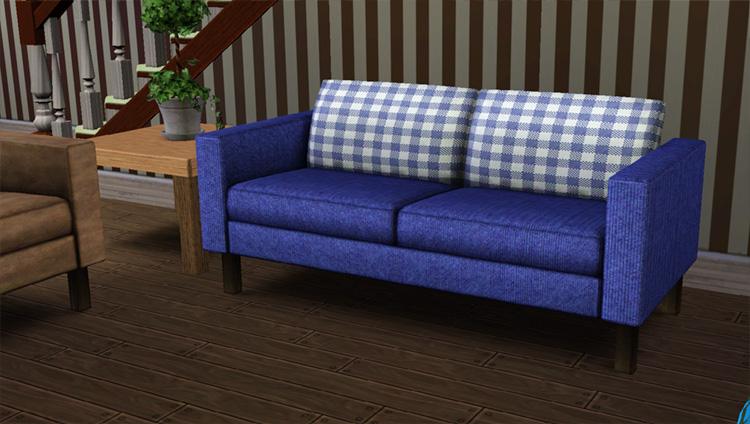
Each was cloned from the Designer seating so they take all default colors from those. I left them because they actually look good on it.
Polygon Counts:
Sofa - 2192
Loveseat - 2192
Chair - 1024
This is a new mesh, and means that it's a brand new self contained object that usually does not require a specific Pack (although this is possible depending on the type). It may have Recolours hosted on MTS - check below for more information.
|
HL_KarlstadSeating.zip
Download
Uploaded: 11th Nov 2009, 2.32 MB.
27,493 downloads.
|
||||||||
| For a detailed look at individual files, see the Information tab. | ||||||||
Install Instructions
1. Click the download button, or the filename, to download the file to your computer.
2. Extract the zip, rar, or 7z file. Now you will have either a .package or a .sims3pack file.
For Package files:
1. Cut and paste the file into your Documents\Electronic Arts\The Sims 3\Mods\Packages folder. If you do not already have this folder, you should read the full guide to Package files first: Sims 3:Installing Package Fileswiki, so you can make sure your game is fully patched and you have the correct Resource.cfg file.
2. Run the game, and find your content where the creator said it would be (build mode, buy mode, Create-a-Sim, etc.).
For Sims3Pack files:
1. Cut and paste it into your Documents\Electronic Arts\The Sims 3\Downloads folder. If you do not have this folder yet, it is recommended that you open the game and then close it again so that this folder will be automatically created. Then you can place the .sims3pack into your Downloads folder.
2. Load the game's Launcher, and click on the Downloads tab. Find the item in the list and tick the box beside it. Then press the Install button below the list.
3. Wait for the installer to load, and it will install the content to the game. You will get a message letting you know when it's done.
4. Run the game, and find your content where the creator said it would be (build mode, buy mode, Create-a-Sim, etc.).
Extracting from RAR, ZIP, or 7z: You will need a special program for this. For Windows, we recommend 7-Zip and for Mac OSX, we recommend Keka. Both are free and safe to use.
Need more help?
If you need more info, see:
- For package files: Sims 3:Installing Package Fileswiki
- For Sims3pack files: Game Help:Installing TS3 Packswiki
Loading comments, please wait...


Uploaded: 11th Nov 2009 at 9:47 PM
Updated: 19th Oct 2011 at 5:43 AM
-
-
-
-
-
-
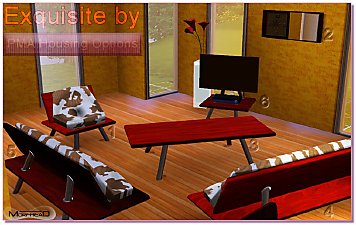
Living Room in Exquisite by PMA Housing Options
by Morphead 1st Sep 2010 at 6:54pm
-

(TS2 to TS3-ish) Ikea EKTORP Living Room Set
by HystericalParoxysm 1st Jan 2011 at 10:33pm
-
-

by DarkCrystal1997 updated 20th Jul 2024 at 3:09am
 +1 packs
21 35.6k 110
+1 packs
21 35.6k 110 Supernatural
-

by aisquared 1st Mar 2026 at 4:48pm
5
1.2k
6


-
by HugeLunatic 27th Mar 2019 at 6:57pm
Was wondering why I had no recolors for this, apparently it wasn't recolorable? :bunny: Now the frame is more...
 +1 packs
3 8k 14
+1 packs
3 8k 14 Free Time
-
by HugeLunatic updated 14th Mar 2009 at 12:59am
New Mesh! more...
-


by HugeLunatic 15th Apr 2014 at 8:02pm
This hides the non-recolorable modular stairs for those of you who use the modular stairs that I have created. more...
8
26.1k
40
-
by HugeLunatic 20th Sep 2012 at 7:06pm
It looks like Maxis once had originally intended for parts of the Adirondack seating set to be slaved, but never more...
17
42.3k
85
-

by HugeLunatic 31st May 2015 at 10:00pm
Five recolors of the Obstacle Course Career Reward. more...
8
8.2k
8
-
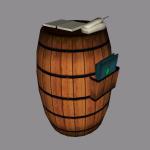
by HugeLunatic 24th Feb 2018 at 6:49pm
Sometimes you need something a little bit less formal for your sims dining out experience. more...
+1 packs
14 9.5k 37 Nightlife
-
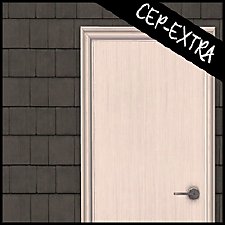
by HugeLunatic 2nd Jun 2017 at 12:14am
A small edit to the value door, making the handle recolorable separately. more...
19
13.4k
32
-
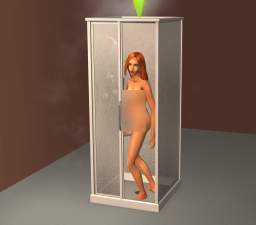
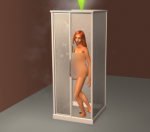
by HugeLunatic 18th Nov 2021 at 6:43pm
The basic, simple shower from TS3 base game. It has a sliding door (see pic!) and frosted glass. more...
+1 packs
16 15.3k 65 Seasons
-
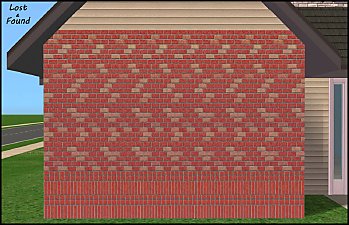
by HugeLunatic 13th Aug 2012 at 11:49pm
While browsing through game images I found (again) this wall image that wasn't in game. more...
6
13.2k
30
-
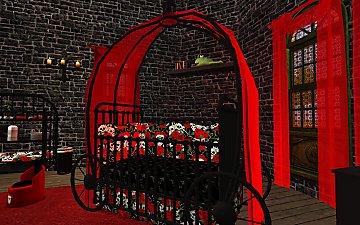
Gothic Princess Nursery and Child/Teen Room
by HugeLunatic 30th Dec 2008 at 1:52am
Cinderella style coach bed and crib recolor in a dark red, black, and images of skulls and roses. more...


About Me
Pet Stories || Dog Agility Items? || Castaway Stories || Holy Simoly Extras
4esf Archive || Holy Simoly Archive || CEP-Extras List || Buyable Game Objects
lunie content from GoS/s2a
 Installation of CEP Extras
-the package with pfiles appended to the name will go into your cep extras folder where your game is installed (typically c drive, you do you)
-the other goes in CEP extra folder in documents.
The following locations are what I am aware of, beyond that you'll have to do some searching.
Downloads Folder:
C:\Users\<user>\Documents\EA Games\The Sims 2 Legacy
C:\Users\<user>\Documents\EA Games\The Sims 2 Ultimate Collection
With multiple launchers, the location for your game install will vary.
C:\Program Files\EA GAMES\The Sims 2 Legacy\TSData\Res\Catalog\zCEP-EXTRA
C:\Program Files\EA GAMES\The Sims 2\TSData\Res\Catalog\zCEP-EXTRA
C:\Program Files (x86)\EA GAMES\The Sims 2\TSData\Res\Catalog\zCEP-EXTRA