
 Sign in to Mod The Sims
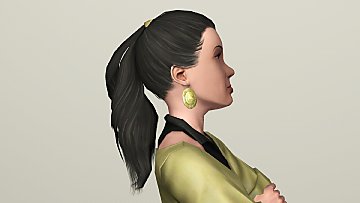
 TS2 Cassandra Goth Hair Conversion
 TS2 Cassandra Goth Hair Conversion


Screenshot-9.jpg - width=394 height=437
Screenshot-18.jpg - width=500 height=359
ScreenShot002.jpg - width=800 height=741
ScreenShot036.jpg - width=800 height=556
ScreenShot004.jpg - width=630 height=488
After several attempts, finally is ready.
This hair is for females only, available to teenagers, young adults, adults and Elders.
I hope you enjoy!

Please leave a comment!
Polygon Counts:
1046 polygons
Additional Credits:
Hysterical Paroxysm's Tutorial
Delphy's DABOOBs SimPE Wes for the Milk Shape plugins
Skin by LadyFrontbum
People who are always ready to help in "create forum".
This is a new mesh, and means that it's a brand new self contained object that usually does not require a specific Pack (although this is possible depending on the type). It may have Recolours hosted on MTS - check below for more information.
|
TS2CassandraHairConversion.rar
Download
Uploaded: 10th Feb 2011, 397.0 KB.
7,869 downloads.
|
||||||||
| For a detailed look at individual files, see the Information tab. | ||||||||
Install Instructions
1. Click the download button, or the filename, to download the file to your computer.
2. Extract the zip, rar, or 7z file. Now you will have either a .package or a .sims3pack file.
For Package files:
1. Cut and paste the file into your Documents\Electronic Arts\The Sims 3\Mods\Packages folder. If you do not already have this folder, you should read the full guide to Package files first: Sims 3:Installing Package Fileswiki, so you can make sure your game is fully patched and you have the correct Resource.cfg file.
2. Run the game, and find your content where the creator said it would be (build mode, buy mode, Create-a-Sim, etc.).
For Sims3Pack files:
1. Cut and paste it into your Documents\Electronic Arts\The Sims 3\Downloads folder. If you do not have this folder yet, it is recommended that you open the game and then close it again so that this folder will be automatically created. Then you can place the .sims3pack into your Downloads folder.
2. Load the game's Launcher, and click on the Downloads tab. Find the item in the list and tick the box beside it. Then press the Install button below the list.
3. Wait for the installer to load, and it will install the content to the game. You will get a message letting you know when it's done.
4. Run the game, and find your content where the creator said it would be (build mode, buy mode, Create-a-Sim, etc.).
Extracting from RAR, ZIP, or 7z: You will need a special program for this. For Windows, we recommend 7-Zip and for Mac OSX, we recommend Keka. Both are free and safe to use.
Need more help?
If you need more info, see:
- For package files: Sims 3:Installing Package Fileswiki
- For Sims3pack files: Game Help:Installing TS3 Packswiki
Loading comments, please wait...

Uploaded: 10th Feb 2011 at 10:07 AM
Updated: 9th Mar 2012 at 3:50 PM
-
TS2 to TS3: The Casual Hair - Now with Moar Edits!
by tyirannoss 12th Jan 2010 at 4:40pm
 97
163.8k
289
97
163.8k
289
Hair » Male » Young Adult
-
-
by Kiara24 20th Aug 2010 at 5:00am
39
79.3k
147
Hair » Female » Young Adult
-
-
-
-
-
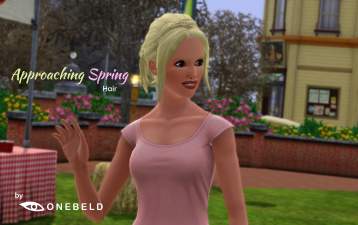
by Onebeld 14th Feb 2022 at 11:54am
5
8.2k
21
Hair » Female » Young Adult
-
-
Beekeeper Hat Updo Variant (F; T, YA, A)
by Destrospean updated 16th May 2025 at 11:50pm
5
1.3k
9
Hair » Female » Young Adult

-
-
by Kiara24 6th Sep 2010 at 2:57am
I love this hair in Sims2 and wanted to have it in Sims3. more...
39
113.2k
238
Hair » Male » Young Adult
-
by Kiara24 31st Jan 2015 at 11:08am
Available in casual, party and formal (teen to elder) 5 colors. more...
 19
35.8k
96
19
35.8k
96
Female » Mixed Sets » Adult
-
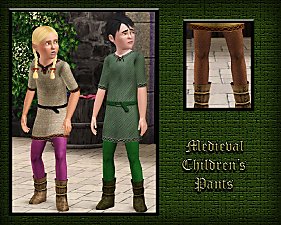
Medieval Pants for Boys and Girls CAS - Ye Olde Kingdom of Pudding. Now as outerwear too
by The Merrye Makers 14th Jul 2013 at 5:52pm
Soon winter will come ... and our boys and girls can not walk through the kingdom with bare legs. So, our tailors rushed to sew pants to warm them. more...
22
49.8k
155
-
-
-
by Kiara24 7th Nov 2015 at 11:37pm
It is available in casual, party and formal (10 options) more...
13
23.3k
98
Female » Mixed Sets » Child
-
by Kiara24 23rd Oct 2014 at 11:06pm
Available in casual, party and formal (teen to elder) 8 colors more...
19
39.5k
140
Female » Mixed Sets » Adult
-
-
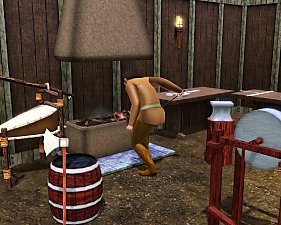
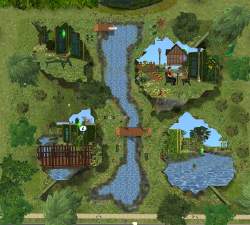
Medieval Blacksmith - Deco Objects - Ye Olde Kingdom of Pudding
by The Merrye Makers 20th Dec 2011 at 11:27am
Medieval blacksmith decorative objects made by Hekate999 for The Merrye Makers. more...
8
56.5k
116


About Me
Subscribe to my channel.