
 Sign in to Mod The Sims
 "Gone Legit" Door - Reversed
 "Gone Legit" Door - Reversed


storefrontFIX_NL.jpg - width=800 height=632
"Gone Legit" Door FIX - NL only
storefrontReversed.jpg - width=800 height=632
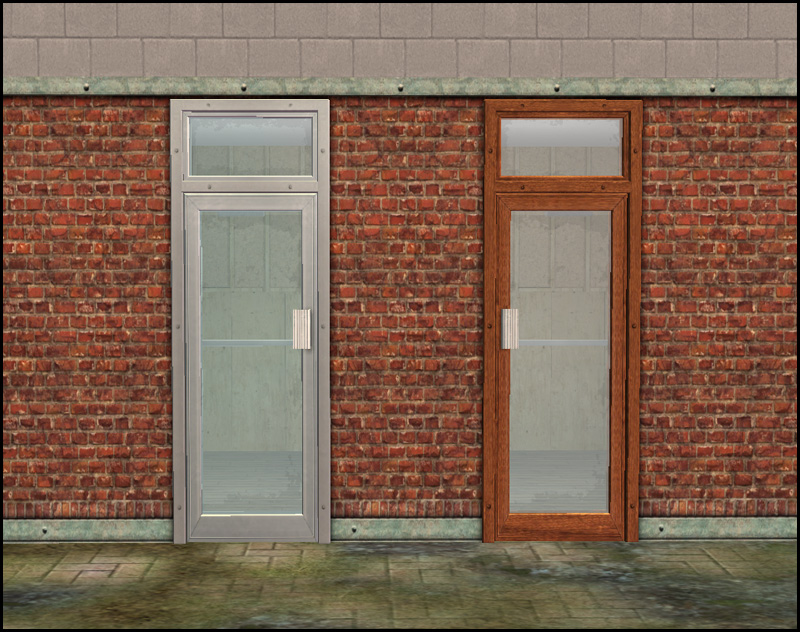
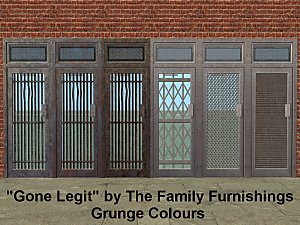
"Gone Legit" Reversed Door
storefrontALL.jpg - width=1280 height=715


Left (Maxis) - Right (Mine)
Technical Bits
- Build/Doors
- §95
- Slaved to Base Game "Big Entrance Shop Window"
- Has Diagonal
"Gone Legit" Texture FIX
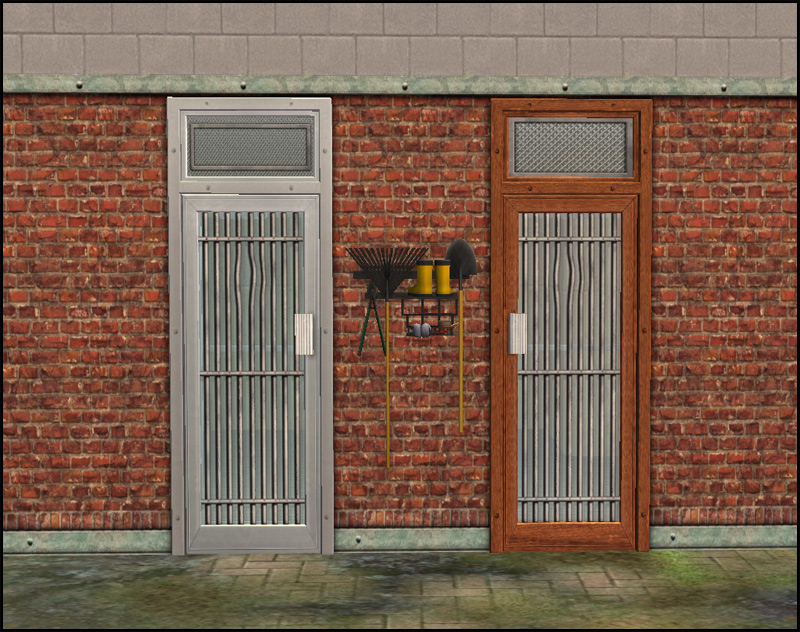
This is optional and you must have NightLife!! to use it. This remaps the glass parts so that the upper grill matches the base game "Big Entrance Shop Window" and my "Gone Legit" Reversed door.
Left (Maxis Before) - Right (Maxis After)
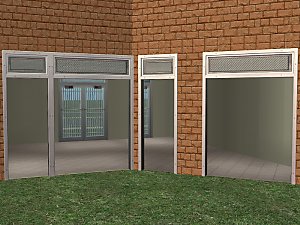
The Double Wide
The 2-tile version of "Big Entrance Shop Window" shown in the third pictures is available at my site sims2artists.com
Polygon Counts:
864 (each) - Same as Maxis
This is a new mesh, and means that it's a brand new self contained object that usually does not require a specific Pack (although this is possible depending on the type). It may have Recolours hosted on MTS - check below for more information.
|
HL_StoreFrontReversed.rar
Download
Uploaded: 14th Mar 2011, 44.0 KB.
5,154 downloads.
|
||||||||
|
HL_StoreFront_OVERRIDE_NL.rar
Download
Uploaded: 14th Mar 2011, 13.1 KB.
4,657 downloads.
|
||||||||
| For a detailed look at individual files, see the Information tab. | ||||||||
Install Instructions
1. Download: Click the download link to save the .rar or .zip file(s) to your computer.
2. Extract the zip, rar, or 7z file.
3. Place in Downloads Folder: Cut and paste the .package file(s) into your Downloads folder:
- Origin (Ultimate Collection): Users\(Current User Account)\Documents\EA Games\The Sims™ 2 Ultimate Collection\Downloads\
- Non-Origin, Windows Vista/7/8/10: Users\(Current User Account)\Documents\EA Games\The Sims 2\Downloads\
- Non-Origin, Windows XP: Documents and Settings\(Current User Account)\My Documents\EA Games\The Sims 2\Downloads\
- Mac: Users\(Current User Account)\Documents\EA Games\The Sims 2\Downloads
- Mac x64: /Library/Containers/com.aspyr.sims2.appstore/Data/Library/Application Support/Aspyr/The Sims 2/Downloads
- For a full, complete guide to downloading complete with pictures and more information, see: Game Help: Downloading for Fracking Idiots.
- Custom content not showing up in the game? See: Game Help: Getting Custom Content to Show Up.
- If you don't have a Downloads folder, just make one. See instructions at: Game Help: No Downloads Folder.
Loading comments, please wait...


Uploaded: 14th Mar 2011 at 1:40 PM
#gone, #legit, #independent, #expression, #big, #entrance, #shop, #maxis, #match
-
by digits26s 25th Jan 2005 at 11:46pm
 19
14.6k
19
14.6k
-
-
by valasia 6th Dec 2005 at 1:39pm
6
16.4k
17
-
by KiaraRawks 5th Feb 2006 at 1:19am
5
14.1k
3
-
-
-
-
-
-
Aged glass from Castaway Stories for Window and Doors
by Corax 18th Nov 2022 at 12:01am
+1 packs
3.7k 14 Nightlife


-

by HugeLunatic 30th Sep 2014 at 2:57am
rawr! Animal prints for your adult males. more...
-
by HugeLunatic 11th Nov 2009 at 8:47pm
One of my favorite sets in The Sims 2 from the IKEA SP. more...
-
by HugeLunatic 15th Oct 2009 at 8:35pm
This is my favorite bed blanket from TS2. more...
 30
72.8k
211
30
72.8k
211
-
by HugeLunatic 1st Feb 2022 at 8:00pm
The sims 4 Recognizer Desk converted. more...
+17 packs
2.4k 12 Happy Holiday
 Family Fun
 University
 Glamour Life
Nightlife
Glamour Life
Nightlife
 Celebration
 Open for Business
 Pets
Pets
 H&M Fashion
 Teen Style
 Seasons
 Kitchen & Bath
 Bon Voyage
 Free Time
 Ikea Home
 Apartment Life
 Mansion and Garden
-
"Ye Olde Window" aka Colonial Windows II
by HugeLunatic 23rd Sep 2009 at 5:18pm
An extension of the first set of Colonial Windows, sorta. more...
59
163.4k
305
-
OFB International Window Extras - Part II - Arches
by HugeLunatic 31st Jul 2009 at 9:50pm
Part II of my OFB International Windows and Doors add on set. more...
+1 packs
8 39.1k 71 Open for Business
-
by HugeLunatic 30th Dec 2016 at 5:35pm
The IKEA Moose Rocking toy usuable! more...
+1 packs
17 17.3k 54 Apartment Life
-
by HugeLunatic 30th Oct 2022 at 7:13pm
+1 packs
3 2.1k 9 Nightlife
-
Gothic Princess Nursery and Child/Teen Room
by HugeLunatic 30th Dec 2008 at 12:52am
Cinderella style coach bed and crib recolor in a dark red, black, and images of skulls and roses. more...
-
by HugeLunatic 13th Aug 2012 at 10:49pm
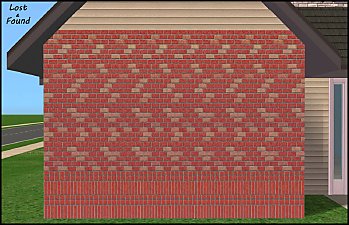
While browsing through game images I found (again) this wall image that wasn't in game. more...
6
13.2k
30


About Me
Pet Stories || Dog Agility Items? || Castaway Stories || Holy Simoly Extras
4esf Archive || Holy Simoly Archive || CEP-Extras List || Buyable Game Objects
lunie content from GoS/s2a
 Installation of CEP Extras
-the package with pfiles appended to the name will go into your cep extras folder where your game is installed (typically c drive, you do you)
-the other goes in CEP extra folder in documents.
The following locations are what I am aware of, beyond that you'll have to do some searching.
Downloads Folder:
C:\Users\<user>\Documents\EA Games\The Sims 2 Legacy
C:\Users\<user>\Documents\EA Games\The Sims 2 Ultimate Collection
With multiple launchers, the location for your game install will vary.
C:\Program Files\EA GAMES\The Sims 2 Legacy\TSData\Res\Catalog\zCEP-EXTRA
C:\Program Files\EA GAMES\The Sims 2\TSData\Res\Catalog\zCEP-EXTRA
C:\Program Files (x86)\EA GAMES\The Sims 2\TSData\Res\Catalog\zCEP-EXTRA