
 Sign in to Mod The Sims
 4 Boxwood Bush Variations
 4 Boxwood Bush Variations


MTSthumbnail.jpg - width=600 height=578
Boxwood side by side.jpg - width=1200 height=678
Side-by-side comparison.
PlantBoxwoodDark.jpg - width=946 height=800
Dark recolor.
PlantBoxwoodLight.jpg - width=946 height=800
Light recolor.
PlantBoxwoodWitheredDark.jpg - width=946 height=800
Withered dark recolor.
PlantBoxwoodWitheredLight.jpg - width=946 height=800
Withered light recolor.
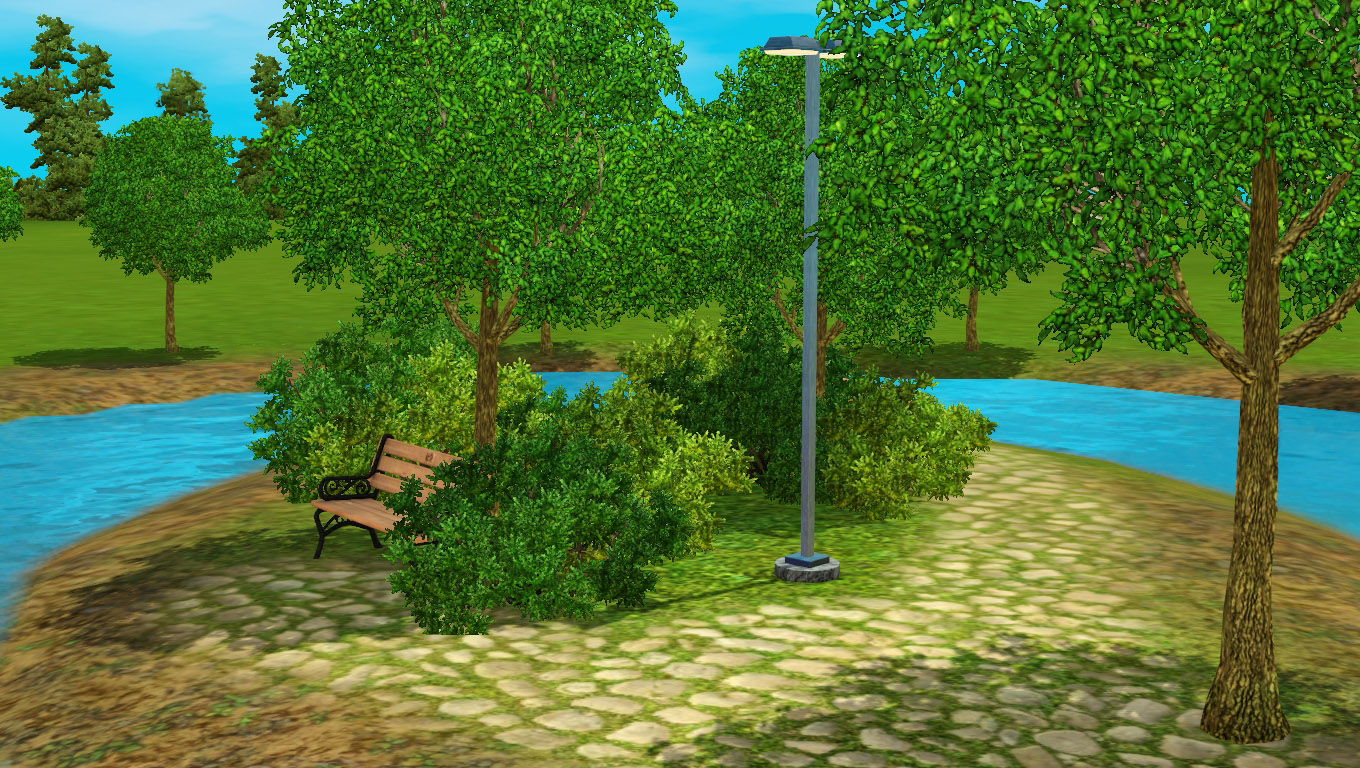
Boxwood light smaller.jpg - width=1360 height=768
Light + regular boxwood bushes.
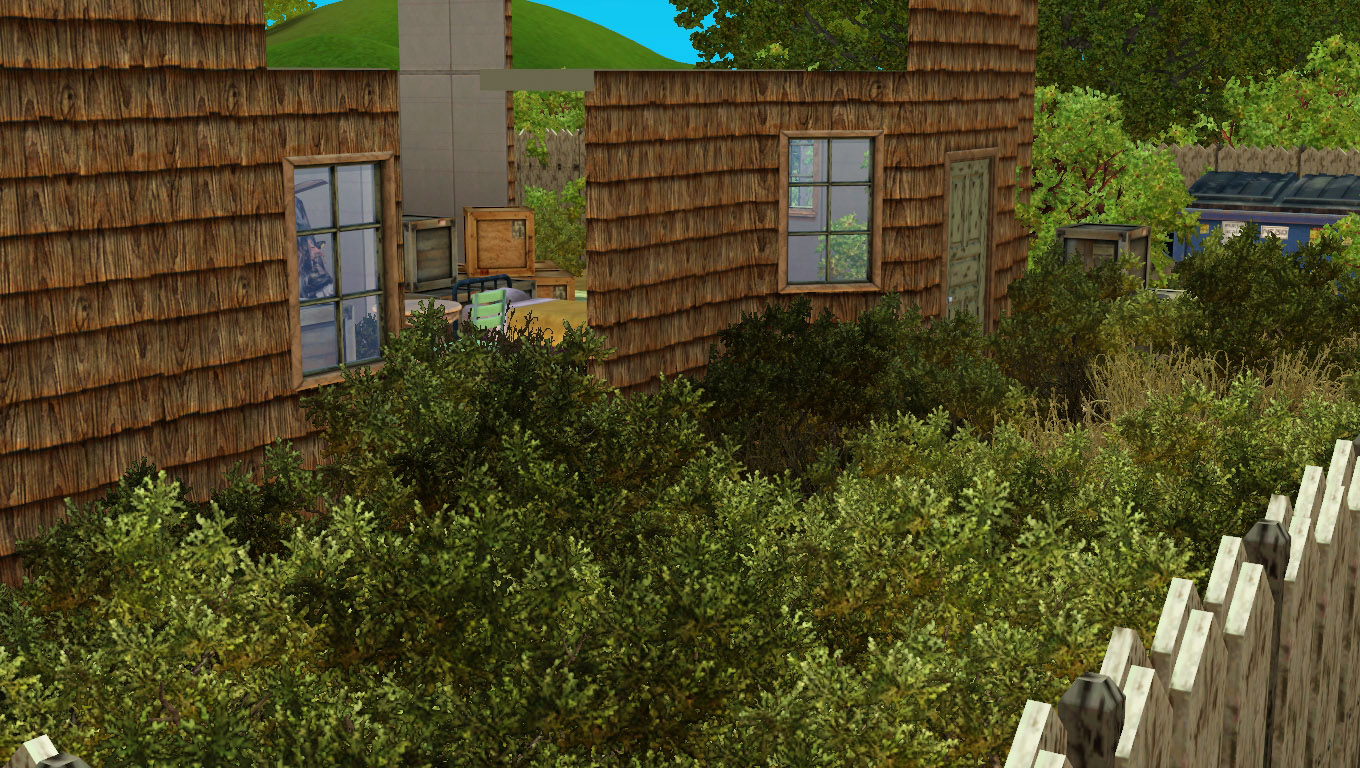
Boxwood withered smaller.jpg - width=1360 height=768
Withered light + dark boxwood bushes.
Landscaping can sometimes be difficult when you have to restrict yourself to using only certain plants, for fear of colors clashing.
Not only that, but some EA bushes are too saturated. Therefore, I made a few recolors of the basegame Boxwood bush.
Details
- four color variations: lighter, darker, and withered (light and dark versions), all slightly more desaturated than the game Boxwood.
- can be found under Build Mode \ Shrubs, and World Builder \ Landmarks;
- can now be placed on slopes*;
- they cost $50 like the original Boxwood bush;
- you don't need any EPs or SPs to use them, as they use basegame resources.
- they animate properly (moving around, swaying in the wind);
- they don't replace the existing Boxwood bush (unless you use a DR version, of course).
* I also made a small OBJD modification to the original Boxwood bush, making it visible in the World Builder and placeable on sloped terrain. You can get the file here: http://simfileshare.net/download/127823/
You can use them to build a variety of lots with different "personalities", from sunny parks to run-down abandoned houses.
Additional Credits:
S3OC, brntwaffles for their Frozen lighting mod (for the screenshots)
|
sweetdevil_BoxwoodRecolors_NDR.zip
| Non-default replacement versions. Use as many as you want!
Download
Uploaded: 27th Oct 2016, 730.3 KB.
6,177 downloads.
|
||||||||
|
sweetdevil_BoxwoodRecolors_DR.zip
| Default replacement versions. Choose only one!
Download
Uploaded: 27th Oct 2016, 705.8 KB.
1,868 downloads.
|
||||||||
| For a detailed look at individual files, see the Information tab. | ||||||||
Install Instructions
1. Click the download button, or the filename, to download the file to your computer.
2. Extract the zip, rar, or 7z file. Now you will have either a .package or a .sims3pack file.
For Package files:
1. Cut and paste the file into your Documents\Electronic Arts\The Sims 3\Mods\Packages folder. If you do not already have this folder, you should read the full guide to Package files first: Sims 3:Installing Package Fileswiki, so you can make sure your game is fully patched and you have the correct Resource.cfg file.
2. Run the game, and find your content where the creator said it would be (build mode, buy mode, Create-a-Sim, etc.).
For Sims3Pack files:
1. Cut and paste it into your Documents\Electronic Arts\The Sims 3\Downloads folder. If you do not have this folder yet, it is recommended that you open the game and then close it again so that this folder will be automatically created. Then you can place the .sims3pack into your Downloads folder.
2. Load the game's Launcher, and click on the Downloads tab. Find the item in the list and tick the box beside it. Then press the Install button below the list.
3. Wait for the installer to load, and it will install the content to the game. You will get a message letting you know when it's done.
4. Run the game, and find your content where the creator said it would be (build mode, buy mode, Create-a-Sim, etc.).
Extracting from RAR, ZIP, or 7z: You will need a special program for this. For Windows, we recommend 7-Zip and for Mac OSX, we recommend Keka. Both are free and safe to use.
Need more help?
If you need more info, see:
- For package files: Sims 3:Installing Package Fileswiki
- For Sims3pack files: Game Help:Installing TS3 Packswiki
Loading comments, please wait...

Uploaded: 27th Oct 2016 at 7:32 PM
Updated: 6th Jun 2018 at 1:46 PM
-
by porphyria259 19th Nov 2011 at 3:10pm
 50
97.4k
346
50
97.4k
346
-
-
by TheJim07 7th Apr 2015 at 12:16pm
23
30.2k
126
-
by Amarysauce 15th Dec 2015 at 3:35pm
3
9k
40
-
-
Ranch Weeds and Swamp Rushes as Shrubs
by sweetdevil 21st Jun 2016 at 1:35am
+2 packs
1 14.4k 36 Ambitions
 Pets
Pets
-
-
-
-


-
Store Russian Wrap Outfit for Teens
by sweetdevil 17th Sep 2018 at 11:15am
Store Russian Wrap outfit converted for teens! more...
-


No Rebel Social Group Influence from Adding Herb to Meal
by sweetdevil 9th Jul 2020 at 8:20pm
Adding herbs to a meal won't give Rebel Group Social Influence points anymore. more...
+1 packs
9 8.7k 47 University Life
-
by sweetdevil updated 30th Jul 2016 at 2:31pm
Harder or easier studying, depending on how much you hate your Sims. more...
+1 packs
5 38.7k 111 University Life
-

by sweetdevil 29th May 2018 at 8:08am
The World Adventures cheongsam, now for teen females! more...
-
Buyable Garden Weeds + 6 recolors
by sweetdevil 2nd Nov 2016 at 3:04pm
Garden Weeds made buyable, plus 6 other recolors! more...
10
16.5k
42
-
-
Store Can't Commit Outfit Edit
by sweetdevil 28th Nov 2017 at 9:24am
Channel and texture edit of the Store "Can't Commit" outfit. more...
12
16.4k
63
-

by sweetdevil 24th Apr 2018 at 11:49am
Basegame spiky hair converted for child females. more...
-
by sweetdevil 7th Mar 2022 at 1:20pm
Ever get tired of scrolling through the many recipes to find the one you know is sweet but is inexplicably more...
8
9.5k
28
-
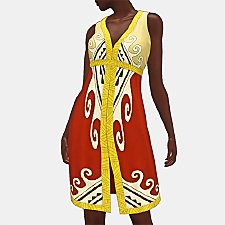
'Straight to the Beach' for TAEF [update 11/MAR/2021]
by sweetdevil updated 11th Mar 2021 at 3:29pm
'Straight to the Beach' dress from the Boardwalk Attire set, with modifications, for teen-elder. more...

About Me
Feel free to pick apart, reuse, reduce, recycle etc. my stuff. Don't put it behind paywalls or ask for money for it.
If there are any dead links, feel free to reupload my things but let me know so that I can fix the links.
Click here for my backups of inactive creators' + my own CC.