
 Sign in to Mod The Sims
 In The Corner ~ Tables for Corners
 In The Corner ~ Tables for Corners


IYC1.jpg - width=818 height=613
IYC1b.jpg - width=818 height=613
IYC2.jpg - width=818 height=613
IYC3.jpg - width=818 height=263
IYC4.jpg - width=818 height=263
IYC5.jpg - width=818 height=263
Well, to make a short story a bit longer: Since then I've learned a lot more about mapping and have gotten terribly addicted to things having two subsets and shadows (unless shadows look silly and sometimes they do!). So I set out to revamp my edits and realized that there would be a lot of tearing the meshes apart and remapping them. Being a lazy MLC I said (to myself, of course, I only talk to myself when I'm not trying to concentrate, lol) "Nah, I've got a better idea!". Now, it might sound like that better idea was making new meshes and in a way it was. Not too many words ago I called myself lazy - and I am. I took one of my own meshes and just rearranged the parts a bit. That way I didn't really need to remap and the shadows just needed edited. Genius!! (Actually, I do that a lot. So much easier to start out with something I already made.) These new tables look look the old tables I linked to but they are brand new meshes and are even a little lower poly.
PLUS!! You can actually buy a table just like the one I made in real life! I didn't know that until I was looking for ideas for other tables.

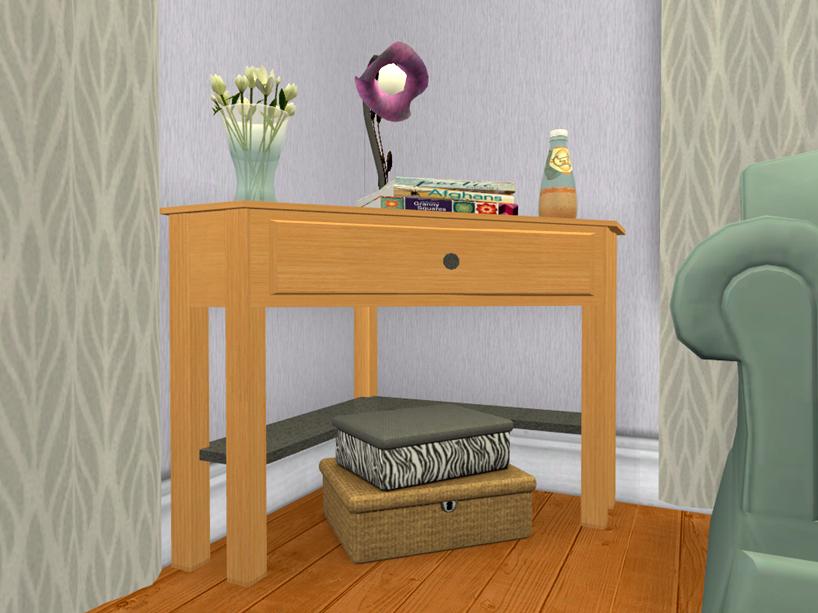
What You Get:
 A corner cabinet A corner table 9 recolors of both subsets - the woods are all Maxis, a few of them are edited Maxis woods I've done to get more colors; the metal and glass are all textures I made.
What You Need To Know:
These are slaved. The cabinet is the master, the table is it's slave There are 2 subsets - the wood and the knob/shelf Both meshes have 4 slots on the topCatalog Location/Simoleons:
Both can be found in Surffaces>Misc for $110 Simoleons
 UPDATED 6/22 to fix catalog descriptions that I forgot to change in the first place! If having the wrong catalog description bothers you just redownload and let files overwrite!
Polygon Counts:
Cabinet - 448
Table - 340
Additional Credits:
SimPE, MilkShape, PhotoShop CS2, EAxis, Little_Tx_Mama for the original corner tables I edited those many moons ago.
This is a new mesh, and means that it's a brand new self contained object that usually does not require a specific Pack (although this is possible depending on the type). It may have Recolours hosted on MTS - check below for more information.
|
MLC-CornerCabinetTable.rar
Download
Uploaded: 22nd Jun 2019, 430.7 KB.
7,253 downloads.
|
||||||||
| For a detailed look at individual files, see the Information tab. | ||||||||
Install Instructions
1. Download: Click the download link to save the .rar or .zip file(s) to your computer.
2. Extract the zip, rar, or 7z file.
3. Place in Downloads Folder: Cut and paste the .package file(s) into your Downloads folder:
- Origin (Ultimate Collection): Users\(Current User Account)\Documents\EA Games\The Sims™ 2 Ultimate Collection\Downloads\
- Non-Origin, Windows Vista/7/8/10: Users\(Current User Account)\Documents\EA Games\The Sims 2\Downloads\
- Non-Origin, Windows XP: Documents and Settings\(Current User Account)\My Documents\EA Games\The Sims 2\Downloads\
- Mac: Users\(Current User Account)\Documents\EA Games\The Sims 2\Downloads
- Mac x64: /Library/Containers/com.aspyr.sims2.appstore/Data/Library/Application Support/Aspyr/The Sims 2/Downloads
- For a full, complete guide to downloading complete with pictures and more information, see: Game Help: Downloading for Fracking Idiots.
- Custom content not showing up in the game? See: Game Help: Getting Custom Content to Show Up.
- If you don't have a Downloads folder, just make one. See instructions at: Game Help: No Downloads Folder.
Loading comments, please wait...


Uploaded: 22nd Jun 2019 at 8:17 AM
Updated: 31st Jul 2019 at 11:24 PM
-
by mickyss 4th Jul 2005 at 10:14am
 115
86.7k
10
115
86.7k
10
-
by Little_Tx_Mama 23rd Jul 2005 at 6:51am
50
55.8k
71
-
by darylmarkloc 28th Jan 2006 at 3:54pm
14
15.2k
12
-
by stguy 1st Jan 2007 at 4:45am
3
13.5k
4
-
by feeEssen 22nd Jun 2007 at 12:55am
5
10.1k
7
-
by JohnBrehaut1 15th Jul 2007 at 5:17pm
117
380.4k
529
-
-
by LadyAngel 14th Nov 2013 at 6:16pm
11
12k
24
-
by mustluvcatz 17th Jun 2014 at 9:03pm
26
37.6k
152
-

-
by mustluvcatz 17th May 2014 at 12:39am
There was recently a Secret Scuba event @ Leefish. Secret Scuba? Yep. more...
28
12k
57
-
by mustluvcatz 30th Apr 2013 at 3:30pm
Are your sims sick and tired of having to wear shades when relaxing in the cool shade of their porch? more...
23
29k
85
-
Log Cabin Interior Wall Set - 18 Colors
by mustluvcatz 25th Oct 2014 at 1:42am
This is a set of 18 log walls (siding, actually) that are meant to be used inside. more...
 29
26.9k
126
29
26.9k
126
-
Flowers in a Can- Watering Can, that is
by mustluvcatz 24th Aug 2009 at 7:39pm
Sweetswami here at MTS uploaded a set for little girl simmies at the end of last year. more...
+1 packs
14 22.1k 32 Pets
Pets
-
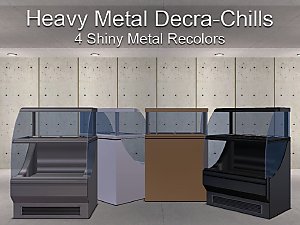
Heavy Metal ~ 4 Shiny Metal Decra-Chill Recolors
by mustluvcatz 9th Aug 2016 at 11:26pm
Just a little something I needed that I can't believe didn't exist already. more...
+1 packs
12 16.3k 34 Open for Business
-
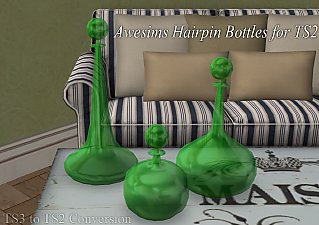
Hairpin Bottles (TS3 to TS2) - Update, placeable on OFB shelves
by mustluvcatz 11th Jan 2013 at 2:50am
:here: Updated 1/11/2013 - can be placed on OFB shelves. more...
11
17k
40
-
Laundry Day Part 2 ~ Table Set
by mustluvcatz 13th Dec 2015 at 11:18am
Now that your sims have a washer and dryer, they need somewhere to set that laundry basket down - right? more...
9
25k
75
-
Modified Sectional in a Rainbow of Colors
by mustluvcatz 30th Dec 2009 at 12:17am
Wirapuru's modular sofa made repository. This isn't a true modular sofa as there 5 separate pieces. more...
20
30.7k
38
-
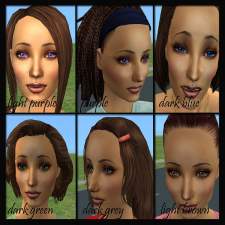
Natural and unNatural Eyes - 18 Shades
by mustluvcatz 10th Dec 2009 at 9:37pm
After much trial and error, here are 18 eyes. more...
-
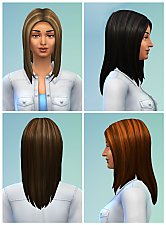
Chunky Streaks (4 streaked hairs)
by mustluvcatz 18th Sep 2014 at 3:08pm
One of my sims, Shesa Testinmacloth, was feeling blue one day. more...


About Me
The exception: My TS4 Robert Williamson sim. I would really like it if he's not edited in any way. He's my tribute to Robin Williams, who was someone I greatly admired. Changing him would make him just another sim.