
 Sign in to Mod The Sims
 "Boxy Lady" Hedge Fence
 "Boxy Lady" Hedge Fence


boxy-lady-hedge-fence-thumb.png - width=859 height=859
boxy-lady-hedge-fence.jpg - width=1918 height=1199

Corners aren't perfectly square as there is no post mesh, but was the best I could figure out to keep it from also clipping thru walls. The fence is about the same size as the shortie concrete border wall (think from uni?).
Sims cannot walk over it and you can use a gate. Gates will probably look pretty silly. xD
If you want sims to be able to walk over/through you can definitely edit it. Change the line maywalkover in the XFNC resource from 0x00000000 to 0x00000001.
 polys
polys668 - rail
770 - diag rail
| Filename | Type | Size |
|---|---|---|
| HL_fence_boxyLadyHedge.7z | 7z | |
| HL_fence_boxyLadyHedge.package | package | 566950 |
| boxy-lady-hedge-fence.jpg | jpg | 2271451 |
| boxy-lady-hedge-fence-thumb.png | png | 204889 |
This is a new mesh, and means that it's a brand new self contained object that usually does not require a specific Pack (although this is possible depending on the type). It may have Recolours hosted on MTS - check below for more information.
|
HL_fence_boxyLadyHedge.7z
Download
Uploaded: 10th Jun 2025, 2.56 MB.
1,308 downloads.
|
||||||||
| For a detailed look at individual files, see the Information tab. | ||||||||
Install Instructions
1. Download: Click the download link to save the .rar or .zip file(s) to your computer.
2. Extract the zip, rar, or 7z file.
3. Place in Downloads Folder: Cut and paste the .package file(s) into your Downloads folder:
- Origin (Ultimate Collection): Users\(Current User Account)\Documents\EA Games\The Sims™ 2 Ultimate Collection\Downloads\
- Non-Origin, Windows Vista/7/8/10: Users\(Current User Account)\Documents\EA Games\The Sims 2\Downloads\
- Non-Origin, Windows XP: Documents and Settings\(Current User Account)\My Documents\EA Games\The Sims 2\Downloads\
- Mac: Users\(Current User Account)\Documents\EA Games\The Sims 2\Downloads
- Mac x64: /Library/Containers/com.aspyr.sims2.appstore/Data/Library/Application Support/Aspyr/The Sims 2/Downloads
- For a full, complete guide to downloading complete with pictures and more information, see: Game Help: Downloading for Fracking Idiots.
- Custom content not showing up in the game? See: Game Help: Getting Custom Content to Show Up.
- If you don't have a Downloads folder, just make one. See instructions at: Game Help: No Downloads Folder.
Loading comments, please wait...


Uploaded: 10th Jun 2025 at 4:31 PM
-
by Supertramp 12th Sep 2005 at 11:31pm
 13
14.5k
11
13
14.5k
11
-
by blondmermaid 18th Sep 2005 at 4:27pm
20
35.3k
13
-
-
-
-
by naschev 23rd Dec 2005 at 4:20am
61
55.1k
38
-
by Lezibeth 10th Jan 2006 at 2:35am
19
29.8k
13
-
by Lezibeth 10th Jan 2006 at 2:39am
13
23.4k
19
-
by stepehnguy 15th Jan 2006 at 9:27pm
+1 packs
8 14.8k 2 University
-
by JohnBrehaut1 19th Apr 2006 at 4:54pm
+1 packs
10 17.1k 2 Nightlife


-
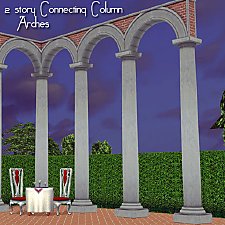
Romanesque Connecting Column Arches
by HugeLunatic 12th Sep 2016 at 4:32am
Romanesque Connecting Column Arches in two story versions, so now all your Column Arches may be epic. more...
10
14.6k
39
-
by HugeLunatic updated 6th May 2008 at 8:06am
Updated 23-Dec-09 This set is now slaved. The master mesh is the bookcase. more...
+3 packs
14 51.2k 71 University
 Pets
Pets
 Bon Voyage
-
by HugeLunatic updated 22nd Jul 2015 at 8:54pm
This is a catalog and price edit for the three variations of unfinished walls that came with NightLife. more...
+1 packs
18 24.2k 73 Nightlife
-
by HugeLunatic 20th Jan 2014 at 11:54pm
Just had an urge to make something different, and picked a random category from the game to make something new. more...
15
12.7k
17
-
Late Night - Buyable Mailbox and Trash Chute
by HugeLunatic 4th Nov 2010 at 2:05am
This requires Late Night! more...
 +1 packs
97 172.7k 275
+1 packs
97 172.7k 275 Late Night
-
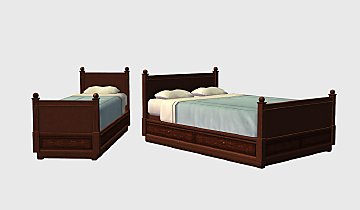
by HugeLunatic updated 5th Apr 2018 at 2:39am
The Free Time single comfy bed made twice as comfy! more...
+1 packs
10 20.6k 57 Free Time
-
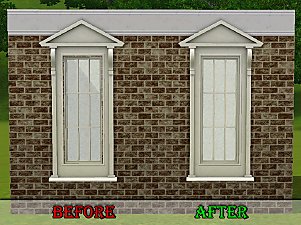
by HugeLunatic 12th Apr 2011 at 5:28am
Wallmask fix for Ambitions Federal Pediment window. more...
-
by HugeLunatic 21st Sep 2020 at 3:15am
Thanks to dorimega for letting me know that I had forgotten to include this window with my door add on more...
+1 packs
3 6.4k 17 Apartment Life
-
by HugeLunatic 28th Apr 2022 at 2:04am
Just a small but fun object for Spring 22 theme. more...
+1 packs
15 2.8k 26 Mansion and Garden
-
by HugeLunatic 1st Jul 2015 at 9:10am
The "1 by 1" Designer Wall Sconce is a one shade, wall version of the base game "4 by 4" Designer Chandelier. more...
12
6.6k
22


About Me
Pet Stories || Dog Agility Items? || Castaway Stories || Holy Simoly Extras
4esf Archive || Holy Simoly Archive || CEP-Extras List || Buyable Game Objects
lunie content from GoS/s2a
Installation of CEP Extras-the package with pfiles appended to the name will go into your cep extras folder where your game is installed (typically c drive, you do you)
-the other goes in CEP extra folder in documents.
The following locations are what I am aware of, beyond that you'll have to do some searching.
Downloads Folder:
C:\Users\<user>\Documents\EA Games\The Sims 2 Legacy
C:\Users\<user>\Documents\EA Games\The Sims 2 Ultimate Collection
With multiple launchers, the location for your game install will vary.
C:\Program Files\EA GAMES\The Sims 2 Legacy\TSData\Res\Catalog\zCEP-EXTRA
C:\Program Files\EA GAMES\The Sims 2\TSData\Res\Catalog\zCEP-EXTRA
C:\Program Files (x86)\EA GAMES\The Sims 2\TSData\Res\Catalog\zCEP-EXTRA