Sign in to Mod The Sims
 DEFAULT - TEEN bodyjumpsuit
 DEFAULT - TEEN bodyjumpsuit
SCREENSHOTS


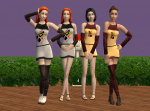
cover.jpg - width=625 height=625
front.jpg - width=904 height=735
back.jpg - width=776 height=737
fatmorph.jpg - width=777 height=736
side.jpg - width=643 height=721
Downloaded 463 times
12 Thanks
4 Favourited
1,910 Views
Say Thanks!
Thanked!
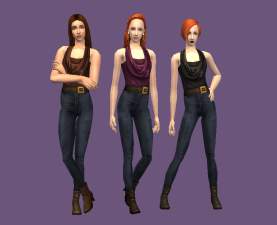
Another default I made some times ago. I lost my mesh when my computer crashed but fortunately, I saved the default files in usb. So this is only a default and no custom/non-default files. 
It's a default for tfbodyjumpsuitboots using this shoes by Maxis.
The textures are from here by whitewaterwood.
Polygon
Faces
old - 2320
new - 2412
Vertices
old - 1650
new - 1822
Thank you! Hopefully someone's still loves playing The Sims2 like I do!

It's a default for tfbodyjumpsuitboots using this shoes by Maxis.
The textures are from here by whitewaterwood.
Polygon
Faces
old - 2320
new - 2412
Vertices
old - 1650
new - 1822
Thank you! Hopefully someone's still loves playing The Sims2 like I do!

Advertisement:
| Filename | Type | Size |
|---|---|---|
| DEFAULT_kiah_tfJumpSuitBoots_larashoes.zip | zip | |
| DEFAULT_kiah_tfJumpSuitBoots_larashoes.package | package | 2515827 |
This is a new mesh, and means that it's a brand new self contained object that usually does not require a specific Pack (although this is possible depending on the type). It may have Recolours hosted on MTS - check below for more information.
|
DEFAULT_kiah_tfJumpSuitBoots_larashoes.zip
Download
Uploaded: 10th Jan 2026, 2.14 MB.
463 downloads.
|
||||||||
| For a detailed look at individual files, see the Information tab. | ||||||||
Install Instructions
Basic Download and Install Instructions:
1. Download: Click the download link to save the .rar or .zip file(s) to your computer.
2. Extract the zip, rar, or 7z file.
3. Place in Downloads Folder: Cut and paste the .package file(s) into your Downloads folder:
1. Download: Click the download link to save the .rar or .zip file(s) to your computer.
2. Extract the zip, rar, or 7z file.
3. Place in Downloads Folder: Cut and paste the .package file(s) into your Downloads folder:
- Origin (Ultimate Collection): Users\(Current User Account)\Documents\EA Games\The Sims™ 2 Ultimate Collection\Downloads\
- Non-Origin, Windows Vista/7/8/10: Users\(Current User Account)\Documents\EA Games\The Sims 2\Downloads\
- Non-Origin, Windows XP: Documents and Settings\(Current User Account)\My Documents\EA Games\The Sims 2\Downloads\
- Mac: Users\(Current User Account)\Documents\EA Games\The Sims 2\Downloads
- Mac x64: /Library/Containers/com.aspyr.sims2.appstore/Data/Library/Application Support/Aspyr/The Sims 2/Downloads
- For a full, complete guide to downloading complete with pictures and more information, see: Game Help: Downloading for Fracking Idiots.
- Custom content not showing up in the game? See: Game Help: Getting Custom Content to Show Up.
- If you don't have a Downloads folder, just make one. See instructions at: Game Help: No Downloads Folder.
Advertisement:
Loading comments, please wait...
Author

Download Details
Packs:
None, this is Sims 2 base game compatible!
Uploaded: 10th Jan 2026 at 12:51 PM
Updated: 14th Jan 2026 at 3:29 PM
Uploaded: 10th Jan 2026 at 12:51 PM
Updated: 14th Jan 2026 at 3:29 PM
Age:
– Teen
Gender:
– Female
Clothing Type:
– Everyday
Clothing Style:
– No Style
: None of the below styles
Other Type:
– Not Applicable
Maxis Flags:
– Default Replacement
Outfit Type:
– Full Outfit
Other Download Recommendations:
-
-
DEFAULT teen girl shirt meshes
by CatOfEvilGenius 10th Oct 2009 at 7:43pm
-
-
-
-
-
-
-
-


More downloads by kiah:
See more