
 Sign in to Mod The Sims
 Clover pattern for request
 Clover pattern for request


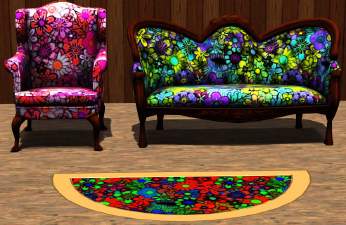
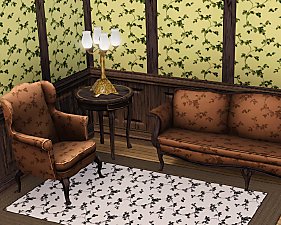
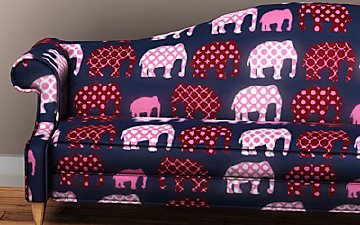
clover1room.jpg - width=600 height=480
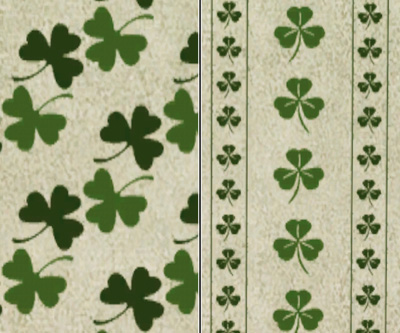
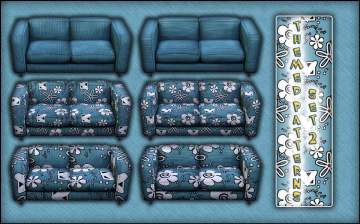
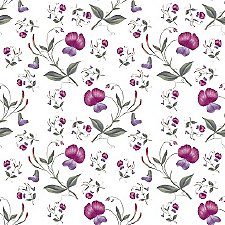
cloverpatterns.jpg - width=400 height=333
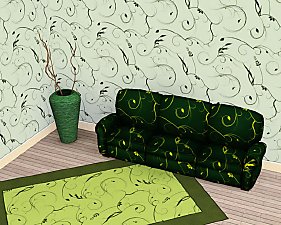
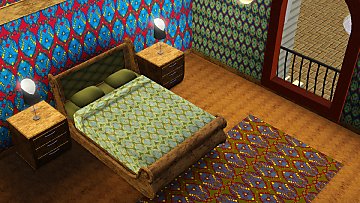
clover2room.jpg - width=600 height=480
Both have 4 recolorable channels, and are in the Themed category.
Default colors:
Additional Credits:
Delphy for the Packager of course!
|
clovers.rar
Download
Uploaded: 16th Jul 2009, 256.8 KB.
2,719 downloads.
|
||||||||
| For a detailed look at individual files, see the Information tab. | ||||||||
Install Instructions
1. Click the download button, or the filename, to download the file to your computer.
2. Extract the zip, rar, or 7z file. Now you will have either a .package or a .sims3pack file.
For Package files:
1. Cut and paste the file into your Documents\Electronic Arts\The Sims 3\Mods\Packages folder. If you do not already have this folder, you should read the full guide to Package files first: Sims 3:Installing Package Fileswiki, so you can make sure your game is fully patched and you have the correct Resource.cfg file.
2. Run the game, and find your content where the creator said it would be (build mode, buy mode, Create-a-Sim, etc.).
For Sims3Pack files:
1. Cut and paste it into your Documents\Electronic Arts\The Sims 3\Downloads folder. If you do not have this folder yet, it is recommended that you open the game and then close it again so that this folder will be automatically created. Then you can place the .sims3pack into your Downloads folder.
2. Load the game's Launcher, and click on the Downloads tab. Find the item in the list and tick the box beside it. Then press the Install button below the list.
3. Wait for the installer to load, and it will install the content to the game. You will get a message letting you know when it's done.
4. Run the game, and find your content where the creator said it would be (build mode, buy mode, Create-a-Sim, etc.).
Extracting from RAR, ZIP, or 7z: You will need a special program for this. For Windows, we recommend 7-Zip and for Mac OSX, we recommend Keka. Both are free and safe to use.
Need more help?
If you need more info, see:
- For package files: Sims 3:Installing Package Fileswiki
- For Sims3pack files: Game Help:Installing TS3 Packswiki
Loading comments, please wait...
Uploaded: 16th Jul 2009 at 12:24 AM
Updated: 16th Jul 2009 at 1:16 AM


-
Indoor Plants 1 [Updated for WA]
by lemoncandy 30th Aug 2009 at 10:57pm
EDIT 29/11/2009. These objects became broken with the patch 1.6.6 and the expansion and caused the "blue lot syndrome". more...
 93
146k
220
93
146k
220
-

by lemoncandy 5th Sep 2009 at 1:06pm
This time I bring you a small glass vase with a red rose and another with some palm leaves, to more...
52
68.6k
129
-
Don't leaf home - 6 more patterns
by lemoncandy 15th Jul 2009 at 12:39am
I wasn't all satisfied with my leaf patterns so I decided to make some more, traditional ones. more...
14
18k
43
-
by lemoncandy 1st Jul 2009 at 9:28pm
Here is another starter house (price under 16000), designed for a single, but it can accomodate two if you change more...
4
13.4k
15
-
3 more plants [Updated for WA]
by lemoncandy 14th Sep 2009 at 8:00pm
EDIT 29/11/2009. These objects became broken with the patch 1.6.6 and the expansion and caused the "blue lot syndrome". more...
43
107.1k
163
-
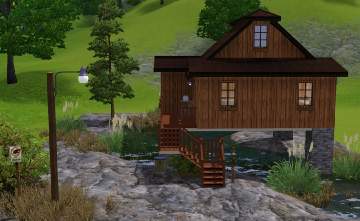
by lemoncandy 5th Aug 2009 at 11:40pm
This is a small pond with a wooden cabin on legs above it. more...
3
10.8k
11
-
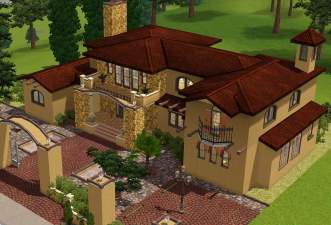
by lemoncandy 26th Jul 2009 at 1:38am
My take on a mediterranean residence...thought I'd try something with earth colors, worn and old-timey feel. more...
22
24.3k
29
-
-
-
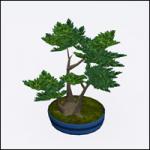
by lemoncandy 1st Oct 2009 at 8:20pm
EDIT 28/11/2009. These objects became broken with the patch 1.6.6 and the expansion and caused the "blue lot syndrome". more...
44
95.1k
204
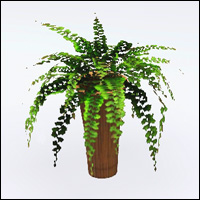

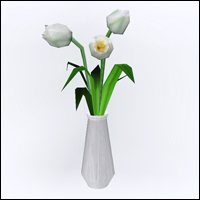
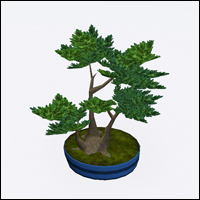
About Me
IMPORTANT
I haven't touched any of this work for over a year, so please consider it all as unsupported. I guess most of it won't be working with the game's new expansions and patches. Sorry.