
 Sign in to Mod The Sims
 ~New~ Base Game, One-tile Desk and Matching Stool for Sim Children
 ~New~ Base Game, One-tile Desk and Matching Stool for Sim Children


2015-05-26_NewDisplay.jpg - width=1200 height=675
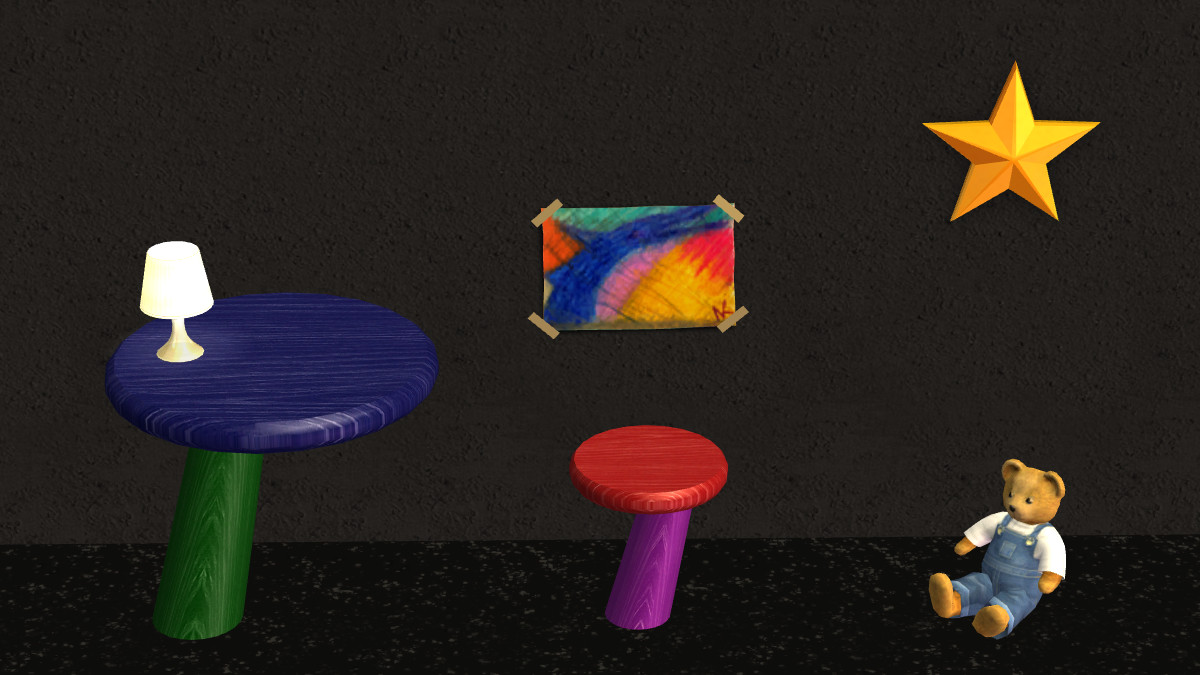
Mixed-up Colors
2015-05-18_DisplayShot.jpg - width=1054 height=673
Mesh Default Color
2015-05-18_GroupOf21Colors.jpg - width=897 height=673
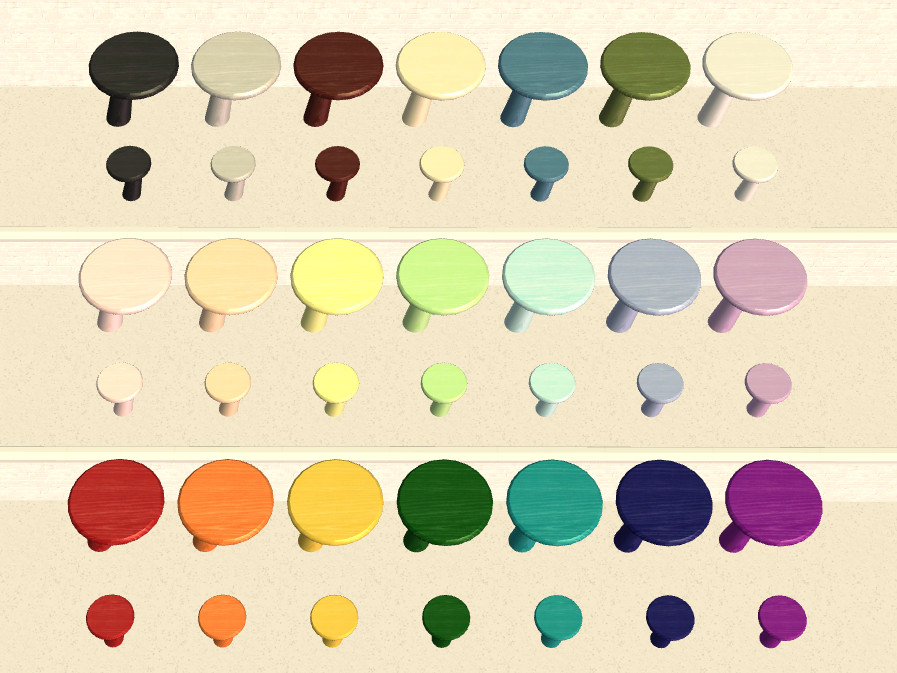
From the top, 21 colors total including Mesh in Neutrals, Lights and Brights
2015-05-19_Group_Brights.jpg - width=1354 height=600
Bright Group
2015-05-19_Group_Lights.jpg - width=1350 height=600
Light Group
2015-05-19_Group_Neutrals.jpg - width=1352 height=600
Neutral Group
BoyDoingHomeworkExtraSlot.jpg - width=1000 height=750
DebraSittingAtDeskWithPC.jpg - width=1000 height=750
2015-05-19_NewClimbingOntoStool.jpg - width=1000 height=700
2015-05-19_SittingOnStool.jpg - width=1366 height=709
2015-05-19_WorkingHard.jpg - width=1266 height=600
2015-05-19_GracefulDismount.jpg - width=1152 height=690
2015-05-19_NewDoingHomework.jpg - width=993 height=630
2015-05-19_NewDoingHomework2.jpg - width=1275 height=690
2015-05-19_MomUsingDesk.jpg - width=991 height=650
2015-05-19_NewHomeworkOnDesk.jpg - width=950 height=650
2015-05-19_PlayingComputer.jpg - width=1100 height=690


Special Notes:
When Maxis computers are placed on the top, the corner of the keyboard and mouse pad extend past the front edge. This is because the desk has been made small enough as not to cut into the walls. Perhaps a custom laptop may be found and used instead.
Since there is no back on the stool, some of the animations are a bit more elaborate, but only just briefly and no more than others' creations with a no-back design.
In Maxis desks, the tile to the right side of the desk should be left unobstructed for the child to walk up and place their homework. Teens do not have this problem. This is a routing slot design by Maxis and not a fault with this mesh or package.
Finally, with the help of Michelle, I have added another slot to the back part of the desk so a lamp or other object may be placed there. If you are unsure how to use the slots, just place your additional object on the desk and use the letter "M" on your keyboard to snap to the second (back) slot. Do not leave anything in the center of the desk or the homework won't get placed there.
Poly count: 386 for the desk (over 1 tile); 386 for the stool (over 1 tile)
Number of subsets: 2 on Desk and 2 on Stool
Cost: §75 for the desk; §45 for the stool
Found: Buy Catalogue --> Miscellaneous --> Children (Not Under Surfaces)
The finish, on both desk and stool, is a white-washed wood grain in very usable colors consisting of light, bright and neutral shades.
The colors are as follows:
Lights = Pink(MM/PinkSlip), Peach, Yellow, Light Green, Aqua, Light Blue(MM/PerfectPowderBlue), Lavender(MM/SimplyStunning)
Brights = Red, Orange(MM/RadicalRaceCar), Gold(MM/Gilt-yPleasure), Dark Green, Teal, Dark Blue, Purple
Neutrals = Black, Light Grey, Brown, Ivory, Denim Blue, Military Green
Default = White
MM = Maxis-Match to Wall Colors
I hope you enjoy using these creations in your game. Thank you for looking!
HeartDeco
Polygon Counts:
386 for the desk (on 1 tile)
386 for the stool (on 1 tile)
Additional Credits:
Credits:
Maxis/EA ~ MTS ~ SimPE ~ CEP ~ GIMP ~ MilkShape 3D ~ UVMapper Pro ~
FastStone Capture
Special Thanks and Credit:
Michelle for her help, opinions, patience, and support
This is a new mesh, and means that it's a brand new self contained object that usually does not require a specific Pack (although this is possible depending on the type). It may have Recolours hosted on MTS - check below for more information.
|
HeartDeco_dlb_Little Ones Desk & Stool for Children_Neutrals.zip
Download
Uploaded: 26th May 2015, 1.39 MB.
1,666 downloads.
|
||||||||
|
HeartDeco_dlb_Little Ones Desk & Stool for Children_Lights.zip
Download
Uploaded: 26th May 2015, 1.66 MB.
1,601 downloads.
|
||||||||
|
HeartDeco_dlb_Little Ones Desk & Stool for Children_Brights.zip
Download
Uploaded: 26th May 2015, 1.73 MB.
1,591 downloads.
|
||||||||
|
HeartDeco_dlb_Little Ones Desk & Stool for Children_MESHES.zip
Download
Uploaded: 26th May 2015, 470.8 KB.
2,054 downloads.
|
||||||||
| For a detailed look at individual files, see the Information tab. | ||||||||
Install Instructions
1. Download: Click the download link to save the .rar or .zip file(s) to your computer.
2. Extract the zip, rar, or 7z file.
3. Place in Downloads Folder: Cut and paste the .package file(s) into your Downloads folder:
- Origin (Ultimate Collection): Users\(Current User Account)\Documents\EA Games\The Sims™ 2 Ultimate Collection\Downloads\
- Non-Origin, Windows Vista/7/8/10: Users\(Current User Account)\Documents\EA Games\The Sims 2\Downloads\
- Non-Origin, Windows XP: Documents and Settings\(Current User Account)\My Documents\EA Games\The Sims 2\Downloads\
- Mac: Users\(Current User Account)\Documents\EA Games\The Sims 2\Downloads
- Mac x64: /Library/Containers/com.aspyr.sims2.appstore/Data/Library/Application Support/Aspyr/The Sims 2/Downloads
- For a full, complete guide to downloading complete with pictures and more information, see: Game Help: Downloading for Fracking Idiots.
- Custom content not showing up in the game? See: Game Help: Getting Custom Content to Show Up.
- If you don't have a Downloads folder, just make one. See instructions at: Game Help: No Downloads Folder.
Loading comments, please wait...

Uploaded: 26th May 2015 at 9:29 PM
Updated: 26th May 2015 at 10:55 PM
Monique's Mod "Auto Do Homework (at 7:00PM)"
Dave Luv's Mod "Faster Homework"
I have used the above Mods for years with all EP's and SP's installed using (up to and including) Windows 8.1 OS with out any problems or consequences.
Various Artists and Creators with Homework related Mods at MTS.
-
by Oberkorn 5th Feb 2005 at 10:40pm
 169
91.9k
35
169
91.9k
35
-
by cwirsing 8th Aug 2005 at 4:41am
5
11k
4
-
-
by Michelle 8th Jun 2015 at 5:52am
4
6.7k
16
By Function » Surfaces » Desks
-
-
Recolors of Base Game Desk and Chair matching some other Base Game Furniture
by gabilei123 25th Mar 2017 at 2:14pm
8
12.3k
21
-
3-Tile Execudrone Desk (Unintentional Mod #3)
by d4RE 3rd Apr 2017 at 2:20am
11
6.1k
10
By Function » Surfaces » Desks
-
by SimFused 14th Dec 2018 at 8:46am
+1 packs
7 19.8k 76 Ikea Home
By Function » Surfaces » Desks
-
by SimFused 24th Dec 2018 at 9:35am
10
11.7k
34
By Function » Surfaces » Desks
-


-
~ Barbara's Star (Star of David) for the Holidays ~
by HeartDeco 15th Oct 2017 at 7:55am
Barbara's Star (Star of David) for the Holidays. more...
+1 packs
2 4k 8 Happy Holiday
-
AquaGreen Hydroponic Garden - Career Reward Object Recolours
by SimFused 21st Feb 2016 at 6:18am
AquaGreen Hydroponic Garden - Career Reward Object Recolours more...
4
14k
33
-
-
-
~NEW~ Trinity Coffee Table (3-tile)
by HeartDeco 11th Aug 2015 at 10:00am
~NEW~ Trinity Coffee Table (3-tile) more...
8
5.8k
11
-
-
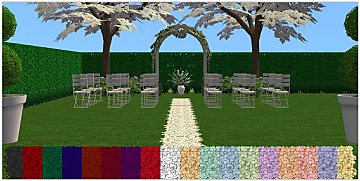
The Camino Real Rug from Celebration - 18 Recolors
by SimFused 28th Feb 2017 at 8:02am
The Camino Real Rug from Celebrations - 18 Recolors (Requested) more...
+1 packs
3 12k 29 Celebration
-
-
-


About Me
I hope you enjoy my creations; please use them for your own personal gaming pleasure.
1. You may recolor any of my creations - provided that:
a) You include a link to the item's mesh here at MTS.
b) You contact me and let me know you are going to do this.
2. You may include any of my creations with your lots uploaded to any free site - provided that:
a) You include a link to the item's mesh here at MTS.
b) You contact me and let me know you are going to do this.
3. You may not claim or imply that any of my creations are your own work.
4. You may not upload any alterations of my meshes unless you have my permission.
5. If you use my creations in your screenshots, credit would be appreciated.
Thank you all for the opportunity to contribute back to the community. If you have any questions, please PM me and I will try and take care of your needs.
HeartDeco / Debra