
 Sign in to Mod The Sims
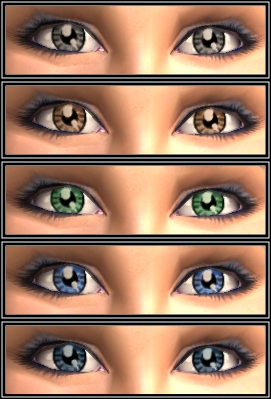
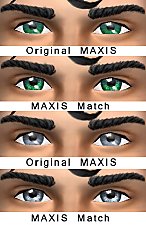
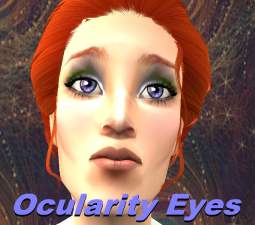
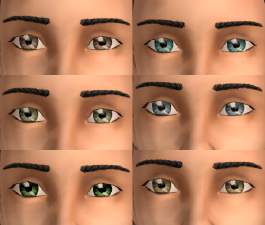
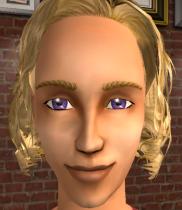
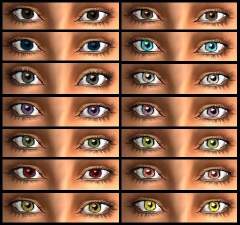
 Maxis Eye Enhancements (Included defaults!)
 Maxis Eye Enhancements (Included defaults!)


enhanced maxis eyes.jpg - width=271 height=399
enhanced maxis blue.jpg - width=326 height=429
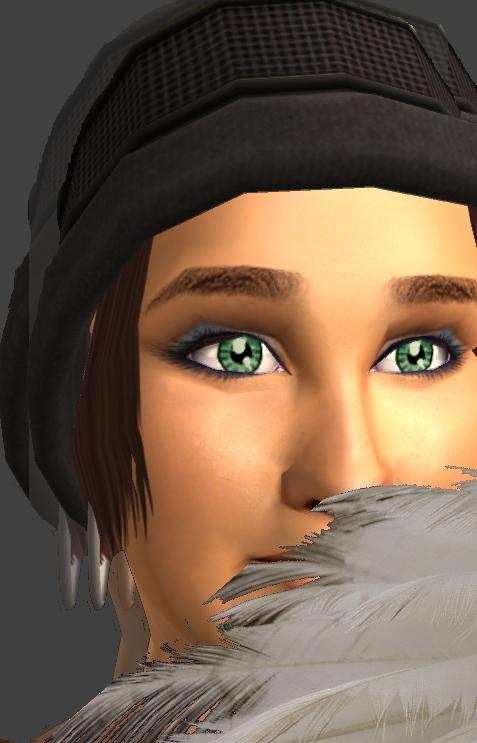
enhanced maxis green.jpg - width=477 height=743
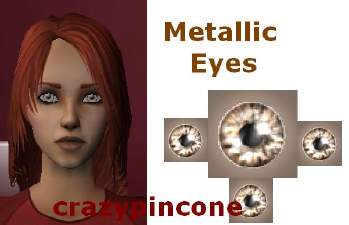
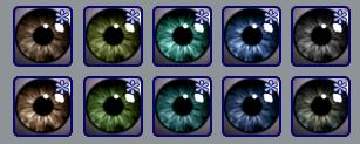
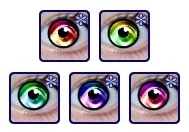
enh max thumbs.jpg - width=302 height=69
Thanks for reminding me that MediaFire blows, so for the defaulted version, please refer to the newest download below!
(sorry 'bout that)
***********************************************************************
*****UPDATE*****
Uber THanks to Azaya for rapidly responding with a defaulted version of these eyes for me!
Unfortunately, Azaya doesn't upload here, but check out her stuffs on Live Journal or Garden of Shadows =)
*********************************************************
Thanks & Enjoy
|
Enhanced Maxis DEFAULTS.rar
Download
Uploaded: 23rd Sep 2008, 16.2 KB.
184 downloads.
|
||||||||
|
Enhanced Maxis Eyes.rar
Download
Uploaded: 16th Sep 2008, 41.1 KB.
392 downloads.
|
||||||||
| For a detailed look at individual files, see the Information tab. | ||||||||
Install Instructions
1. Download: Click the download link to save the .rar or .zip file(s) to your computer.
2. Extract the zip, rar, or 7z file.
3. Place in Downloads Folder: Cut and paste the .package file(s) into your Downloads folder:
- Origin (Ultimate Collection): Users\(Current User Account)\Documents\EA Games\The Sims™ 2 Ultimate Collection\Downloads\
- Non-Origin, Windows Vista/7/8/10: Users\(Current User Account)\Documents\EA Games\The Sims 2\Downloads\
- Non-Origin, Windows XP: Documents and Settings\(Current User Account)\My Documents\EA Games\The Sims 2\Downloads\
- Mac: Users\(Current User Account)\Documents\EA Games\The Sims 2\Downloads
- Mac x64: /Library/Containers/com.aspyr.sims2.appstore/Data/Library/Application Support/Aspyr/The Sims 2/Downloads
- For a full, complete guide to downloading complete with pictures and more information, see: Game Help: Downloading for Fracking Idiots.
- Custom content not showing up in the game? See: Game Help: Getting Custom Content to Show Up.
- If you don't have a Downloads folder, just make one. See instructions at: Game Help: No Downloads Folder.
Loading comments, please wait...

Uploaded: 16th Sep 2008 at 11:18 PM
Updated: 4th Oct 2008 at 1:00 AM by alidarivera
-
-
-
-
-
-
Realistic eyes & sclera (now with defaults!)
by SimRivers 18th Sep 2008 at 3:57am
-
-
-
-
Recolors/Addons of fanseelamb's Extremely Maxis-Match Eyes
by Primavera updated 2nd Jul 2018 at 9:23pm

-
-
Oodles of Random Recolors Pt.3
by SimRivers 16th Sep 2008 at 4:33pm
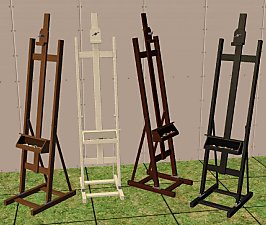
Independent Expressions Inc. Easel in 4 new wood colors. That is all. Thanks & Enjoy! more...
 14
35.8k
67
14
35.8k
67
-
"Ledomus" Starter home Plan #3, NO CC
by SimRivers 17th May 2012 at 3:58pm
2br, 1ba base game, no cc starter more...
 11
38k
85
11
38k
85
-
-
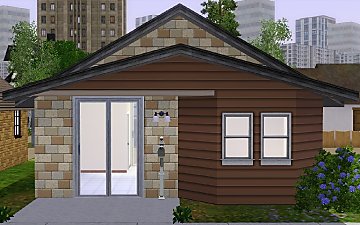
"Ledomus" Starter home Plan #2, NO CC
by SimRivers 17th May 2012 at 3:57pm
1BR, 1BA BASE GAME NO CC more...
5
35.3k
80
-
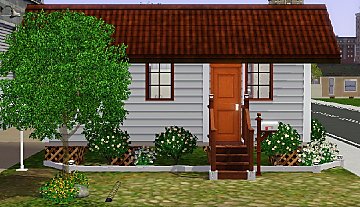
The Swank Shack 1br,1ba (trailer style)
by SimRivers 17th May 2012 at 3:55pm
For the high maintenance single sim. more...
+3 packs
5 13.1k 17 Ambitions
 Generations
 Pets
Pets
-
Indian re-do's of the Atomic rug + Tibetan extra
by SimRivers 2nd Sep 2008 at 11:18am
**** Love rugs??? Then take a look at this thread **** I've been uploading like mad, so I more...
+1 packs
3 12.3k 14 Pets
Pets
-
Roy G Biv Brick walls (+2 bonus wall packs- 20 in all)
by SimRivers 30th Jun 2008 at 2:01am
I've been making walls and floors for a while, but it's never good enough (sob).. more...
6
10.5k
4
-
My eyes... No, really *MY* eyes!
by SimRivers 2nd Jul 2008 at 1:45pm
So I've been trying my patience with creating eyes, and I could never get them to look right (one time, more...
-
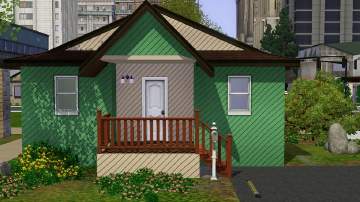
ReMixed Home - The Cabin Fever starter
by SimRivers 18th May 2012 at 3:21pm
BASE GAME more...
2
14k
17


