
 Sign in to Mod The Sims
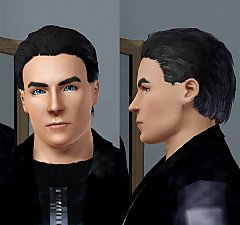
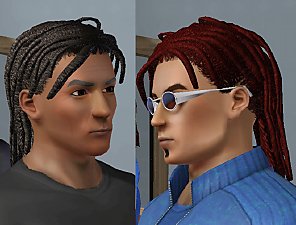
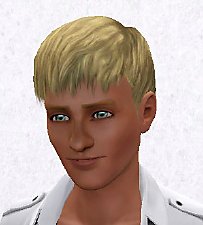
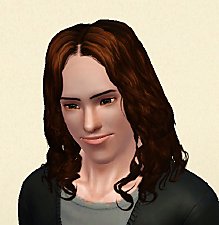
 Men's "Fierce Flow" Hair - Teen to Elder
 Men's "Fierce Flow" Hair - Teen to Elder


Screenshot-329.jpg - width=656 height=964
Screenshot-330.jpg - width=761 height=941
Screenshot-331.jpg - width=630 height=844
Screenshot-332.jpg - width=611 height=861
Screenshot-333.jpg - width=885 height=919
Screenshot-334.jpg - width=727 height=1024
Screenshot-335.jpg - width=761 height=903


First off, I want to thank HystericalParoxysm for her outstanding tutorial! I couldn't of done it without her!
Now about the hair.It is actually originally from Sims 2 Bon Voyage, the big foot, but modified as you can see. Of course it's not as good as any of HP's hairs, but it is still a pretty good looking hair for men! It is recolorable for all parts, and is only available for ages Teen, Young Adult, Adult and Elder. I like this hair because it looks sharp yet smooth at the same time, creating a nice transition look for men. Hope you enjoy this as much as I do! Thanks!
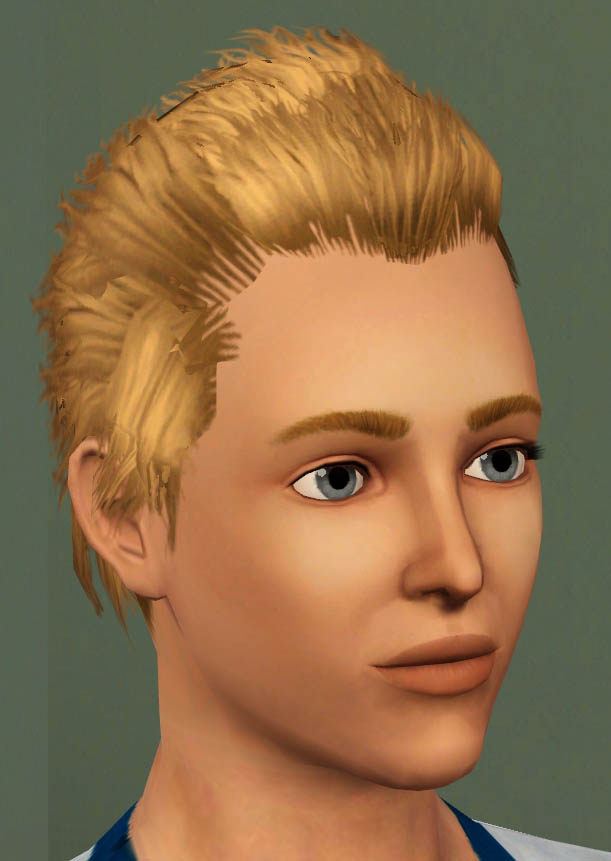
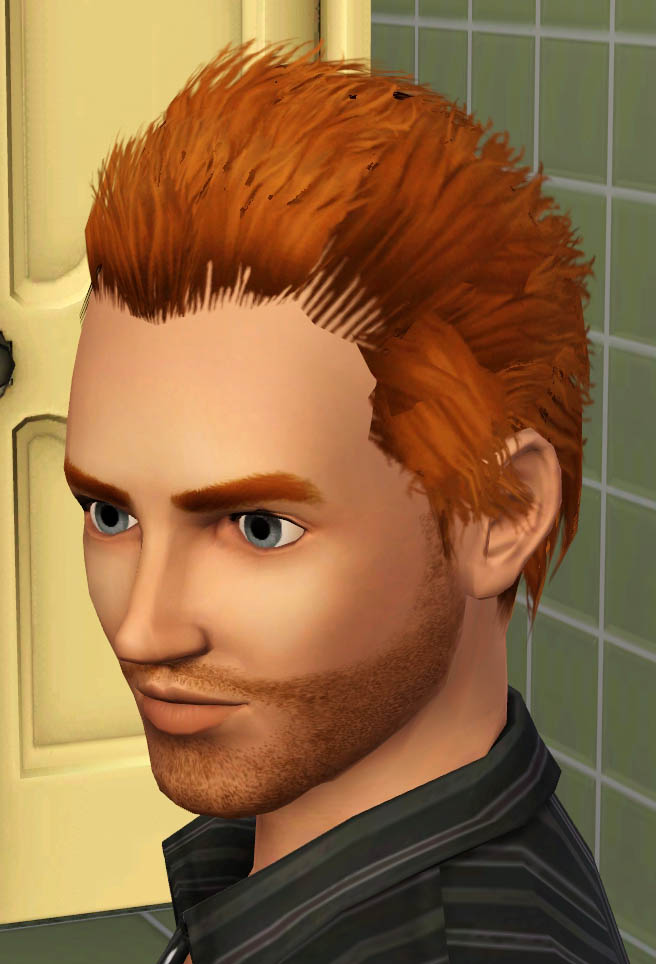
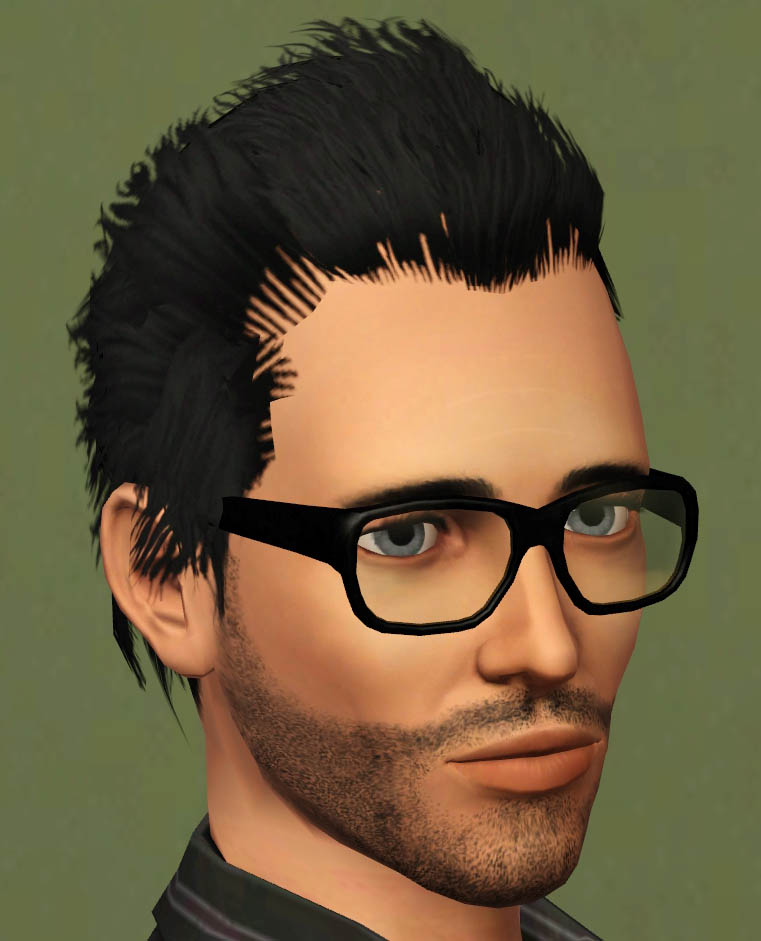
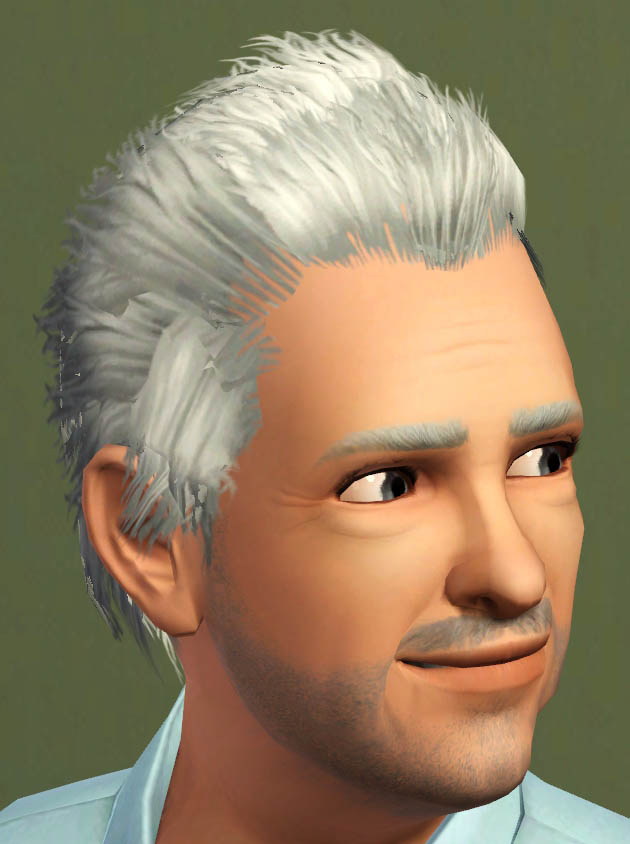
Polygon Counts:
Faces: 2,576, Vertices: 2,886
Additional Credits:
HystericalParoxysm, Delphy, WesHowe, demon432, Inge, PeterJones, and EA for base mesh.
This is a new mesh, and means that it's a brand new self contained object that usually does not require a specific Pack (although this is possible depending on the type). It may have Recolours hosted on MTS - check below for more information.
|
F-P Fierce Flow Male Hair.zip
Download
Uploaded: 19th Oct 2009, 1.32 MB.
51,938 downloads.
|
||||||||
| For a detailed look at individual files, see the Information tab. | ||||||||
Install Instructions
1. Click the download button, or the filename, to download the file to your computer.
2. Extract the zip, rar, or 7z file. Now you will have either a .package or a .sims3pack file.
For Package files:
1. Cut and paste the file into your Documents\Electronic Arts\The Sims 3\Mods\Packages folder. If you do not already have this folder, you should read the full guide to Package files first: Sims 3:Installing Package Fileswiki, so you can make sure your game is fully patched and you have the correct Resource.cfg file.
2. Run the game, and find your content where the creator said it would be (build mode, buy mode, Create-a-Sim, etc.).
For Sims3Pack files:
1. Cut and paste it into your Documents\Electronic Arts\The Sims 3\Downloads folder. If you do not have this folder yet, it is recommended that you open the game and then close it again so that this folder will be automatically created. Then you can place the .sims3pack into your Downloads folder.
2. Load the game's Launcher, and click on the Downloads tab. Find the item in the list and tick the box beside it. Then press the Install button below the list.
3. Wait for the installer to load, and it will install the content to the game. You will get a message letting you know when it's done.
4. Run the game, and find your content where the creator said it would be (build mode, buy mode, Create-a-Sim, etc.).
Extracting from RAR, ZIP, or 7z: You will need a special program for this. For Windows, we recommend 7-Zip and for Mac OSX, we recommend Keka. Both are free and safe to use.
Need more help?
If you need more info, see:
- For package files: Sims 3:Installing Package Fileswiki
- For Sims3pack files: Game Help:Installing TS3 Packswiki
Loading comments, please wait...



Uploaded: 19th Oct 2009 at 5:21 PM
Updated: 19th Oct 2009 at 7:54 PM
-
-
-
-
-
Brandi Updo Hair - Teen to Elder
by Menaceman44 30th Sep 2011 at 5:54am
-
-
Nouk's Tommie Hair - Converted, for Females (Teen to Elder)
by Elexis 6th Nov 2011 at 7:06pm
 98
384.8k
1k
98
384.8k
1k
Hair » Female » Young Adult
-
"Diamond Rose" - Long And Wavy Hair For Females (Teen to Elder)
by Elexis 21st Apr 2012 at 1:46pm
166
405.4k
1.2k
Hair » Female » Young Adult
-
"The Lucky One" - Hair Set for Females (Teen to Elder)
by Elexis 6th Aug 2012 at 12:35am
153
313.2k
1k
Hair » Female » Young Adult
-
by Onebeld 14th Feb 2022 at 11:54am
5
8.4k
21
Hair » Female » Young Adult


-
by Fresh-Prince 1st Sep 2007 at 5:46pm
Hey guys! Happy September! more...
 +1 packs
55 80.2k 81
+1 packs
55 80.2k 81 Nightlife
-
by Fresh-Prince 19th Feb 2008 at 12:47am
A simple, yet great family car! more...
+1 packs
17 50.4k 69 Nightlife
-
by Fresh-Prince 18th Aug 2006 at 7:32pm
Note: Click on Head lights to select the vehicle! more...
+1 packs
16 53.6k 20 Nightlife
-

-
by Fresh-Prince 16th Aug 2007 at 2:42pm
Another drivable maxis car, the maid's van! more...
+1 packs
16 20.1k 22 Nightlife
-
by Fresh-Prince 18th Dec 2009 at 6:30pm
Hey guys! Today I have a really nice Mercedes for you! It came out quite good! more...
53
180.1k
245
-

by Fresh-Prince 29th Apr 2007 at 3:25am
Sorry for the lack of new items and being on the site. more...
+1 packs
33 88.4k 58 Nightlife
-
*UPDATED 2/11/07*Jeep Wrangler
by Fresh-Prince 4th Feb 2007 at 4:37pm
Hey Everyone! I have a new car for you today. It is a Jeep Wrangler! more...
+1 packs
57 101k 76 Nightlife
-


100th Car Anniversary! BIG Celebration-BIG Downloads!
by Fresh-Prince 31st May 2008 at 3:26am
BIG Celebration means BIG Downloads! Yay! So glad I finished this! more...
+1 packs
103 267.8k 259 Nightlife
-

by Fresh-Prince 13th May 2007 at 2:35am
Well, first is first. Tomorrow is mother's day so Happy Mother's Day to all those Mothers out there! more...


