
 Sign in to Mod The Sims
 Towel Wrap - LN
 Towel Wrap - LN


towelWrap01.jpg - width=1024 height=661
towelWrap02.jpg - width=1024 height=661

So this is for Emino - who wanted me to bribe poor fansee (with smex!zOMG!) to get her to make this for TS3. This mod simply takes those towels and makes them show up in the catalog. I chose to enable them for swimwear only, if you want them elsewhere in your catalog then feel free to edit for your own personal use.
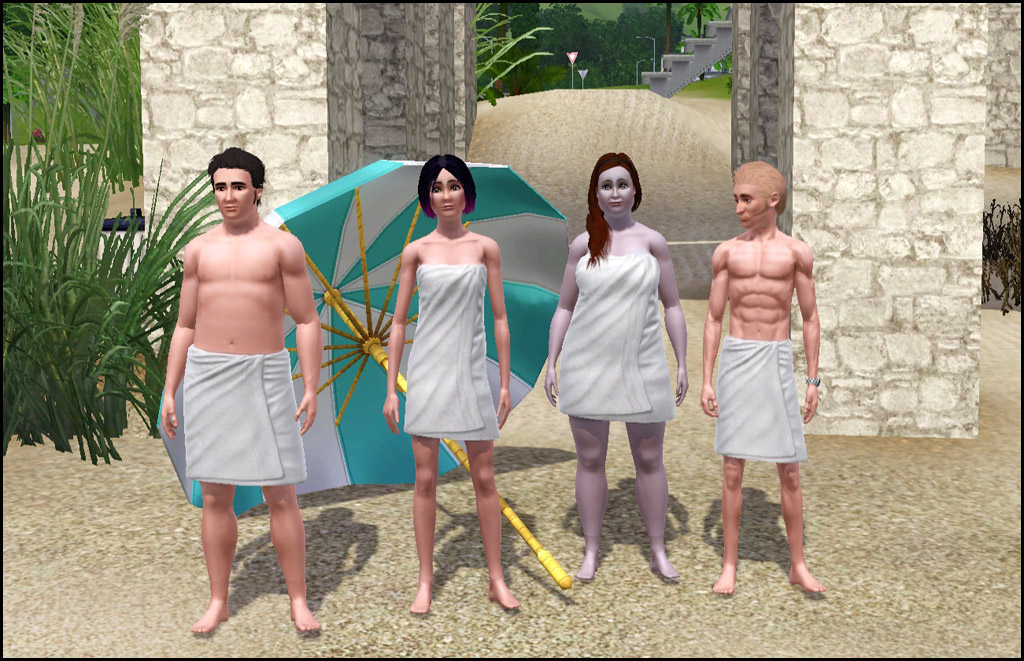
- Swimwear
- Two Channels - Same as game one
- Polys - Um...none. There is no mesh included. =)
- Appears to have all morphs for normal, fat, fit, thin
- NOT available for teens - If I figure out how to make a new mesh I will see what I can do
- NOT enabled for pregnant women - Appears to be no morph
Compatibility
This alters the CASP resource from Late Night to make it show up in swimwear and will conflict with any other mod that alters this specific resource.
|
HL_TowelWraps.rar
Download
Uploaded: 21st Nov 2010, 2.8 KB.
15,882 downloads.
|
||||||||
| For a detailed look at individual files, see the Information tab. | ||||||||
Install Instructions
1. Click the download button, or the filename, to download the file to your computer.
2. Extract the zip, rar, or 7z file. Now you will have either a .package or a .sims3pack file.
For Package files:
1. Cut and paste the file into your Documents\Electronic Arts\The Sims 3\Mods\Packages folder. If you do not already have this folder, you should read the full guide to Package files first: Sims 3:Installing Package Fileswiki, so you can make sure your game is fully patched and you have the correct Resource.cfg file.
2. Run the game, and find your content where the creator said it would be (build mode, buy mode, Create-a-Sim, etc.).
For Sims3Pack files:
1. Cut and paste it into your Documents\Electronic Arts\The Sims 3\Downloads folder. If you do not have this folder yet, it is recommended that you open the game and then close it again so that this folder will be automatically created. Then you can place the .sims3pack into your Downloads folder.
2. Load the game's Launcher, and click on the Downloads tab. Find the item in the list and tick the box beside it. Then press the Install button below the list.
3. Wait for the installer to load, and it will install the content to the game. You will get a message letting you know when it's done.
4. Run the game, and find your content where the creator said it would be (build mode, buy mode, Create-a-Sim, etc.).
Extracting from RAR, ZIP, or 7z: You will need a special program for this. For Windows, we recommend 7-Zip and for Mac OSX, we recommend Keka. Both are free and safe to use.
Need more help?
If you need more info, see:
- For package files: Sims 3:Installing Package Fileswiki
- For Sims3pack files: Game Help:Installing TS3 Packswiki
Loading comments, please wait...


 View with Names
Uploaded: 21st Nov 2010 at 12:13 AM
Updated: 26th Jun 2012 at 3:19 PM
#towels, #towelwrap, #swim towel, #luniegamefix
-
by RoguePilot 7th Jul 2009 at 5:59pm
-
by kuchikisan92 18th Jul 2009 at 11:02am
 59
138.1k
181
59
138.1k
181
-
-
by kuchikisan92 6th Aug 2009 at 7:25pm
22
91.3k
108
-
-
-
-
by Kiara24 11th Mar 2011 at 10:58am
12
27.5k
28
-
-
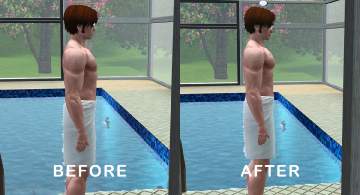
Developed Pectoral Muscles Morph for Male Nude Top (Part 4) - Towel Wrap
by MMAA 15th Dec 2021 at 8:35pm
+1 packs
5 6.2k 9 Late Night
Male » Mixed Sets » Adult


-
by HugeLunatic 28th Jan 2016 at 2:33am
This lot was inspired by The Jessa Channel and this WCIF . Also I was in a building mood. more...
 +9 packs
13 12.5k 39
+9 packs
13 12.5k 39 University
 Nightlife
 Open for Business
 Pets
Pets
 Seasons
 Bon Voyage
 Free Time
 Apartment Life
 Mansion and Garden
-
by HugeLunatic 20th Nov 2014 at 3:57am
The wave shelf was inspired by an online image, once I started meshing I realized how well it lends itself more...
 30
23.9k
107
30
23.9k
107
-
-
by HugeLunatic 30th Oct 2022 at 8:13pm
+1 packs
3 2.1k 9 Nightlife
-
by HugeLunatic 5th Dec 2012 at 11:29pm
Love a slice of pumpkin pie? Now your Sims can too! more...
+1 packs
36 42.2k 142 Open for Business
-


by HugeLunatic 15th Apr 2014 at 8:02pm
This hides the non-recolorable modular stairs for those of you who use the modular stairs that I have created. more...
8
26.1k
40
-
by HugeLunatic 21st Nov 2021 at 6:34pm
Okay, so not exclusively pirate themed. These mesh bits came from the BV pirate ship. more...
10
9.3k
45
-
by HugeLunatic 18th Nov 2013 at 4:00am
The one tile window centered on two tiles. This is a slave to the original one tile window. more...
+1 packs
3 8.5k 17 Pets
-
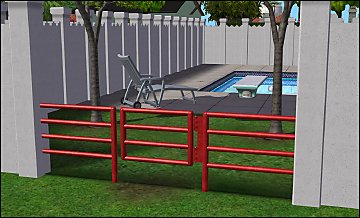
by HugeLunatic 23rd Sep 2012 at 9:20pm
Minimaal Gate This gate matches the fences that came with OFB, the small red and black ones. more...
37
38k
90
-
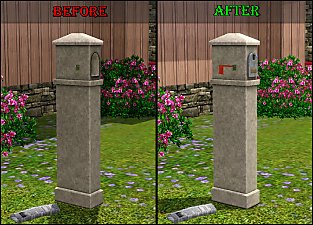
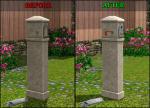
WA French Mailbox Buyable plus FIX
by HugeLunatic 28th Mar 2011 at 4:42pm
What it does This mod places the mailboxFrench into the Outdoor/Lawn Ornaments category enabling you to buy or delete it. more...


Packs Needed
| Expansion Pack | |
|---|---|
| Late Night |
About Me
Pet Stories || Dog Agility Items? || Castaway Stories || Holy Simoly Extras
4esf Archive || Holy Simoly Archive || CEP-Extras List || Buyable Game Objects
lunie content from GoS/s2a
 Installation of CEP Extras
-the package with pfiles appended to the name will go into your cep extras folder where your game is installed (typically c drive, you do you)
-the other goes in CEP extra folder in documents.
The following locations are what I am aware of, beyond that you'll have to do some searching.
Downloads Folder:
C:\Users\<user>\Documents\EA Games\The Sims 2 Legacy
C:\Users\<user>\Documents\EA Games\The Sims 2 Ultimate Collection
With multiple launchers, the location for your game install will vary.
C:\Program Files\EA GAMES\The Sims 2 Legacy\TSData\Res\Catalog\zCEP-EXTRA
C:\Program Files\EA GAMES\The Sims 2\TSData\Res\Catalog\zCEP-EXTRA
C:\Program Files (x86)\EA GAMES\The Sims 2\TSData\Res\Catalog\zCEP-EXTRA