Sign in to Mod The Sims
 What is YOUR Destiny?
 What is YOUR Destiny?


3.1.jpg - width=200 height=200
selection.jpg - width=875 height=876
1.jpg - width=800 height=600
2.jpg - width=524 height=600
3.jpg - width=800 height=600
4.jpg - width=446 height=600
5.jpg - width=391 height=591
blue.jpg - width=390 height=624
brown.jpg - width=390 height=624
gold.jpg - width=390 height=624
green.jpg - width=390 height=624
hazel.jpg - width=390 height=624

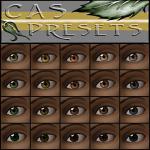

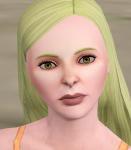



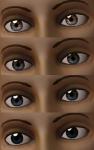
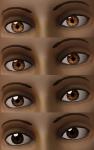
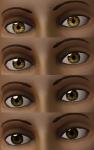
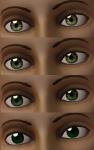
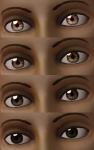

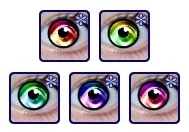
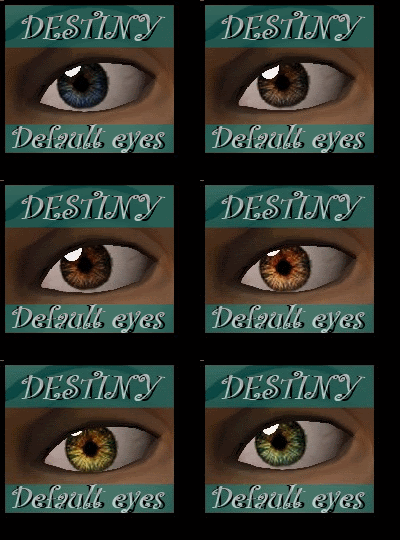
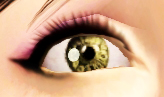
Here is an amazing DEFAULT EYE REPLACEMENT that is inspired by the Stargate itself.
These were painted by me, a multicolored eye that sort of reminds me of the Stargate heh..
"Destiny is about to jump into FTL"
The lighter/brighter colors are not "demon" looking like my last eyeset, and the darker colors are actually still bright enough to see the design, unless of course you are dragging the slider ALL the way to the right...
The sims in the demo pics are in lighter colors.
I really think you will enjoy these.

Thanks to AikeaG for her tutorial and extracting the eye files =)
|
Destiny default eye replacements.zip
Download
Uploaded: 15th May 2011, 833.4 KB.
4,083 downloads.
|
||||||||
| For a detailed look at individual files, see the Information tab. | ||||||||
Install Instructions
1. Click the download button, or the filename, to download the file to your computer.
2. Extract the zip, rar, or 7z file. Now you will have either a .package or a .sims3pack file.
For Package files:
1. Cut and paste the file into your Documents\Electronic Arts\The Sims 3\Mods\Packages folder. If you do not already have this folder, you should read the full guide to Package files first: Sims 3:Installing Package Fileswiki, so you can make sure your game is fully patched and you have the correct Resource.cfg file.
2. Run the game, and find your content where the creator said it would be (build mode, buy mode, Create-a-Sim, etc.).
For Sims3Pack files:
1. Cut and paste it into your Documents\Electronic Arts\The Sims 3\Downloads folder. If you do not have this folder yet, it is recommended that you open the game and then close it again so that this folder will be automatically created. Then you can place the .sims3pack into your Downloads folder.
2. Load the game's Launcher, and click on the Downloads tab. Find the item in the list and tick the box beside it. Then press the Install button below the list.
3. Wait for the installer to load, and it will install the content to the game. You will get a message letting you know when it's done.
4. Run the game, and find your content where the creator said it would be (build mode, buy mode, Create-a-Sim, etc.).
Extracting from RAR, ZIP, or 7z: You will need a special program for this. For Windows, we recommend 7-Zip and for Mac OSX, we recommend Keka. Both are free and safe to use.
Need more help?
If you need more info, see:
- For package files: Sims 3:Installing Package Fileswiki
- For Sims3pack files: Game Help:Installing TS3 Packswiki
Loading comments, please wait...

Uploaded: 15th May 2011 at 7:12 AM
Updated: 15th May 2011 at 6:19 PM by alidarivera - added text
#custom, #default, #eye, #replacement, #texture
-
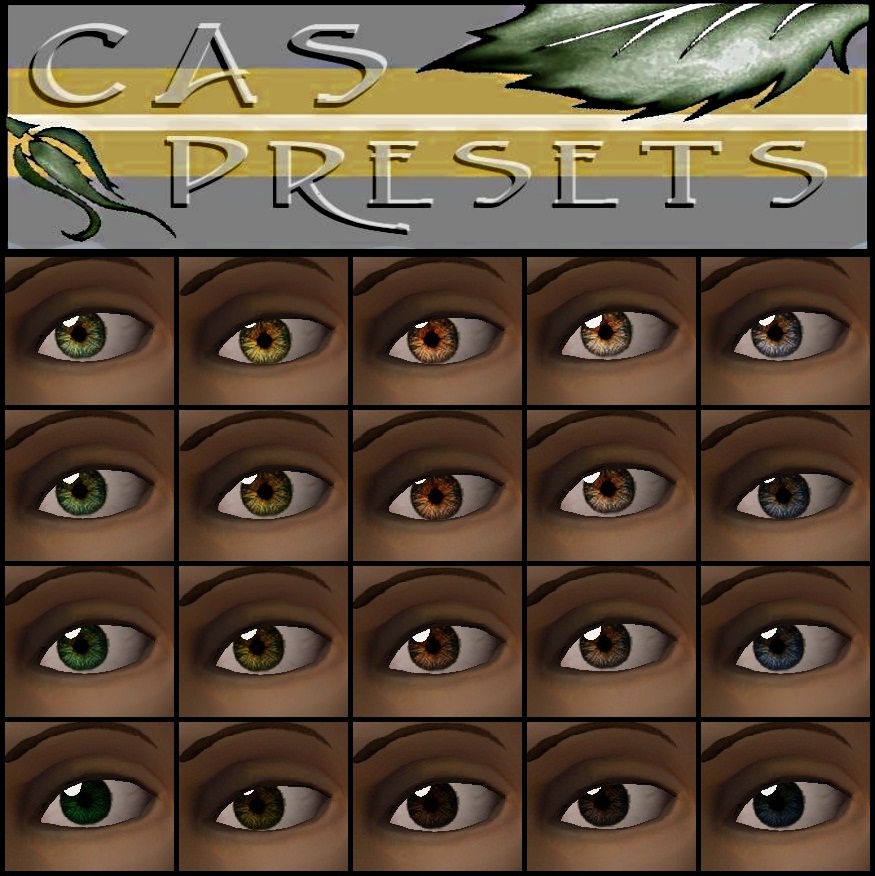
Default Eye Replacements: GlistenEyes
by sprinkz 3rd Jul 2009 at 8:04pm
-

BrightEyes Default Eye Texture Replacements
by Miniie 9th Jul 2009 at 8:01am
-
-
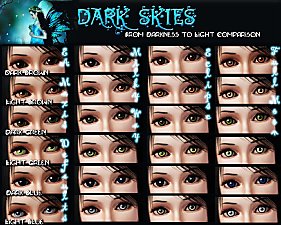
Dark Skies: From Darkness to Light -- Three Default Eye Replacement Sets
by lazywnch 9th Aug 2009 at 4:06am
-
UPDATED: Default Eye Replacement Now With Small Version
by missy harries updated 26th Mar 2010 at 6:29pm
-

I Wanna Be Your TeddyBear - Gleaming default replacement eyes
by Arisuka 18th Feb 2010 at 10:58pm
-
: Oasis Eyes : Default Replacements
by EccentricSims 2nd Jan 2011 at 2:05am
-
-
-
by ne14gzus93 2nd May 2012 at 2:11am


-
"Eyescapes" The Solar Version (the 5 basics)
by SimRivers 20th Aug 2008 at 3:28am
:::::::UPDATE::::::: Added 3 new colors as requested by CTHRU , and she had some great color ideas! Thanks, CTHRU! more...
-
-
-
Your Wish is Granted - A SHORT CHAIN FENCE!
by SimRivers 28th Mar 2015 at 11:37pm
I searched and searched, and could NOT for the life of me find a shorter version of the Epiphany fence more...
 27
43.6k
144
27
43.6k
144
-
.jpg)
-
"Ledomus" Starter home Plan #2, NO CC
by SimRivers 17th May 2012 at 3:57pm
1BR, 1BA BASE GAME NO CC more...
5
35.4k
80
-
-
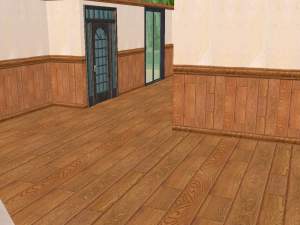
Home Depot Wood Floors & some matching walls - 24 total
by SimRivers 21st Jul 2008 at 11:41pm
More stuff that I had for a while, made them uploadable. more...
 3
14k
4
3
14k
4
-
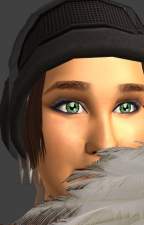
Maxis Eye Enhancements (Included defaults!)
by SimRivers updated 23rd Sep 2008 at 6:07am
*****UPDATE AGAIN!***** Thanks for reminding me that MediaFire blows, so for the defaulted version, please refer to the newest more...
-
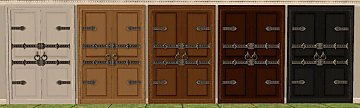
Oodles of Random Recolors Pt.5
by SimRivers 22nd Sep 2008 at 8:08pm
I took a break from uploading these to upload eyes, but here we go.. more...
23
31.3k
62