
 Sign in to Mod The Sims
 Unisex Nose Sticking Plaster For All Ages
 Unisex Nose Sticking Plaster For All Ages


CloseUp.jpg - width=696 height=715
Female.jpg - width=1280 height=288
Male.jpg - width=1280 height=288
PlasterDesigns.jpg - width=301 height=410
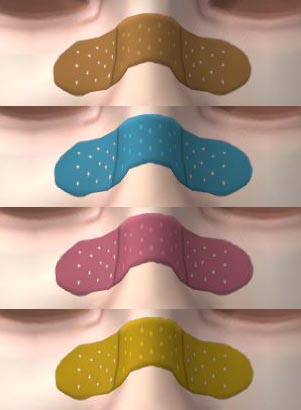
The four preset colour choices; Flesh; Blue; Pink; Yellow
Preview.jpg - width=318 height=318
I have enabled it for both genders and all ages. (yay!)
Here, have some pictures.
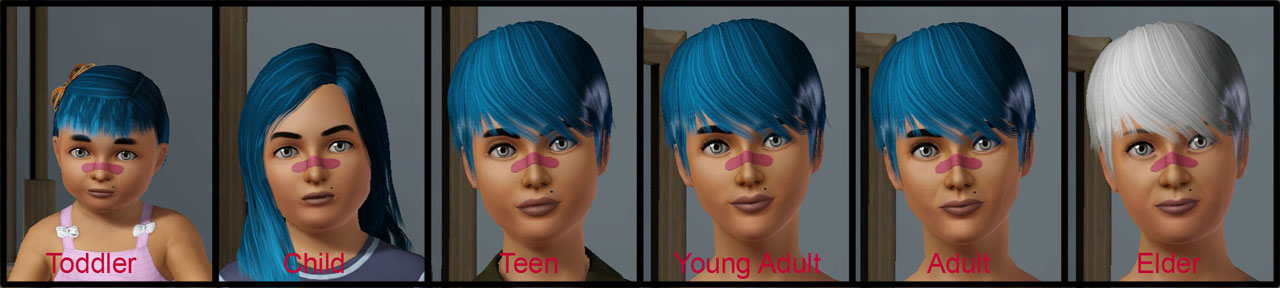
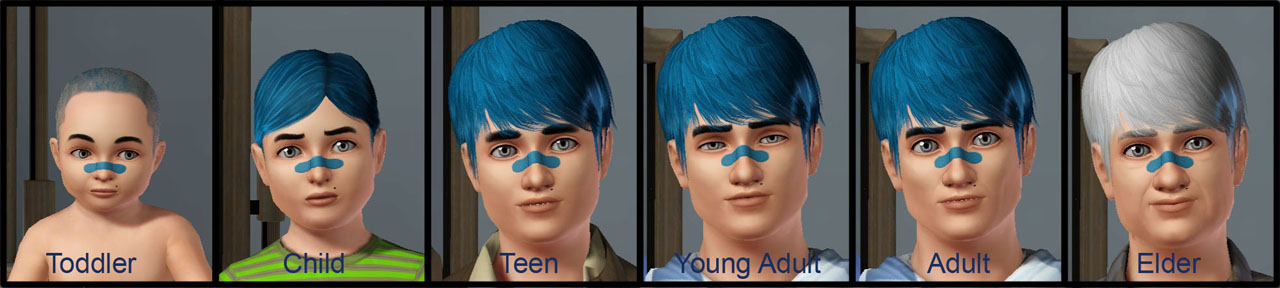
It comes in four preset designs and is semi-CAStable. I say 'semi' as due to the fact that this appears under 'Face Paint' in the Makeup catagory of CAS, it can only take solid colours, so no patterned sticking plasters I'm afraid. The preset colour choices are Flesh, Blue, Pink and Yellow but you can always add your own.
It is enabled for the following catagories:
Everyday
Formal
Sleep
Swim
Athletic
MartialArts
Career
FireFighting
Maternity
It is NOT enabled for random non-active Sims as the feedback I got said people wouldn't like that and also due to the fact that it does not look right with all face shapes.
I have tried my best to make the sticking plaster look good on most faces but due to the way the face is mapped, if a Sim has very high cheek bones, a low nose, a combination of the two or vice versa then the design will become distorted. Sadly there is nothing I can do about this.
For a closer shot please take a look at the attached screenshots below.
If you decide to download, please remember to hit the 'Thanks' button before leaving.
Additional Credits:
trench and Arisuka in Creator Feedback,
TSR Workshop,
Photoshop,
Face skintone by tamo.
|
MM_uuNoseBridgePlaster.zip
Download
Uploaded: 24th Aug 2011, 91.7 KB.
8,142 downloads.
|
||||||||
| For a detailed look at individual files, see the Information tab. | ||||||||
Install Instructions
1. Click the download button, or the filename, to download the file to your computer.
2. Extract the zip, rar, or 7z file. Now you will have either a .package or a .sims3pack file.
For Package files:
1. Cut and paste the file into your Documents\Electronic Arts\The Sims 3\Mods\Packages folder. If you do not already have this folder, you should read the full guide to Package files first: Sims 3:Installing Package Fileswiki, so you can make sure your game is fully patched and you have the correct Resource.cfg file.
2. Run the game, and find your content where the creator said it would be (build mode, buy mode, Create-a-Sim, etc.).
For Sims3Pack files:
1. Cut and paste it into your Documents\Electronic Arts\The Sims 3\Downloads folder. If you do not have this folder yet, it is recommended that you open the game and then close it again so that this folder will be automatically created. Then you can place the .sims3pack into your Downloads folder.
2. Load the game's Launcher, and click on the Downloads tab. Find the item in the list and tick the box beside it. Then press the Install button below the list.
3. Wait for the installer to load, and it will install the content to the game. You will get a message letting you know when it's done.
4. Run the game, and find your content where the creator said it would be (build mode, buy mode, Create-a-Sim, etc.).
Extracting from RAR, ZIP, or 7z: You will need a special program for this. For Windows, we recommend 7-Zip and for Mac OSX, we recommend Keka. Both are free and safe to use.
Need more help?
If you need more info, see:
- For package files: Sims 3:Installing Package Fileswiki
- For Sims3pack files: Game Help:Installing TS3 Packswiki
Loading comments, please wait...



Uploaded: 24th Aug 2011 at 8:59 PM
Updated: 26th Aug 2011 at 7:25 PM
-
-
by Kiara24 5th Sep 2009 at 2:51pm
 11
22.6k
33
11
22.6k
33
-
-
by Anubis360 21st Sep 2009 at 2:28am
35
50.1k
110
-
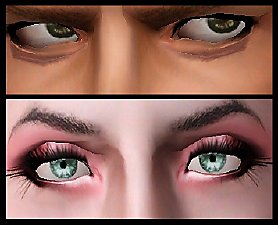
Nose contour and Tired eyes make up for Defined noses and realistic eyes!
by Arisuka 10th Aug 2010 at 2:19am
46
130.1k
184
-
-
-
by Victor_tor updated 19th Feb 2012 at 7:27pm
9
27.2k
31
-
by Chibikinesis 24th Jan 2015 at 1:12pm
10
33.9k
149
-
by Chibikinesis 31st Jan 2015 at 1:45pm
10
23.2k
92

-
by Menaceman44 updated 2nd Mar 2026 at 9:11pm
A file to correct how Sims hold and read certain thin books. more...
 28
35.8k
168
28
35.8k
168
-
-
Fortune Teller Text Alteration
by Menaceman44 8th Nov 2013 at 12:33am
Text overrides for options when having a fortune told at the gypsy caravan. more...
-
by Menaceman44 6th Mar 2012 at 7:10pm
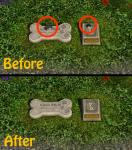
A file to remove the extra sun shadows from feline and canine tombstones. more...
-
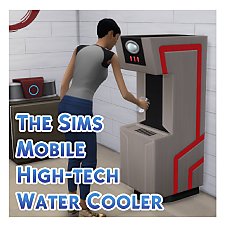
TSMobile > TS4 High-tech Water Cooler Recreation
by Menaceman44 10th Sep 2019 at 5:16pm
A recreation of the High-tech Water Cooler from The Sims Mobile. more...
15
20.4k
105
-
Fix for Female Teen Bon Voyage Outfit
by Menaceman44 20th Dec 2007 at 8:55pm
I don't know how many people will have noticed this (its taken me a while and I usually pick up more...
-
Nightlife Dining Table Cloth Recolours
by Menaceman44 1st May 2007 at 1:25pm
Hello. more...
 +1 packs
6 11.2k 13
+1 packs
6 11.2k 13 Nightlife
-
WA 'Shuttered Window - Open' - FIX
by Menaceman44 8th Jun 2011 at 10:25pm
A file to correct the window wall mask. more...
-
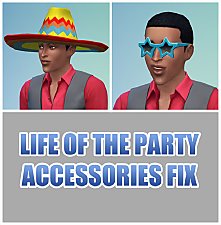
"Life of the Party" Accessories Fix
by Menaceman44 updated 26th Feb 2019 at 12:16pm
A file to stop Townies wearing the "Life of the Party" party sombrero and star glasses. more...
13
24.2k
97
-
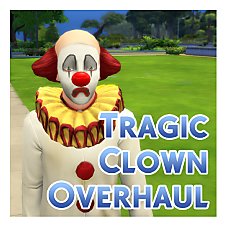

by Menaceman44 updated 4th Jul 2025 at 10:21pm
A mod to alter the creation of Tragic Clowns. more...


