
 Sign in to Mod The Sims
 Ascension Squared
 Ascension Squared

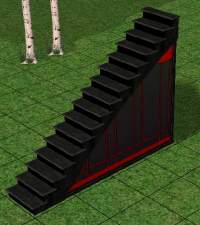
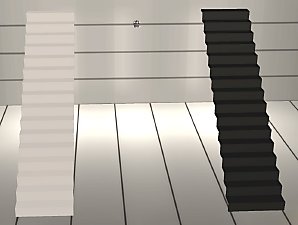
ascensionsquared.jpg - width=615 height=659

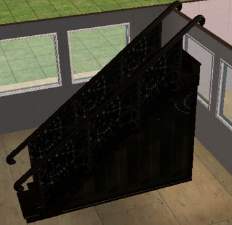
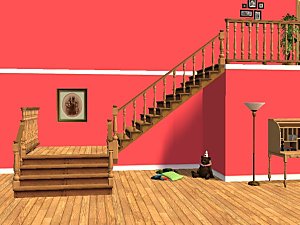
This is a new object, and will not replace your other stairs.
Recolor Information
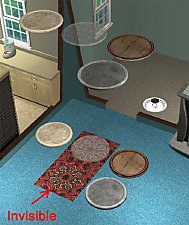
See the readme.txt file in the object download for specifics regarding redistribution/posting of recolors. Alpha blend mode is enabled, so you can make transparent or semi-transparent .png textures. Additional download archive contains a .jpg image of the UVW mapping, and also a Photoshop .psd file with a transparent map you can copy/paste as a new layer into your image for easy alignment of textures.
Enjoy!
-Targa
Edit: Forgot to mention mesh info: 24 faces
This is a new mesh, and means that it's a brand new self contained object that usually does not require a specific Pack (although this is possible depending on the type). It may have Recolours hosted on MTS - check below for more information.
|
SquaredUVWmap.zip
Download
Uploaded: 17th Oct 2005, 68.2 KB.
14,317 downloads.
|
||||||||
|
SquaredUVWmap.rar
Download
Uploaded: 17th Oct 2005, 64.8 KB.
15,738 downloads.
|
||||||||
|
Targas_Ascension_Squared.zip
Download
Uploaded: 17th Oct 2005, 572.0 KB.
15,950 downloads.
|
||||||||
|
Targas_Ascension_Squared.rar
Download
Uploaded: 17th Oct 2005, 510.4 KB.
23,685 downloads.
|
||||||||
| For a detailed look at individual files, see the Information tab. | ||||||||
Install Instructions
1. Download: Click the download link to save the .rar or .zip file(s) to your computer.
2. Extract the zip, rar, or 7z file.
3. Place in Downloads Folder: Cut and paste the .package file(s) into your Downloads folder:
- Origin (Ultimate Collection): Users\(Current User Account)\Documents\EA Games\The Sims™ 2 Ultimate Collection\Downloads\
- Non-Origin, Windows Vista/7/8/10: Users\(Current User Account)\Documents\EA Games\The Sims 2\Downloads\
- Non-Origin, Windows XP: Documents and Settings\(Current User Account)\My Documents\EA Games\The Sims 2\Downloads\
- Mac: Users\(Current User Account)\Documents\EA Games\The Sims 2\Downloads
- Mac x64: /Library/Containers/com.aspyr.sims2.appstore/Data/Library/Application Support/Aspyr/The Sims 2/Downloads
- For a full, complete guide to downloading complete with pictures and more information, see: Game Help: Downloading for Fracking Idiots.
- Custom content not showing up in the game? See: Game Help: Getting Custom Content to Show Up.
- If you don't have a Downloads folder, just make one. See instructions at: Game Help: No Downloads Folder.
Loading comments, please wait...


Uploaded: 17th Oct 2005 at 7:40 PM
Updated: 17th Oct 2005 at 10:12 PM
-
-
-
-
-
-
-
-
by XxHalfBloodPrincexX 13th Nov 2005 at 6:50pm
 75
216.7k
49
75
216.7k
49
-
-
by crocobaura 27th May 2007 at 9:06pm
106
201.3k
383

-
-
-
Garden Flowers w/o ground cover
by Targa 22nd Dec 2007 at 9:22pm
It always annoyed me that the Garden Center flowers have dark green ground cover, which looks terrible (IMO) unless your more...
15
36.7k
87
-
-
-
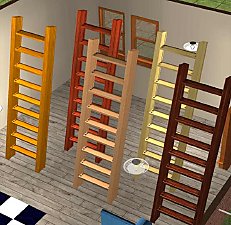
Designer LadderStairs - spacesaver! (2 tiles)
by Targa 16th Oct 2005 at 1:04am
Here's the "designer" version of my 2-tile LadderStairs. more...
89
200.1k
141
-
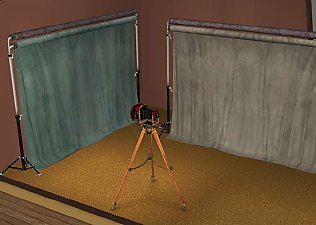
Photography Backdrop - now with camera
by Targa 21st Oct 2005 at 11:05pm
This is in response to a request by sim-upon-a-dream, who's building a studio and needed a backdrop. more...
64
122.4k
116
-
-
-
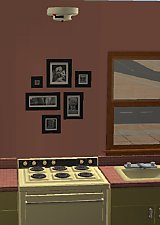
By Request: Ceiling Smoke Alarm
by Targa 10th Oct 2005 at 9:59pm
Thought I'd fit in a few requests between coming up with new objects, so here's a ceiling-placeable smoke alarm that more...
49
50.5k
89


About Me
1. Never, never, never post any creation of mine (or derivitive thereof) on a PAY site. These are FREE to everyone!
2. Try to make a link back to the object page or otherwise make mention that you've used/included my object(s) (give me a little credit - all authors deserve at least a mention).
Enjoy!
-Targa
P.S. If you ever have a problem downloading any of my creations, you can find the .zip/.rar file at http://www.Grax.org/Sims2. Just add the file name to that URL. ie: http://www.Grax.org/Sims2/Targas_Dead_Tree.rar will work.