
 Sign in to Mod The Sims
 Rainbow Skin Slider
 Rainbow Skin Slider


Screenshot-1346.jpg - width=1024 height=768
Screenshot-1349.jpg - width=1024 height=768
Screenshot-1345.jpg - width=1024 height=768
Screenshot-1348.jpg - width=1024 height=768
Screenshot-1341.jpg - width=1024 height=768
Screenshot-1342.jpg - width=1024 height=768
Screenshot-1347.jpg - width=1024 height=768
RainbowSkin.jpg - width=1024 height=768

This will add a new color slider to CAS it goes from Orange>Green>Lime>Yellow>Turquoise>Blue>Purple>Pink>Red
To make this work you will need this mod, That is VERY important or else this will not work!
The slider is very delicate, go slowly when choosing colors
The models hair is by Raon
In my game at least the little circle you choose is purple, That may vary I'm not sure.

Enjoy making some awesome fantasy sims!
I would like to thank.... CmarNYC for her Skininator and tutorial and Rez Delnava for figuring everything out!
|
Rainbow Skin.rar
Download
Uploaded: 7th Feb 2010, 10.3 KB.
7,546 downloads.
|
||||||||
| For a detailed look at individual files, see the Information tab. | ||||||||
Install Instructions
1. Click the download button, or the filename, to download the file to your computer.
2. Extract the zip, rar, or 7z file. Now you will have either a .package or a .sims3pack file.
For Package files:
1. Cut and paste the file into your Documents\Electronic Arts\The Sims 3\Mods\Packages folder. If you do not already have this folder, you should read the full guide to Package files first: Sims 3:Installing Package Fileswiki, so you can make sure your game is fully patched and you have the correct Resource.cfg file.
2. Run the game, and find your content where the creator said it would be (build mode, buy mode, Create-a-Sim, etc.).
For Sims3Pack files:
1. Cut and paste it into your Documents\Electronic Arts\The Sims 3\Downloads folder. If you do not have this folder yet, it is recommended that you open the game and then close it again so that this folder will be automatically created. Then you can place the .sims3pack into your Downloads folder.
2. Load the game's Launcher, and click on the Downloads tab. Find the item in the list and tick the box beside it. Then press the Install button below the list.
3. Wait for the installer to load, and it will install the content to the game. You will get a message letting you know when it's done.
4. Run the game, and find your content where the creator said it would be (build mode, buy mode, Create-a-Sim, etc.).
Extracting from RAR, ZIP, or 7z: You will need a special program for this. For Windows, we recommend 7-Zip and for Mac OSX, we recommend Keka. Both are free and safe to use.
Need more help?
If you need more info, see:
- For package files: Sims 3:Installing Package Fileswiki
- For Sims3pack files: Game Help:Installing TS3 Packswiki
Loading comments, please wait...

Uploaded: 7th Feb 2010 at 3:22 PM
Updated: 13th Mar 2010 at 1:55 AM
-
Children's face skin remake by subaxi
by subaxi 11th Sep 2009 at 2:52pm
-
Duo Tones, Blue Slate & Amethyst - Replacement Skin Tone Slider
by missy harries 17th Dec 2009 at 12:02am
-
Satin Skin Default replacement by GE
by Goldeneyes updated 7th Feb 2011 at 3:33am
-

-
Eskin WEAK set with Default replacement
by teru_k 3rd May 2012 at 4:39pm
-
Face- In revised default & non default natural realistic style skin
by Navetsea updated 23rd Jun 2012 at 9:24am
-
by Strappys updated 4th Dec 2014 at 12:28pm
-
-


-
Unisex Medieval Child's Tunic - Ye Olde Kingdom of Pudding
by The Merrye Makers 7th Jul 2013 at 2:24pm
Unisex Medieval child's tunic for boys and girls - Everyday, Formal, Athletic - by The Merrye Makers. Three channels. more...
 19
50.2k
153
-

-
-
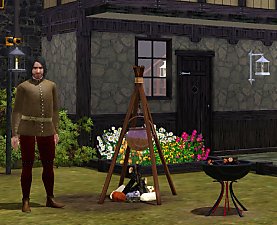
Medieval Fireplaces - Ye Olde Kingdom of Pudding
by The Merrye Makers 14th Jan 2012 at 1:52pm
A mediveal Floor Torch and Campfire which are both functioning fireplaces. Made by Hekate999 for The Merrye Makers. more...
14
51.7k
129
-
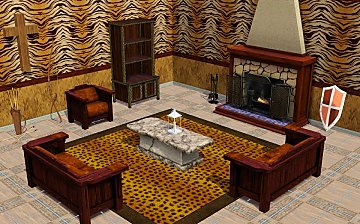
Medieval Patterns - Ye Olde Kingdom of Pudding
by The Merrye Makers 6th Dec 2011 at 3:16am
Ye Olde Kingdom of Pudding Patterns Leather and Fur Patterns Greetings, good gentles/ladies. more...
16
33.3k
101
-
-
Medieval Baby Blanket Default Replacements - Ye Olde Kingdom of Pudding
by The Merrye Makers 29th Jan 2012 at 2:25pm
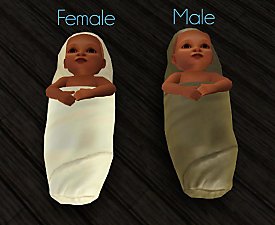
Two options for medieval baby blanket default replacements made by Daluved1 for The Merrye Makers. more...
-
Simdom Garment Shoppe (More Medieval Dresses) - Ye Olde Kingdom of Pudding
by The Merrye Makers 17th Jul 2013 at 7:07pm
Three more medieval dresses - for female teens, adults, and elders - by The Merrye Makers. Adult dresses have pregnancy morphs. more...
24
73.6k
226
Female » Mixed Sets » Adult
-

Yes I am eyeing you up, Conversion of Sarha's eyes
by Robodl95 16th Jan 2011 at 12:39pm
An eye conversion that is an awesome mix or cartoonish, realistic and fantasy more...
-
by Robodl95 8th Sep 2010 at 6:30am
Savio's Anto 77 retextured. more...
19
79.1k
194
Hair » Female » Young Adult

About Me
Please check out my blog: http://lookaplumbob.blogspot.com/
My Policy
- Free sites only (do not even use my items on your models if it is a pay site)
- Be respectful (Do not say you made it)
- Give credit to me and the original creator (depending on the item in question)
- No need to give credit when just using in a story/movie but it is appreciated :)
- Feel free to retexture
- Anything else just ask, I'm sure I'll say yes :)
- Retexturing, converting and stuff like that is all totally fine, just don't claim as your own.
Requests
Yes I do take requests, however you must understand that I am busy with life and other sim projects so I may not be the timeliest.
- I will respond and tell you if I can do it (to get a general idea look around the site to see what I normally do such as age conversions, paintings, t-shirts, retextures, etc.)
- Please tell me how urgently you need it done ("I really need this for a story I'm doing" takes higher priority than "Could you do this? I think it'd be cool")
- One request per person at a time (I'll be lenient if it's urgent though)