
 Sign in to Mod The Sims
 Yes I am eyeing you up, Conversion of Sarha's eyes
 Yes I am eyeing you up, Conversion of Sarha's eyes


Screenshot-2238.jpg - width=640 height=364
Screenshot-2241.jpg - width=640 height=364
Screenshot-2242.jpg - width=640 height=364
Screenshot-2243.jpg - width=640 height=364
Screenshot-2248.jpg - width=800 height=455
I'd like to defaults eventually but I failed that tutorial

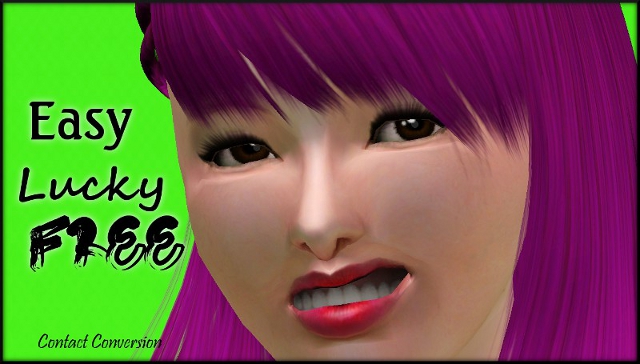
All ages, M/F. Categorized as costume makeup, 3 color channels (main eye color, glare and that variation in color that you can see at the bottom of the iris)
Additional Credits:
Sarha/Phobia obviously for having a free converting/recolor policy
|
Robodl95_Phobia eye conversion.rar
Download
Uploaded: 16th Jan 2011, 143.2 KB.
917 downloads.
|
||||||||
| For a detailed look at individual files, see the Information tab. | ||||||||
Install Instructions
1. Click the download button, or the filename, to download the file to your computer.
2. Extract the zip, rar, or 7z file. Now you will have either a .package or a .sims3pack file.
For Package files:
1. Cut and paste the file into your Documents\Electronic Arts\The Sims 3\Mods\Packages folder. If you do not already have this folder, you should read the full guide to Package files first: Sims 3:Installing Package Fileswiki, so you can make sure your game is fully patched and you have the correct Resource.cfg file.
2. Run the game, and find your content where the creator said it would be (build mode, buy mode, Create-a-Sim, etc.).
For Sims3Pack files:
1. Cut and paste it into your Documents\Electronic Arts\The Sims 3\Downloads folder. If you do not have this folder yet, it is recommended that you open the game and then close it again so that this folder will be automatically created. Then you can place the .sims3pack into your Downloads folder.
2. Load the game's Launcher, and click on the Downloads tab. Find the item in the list and tick the box beside it. Then press the Install button below the list.
3. Wait for the installer to load, and it will install the content to the game. You will get a message letting you know when it's done.
4. Run the game, and find your content where the creator said it would be (build mode, buy mode, Create-a-Sim, etc.).
Extracting from RAR, ZIP, or 7z: You will need a special program for this. For Windows, we recommend 7-Zip and for Mac OSX, we recommend Keka. Both are free and safe to use.
Need more help?
If you need more info, see:
- For package files: Sims 3:Installing Package Fileswiki
- For Sims3pack files: Game Help:Installing TS3 Packswiki
Loading comments, please wait...

Uploaded: 16th Jan 2011 at 11:39 AM
-
-
Frozen Moment -realistic non-default eyes-
by Vampire_aninyosaloh 11th Aug 2010 at 8:04am
-
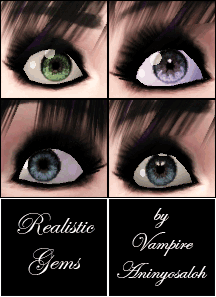
Realistic Gems -6 sets of REALISTIC non-default eyes-
by Vampire_aninyosaloh 16th Aug 2010 at 7:37pm
-
-
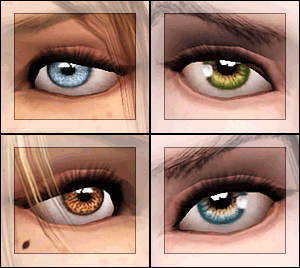
EYES for eye-coholics! CONTACTS - 2 styles
by -Shady- 29th Oct 2010 at 1:55pm
-
-
-
Lonely Eyes - Contacts *Defaults Updated
by -Shady- updated 5th Jan 2012 at 4:34pm
-
-

-
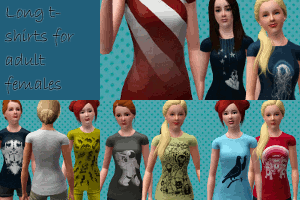
Long Untucked Teeshirts for Females
by Robodl95 updated 7th Feb 2011 at 8:52pm
No more EA fugly tees! Spruce up your wardrobes with this versatile untucked one! more...
 69
108.9k
287
69
108.9k
287
-
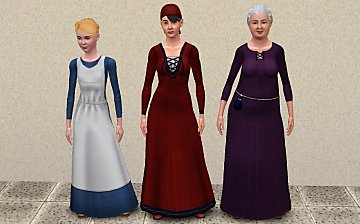
Simdom Garment Shoppe (More Medieval Dresses) - Ye Olde Kingdom of Pudding
by The Merrye Makers 17th Jul 2013 at 6:07pm
Three more medieval dresses - for female teens, adults, and elders - by The Merrye Makers. Adult dresses have pregnancy morphs. more...
24
73.4k
226
Female » Mixed Sets » Adult
-
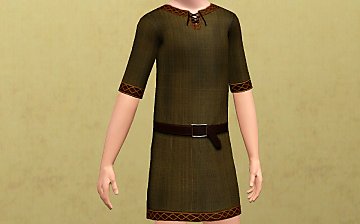
Unisex Medieval Child's Tunic - Ye Olde Kingdom of Pudding
by The Merrye Makers 7th Jul 2013 at 1:24pm
Unisex Medieval child's tunic for boys and girls - Everyday, Formal, Athletic - by The Merrye Makers. Three channels. more...
19
50k
152
-
Medieval Shoes for Boys and Girls CAS - Ye Olde Kingdom of Pudding
by The Merrye Makers 14th Jul 2013 at 4:46am
This time, our shoemaker only bring boots for children. After all, our boys and girls can not walk barefoot through the kingdom. more...
-
Arcane Institute & Mages Guild (Elixir Consignment Store)-Ye Olde Kingdom of Pudding
by The Merrye Makers 19th Jan 2013 at 2:19pm
Arcane Institute and Mages Guild (Elixir Consignment Store) Community Lot made by HiG33k for donation to The Merrye Makers. more...
+8 packs
20 60k 166 World Adventures
 Ambitions
 Late Night
 Generations
 Pets
Pets
 Showtime
 Supernatural
 Seasons
-
The Medieval Kitchen Part 2 - Ye Olde Kingdom of Pudding
by The Merrye Makers 9th Jan 2012 at 6:02pm
Medieval Hot Beverage Barrel, Shelves, and two Cupboards (one tall and one short) made for The Merrye Makers by Hekate999. more...
13
72.2k
170
-
Flower Headband for Children/Toddlers
by Robodl95 11th May 2011 at 11:30am
A pretty head thingy for your little girls. more...
13
45k
121
-
Medieval Men's Trousers - Ye Olde Kingdom of Pudding
by The Merrye Makers 22nd Jun 2013 at 3:45am
Medieval men's trousers for teens, adults, and elders. Everyday and formal. Converted by Kiara24 for The Merrye Makers. more...
18
47.2k
115
-
Medieval Armoury Part 2 - Ye Olde Kingdom of Pudding
by The Merrye Makers 16th Dec 2011 at 10:17am
A selection of decorative weapons in the medieval style more...
15
54.7k
144
-
Medieval Male Doublets CAS - Ye Olde Kingdom of Pudding
by The Merrye Makers 15th Jan 2013 at 11:13pm
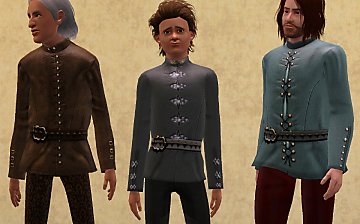
Three medieval male doublet conversions by Kiara24, revised by monca533, for teens through elders in everyday and formal categories. more...
22
65.3k
167


About Me
Please check out my blog: http://lookaplumbob.blogspot.com/
My Policy
- Free sites only (do not even use my items on your models if it is a pay site)
- Be respectful (Do not say you made it)
- Give credit to me and the original creator (depending on the item in question)
- No need to give credit when just using in a story/movie but it is appreciated :)
- Feel free to retexture
- Anything else just ask, I'm sure I'll say yes :)
- Retexturing, converting and stuff like that is all totally fine, just don't claim as your own.
Requests
Yes I do take requests, however you must understand that I am busy with life and other sim projects so I may not be the timeliest.
- I will respond and tell you if I can do it (to get a general idea look around the site to see what I normally do such as age conversions, paintings, t-shirts, retextures, etc.)
- Please tell me how urgently you need it done ("I really need this for a story I'm doing" takes higher priority than "Could you do this? I think it'd be cool")
- One request per person at a time (I'll be lenient if it's urgent though)