
 Sign in to Mod The Sims
 The Heritage
 The Heritage


back01.jpg - width=1280 height=800
bath.jpg - width=640 height=800
bedroom.jpg - width=640 height=800
floor01.jpg - width=1280 height=800
floor02.jpg - width=1280 height=800
front01.jpg - width=1280 height=800
front02.jpg - width=1280 height=800
living.jpg - width=640 height=800

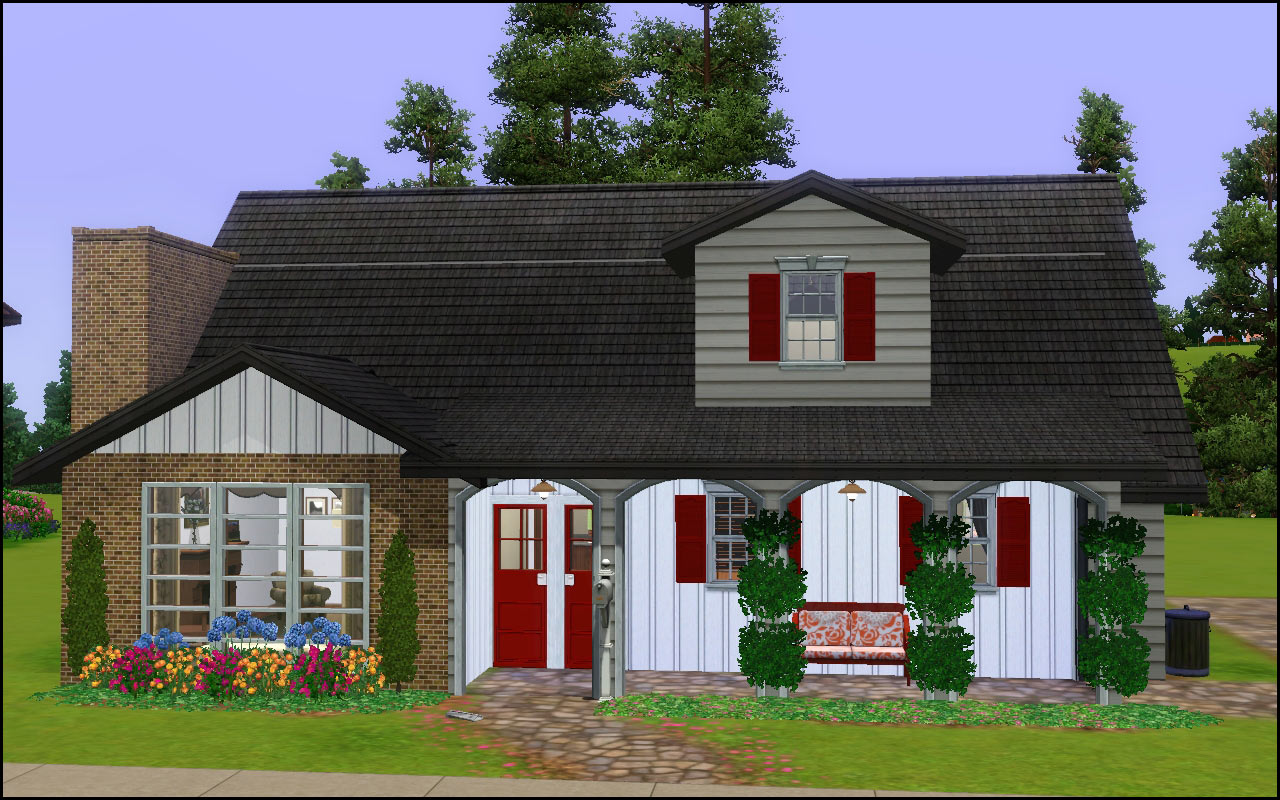
CC Shown but Not Included
Simple Shower Tub by me
Compatibility
I have all EPs/SPs and I have used used mostly base game items, with a few windows from LN and Ambitions. I've used several pieces of furniture from Generations. This lot will install fine with a base game of 1.22 and the game will just leave the missing EP content out.
Lot Size: 3x2
Lot Price: §42199/§27202
|
HL_The Heritage.rar
Download
Uploaded: 18th Jun 2011, 4.09 MB.
1,285 downloads.
|
||||||||
| For a detailed look at individual files, see the Information tab. | ||||||||
Install Instructions
1. Click the filename or the download button to download the file to your computer.
2. Extract the zip, rar, or 7z file.
2. Select the .sims3pack file you got from extracting.
3. Cut and paste it into your Documents\Electronic Arts\The Sims 3\Downloads folder. If you do not have this folder yet, it is recommended that you open the game and then close it again so that this folder will be automatically created. Then you can place the .sims3pack into your Downloads folder.
5. Load the game's Launcher, and click on the Downloads tab. Select the house icon, find the lot in the list, and tick the box next to it. Then press the Install button below the list.
6. Wait for the installer to load, and it will install the lot to the game. You will get a message letting you know when it's done.
7. Run the game, and find your lot in Edit Town, in the premade lots bin.
Extracting from RAR, ZIP, or 7z: You will need a special program for this. For Windows, we recommend 7-Zip and for Mac OSX, we recommend Keka. Both are free and safe to use.
Need more help?
If you need more info, see Game Help:Installing TS3 Packswiki for a full, detailed step-by-step guide!
Loading comments, please wait...


 View with Names
Uploaded: 18th Jun 2011 at 6:59 PM
Updated: 16th Dec 2013 at 3:49 PM
-
by hudy777DeSign 6th Jun 2009 at 3:23am
 3
16.1k
9
3
16.1k
9
-
by Amaranth1990 16th Jun 2009 at 5:44pm
11
27k
33
-
by Corrie 15th Jul 2009 at 10:36pm
5
8.6k
9
-
by ung999 28th Jul 2009 at 3:48am
8
18.8k
13
-
-

-
by armiel 15th May 2010 at 8:57pm
9
12.4k
16
-
by AdonisPluto 1st Jul 2013 at 4:19pm
+14 packs
3 11.4k 23 World Adventures
 High-End Loft Stuff
 Ambitions
 Fast Lane Stuff
 Late Night
 Outdoor Living Stuff
 Generations
 Town Life Stuff
 Master Suite Stuff
 Pets
Pets
 Katy Perry Stuff
 Showtime
 Supernatural
 Seasons
-
by MistyMountain 12th Aug 2018 at 1:22am
+4 packs
5.9k 12 Ambitions
Generations
Seasons
 University Life
-
by VanCleveHomes 14th Feb 2023 at 11:51pm
+1 packs
2.7k 1 Ambitions


-
by HugeLunatic 19th Jun 2021 at 1:53pm
A living set to match the Seasons vRoom! more...
 +1 packs
3 2.2k 16
+1 packs
3 2.2k 16 Seasons
-
by HugeLunatic 7th Feb 2023 at 7:23pm
+1 packs
5 5.7k 23 Seasons
-
"Mail Ho!" from Barnacle Bay Set
by HugeLunatic 1st Apr 2011 at 10:57am
What it does This mod places the Pirate mailbox from the Barnacle Bay store set into the Outdoor/Lawn Ornaments category more...
11
33.3k
46
-
by HugeLunatic 7th Mar 2016 at 5:35pm
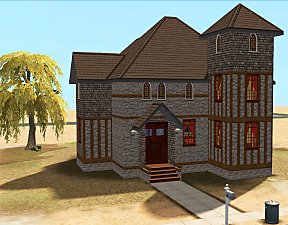
Originally built for a hood, this is a really old house that could possibly be haunted. more...
7
15.1k
41
-
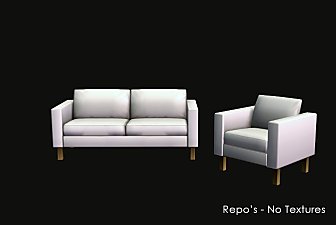
IKEA *Extras* - Updated for NEW CEP - 01 June 2009
by HugeLunatic updated 10th Feb 2025 at 2:21pm
IKEA is my favorite Stuff Pack, but there are just so many items that are single items, or just missing more...
+1 packs
102 138.7k 241 Ikea Home
-
Colortura Backless Shower - Updated Mesh!
by HugeLunatic 23rd Aug 2008 at 10:52am
:new: Fixed weird issues with the tray on the Mesh! New Mesh! more...
46
91.8k
265
-
by HugeLunatic 10th Nov 2016 at 4:52pm
Another alternative for the Late Night mailbox. This is converted from The Sims 2. more...
+1 packs
7 18.4k 75 Late Night
-

by HugeLunatic 5th Mar 2011 at 10:12pm
It seems like every time I build a house I find something in the game that makes me go wtf more...
-
Maxis "Lost & Found" IKEA Pictures
by HugeLunatic 1st Dec 2012 at 5:01am
Another very old project - several lost paintings from the IKEA stuff pack. more...
+1 packs
13 25k 44 Ikea Home
-
by HugeLunatic 25th Sep 2016 at 10:21pm
The Uni "Out of the Dark Ages Window" resized to encompass the entire wall height and two tiles wide. more...
+1 packs
17 16.7k 56 University


Packs Needed
| Expansion Pack | |
|---|---|
| World Adventures |
| Ambitions |
| Late Night |
| Generations |
About Me
Pet Stories || Dog Agility Items? || Castaway Stories || Holy Simoly Extras
4esf Archive || Holy Simoly Archive || CEP-Extras List || Buyable Game Objects
lunie content from GoS/s2a
 Installation of CEP Extras
-the package with pfiles appended to the name will go into your cep extras folder where your game is installed (typically c drive, you do you)
-the other goes in CEP extra folder in documents.
The following locations are what I am aware of, beyond that you'll have to do some searching.
Downloads Folder:
C:\Users\<user>\Documents\EA Games\The Sims 2 Legacy
C:\Users\<user>\Documents\EA Games\The Sims 2 Ultimate Collection
With multiple launchers, the location for your game install will vary.
C:\Program Files\EA GAMES\The Sims 2 Legacy\TSData\Res\Catalog\zCEP-EXTRA
C:\Program Files\EA GAMES\The Sims 2\TSData\Res\Catalog\zCEP-EXTRA
C:\Program Files (x86)\EA GAMES\The Sims 2\TSData\Res\Catalog\zCEP-EXTRA