
 Sign in to Mod The Sims
 Byron Webb (No CC, No Sliders!)
 Byron Webb (No CC, No Sliders!)


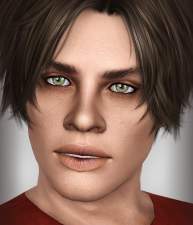
Byron-Face.jpg - width=800 height=800
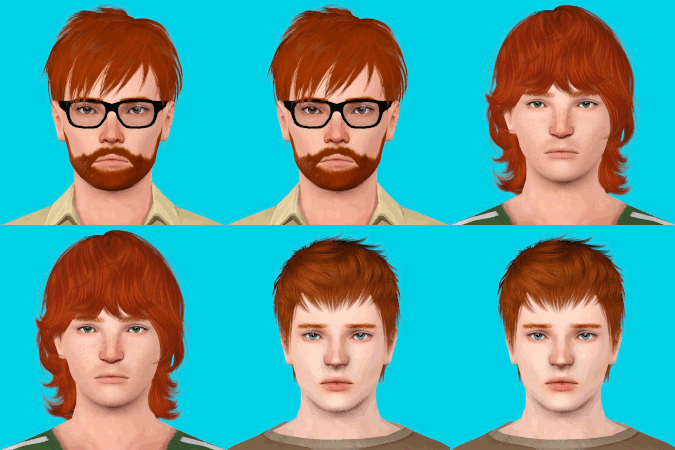
Byron-Faces.jpg - width=800 height=800
Byron-Body.jpg - width=800 height=800

No CC at all! No custom sliders, either!
This sim was built completely CC-free, so you don't need to download anything to use him - no custom hair, no custom skin, no sliders, no extended slider range, no custom ANYTHING! He is pictured with vanilla game content (no default replacement eyes, skin, or other textures) and no EPs are required for anything used on him, so what you see is what you get! You should probably be patched, though, as he does use body hair which comes with one of the patches.
Thanks to:
Arisuka, for the inspiration.

|
Byron_Webb.7z
Download
Uploaded: 22nd Mar 2012, 303.5 KB.
2,355 downloads.
|
||||||||
| For a detailed look at individual files, see the Information tab. | ||||||||
Install Instructions
1. Click the file listed on the Files tab to download the sim to your computer.
2. Extract the zip, rar, or 7z file.
2. Select the .sim file you got from extracting.
3. Cut and paste it into your Documents\Electronic Arts\The Sims 3\SavedSims folder. If you do not have this folder yet, it is recommended that you open the game, enter Create-a-Sim, and save a sim to the sim bin to create this folder, rather than doing so manually. After that you can close the game and put the .sim file in SavedSims
4. Once the .sim file is in SavedSims, you can load the game, and look for your sim in the premade sims bin in Create-a-Sim.
Extracting from RAR, ZIP, or 7z: You will need a special program for this. For Windows, we recommend 7-Zip and for Mac OSX, we recommend Keka. Both are free and safe to use.
Need more help?
If you need more info, see Game Help:Installing TS3 Simswiki for a full, detailed step-by-step guide! Special Installation Instructions
- If you get an error that says "This content requires expansion pack data that is not installed", please use either Clean Installer to install this sim.
Loading comments, please wait...



Uploaded: 22nd Mar 2012 at 10:01 PM
-
Corrine and Rachel Duncan (No CC, No Sliders!)
by HystericalParoxysm 22nd Mar 2012 at 9:05pm
-
Nadya Crane (No CC, No Sliders!)
by HystericalParoxysm 22nd Mar 2012 at 9:13pm
-
Lance Creager (No CC, No Sliders!)
by HystericalParoxysm 22nd Mar 2012 at 9:17pm
-
-
-
-
-
-
-


-
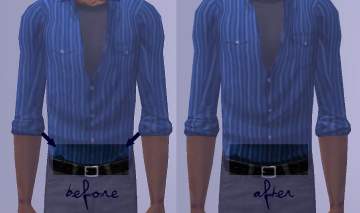
Nitpicky Fix for Maxis Open Shirt Mesh
by HystericalParoxysm 24th Jun 2006 at 4:14am
Okay, so... sometimes attention to detail is not such a good thing. Sometimes... it drives me a little nuts. more...
-
Kara Thrace - "Starbuck" - Katee Sackhoff from Battlestar Galactica
by HystericalParoxysm 6th Mar 2007 at 1:14am
"Morning, Starbuck, what do you hear?" "Nothin' but the rain." Starbuck doesn't like spoilers! more...
-
-

David Tennant - The Tenth Doctor (Doctor Who)
by HystericalParoxysm 19th Aug 2010 at 5:38pm
Everyone's favourite wibbly-wobbly timey-wimey Time Lord. more...
-
William Morris Honeysuckle Wall and Floor Set
by HystericalParoxysm 4th Nov 2006 at 5:59pm
Mmm, William Morris. A pretty honeysuckle design with plaster wall and matching carpet. more...
 5
13k
16
5
13k
16
-
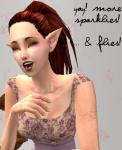
Yay! More Colours of Sparklies... and Buzzing Flies!
by HystericalParoxysm 22nd May 2006 at 5:37am
Yay, more sparklies! more...
30
34.1k
17
-
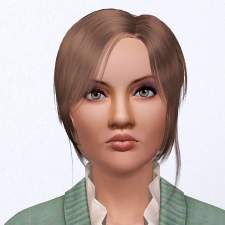
by HystericalParoxysm 31st Oct 2011 at 6:01pm
A serious, proud, yet bookish beauty. more...
-
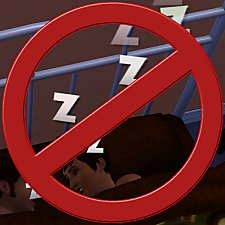

No Sleep Zzzs - Now with No 010101s (Amb) and No Vvvs! (LN)
by HystericalParoxysm updated 11th Nov 2010 at 8:27am
What does this do? This is a tiny default replace texture mod which overrides the textures of the gigantic more...
-
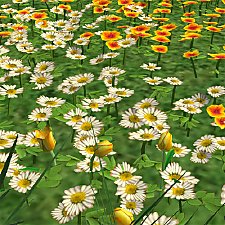

Liberated Plastic Flowers (Maxis Flowers Minus Bases, Made Decorative!)
by HystericalParoxysm 14th Sep 2007 at 1:37pm
So I've been, um, building recently, and I find myself at a bit of a loss to find plants that more...
77
106.3k
255
-
by HystericalParoxysm 10th Sep 2006 at 2:49pm
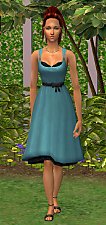
I thought it was stupid that the cute little retro glamour life dress was only for teens, didn't you? more...

