Sign in to Mod The Sims
 Just some poses-posepack 1 by Gittevdv
 Just some poses-posepack 1 by Gittevdv


Screenshot-61.jpg - width=1000 height=750
Screenshot-62.jpg - width=1000 height=750
Screenshot-64.jpg - width=1000 height=750
Screenshot-60.jpg - width=984 height=750
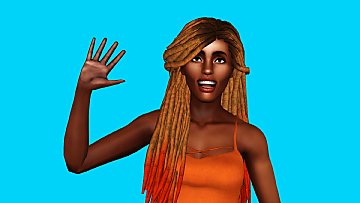
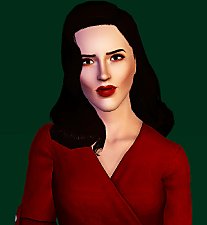
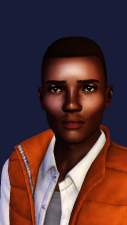
This is my first posepack, with 5 poses.
I check everything in the game before, so It think there aren't mistakes in this posepack.
You can find these poses in the poselist, with name's as a_gitte2001.randomposes.posepack1.pose1, it is always the same, only the '1' on the end change in 2, 3, 4, 5....
I hope that you like this posepack, you can use it in a lot of things, because the poses are everytime very different to each other.
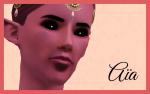
By the first pose, a female pose like you can see, looks the sim scared or sad, so you can use this pose in a story, when a sim is scared.
When you have tips or something like that, say it to me.
I don't speak or write english actually, so it can be that there are mistakes in this text, excuse me.
Additional Credits:
skin: http://neisims.tumblr.com/post/9592...-smoothie-mango
All the other things that the sims have are from EA, these sims are Newa Djinn and Jaden Doyleh from my Dutch story 'De Doyleh's'
|
Just some poses-posepack 1 by Gitte2001.rar
| This is a posepack with 5 poses you can use by everything
Download
Uploaded: 29th Nov 2014, 35.2 KB.
2,355 downloads.
|
||||||||
| For a detailed look at individual files, see the Information tab. | ||||||||
Install Instructions
1. Click the file listed on the Files tab to download the file to your computer.
2. Extract the zip, rar, or 7z file. Now you will have either a .package or a .sims3pack file.
For Package files:
1. Cut and paste the file into your Documents\Electronic Arts\The Sims 3\Mods\Packages folder. If you do not already have this folder, you should read the full guide to Package files first: Sims 3:Installing Package Fileswiki, so you can make sure your game is fully patched and you have the correct Resource.cfg file.
2. Run the game, and find your content where the creator said it would be (build mode, buy mode, Create-a-Sim, etc.).
For Sims3Pack files:
1. Cut and paste it into your Documents\Electronic Arts\The Sims 3\Downloads folder. If you do not have this folder yet, it is recommended that you open the game and then close it again so that this folder will be automatically created. Then you can place the .sims3pack into your Downloads folder.
2. Load the game's Launcher, and click on the Downloads tab. Find the item in the list and tick the box beside it. Then press the Install button below the list.
3. Wait for the installer to load, and it will install the content to the game. You will get a message letting you know when it's done.
4. Run the game, and find your content where the creator said it would be (build mode, buy mode, Create-a-Sim, etc.).
Extracting from RAR, ZIP, or 7z: You will need a special program for this. For Windows, we recommend 7-Zip and for Mac OSX, we recommend Keka. Both are free and safe to use.
Need more help?
If you need more info, see:
- For package files: Sims 3:Installing Package Fileswiki
- For Sims3pack files: Game Help:Installing TS3 Packswiki
Loading comments, please wait...
Uploaded: 29th Nov 2014 at 10:08 PM
Updated: 30th Nov 2014 at 8:53 AM
-
by spladoum updated 6th Jun 2011 at 7:12pm
 22
70.4k
109
22
70.4k
109
-
by RayneHeaven 2nd Nov 2012 at 6:09am
37
47.1k
91
-
by ayanasamurasim 27th Feb 2014 at 11:57pm
17
56.2k
90
-
by WereVamp13 13th Apr 2014 at 3:59pm
9
15.5k
28
-

by meagansterno 8th Jul 2014 at 12:39pm
19
75.3k
113
-
by gittevdv 17th Dec 2014 at 9:00pm
4
18.9k
28
-

by spladoum 27th Mar 2015 at 4:08am
31
85.5k
251
-
by spladoum 30th Oct 2015 at 2:29am
14
43.6k
120
-
-

-
-
-
-


-

-

-
-
-
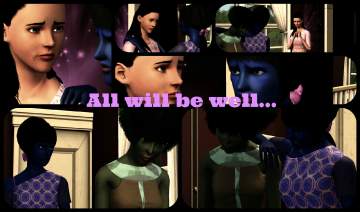
All will be well - Storyposepack
by gittevdv 1st Mar 2015 at 10:10pm
This is a posepack, with poses, and wen your sim has one of these poses, she looks sad. more...
4
12.5k
30
-