
 Sign in to Mod The Sims
 Segment Bedroom
 Segment Bedroom


preview.jpg - width=1400 height=788
1.jpg - width=1400 height=788
2.jpg - width=1400 height=788
4.jpg - width=1400 height=788
5.jpg - width=1400 height=788
6.jpg - width=1400 height=788
7.jpg - width=1400 height=788
8.jpg - width=1400 height=788
items
9.jpg - width=1400 height=788
channels
10.jpg - width=1400 height=788
detail
11.jpg - width=1400 height=788
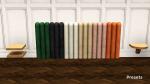
presets
12.png - width=810 height=323
catalog



Included:
- Segment Bedframe - $600, found under Comfort/Beds; 6 presets, 3 recolorable channels
- Segment Headboard - $300, found under Comfort/Beds; 6 presets, 1 recolorable channel
- Segment Night Stand V1 - $165, found under Surfaces/End Tables; 1 preset, 2 recolorable channels
- Segment Night Stand V2 - $165, found under Surfaces/End Tables; 1 preset, 2 recolorable channels
The bedframe & headboard have no footprints, don't interfere with routing and don't require moveobjects to be placed.
A little note: The bedframe is technically a deco object and so end tables won't snap to it. Place a mattress down first if you want the night stands in the default spots.
BG compatible, compressed.
Enjoy!
Polygon Counts:
Bedframe:
high/med: 1732f / 298f
Headboard:
high/med: 1504f / 86f
Night Stand V1:
high/med: 102f / 74f
Night Stand V2:
high/med: 48f / 24f
Additional Credits:
Blender, Milkshape, TSRW, Photoshop
This is a new mesh, and means that it's a brand new self contained object that usually does not require a specific Pack (although this is possible depending on the type). It may have Recolours hosted on MTS - check below for more information.
|
enablellamasSegmentBedroom.rar
Download
Uploaded: 17th Jan 2021, 697.4 KB.
8,682 downloads.
|
||||||||
| For a detailed look at individual files, see the Information tab. | ||||||||
Install Instructions
1. Click the download button, or the filename, to download the file to your computer.
2. Extract the zip, rar, or 7z file. Now you will have either a .package or a .sims3pack file.
For Package files:
1. Cut and paste the file into your Documents\Electronic Arts\The Sims 3\Mods\Packages folder. If you do not already have this folder, you should read the full guide to Package files first: Sims 3:Installing Package Fileswiki, so you can make sure your game is fully patched and you have the correct Resource.cfg file.
2. Run the game, and find your content where the creator said it would be (build mode, buy mode, Create-a-Sim, etc.).
For Sims3Pack files:
1. Cut and paste it into your Documents\Electronic Arts\The Sims 3\Downloads folder. If you do not have this folder yet, it is recommended that you open the game and then close it again so that this folder will be automatically created. Then you can place the .sims3pack into your Downloads folder.
2. Load the game's Launcher, and click on the Downloads tab. Find the item in the list and tick the box beside it. Then press the Install button below the list.
3. Wait for the installer to load, and it will install the content to the game. You will get a message letting you know when it's done.
4. Run the game, and find your content where the creator said it would be (build mode, buy mode, Create-a-Sim, etc.).
Extracting from RAR, ZIP, or 7z: You will need a special program for this. For Windows, we recommend 7-Zip and for Mac OSX, we recommend Keka. Both are free and safe to use.
Need more help?
If you need more info, see:
- For package files: Sims 3:Installing Package Fileswiki
- For Sims3pack files: Game Help:Installing TS3 Packswiki
Loading comments, please wait...

Uploaded: 17th Jan 2021 at 7:46 PM
-
-
by chasmchronicle updated 30th May 2012 at 8:12pm
-
by chasmchronicle 13th Jun 2012 at 5:00pm
-
by kithri 8th Aug 2012 at 3:44pm
 23
31.4k
122
23
31.4k
122
-
-
by TheJim07 updated 25th Nov 2016 at 6:49am
7
20.7k
69
-
by enable_llamas 10th Jul 2020 at 7:44pm
3
4.2k
17
-
by enable_llamas 1st Aug 2020 at 8:29pm
21
24.1k
75
-
by enable_llamas 19th Aug 2020 at 11:19pm
5
14.7k
38
-
by enable_llamas 11th Jun 2021 at 9:37pm
4
3.5k
10

-
Short Cheongsam Inspired Dress
by enable_llamas 31st Jul 2019 at 1:24pm
AF Short Cheongsam Inspired Dress, Fully Recolorable more...
14
21.3k
60
-
by enable_llamas 28th Aug 2021 at 12:00am
A rounded, stone island counter with a hollow middle part for a modern twist on the classic kitchen configuration. more...
5
7.2k
18
-
by enable_llamas 26th Jun 2020 at 9:28pm
A collection of monolithic counters, sinks, shelves, pedestal and coffee table. more...
-
Light Up Bar Shelves Updated 02.06.2021
by enable_llamas updated 2nd Jun 2021 at 9:00pm
Deco Light Up Bar Shelves more...
6
13.1k
52
-
by enable_llamas 21st Jun 2020 at 9:32pm
A brand new, working specular override for the LN Celeb fridge. more...
-
Straightforward Bookcases 1 & 2 Tiles Add Ons
by enable_llamas 18th May 2020 at 4:49pm
Short and tall, one and two tiles wide add ons for the store Straightforward Bookcases from Roaring Heights. more...
18
13.1k
72
-
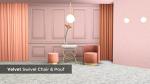
Velvet Swivel Chair And Pouf Updated 18.06.20
by enable_llamas updated 18th Jun 2020 at 3:14pm
Velvet swivel living chair and a matching velvet swivel pouf (as a dining chair). more...
11
13.7k
75
-
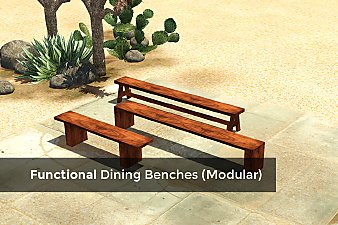
Functional Dining Benches (Modular)
by enable_llamas 26th Jan 2020 at 5:37pm
Functional benches that can be used with dining tables, modular - left, right and middle pieces. more...
15
12.6k
64
-
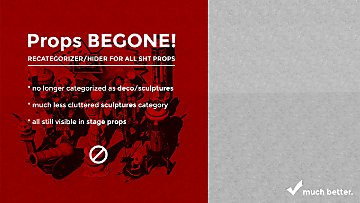

Props BEGONE! SHT Recategorizer
by enable_llamas 10th Jun 2020 at 12:20pm
A recategorizer that moves all the Showtime stage props from the Decor/Sculptures category of the catalog. more...
+1 packs
10 8.8k 45 Showtime
-
by enable_llamas 22nd Feb 2020 at 7:16pm
A shiny island counter to match the TS4 Luminous Bar conversion more...
4
9.1k
26


