
 Sign in to Mod The Sims
 CAS Designer Toolkit
 CAS Designer Toolkit


Cover.png - width=1280 height=1024
1.png - width=3840 height=2160
2.png - width=3840 height=2160
3.png - width=3840 height=2160
4.png - width=3840 height=2160
5.png - width=3840 height=2160
6.png - width=3840 height=2160
2026/07/26
- Implemented real skin tones.
- Optimized the Sim Preview menu by offloading the application of the textures to another thread.
- Fixed a crash that could occur when loading hair presets with the wrong values for "DrawsOnFace" and "DrawsOnScalp."
- Made it so that the Linux build would have no loose DLLs.
- Fixed some more rendering bugs.
- Fixed miscellaneous rendering issues with the preview Sim's skin.
- Reworked the loading of textures for the preview Sim's skin.
- Fixed an issue where the textures would be scaled too high, causing allocation issues for the 32-bit Windows build.
- Fixed audio moving too fast on Windows.
- Cleaned up the controls for patterns.
- Fixed a rare fatal exception that would happen when loading meshes that pointed to nonexistent textures.
- Fixed an error on Linux that would happen when creating a shortcut and the right mime types directory did not already exist.
- Fixed the value counts for new texture fields of MTNFs being wrong.
- Fixed an issue where the package would not save when a new field was added to the MTNF of a GEOM.
- Lowered the minimum value and raised the maximum value for shader properties.
- Fixed an issue where some OBJs and WSOs would come back empty.
- Fixed an issue for new users where the program would crash on launch.
- Reworked caching. Upon applying this update, caches will be regenerated.
- Fixed a regression from the previous update where the "Specify Key" dialog could no longer allow for keys in the format of "key:########:########:################."
- Reworked logging so that multiple instances would be allowed on Windows (not possible before due to the error log being used, which blocked other instances from using it and thus they could not run).
- Added the ability to paste resource keys in s3pi format into the "Specify Key" dialog.
- Fixed a bug where the package could not save.
- Fixed necklaces with meshes painting their textures on the rendered Sim's skin.
- Fixed garters not showing on the rendered Sim.
- Fixed socks and painted-on gloves and necklaces not being shown on the rendered Sim.
- Fixed a bug in the new version checker code where the second number could be lower and still detected as a newer version.
- Fixed the version checker not getting the latest version for when any of the numbers was greater than 9.
- Reworked error handling somewhat.
- Updated licenses and acknowledgements to reflect recent inclusions of new libraries.
- Made it so that when a package was open while the application was updating, the package would be reopened upon restarting the application.
- Reworked the network code to use BouncyCastle for TLS 1.2 support on systems that don't support it natively.
- Fixed a hangup upon confirming changes in the Sim Preview dialog.
- Fixed not all music loading for users with decompressed game assets.
- Fixed conflicting CAS part overrides overlapping.
- Greatly improved the Sim renderer.
- Fixed the Sim Preview dialog not retaining overridden CAS parts.
- Removed earrings from the randomization of the preview Sim.
- Removed the borders of the clearing buttons for the Sim Preview dialog.
- Improved the Sim Preview dialog some.
- Added the ability to override the skin tone and the other CAS parts of the preview Sim (found in Settings).
- Added support for game files that were decompressed via TurboTravel.
- Fixed an issue where after saving a package, deleting a resource would do nothing, leaving the user to have to try to delete it for a second time after the table refreshed.
- Changed the beginning indices for preset thumbnails from 0 to 1 to line up with TSRW-made CASPs.
- Fixed GEOMs imported from WSOs being mangled in the game.
- Added a dialog for updates to apply or skip them.
- Added separators to different dropdown menus.
- Added settings for checking for updates.
- Made it so that TLS 1.2 would be used (the updater didn't work on systems where it was TLS 1.0 or 1.1 by default).
- Reverted the HTTP client to asynchronous (was not the cause of the updater not working and that solution required more dependencies).
- Changed the HTTP client to synchronous to avoid blocking issues.
- Slightly reworked the updater.
- Fixed incorrect line endings for error logs on Windows.
- Fixed the updater running without an internet connection and causing a crash.
- Added a self-updater so that users no longer have to manually download updates (can be disabled by creating a blank file called "noupdate" in the program's directory).
- Fixed the data sizes of MTNF shaders being incorrect, leading to issues in the both S3PE and the game upon saving the respective GEOMs.
- Added the Plumbot shader to the list of pickable shaders for GEOMs.
- Added rendering of pattern tiling.
- Added exporting of resources.
- Added validation for preset and pattern fields for rendering.
- Changed step increments of decimal value input fields from 0.0001 to 1.
- Fixed music not being played after being enabled while a CASP resource was selected when music was not playing before for the whole session.
- Fixed a crash upon closing a package while the preview Sim was being randomized.
- Made it so that music associated with a resource would play even if the resource was deselected until the package was closed or until a resource of a different type with music associated was selected.
- Fixed a crash upon generating caches at startup.
- Fixed music not being added after the caches were generated on the first run or after setting the paths.
- Changed the mime type on Unix-like operating systems for DBPF packages.
- Reworked the structure of the code base for platform-based code.
- Changed archives from RARs to ZIPs.
- Fixed the file type being set to the assembly name in the Registry (due to poor prior understanding of file associations in the Registry).
- Changed the file type name for the file association to one that made more sense.
- Added the creation of file associations upon creating shortcuts.
- Added the ability to create a shortcut to the application from the settings menu bar dropdown.
- Fixed a crash upon opening a package with the application from the OS context menu or command shell.
- Fixed a potential crash upon closing a package.
- Made miscellaneous performance improvements.
- Added music for whenever a CASP resource would be selected.
- Fixed the simple shaders not showing skin color.
- Fixed a crash upon adding a field with an already taken name and a different data type from the other field of the same name to a GEOM resource's shader properties.
- Fixed the Linux build not launching with the main executable (not start.sh) on non-immutable distributions.
- Fixed the Linux build locking up upon loading a package if run with a low enough resolution.
- Fixed a crash when importing or duplicating a mesh group.
- Added font scaling for Linux desktop environments to automatically adjust for when the fonts are too big.
- The previous fix was faulty. It reduced the chance of meshes of different LODs showing up at the same time, but it did not eliminate it. This fix is the proper one (hopefully).
- Fixed another race condition where when switching between LODs too quickly, meshes of different LODs would show up simultaneously.
- Fixed a race condition where the program would try to access the combined face and scalp textures after they were disposed of.
- Fixed an issue where when changing out patterns, they would show up in the wrong slots (or not at all) until the user refreshed the selected CASP.
- Made minor adjustments to the UI.
- Fixed a crash upon saving a package.
- Added a right-click context menu for the resource table.
- Changed the "Import" action to "Import DDS."
- Added transparency to more shaders.
- Removed the "Next Pack" entry in the Game Folders dialog.
- Redirected the console error output to a file.
- Made miscellaneous fixes to memory-related issues.
- Fixed the lack of disposal of face and scalp textures for hair when they are no longer being used.
- Fixed control maps for hair not being applied.
- Fixed a rarer occurrence of face and scalp textures being black upon switching LODs.
- Fixed an issue where face and scalp textures wouldn't load upon switching LODs.
- Added displaying various face overlay textures for the Sim in the viewport.
- Added skin color, which is randomized.
- Fixed a crash upon loading certion BGEOs with negative integers for section 3 indices.
- Added transparency for the SimAlphaBlended shader.
- Made changes to memory management to dispose of unused bitmaps.
- Added partial support for rendering a full Sim.
- Fixed multiple issues regarding mesh group imports.
- Changed morphs to be applied on the GPU side rather than the CPU side, thereby making it less laggy.
- Improved the dialog for setting the game folder paths.
- Fixed a crash when trying to load makeup.
- Added the ability to reorder presets.
- Fixed the preview image not clearing when a package was closed.
- Fixed a random crash caused by bitmaps being accessed by different threads simultaneously.
- Fixed some more potential bugs related to locale.
- Fixed some potential bugs related to locale.
- Updated licenses and copyright notices.
- Fixed duplicate shader names.
- Made it so that the application would unblock the DLLs if extracted by the default Windows archive extractor.
- Fixed blending for RGB masks.
- Improved the performance for the image renderer on Unix-like systems.
- Fixed a crash on launch for Windows XP.
- Added previews for images in the image resource dropdowns.
- Fixed a crash upon adding a preset.
- Fixed the icon not showing for the executable on Windows.
- Fixed an issue where Pattern D would not be displayed if it was loaded after the logo.
- Uncapped decimal values for presets and patterns.
- Fixed "start.sh" for Linux to allow for arguments.
- Fixed scaling on Linux for lower resolutions.
- Unified Linux downloads (figured out how to bundle it better).
- Added a portable Arch Linux build (for Steam Deck support).
- Fixed scaling of non-square textures in the image viewer.
- Partitioned the code base even more.
- Fixed "start.sh" on Linux trying to launch a nonexistent executable.
- Fixed a bug where adding a mesh group to an LOD would insert it at the wrong index.
- Moved more logic to libraries.
- Added descriptions to the executable and DLLs so that they would not appear blank in the "Open With" list.
- Removed the broken sorter for patterns in the tab list.
- Made panels resizable.
- Packages can now be opened with this program using "Open With" or by dragging the package onto the executable.
- Restructured the code base.
- Fixed a crash when loading certain patterns.
- Fixed a crash when importing OBJ and WSO meshes with incomplete vertex ID data.
- Added the ability to convert 3-pattern presets to 4-pattern ones.
- Fixed crashes for certain LOD meshes due to incomplete vertex ID data for morphs.
- Fixed the preset panel extending beyond 50% of the width of the window; as an unfortunate consequence, the new preset button is now to the left of the preset tab bar.
- Added more rigorous logging.
- Fixed an issue where thumbnails would not show for default values of some presets due to the values being paths instead of keys.
- Fixed a crash that would happen when keys in the preset XMLs were not in the right case.
- Changed the archives to RAR format because the default Windows zip extractor is faulty.
- Fixed locale differences causing crashes.
- Added some logging for crashes.
- Fixed a crash upon loading certain meshes due to invalid vertex IDs.
- Fixed a crash upon changing texture resource keys in material properties for meshes.
- Fixed resources not being detected as XMLs when being imported (though one should not import XMLs anyway as of this update).
- Fixed an issue in a dependency for reading resources to determine their types.
- Removed unneeded dependencies.
- Fixed several issues related to morphs.
Merry Christmas and Happy New Year, everyone!
Due to numerous issues related to existing tools for editing CAS parts, I decided to make my own.
Currently, it supports the following features:
- Editing part flags (e.g., age, gender, species, categories, etc.)
- Adding, editing, and deleting presets
- Importing/exporting GEOMs, OBJs, and WSOs
- Displaying morphs
- Changing the shaders and material properties of mesh groups
- Adding mesh groups to LODs
- Converting 3-pattern presets to 4-pattern ones
- Displaying a full Sim in the viewport
Support for the following is planned:
- Assigning morphs and bones (both of which in the meantime can be done in Meshing Toolkit)
- Creating patterns (this can be done in the meantime with Delphy's Pattern Packager)
- Creating/editing CAS parts for The Sims Medieval
It's lightweight and runs on both Windows and Linux (macOS support planned). For Windows, .NET Framework 4.0, Visual C++ 2013 Redistributable (x86), and GTK# 2.12 are required (check the download's instructions).
Do note that this tool has not been 100% tested due to scarcity of testers (the tool is very niche); please be patient and explain whatever issue there is to me.
Source code available here
Acknowledgements
Below is a list of people who helped with this project either directly or indirectly (as well as their contributions):
- pljones (Provided the s3pi library which serves as the basis of this tool and many other Sims 3 tools)
- CmarNYC (Her code for TS3SimRipper helped with applying patterns to textures and displaying morphs in the 3D renderer; the code for her Meshing Toolkit for importing/exporting OBJs and WSOs was also borrowed)
- MonoChaos (Provided the icon for the tool and helped test the tool for issues)
- zoe22 (Helped with issues related to the s3pi library and provided some code for object meshes)
- VirtualHugs (Helped with explaining things related to CASPs; I'm not a mesher, so her advice was incredibly helpful)
- Zenchreal (Made ealayer3, used for the music player)
- Translu (Made improvements to ealayer3)
Testers:
| Filename | Type | Size |
|---|---|---|
| CASDesignerToolkit-win32-i386.zip | zip | |
| Acknowledgements.txt | txt | 900 |
| BouncyCastle License.txt | txt | 1133 |
| BouncyCastle.Crypto.dll | dll | 3316968 |
| CASDTKUpdater.exe | exe | 137216 |
| CASDesignerToolkit.exe | exe | 384000 |
| CASDesignerToolkit.exe.config | config | 2041 |
| CASDesignerToolkit.svg | svg | 4542 |
| DDSReader License.txt | txt | 1098 |
| Destrospean.CmarNYCBorrowed.dll | dll | 334336 |
| Destrospean.Common.dll | dll | 83968 |
| Destrospean.Graphics.OpenGL.dll | dll | 65024 |
| Destrospean.S3PIExtensions.dll | dll | 15360 |
| Destrospean.UI.GTKSharp.dll | dll | 135680 |
| Destrospean.Updates.dll | dll | 8192 |
| GDImageLibrary.dll | dll | 20992 |
| GLWidget.dll | dll | 13824 |
| GameFolders.xml | xml | 25366 |
| Interop.IWshRuntimeLibrary.dll | dll | 37376 |
| LICENSE.md | md | 35823 |
| LibVLCSharp.dll | dll | 139776 |
| Mono.Cairo.dll | dll | 60416 |
| Mono.Posix.dll | dll | 195072 |
| Newtonsoft.Json License.txt | txt | 1093 |
| Newtonsoft.Json.dll | dll | 370688 |
| OpenTK License.txt | txt | 5383 |
| OpenTK.dll | dll | 2486272 |
| OpenTK.dll.config | config | 861 |
| System.Custom.dll | dll | 22016 |
| System.Destrospean.dll | dll | 10752 |
| System.ValueTuple.dll | dll | 78992 |
| TeximpNet License.txt | txt | 20003 |
| TeximpNet.dll | dll | 126464 |
| ealayer3 License.txt | txt | 1462 |
| ealayer3.exe | exe | 1303937 |
| libVLC License.txt | txt | 27032 |
| libmpg123-0.dll | dll | 442968 |
| libvlc.dll | dll | 184216 |
| libvlccore.dll | dll | 2896288 |
| mpg123 License.txt | txt | 41490 |
| libimem_plugin.dll | dll | 39832 |
| libwaveout_plugin.dll | dll | 59288 |
| libavcodec_plugin.dll | dll | 16906136 |
| s3pi.CASPartResource.dll | dll | 86016 |
| s3pi.DefaultResource.dll | dll | 5120 |
| s3pi.Extensions.dll | dll | 13824 |
| s3pi.Filetable.dll | dll | 43520 |
| s3pi.GenericRCOLResource.dll | dll | 24064 |
| s3pi.Interfaces.dll | dll | 62976 |
| s3pi.NameMapResource.dll | dll | 9728 |
| s3pi.Package.dll | dll | 28672 |
| s3pi.RCOLChunks.dll | dll | 94720 |
| s3pi.Settings.dll | dll | 4608 |
| s3piwrappers.AudioResources.dll | dll | 18432 |
| s3piwrappers.Helpers.dll | dll | 28672 |
| Filename | Type | Size |
|---|---|---|
| CASDesignerToolkit-linux-amd64.zip | zip | |
| Acknowledgements.txt | txt | 885 |
| BouncyCastle License.txt | txt | 1120 |
| CASDesignerToolkit | 38423828 | |
| CASDesignerToolkit.svg | svg | 4542 |
| DDSReader License.txt | txt | 1078 |
| GameFolders.xml | xml | 24868 |
| LICENSE.md | md | 35149 |
| Newtonsoft.Json License.txt | txt | 1084 |
| OpenTK License.txt | txt | 5332 |
| TeximpNet License.txt | txt | 19812 |
| ealayer3 | 934920 | |
| ealayer3 License.txt | txt | 1437 |
| libVLC License.txt | txt | 26530 |
| mpg123 License.txt | txt | 40718 |
| start.sh | sh | 610 |
The following custom content is required for this download to function properly! Please make sure you download it before downloading the files!
- .NET Framework 4.0 by Microsoft
- Visual C++ 2013 Redistributable (x86) by Microsoft
- GTK# 2.12.45 (For Windows 7+) by The GNOME Project, Mono Project
- GTK# 2.12.10 (For Windows XP and Vista) by The GNOME Project, Mono Project
Note from the Creator:
For Windows 7+, install GTK# 2.12.45.
For Windows XP and Vista, install GTK# 2.12.10.
 Do not install GTK# 2.12.10 on Windows 7 or newer!
Consult this post if you already did that and want to fix it.
.NET Framework 4.0 and Visual C++ 2013 Redistributable (x86) are required for all versions of Windows.
Linux
The Linux version is a native executable with Mono and GTK# bundled in, hence the larger file size. It may not work on some distributions, so for those, use the Windows version with separate installs of Mono (not Wine) and GTK# 2.
libvlc-dev (or vlc-devel on Fedora and its derivatives) and vlc-plugin-ffmpeg are needed for the ability to play sound; these are already installed on some immutable distributions such as SteamOS, but for immutable distributions without the aforementioned dependencies installed, one can install the VLC Flatpak and append its lib folder path to LD_LIBRARY_PATH in start.sh.
For SteamOS and other immutable Linux distributions, run with start.sh instead of the main executable.
|
CASDesignerToolkit-win32-i386.zip
| Windows binaries
Download
Uploaded: 27th Jul 2026, 12.12 MB.
1,145 downloads.
|
||||||||
|
CASDesignerToolkit-linux-amd64.zip
| Linux binaries (on the Steam Deck, launch with start.sh)
Download
Uploaded: 27th Jul 2026, 13.08 MB.
275 downloads.
|
||||||||
| For a detailed look at individual files, see the Information tab. | ||||||||
Install Instructions
1. Click the download button, or the filename, to download the file to your computer.
2. Extract the zip, rar, or 7z file. Now you will have either a .package or a .sims3pack file.
For Package files:
1. Cut and paste the file into your Documents\Electronic Arts\The Sims 3\Mods\Packages folder. If you do not already have this folder, you should read the full guide to Package files first: Sims 3:Installing Package Fileswiki, so you can make sure your game is fully patched and you have the correct Resource.cfg file.
2. Run the game, and find your content where the creator said it would be (build mode, buy mode, Create-a-Sim, etc.).
For Sims3Pack files:
1. Cut and paste it into your Documents\Electronic Arts\The Sims 3\Downloads folder. If you do not have this folder yet, it is recommended that you open the game and then close it again so that this folder will be automatically created. Then you can place the .sims3pack into your Downloads folder.
2. Load the game's Launcher, and click on the Downloads tab. Find the item in the list and tick the box beside it. Then press the Install button below the list.
3. Wait for the installer to load, and it will install the content to the game. You will get a message letting you know when it's done.
4. Run the game, and find your content where the creator said it would be (build mode, buy mode, Create-a-Sim, etc.).
Extracting from RAR, ZIP, or 7z: You will need a special program for this. For Windows, we recommend 7-Zip and for Mac OSX, we recommend Keka. Both are free and safe to use.
Need more help?
If you need more info, see:
- For package files: Sims 3:Installing Package Fileswiki
- For Sims3pack files: Game Help:Installing TS3 Packswiki
Loading comments, please wait...

Uploaded: 27th Dec 2025 at 1:44 PM
Updated: 27th Jul 2026 at 12:31 AM
#Clothing, #Hair, #Accessories, #Cosmetics, #CAS, #Clothes, #Makeup, #Create A Sim
-
-
-
Meshing Toolkit - version 1.4.9 uploaded 12/20/2018
by CmarNYC updated 20th Dec 2018 at 3:04pm
 297
310.4k
296
297
310.4k
296
-

-
LD's Sims3Launcher (EA App/Origin) (1.69)
by LazyDuchess updated 5th Nov 2024 at 6:34am
100
273.6k
421
-

by LazyDuchess updated 22nd Feb 2022 at 8:20pm
10
38.5k
67
-
by Just Harry updated 14th Mar 2026 at 11:56pm
257
151.6k
225
-

by LazyDuchess updated 4th Apr 2025 at 4:08am
70
155.3k
213
-
by ctrlshiftc-simberly 14th Feb 2026 at 4:55pm
7
10.1k
32
-

-


Usable Canes for Young Adults and Adults (+ Occult Fixes)
by Destrospean updated 15th Aug 2025 at 8:19pm
I've seen quite a few people on this site and other Sims 3 mod sites complain that EA didn't allow more...
+1 packs
17 9.4k 30 Generations
-


by Destrospean updated 22nd Jun 2026 at 9:05pm
149
87.8k
189
-


-

Law Enforcement and Medical Career Data Fixer
by Destrospean updated 4th Sep 2025 at 6:12pm
14
13.5k
32
-


by Destrospean updated 23rd Aug 2026 at 8:28pm
4.6k
7
-


More Favorites – Add Custom Favorite Food, Music, and Colors
by Destrospean updated 29th Jul 2026 at 5:28pm
34
11.2k
38
-
by The-Sims-Verse updated 2nd Aug 2026 at 6:28pm
62
19k
43
-
Dusty Peepers Aviators As Accessory (M & F; T+)
by Destrospean updated 17th Jun 2025 at 4:18pm
1.4k
4
-
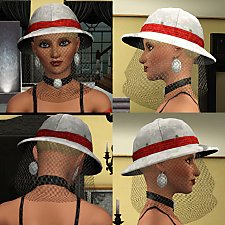
Beekeeper Hat Updo Variant (F; T, YA, A)
by Destrospean updated 16th May 2025 at 11:50pm
5
1.4k
9
Hair » Female » Young Adult
-

Outfit Assignment – Assign New Outfits to Any Interactions
by Destrospean updated 18th Sep 2026 at 2:01am
50
8k
18


About Me
I have a passion for The Sims 3, computer science, and banana smoothies.
I don’t take requests, unless I find them super duper interesting. :P
I am open to collaborations though. :)