Sign in to Mod The Sims
 Hands/Feet Flickering Fix
 Hands/Feet Flickering Fix

thumbnail.gif - width=240 height=240
 AI Disclosure
While I have tested this extensively and am very confident it will not blow up your game, I believe in transparency for mods developed heavily with AI so downloaders can make an informed decision. Additionally, I encourage other modders/coders to take a look at the source for themselves. The whole mod is about 340 lines of C++, and the fix itself is only about 30 of them. Finding the bug, however, required heavy disassembly of the game's executable.
 Please note that an ASI loader is required for this mod to work. See below if you need more details on how to obtain one.
Since the inception of custom sliders, limb flickering has always plagued those of us who like making use of heavily resized hands and/or feet. Coupled with mods like NRaas that allow for slider multipliers, the issue can become even more significant and distracting.
This is an ASI mod that corrects a math bug in the game's limb inverse kinematics solver. Now you can give your Sims flippers for feet and orc-sized hands to your heart's content, without having to worry about their limbs jittering or flickering wildly.
Tested to be compatible with both patch 1.67 (Steam/Retail) and 1.69 (EA App). Should essentially never conflict with any other ASI or script mods.
How to install:
Extract the ASI to your The Sims 3\Game\Bin folder, located in your installation directory (usually under the "Program Files" folder on Windows). Open the "More on ASI Mods/Loaders" spoiler below if you're unsure where that directory might be, or don't already have an ASI loader installed.
You're finished!

The included INI file is optional. Open it in Notepad to turn off the hotkey (Ctrl+Shift+K in-game to turn the fix off and on, which is handy for seeing the difference. A normal beep sound means on, an error beep means off.), turn off logging, or to start the game with the fix off and toggle on manually. Place it alongside the ASI if you'd like to use it.
More on ASI Mods/Loaders
Expand the button below if you need further help installing:
What is an ASI mod?
An ASI mod is a program file the game loads when it starts. It changes the game's code while it runs, rather than adding new items or tuning gameplay. Unlike traditional .package or .sims3pack files (which go in your Documents folder), ASI mods use the .asi file extension and must be placed directly into your game's installation directory. A separate "loader" is required.
Where do I get a loader from and how do I install it?
If you are using mods like Sims 3 Settings Setter or Smooth Patch, you already have one. Otherwise, there are a few different places you can obtain an ASI loader from. I recommend Ultimate ASI Loader, which I'll provide steps for below.

1. Download the File: Locate the latest release from Ultimate ASI Loader's GitHub page and download the wininet.dll file under the Win32 column.
2. Locate Your Game Bin: Find your Sims 3 installation folder. Depending on where you bought the game, its path will typically look like this:
Steam: C:\Program Files (x86)\Steam\steamapps\common\The Sims 3\Game\Bin
EA App: C:\Program Files\EA Games\The Sims 3\Game\Bin
Disc: C:\Program Files (x86)\Electronic Arts\The Sims 3\Game\Bin
3. Extract the File: Open the downloaded .zip file and extract ONLY the wininet.dll file into the Game\Bin folder. All finished!
GitHub Repository
You may view the source code for this ASI mod, as well as the full write-up of how it works and detailed documentation here: https://github.com/thesammy58/LimbIkScaleFix/
Credits
Just Harry, for finding that turning off RenderLimbIk stops the flicker, which pointed the search at limb IK functions. sims3fiend and the Sims 3 Settings Setter contributors, whose settings editor exposes the engine's RenderLimbIk and Smooth Animation settings. Sage, NikSim, leWing, Jonha, Pcfreak and Bloom, whose sliders were examined to work out which kinds of sliders trigger the bug. The kind testers in LazyDuchess' Discord server.
| Filename | Type | Size |
|---|---|---|
| thesammy58_LimbIkScaleFix.rar | rar | |
| LimbIkScaleFix.ini | ini | 424 |
| LimbIkScaleFix.asi | asi | 116224 |
Custom installation instructions! READ ME!
In addition to the normal installation instructions, this download also has a custom instruction, as follows:
1. Download: Click the download link to save the .rar or .zip file(s) to your computer.
2. Extract the zip, rar, or 7z file.
3. Locate Your Game Bin: Find your Sims 3 installation folder. Depending on where you bought the game, its path will typically look like this:
Steam: C:\Program Files (x86)\Steam\steamapps\common\The Sims 3\Game\Bin
EA App: C:\Program Files\EA Games\The Sims 3\Game\Bin
Disc: C:\Program Files (x86)\Electronic Arts\The Sims 3\Game\Bin
4. Place the File: Place the .asi file in the installation directory described above! The .ini file is optional.
An ASI loader is required to use this mod. See the ASI info section in the main description for more help.
Need more information?
- For a full, complete guide to downloading complete with pictures and more information, see: Game Help: Downloading for Fracking Idiots.
- Custom content not showing up in the game? See: Game Help: Getting Custom Content to Show Up.
|
thesammy58_LimbIkScaleFix.rar
| Drop the ASI file in to your "The Sims 3\Game\Bin" installation folder. Requires an ASI loader. The INI file is optional, but allows for disabling logging or the in-game toggle, if desired.
Download
Uploaded: 8th Nov 2026, 57.0 KB.
193 downloads.
|
||||||||
| For a detailed look at individual files, see the Information tab. | ||||||||
Install Instructions
1. Download: Click the download link to save the .rar or .zip file(s) to your computer.
2. Extract the zip, rar, or 7z file.
3. Locate Your Game Bin: Find your Sims 3 installation folder. Depending on where you bought the game, its path will typically look like this:
Steam: C:\Program Files (x86)\Steam\steamapps\common\The Sims 3\Game\Bin
EA App: C:\Program Files\EA Games\The Sims 3\Game\Bin
Disc: C:\Program Files (x86)\Electronic Arts\The Sims 3\Game\Bin
4. Place the File: Place the .asi file in the installation directory described above! The .ini file is optional.
An ASI loader is required to use this mod. See the ASI info section in the main description for more help.
Need more information?
- For a full, complete guide to downloading complete with pictures and more information, see: Game Help: Downloading for Fracking Idiots.
- Custom content not showing up in the game? See: Game Help: Getting Custom Content to Show Up.
Loading comments, please wait...

Uploaded: 8th Nov 2026 at 1:51 PM
Updated: 8th Nov 2026 at 3:56 PM
-

Crossed-Out Trait Thumbnail Fixes
by gamefreak130 5th Jul 2018 at 1:30pm
 +3 packs
7 44.2k 86
 Late Night
 Pets
 University Life
-
by echoweaver updated 20th Aug 2023 at 4:03pm
+1 packs
23 34.2k 138 Ambitions
-
by fantuanss12 updated 28th Jun 2025 at 9:10am
+1 packs
13 40k 127 Ambitions
-
by ProtectusCZ 21st Jun 2024 at 8:03pm
-
by SuddenRain 30th Sep 2024 at 11:45am
-
by fantuanss12 27th Nov 2024 at 4:30pm
-

-

by thesammy58 updated 19th Jul 2026 at 4:01am
+1 packs
3 4.3k 6 Showtime
-

-

by LORHANDAGOTH updated Yesterday at 5:17am
+1 packs
27 2.7k 15 Seasons


-
HD, QHD, and 4k Loading Screens!
by thesammy58 9th Feb 2019 at 5:05pm
Beautifies the loading screen you see when you first launch The Sims 2. more...
 25
37.6k
123
-

by thesammy58 5th Oct 2014 at 7:27pm
These boxer briefs come in 16 different colors and are made to be worn a bit lower than EA's. more...
-

by thesammy58 updated 14th Oct 2026 at 4:55pm
11
5k
24
-


More Coherent Loading Screens (outdated)
by thesammy58 updated 23rd Dec 2023 at 2:27am
-
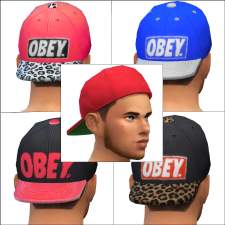
by thesammy58 22nd Dec 2014 at 2:26am
Make your Sim, like, a total bro, man, with these stylish new hats from OBEY! more...
 11
26.3k
60
-

by thesammy58 24th Sep 2014 at 12:40am
Toby is a great guy, and everybody knows that. But do they know about his underlying short-temper? more...
-
(New Version Available) Widescreen Loading Background
by thesammy58 24th Aug 2013 at 9:21pm
A background for your loading screen designed to look great on a [b]widescreen monitor![/b] Comes in 2 flavors. more...
21
27.6k
51
-
by thesammy58 25th May 2013 at 5:24am
Make The Sims 3 loading themes play while your Sims 2 game is loading! more...
17
22.6k
18
-


by thesammy58 23rd Jan 2026 at 2:15pm
I always felt something was missing during my Gift Giving parties on Snowflake Day, and then it occurred to me. more...
4
2.6k
6
-

The Sims 2 Ultimate Collection Loading Screen
by thesammy58 updated 22nd Sep 2014 at 12:15am
No more "Fun With Pets Collection" or "Mansion and Garden Stuff". Replace your loading screen with this sleek new design! more...
115
107.6k
291