
 Sign in to Mod The Sims
 Apron for Servo
 Apron for Servo


Servo Apron Preview.jpg - width=685 height=815
Servo Apron RGB.jpg - width=1090 height=1080
Servo Apron Action.jpg - width=1000 height=1080
Servo Apron Presets.jpg - width=1479 height=1080
I took the lovely apron from the store Alice dress, cut it off the dress and edited the mesh so it'll hug the Servo hips nicely. Since the backside of the apron is now visible, I made that too, and I kept all the lovely textures and normals and frills as the original. I tried to tweak the bones to be as good as possible but because of the nature of the thing there are some poses where it'll still look a bit off, but for the most part it's quite good.
It as four channels, two for the metal body and two for the apron, and includes three presets, the middle of which doesn't have the black glove stencil, just like my original Servo body. It's usable by both genders and is found in Create-a-Bot. Enjoy the frilliness! Of course, it's quite useless without the parts from my original Servo set, which you'll find linked above. And both do strictly require Into The Future since they are all parts for the Create-a-Bot mode.
Poly:
LOD0: 4567
LOD1: 1740
LOD2: 1211
| Filename | Type | Size |
|---|---|---|
| auServoBodyApron.zip | zip | |
| Qahne_auServoBodyApron.package | package | 1409521 |
This is a new mesh, and means that it's a brand new self contained object that usually does not require a specific Pack (although this is possible depending on the type). It may have Recolours hosted on MTS - check below for more information.
|
auServoBodyApron.zip
Download
Uploaded: 4th Nov 2026, 1,003.0 KB.
10 downloads.
|
||||||||
| For a detailed look at individual files, see the Information tab. | ||||||||
Install Instructions
1. Click the download button, or the filename, to download the file to your computer.
2. Extract the zip, rar, or 7z file. Now you will have either a .package or a .sims3pack file.
For Package files:
1. Cut and paste the file into your Documents\Electronic Arts\The Sims 3\Mods\Packages folder. If you do not already have this folder, you should read the full guide to Package files first: Sims 3:Installing Package Fileswiki, so you can make sure your game is fully patched and you have the correct Resource.cfg file.
2. Run the game, and find your content where the creator said it would be (build mode, buy mode, Create-a-Sim, etc.).
For Sims3Pack files:
1. Cut and paste it into your Documents\Electronic Arts\The Sims 3\Downloads folder. If you do not have this folder yet, it is recommended that you open the game and then close it again so that this folder will be automatically created. Then you can place the .sims3pack into your Downloads folder.
2. Load the game's Launcher, and click on the Downloads tab. Find the item in the list and tick the box beside it. Then press the Install button below the list.
3. Wait for the installer to load, and it will install the content to the game. You will get a message letting you know when it's done.
4. Run the game, and find your content where the creator said it would be (build mode, buy mode, Create-a-Sim, etc.).
Extracting from RAR, ZIP, or 7z: You will need a special program for this. For Windows, we recommend 7-Zip and for Mac OSX, we recommend Keka. Both are free and safe to use.
Need more help?
If you need more info, see:
- For package files: Sims 3:Installing Package Fileswiki
- For Sims3pack files: Game Help:Installing TS3 Packswiki
Loading comments, please wait...



 View with Names
Uploaded: 4th Nov 2026 at 11:58 PM
-
by Anubis360 13th Sep 2009 at 3:42pm
 49
196.8k
234
-
-

-
-
by monca533 29th Dec 2010 at 9:30am
10
20.2k
24
-
-
by HystericalParoxysm 26th Jul 2014 at 12:13am
32
60.8k
200
-
-
-



-
by Qahne 30th Apr 2022 at 8:52am
Most of my time playing The Sims is spent either making content or building lots, and my sparse uploading doesn't more...
 +25 packs
1 6.4k 24
 Get to Work
 Outdoor Retreat
 Get Together
 City Living
 Perfect Patio Stuff
 Spa Day
 Cats and Dogs
 Cool Kitchen Stuff
 Seasons
 Get Famous
 Island Living
 Discover University
 Eco Lifestyle
 Romantic Garden Stuff
 Snowy Escape
 Cottage Living
 Backyard Stuff
 Vintage Glamour Stuff
 Vampires
 Horse Ranch
 Parenthood
 Laundry Day Stuff
 Jungle Adventure
 Realm of Magic
 Paranormal Stuff
-
Mighty Mansard Redux! - Store Edit & More - UPDATED
by Qahne updated 18th May 2014 at 9:18pm
A modification of the EAXis mansard roof pieces to make them more useful; also includes dormers and cresting from M&G Stuff more...
83
55.1k
213
-
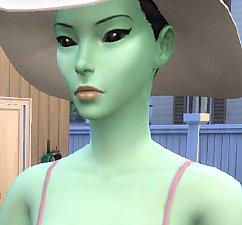
TS2 Alien Skin - Non-Default, Default + Babies - UPDATED 30/01/2021
by Qahne updated 30th Jan 2021 at 10:51pm
Tired of puke-green aliens in your game? Well want no more! We have defaults, non-defaults and baby replacements to sate your aesthetic needs! more...
-
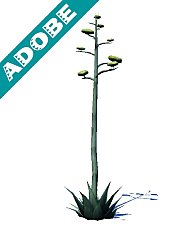
TS2 Mescalito's Agave Simulado
by Qahne 21st Feb 2021 at 4:42pm
Conversion of the century plant from The Sims 2 more...
2
2.8k
13
-


-
-
-
Default Functional Closet Shelves
by Qahne 26th Feb 2021 at 11:38pm
A simple replacement for the basegame closet shelves to make them functional more...
10
11.2k
72
-
-



Packs Needed
| Base Game | |
|---|---|
| Sims 3 |
| Expansion Pack | |
|---|---|
| Into the Future |