
 Sign in to Mod The Sims
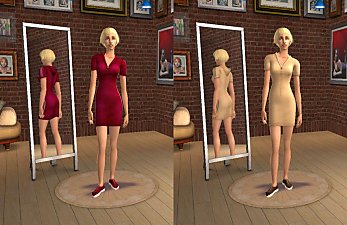
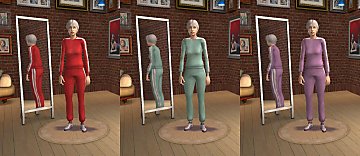
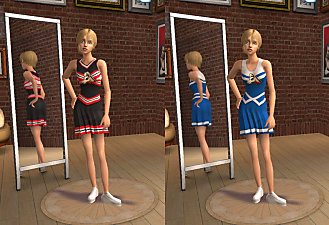
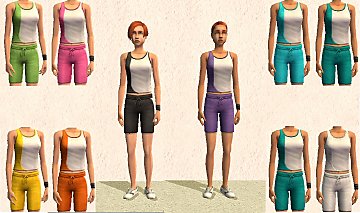
 -Teen Sports Jumpers NOW WITH SNEAKERS!- Added/Moved to Athleticwear!
 -Teen Sports Jumpers NOW WITH SNEAKERS!- Added/Moved to Athleticwear!


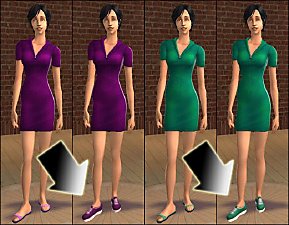
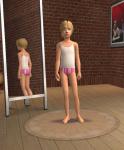
tfSportsJumperShoes.jpg - width=366 height=234
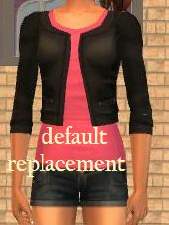
tfSportJumperBlack.jpg - width=323 height=404
tfSportJumperBlue.jpg - width=323 height=404
tfSportJumperGreen.jpg - width=323 height=404
tfSportJumperRed.jpg - width=323 height=404
tfSportJumperYellow.jpg - width=323 height=404
I've also made up my standard catalog edit packages for you, you don't have to download the mesh/texture replacement package if you don't mind having your teens work out in flipflops! You can of course pick between my 'Added' and 'Moved' versions. More details below.
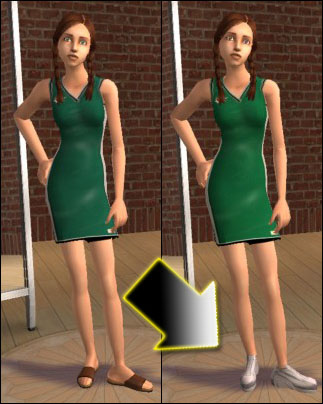
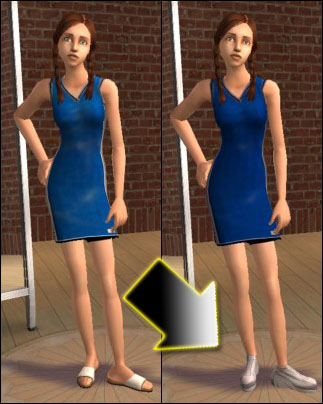
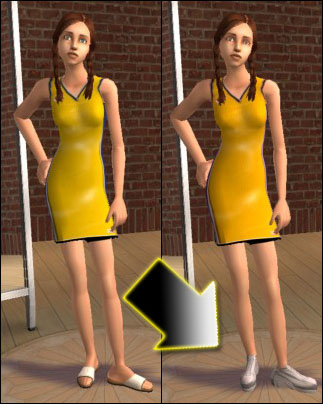
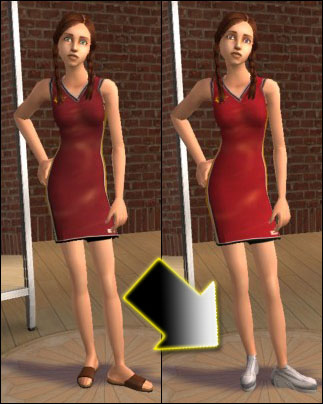
Because of the way the original UV Map was set up, to make my changes the UV Map also had to change, meaning ANY CC CLOTHES THAT USES THIS MESH is going to have their shoes messed up. Sorry, but that couldn't be helped. The original jumpers have the awful 'center shoe' position and my new version has the standard shoe position on the UV Map, hopefully this doesn't inconvenience anyone too terribly much. Also, any creators who use these jumpers as their base for new CC clothes, yes you can use my mesh, but tell users in your upload that they will need this mesh to have the shoes show up correctly (unless you want to do both kinds on the same texture, that would work too, though, its a bit more work on your part.)
These are DEFAULT REPLACEMENTS, meaning, when you place them in your downloads folder, they will act as Maxis clothing, completely replacing their counterparts. This includes sims currently wearing them. If you want to remove mine and return to the maxis versions, just delete my package from your downloads folder. Btw, if you want your clothing catalog images to reflect these changes, delete your thumbnails folder: C:\Documents and Settings\(yourname)\My Documents\EA Games\The Sims 2\Thumbnails. The game will generate new ones.
The other two files are catalog edit packages. They will move the jumpers to your Athleticwear bin. You can choose between the MOVED file (moves the jumpers to Athleticwear and removes them from Everyday) and the ADDED file (adds the jumpers to Athleticwear but also leaves them in Everyday). Its up to you which one you want. I personally HATE having 6 thousand maxis clothes in my everyday, especially when 2 thousand of them in my opinion aren't 'Everyday' type clothes anyways! (If that bugs you too, check out this Catalog Edit Mod of mine!)
Installation Instructions:
The MeshTexture package file goes into your downloads folder like normal. The Added or Moved packages don't go there (well, technically they can, but its a bad idea). Put the files in the following location instead of in your Downloads folder. C:\Program Files\EA GAMES\The Sims 2 Bon Voyage\TSData\Res\Catalog\Bins (or whichever is your highest expansion pack folder).
You can put these files in your Downloads folder, but if you do, the delete button will be enabled in CAS and Body Shop. Do NOT delete them in CAS or Body Shop. Doing so may corrupt some of your game files. To remove the outfits from your Athleticwear bin, delete these package files from where you installed them to.
Polygon Counts:
Maxis Original: FaceCount-2186 VertexCount-1662
My Version: FaceCount-2030 VertexCount-1494
My version is actually less stressful on your videocard, meaning, your game will run faster! (though, not really noticeably)
Enjoy!
-Phaenoh
P.S. Make sure you got the Adult Version as well! I've got more default replacements, check them all out here !
I love reading comments, leave me a couple?
Additional Credits:
Stupid photoshop, this upload got rejected because of crunchy pictures, I retook my pictures and reuploaded them 4 times before I realized it wasn't the camera's fault, it was photoshop saving them as tiny files, for reasons I don't understand...
This is a new mesh, and means that it's a brand new self contained object that usually does not require a specific Pack (although this is possible depending on the type). It may have Recolours hosted on MTS - check below for more information.
|
Phaenoh-tfSportJumperMoved.rar
Download
Uploaded: 8th Nov 2007, 535 Bytes.
3,086 downloads.
|
||||||||
|
Phaenoh-tfSportJumperAdded.rar
Download
Uploaded: 8th Nov 2007, 536 Bytes.
2,497 downloads.
|
||||||||
|
Phaenoh-tfSportJumper-MESHtexture-DefaultReplacements.rar
Download
Uploaded: 8th Nov 2007, 742.2 KB.
6,474 downloads.
|
||||||||
| For a detailed look at individual files, see the Information tab. | ||||||||
Install Instructions
1. Download: Click the download link to save the .rar or .zip file(s) to your computer.
2. Extract the zip, rar, or 7z file.
3. Place in Downloads Folder: Cut and paste the .package file(s) into your Downloads folder:
- Origin (Ultimate Collection): Users\(Current User Account)\Documents\EA Games\The Sims™ 2 Ultimate Collection\Downloads\
- Non-Origin, Windows Vista/7/8/10: Users\(Current User Account)\Documents\EA Games\The Sims 2\Downloads\
- Non-Origin, Windows XP: Documents and Settings\(Current User Account)\My Documents\EA Games\The Sims 2\Downloads\
- Mac: Users\(Current User Account)\Documents\EA Games\The Sims 2\Downloads
- Mac x64: /Library/Containers/com.aspyr.sims2.appstore/Data/Library/Application Support/Aspyr/The Sims 2/Downloads
- For a full, complete guide to downloading complete with pictures and more information, see: Game Help: Downloading for Fracking Idiots.
- Custom content not showing up in the game? See: Game Help: Getting Custom Content to Show Up.
- If you don't have a Downloads folder, just make one. See instructions at: Game Help: No Downloads Folder.
Loading comments, please wait...


Uploaded: 7th Nov 2007 at 7:49 PM
Updated: 8th Sep 2008 at 5:52 AM - stupid photoshop crunching my images



-
-

-
-
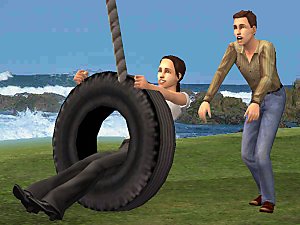

-Old Tire Swing- Swing for BaseGame, and a (BV) Treehouse!
by Phaenoh updated 14th Jan 2008 at 1:03am
After a very long and frustrating journey, I have arrived at the Challenge Uploads page. more...
 108
176.8k
404
108
176.8k
404
-
-


-
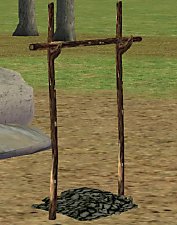
-Open Coals Rotisserie Spit- For Cavemen and Campers Alike!
by Phaenoh 21st Jun 2008 at 7:53am
Update: It was reported that this wasn't BaseGame compatible. more...
47
96.6k
178
-
-


Product Design Major -Includes Inventory Items-
by Phaenoh 12th Dec 2011 at 6:29pm
Product Designers are the people who design the products you use every day; from your cell phone to your furniture. more...
+1 packs
59 59.7k 122 University
-


About Me
- Please don't reupload my work anywhere else. Just point them back here, I'm not going anywhere! :)
- Please ask permission before using my work as a base for your project. I almost always say 'yes' and often times I will help you with your project! :bunny:
- If you make something (like a story or a video) and it has something of mine in it, send me the link, I love to see my stuff 'in action'!
- Sadly, but honestly, I can't take on requests. You can ask if it's something already related to one of my current projects, but I'm not likely to take on your project for you. MTS has lots of wonderful tutorials ;)