
 Sign in to Mod The Sims
 The Skinny Brow: daluved1 Style
 The Skinny Brow: daluved1 Style


good.jpg - width=446 height=459
Comparison.jpg - width=890 height=476

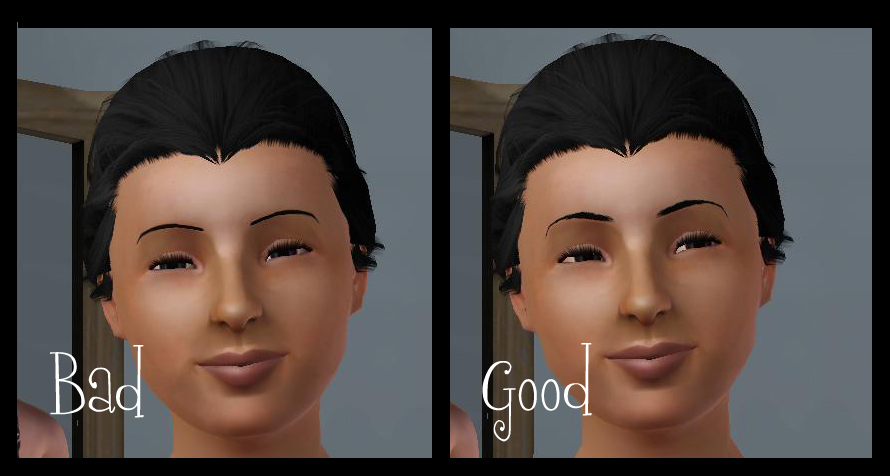
To remedy this, I made my own.
 My eyebrows start thicker at the corners then taper in, instead of looking like one solid streak.
I hand drew these to match my own real-life eyebrows :D.
These are non-default replacement. And they're available for females, teen and older.
Additional Credits:
CmarNYC's eyebrow tutorial for getting me started
Delphy's CTU Photoshop 7.0
|
Alaina_Skinny_Brow.rar
Download
Uploaded: 3rd Aug 2009, 263.9 KB.
4,222 downloads.
|
||||||||
| For a detailed look at individual files, see the Information tab. | ||||||||
Install Instructions
1. Click the download button, or the filename, to download the file to your computer.
2. Extract the zip, rar, or 7z file. Now you will have either a .package or a .sims3pack file.
For Package files:
1. Cut and paste the file into your Documents\Electronic Arts\The Sims 3\Mods\Packages folder. If you do not already have this folder, you should read the full guide to Package files first: Sims 3:Installing Package Fileswiki, so you can make sure your game is fully patched and you have the correct Resource.cfg file.
2. Run the game, and find your content where the creator said it would be (build mode, buy mode, Create-a-Sim, etc.).
For Sims3Pack files:
1. Cut and paste it into your Documents\Electronic Arts\The Sims 3\Downloads folder. If you do not have this folder yet, it is recommended that you open the game and then close it again so that this folder will be automatically created. Then you can place the .sims3pack into your Downloads folder.
2. Load the game's Launcher, and click on the Downloads tab. Find the item in the list and tick the box beside it. Then press the Install button below the list.
3. Wait for the installer to load, and it will install the content to the game. You will get a message letting you know when it's done.
4. Run the game, and find your content where the creator said it would be (build mode, buy mode, Create-a-Sim, etc.).
Extracting from RAR, ZIP, or 7z: You will need a special program for this. For Windows, we recommend 7-Zip and for Mac OSX, we recommend Keka. Both are free and safe to use.
Need more help?
If you need more info, see:
- For package files: Sims 3:Installing Package Fileswiki
- For Sims3pack files: Game Help:Installing TS3 Packswiki
Loading comments, please wait...


Uploaded: 3rd Aug 2009 at 1:31 AM
-
by daluved1 7th Aug 2009 at 9:53pm
 61
99.6k
111
61
99.6k
111
-
by daluved1 26th Aug 2009 at 10:48am
10
33.4k
22
-
by Mermaid Bellamy 31st Aug 2009 at 1:07am
15
33.5k
34
-
by daluved1 11th Sep 2009 at 2:51pm
16
37.4k
67
-
-
-
-
-
by Cassandra145 18th Dec 2012 at 12:43pm
14
25.8k
54
-
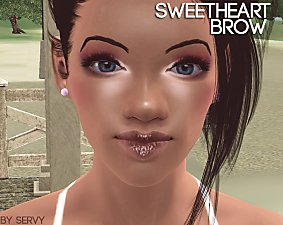
by servy 3rd Jan 2015 at 10:44pm
2
8.8k
19
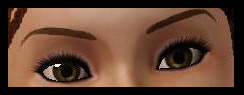

-
Painted Dinnerware: Default Replacements (Set 1 of 3)
by daluved1 27th Nov 2010 at 8:41pm
Spice up your sims dining experience! more...
21
29.8k
52
-
-
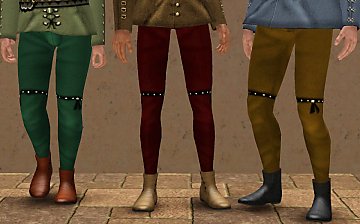
Medieval Men's Trousers - Ye Olde Kingdom of Pudding
by The Merrye Makers 22nd Jun 2013 at 3:45am
Medieval men's trousers for teens, adults, and elders. Everyday and formal. Converted by Kiara24 for The Merrye Makers. more...
18
47k
115
-
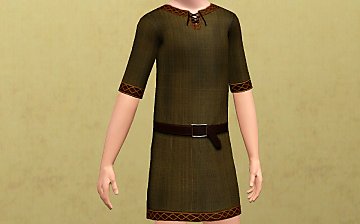
Unisex Medieval Child's Tunic - Ye Olde Kingdom of Pudding
by The Merrye Makers 7th Jul 2013 at 1:24pm
Unisex Medieval child's tunic for boys and girls - Everyday, Formal, Athletic - by The Merrye Makers. Three channels. more...
19
49.8k
152
-
Medieval Fireplaces - Ye Olde Kingdom of Pudding
by The Merrye Makers 14th Jan 2012 at 12:52pm
A mediveal Floor Torch and Campfire which are both functioning fireplaces. Made by Hekate999 for The Merrye Makers. more...
14
51.4k
128
-
Medieval Pants for Boys and Girls CAS - Ye Olde Kingdom of Pudding. Now as outerwear too
by The Merrye Makers 14th Jul 2013 at 5:52pm
Soon winter will come ... and our boys and girls can not walk through the kingdom with bare legs. So, our tailors rushed to sew pants to warm them. more...
22
49.8k
155
-
-
Rimmed Dinnerware: Default Replacement (Set 2 of 3)
by daluved1 27th Nov 2010 at 8:46pm
More plate designs for your sims! more...
3
17.2k
26
-
-
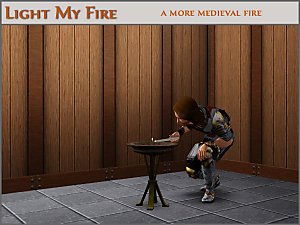
Light My Fire - Ye Olde Kingdom of Pudding
by The Merrye Makers 29th Feb 2012 at 11:50am
A medieval/gothic style floor torch with non-default custom candle style lighter. more...
22
48.9k
115


About Me
Because my policy is really inconsistent on my uploads, I've decided to make an official policy! So whatever you see here on my profile is my current policy. You may disregard any ''policy'' information you see on the actual upload itself.
-You may use my creations with sims
-You may use my objects with lots.
-You may retexture my meshes.
-You may include my meshes with retextures.
-You may NOT upload my creations with sims
-You may NOT upload my objects with lots.
-You may NOT upload my creations to paysites.
-You may NOT upload my creations to the exchange.
-Always credit me with a link
-I do NOT take requests!