
 Sign in to Mod The Sims
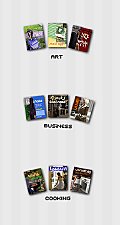
 Special Interest Magazines - Set 02
 Special Interest Magazines - Set 02


magazines-comicschildren.jpg - width=500 height=455
magazines-teensciencecars.jpg - width=500 height=455
magazines-set02-preview.jpg - width=311 height=627
And now, I'm finished just in time to catch Spongebob.
(You may want to use Delphy's awesome TS3 Install Helper Monkey to install .package files.)
Additional Credits:
TS3 Package Editor by Peter L. Jones
TS3 Object Cloner by Peter L. Jones
Adobe Photoshop CS3
|
Kaitlin_Magazines_Set02.zip
Download
Uploaded: 28th Aug 2009, 2.53 MB.
15,952 downloads.
|
||||||||
| For a detailed look at individual files, see the Information tab. | ||||||||
Install Instructions
1. Click the download button, or the filename, to download the file to your computer.
2. Extract the zip, rar, or 7z file. Now you will have either a .package or a .sims3pack file.
For Package files:
1. Cut and paste the file into your Documents\Electronic Arts\The Sims 3\Mods\Packages folder. If you do not already have this folder, you should read the full guide to Package files first: Sims 3:Installing Package Fileswiki, so you can make sure your game is fully patched and you have the correct Resource.cfg file.
2. Run the game, and find your content where the creator said it would be (build mode, buy mode, Create-a-Sim, etc.).
For Sims3Pack files:
1. Cut and paste it into your Documents\Electronic Arts\The Sims 3\Downloads folder. If you do not have this folder yet, it is recommended that you open the game and then close it again so that this folder will be automatically created. Then you can place the .sims3pack into your Downloads folder.
2. Load the game's Launcher, and click on the Downloads tab. Find the item in the list and tick the box beside it. Then press the Install button below the list.
3. Wait for the installer to load, and it will install the content to the game. You will get a message letting you know when it's done.
4. Run the game, and find your content where the creator said it would be (build mode, buy mode, Create-a-Sim, etc.).
Extracting from RAR, ZIP, or 7z: You will need a special program for this. For Windows, we recommend 7-Zip and for Mac OSX, we recommend Keka. Both are free and safe to use.
Need more help?
If you need more info, see:
- For package files: Sims 3:Installing Package Fileswiki
- For Sims3pack files: Game Help:Installing TS3 Packswiki
Loading comments, please wait...

Uploaded: 28th Aug 2009 at 6:29 PM
-
-
-
Patternable/ Recolorable Decorative Plates and Custom Patterns
by BabaYaga updated 1st Mar 2010 at 4:44am
 68
127.8k
215
68
127.8k
215
-
Larger Decorative Magazines - Default Replacement
by Menaceman44 15th Nov 2009 at 1:50pm
-
-
by alianpe 2nd Jun 2010 at 8:16pm
56
65.7k
129
-
-
by chasmchronicle updated 9th Feb 2012 at 4:05pm
38
98.4k
189
-
by heaven 7th Dec 2013 at 1:18am
5
14.6k
65
-

by PharaohHound 25th Feb 2019 at 9:17pm
6
8.2k
26

-
by sunsetavenue 3rd Jun 2008 at 8:35pm
My four new pet rats (Dutchess, Luna, Victoria, and Priscilla) have gotten me sick, but I still won't get rid more...
-
by sunsetavenue 1st Jun 2008 at 10:04am
Hey, guys! more...
-
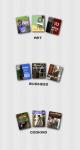
Special Interest Magazines - Set 01
by sunsetavenue 25th Aug 2009 at 10:44pm
Hello! more...
17
38.4k
87

About Me
I like to know a little about people on the interest, so I'll tell you about myself. My name's Kaitlin, and I'm 22. I'm extremely passionate about all of the items I've listed under interests (but that is by no means a complete list).
I have a miniature dachshund named Huckleberry and four rats. The two dark brown ones are named Priscilla and Victoria, and the two white ones are Dutchess and Luna. I have a mom, dad, younger brother, and younger sister.
The only rule that I can think to set down right now is that you may not re-use/recycle my textures in any way. I did the work, so I get the credit.
Be sure you PM me if you have any questions about myself or my work. I'll be happy and excited to answer anything you might ask.
As always, have a lovely day!