
 Sign in to Mod The Sims
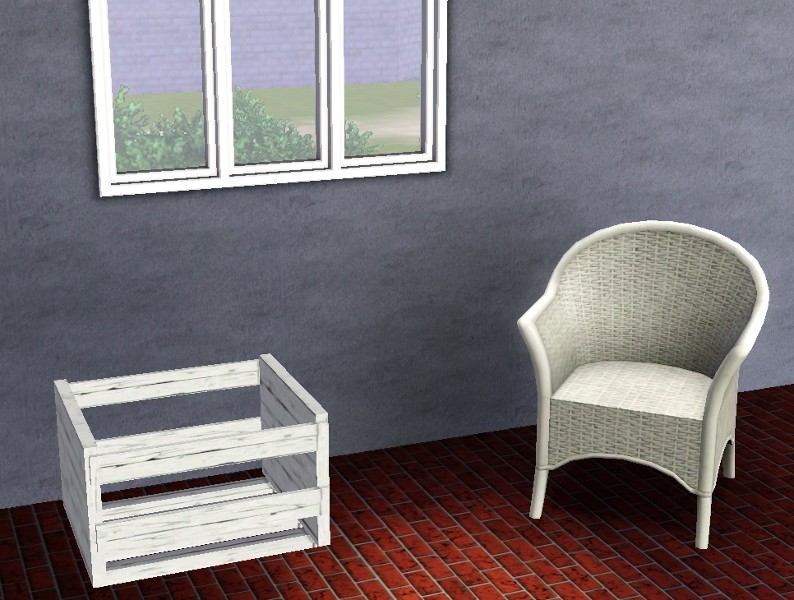
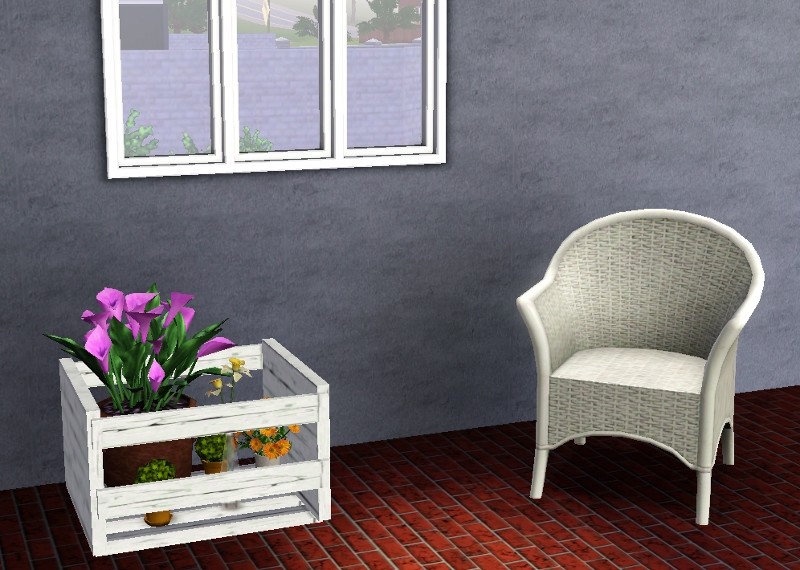
 An Empty Wooden Crate With 9 Slots
 An Empty Wooden Crate With 9 Slots


CrateWithFlowers.jpg - width=800 height=570
EmptyCrate.jpg - width=794 height=600
VariousColor.jpg - width=800 height=538
If anyone who knows their way around slots in The Sims 2 would like to convert this mesh for Sims 2, go right ahead! I don't know how to create new slots in 2, or I would have done it already.
Polygon Counts:
120
| Filename | Type | Size |
|---|---|---|
| AcrateWithExtraSlots_jimTNW.zip | zip | |
| AcrateWithExtraSlots_jimTNW.package | package | 5691283 |
| AcrateWithExtraSlots_jimTNW.sims3pack | sims3pack | 277559 |
This is a new mesh, and means that it's a brand new self contained object that usually does not require a specific Pack (although this is possible depending on the type). It may have Recolours hosted on MTS - check below for more information.
|
AcrateWithExtraSlots_jimTNW.zip
Download
Uploaded: 17th Jun 2010, 373.4 KB.
12,071 downloads.
|
||||||||
| For a detailed look at individual files, see the Information tab. | ||||||||
Install Instructions
1. Click the download button, or the filename, to download the file to your computer.
2. Extract the zip, rar, or 7z file. Now you will have either a .package or a .sims3pack file.
For Package files:
1. Cut and paste the file into your Documents\Electronic Arts\The Sims 3\Mods\Packages folder. If you do not already have this folder, you should read the full guide to Package files first: Sims 3:Installing Package Fileswiki, so you can make sure your game is fully patched and you have the correct Resource.cfg file.
2. Run the game, and find your content where the creator said it would be (build mode, buy mode, Create-a-Sim, etc.).
For Sims3Pack files:
1. Cut and paste it into your Documents\Electronic Arts\The Sims 3\Downloads folder. If you do not have this folder yet, it is recommended that you open the game and then close it again so that this folder will be automatically created. Then you can place the .sims3pack into your Downloads folder.
2. Load the game's Launcher, and click on the Downloads tab. Find the item in the list and tick the box beside it. Then press the Install button below the list.
3. Wait for the installer to load, and it will install the content to the game. You will get a message letting you know when it's done.
4. Run the game, and find your content where the creator said it would be (build mode, buy mode, Create-a-Sim, etc.).
Extracting from RAR, ZIP, or 7z: You will need a special program for this. For Windows, we recommend 7-Zip and for Mac OSX, we recommend Keka. Both are free and safe to use.
Need more help?
If you need more info, see:
- For package files: Sims 3:Installing Package Fileswiki
- For Sims3pack files: Game Help:Installing TS3 Packswiki
Loading comments, please wait...
Uploaded: 17th Jun 2010 at 9:25 PM
Updated: 18th Jun 2010 at 2:26 AM
-
Patternable/ Recolorable Decorative Plates and Custom Patterns
by BabaYaga updated 1st Mar 2010 at 4:44am
 68
127.5k
214
68
127.5k
214
-
by lemoncandy 26th Oct 2009 at 5:06pm
64
128.9k
206
-
Canonical Kitchen Chair – Update 2014-08-27: post-Pets fix!
by plasticbox updated 2nd Sep 2014 at 8:39pm
22
51k
82
-
-
by xdarkshadowx 25th Jun 2010 at 2:57pm
18
30k
50
-
by Lisen801 updated 12th Oct 2012 at 4:25pm
17
46.4k
142
-
by Alopex 28th Nov 2010 at 4:38pm
20
33.3k
62
-
by Lisen801 24th Jan 2011 at 6:51pm
35
89.1k
299
-
Finnington - an empty world for your simmies
by armiel updated 12th May 2011 at 2:08pm
+3 packs
253 297.4k 372 World Adventures
 Ambitions
 Late Night
Miscellaneous » Neighborhoods & CAS Screens » Neighbourhoods and Worlds
-
by Lisen801 15th Jun 2012 at 2:43pm
37
69.5k
262



-

A set of four 19th Century Paintings
by joninmobile 22nd Oct 2007 at 3:30am
Well after many days of reading extensive tutorials and hours spent trying to figure it out, I finally got my more...
 2
9.7k
8
2
9.7k
8
-
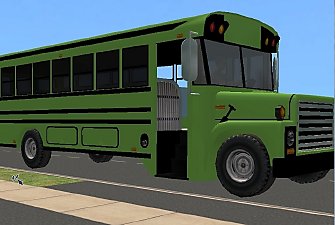
School Bus Default Replacements (in 9 colors)
by joninmobile updated 29th Apr 2009 at 11:22am
:alarm: Only Keep only one (1) of these default replacements in your downloads folder at one time! more...
28
57k
39
-


by joninmobile 2nd Feb 2008 at 10:44pm
Where I come from Mardi Gras is a very big deal, it last for almost two months.I never really got more...
6
12.1k
14
-
The Sims 2 Glamour Life Startup Scrolls For High End Loft
by joninmobile 19th Mar 2010 at 8:01pm
I had wanted to originally do some more of these for HELS based on the SPs and maybe some EPs more...
-


by joninmobile 15th Feb 2008 at 6:31pm
Here is a modern art mural called "Blue Licht".It is a reclor of the "Two Dogs and an Olive" painting more...
+1 packs
4 12k 14 Nightlife
-
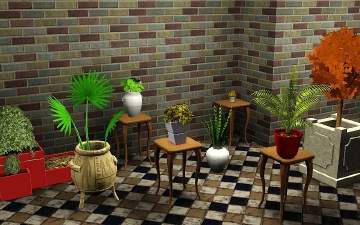
All of my Extra Channels and More Options for Plants as Default Replacements
by joninmobile 12th Apr 2010 at 4:36pm
I've gone through and done what I couldn't do before, and that is to make all the plants I added more...
17
33.5k
59
-
by joninmobile 18th Feb 2008 at 5:08pm
A good freind of mine makes photos using a program simillar to the sims called daz, and they gave me more...
+1 packs
4 12.7k 5 Nightlife
-
by joninmobile 4th Mar 2008 at 4:37am
I saw this beautiful carpet in a waiting room, and I couldn't wait to get home and simmify it.It's called more...
3
4.7k
1
-
by joninmobile 21st Oct 2007 at 12:29am
Here is a blue skin for if you want to create an alien sim.It doesnt change the aliens that more...
-
Arlington Park Apartments with gym and pool (no CC)
by joninmobile 12th Jan 2009 at 8:25pm
I present Arlington Park apartments.They are nice, sweet place to live,tucked away more...
+15 packs
7.4k 1 Family Fun
 University
 Glamour Life
Nightlife
Glamour Life
Nightlife
 Celebration
 Open for Business
 Pets
Pets
 H&M Fashion
 Teen Style
 Seasons
 Kitchen & Bath
 Bon Voyage
 Free Time
 Apartment Life
 Mansion and Garden


About Me
I hope you enjoy all the downloads I've brought to you over the years. It's been fun. Being a part of The Sims community has had it's ups and downs for me, but I keep on truckin' nonetheless. Lots and lots of drama, lots of pain and sorrow, but lots of laughs, and good times too. Made so many new friends over the years, and it all started by uploading to MTS way back in 2006. Have fun with my creations, that's what they're here for!
~ Jon