Sign in to Mod The Sims
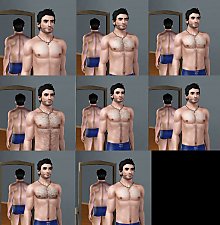
 Custom body hair overlay
 Custom body hair overlay


bodyhair00.jpg - width=600 height=445
bodyhair01.jpg - width=600 height=406
bodyhair02.jpg - width=600 height=297
bodyhair04.jpg - width=600 height=431
bodyhair03.jpg - width=800 height=498
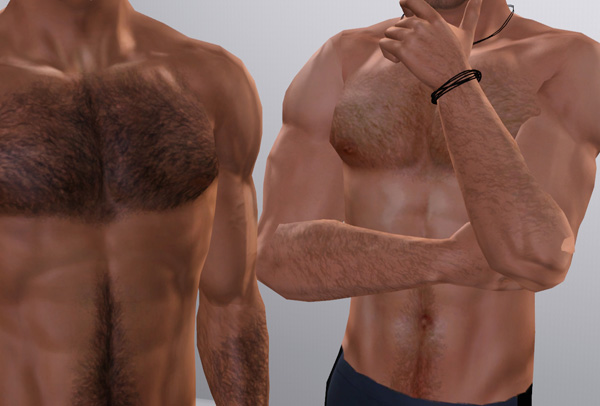
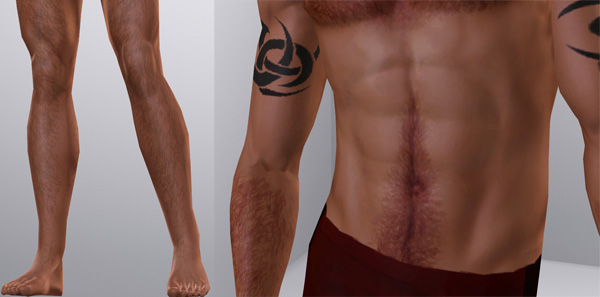
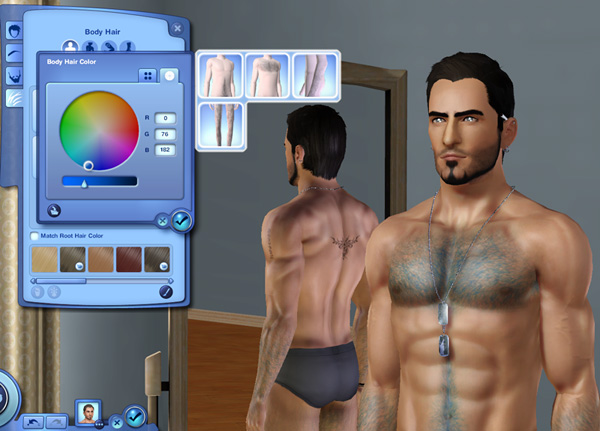
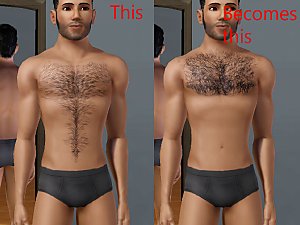
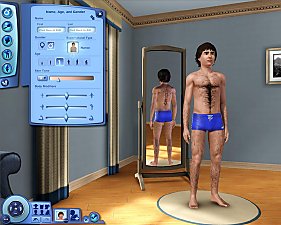
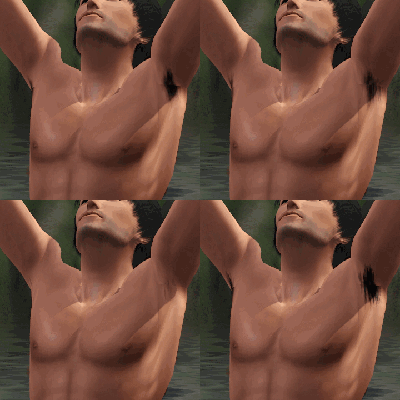
This package simply adds 4 part of more realistic body hair to the new section (chest, belly, arms, legs-calves)
It may looks a bit blur on extra zoom but it's not my fault!
Same thing happens to the EA's too which I assume that it was a rendering problem itself.
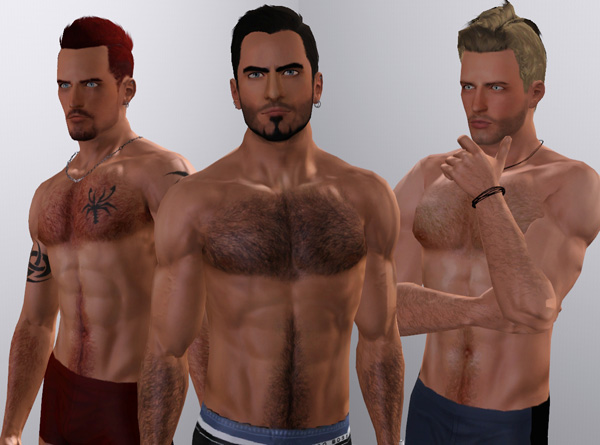
cc credits
Male hair, accessories, pose by (TumTum)
Facial hair replacement by (Kittyclan)
Brows by (Subaxi)
Tattoo by newone08
cigarrettes accessory by (uirty)
Skin by (Me, M.Calero, a+s=error)
Additional Credits:
CmarNYC's Hairinator
|
TMZ_CustomBodyHair.zip
Download
Uploaded: 20th Jun 2011, 865.1 KB.
93,927 downloads.
|
||||||||
| For a detailed look at individual files, see the Information tab. | ||||||||
Install Instructions
1. Click the download button, or the filename, to download the file to your computer.
2. Extract the zip, rar, or 7z file. Now you will have either a .package or a .sims3pack file.
For Package files:
1. Cut and paste the file into your Documents\Electronic Arts\The Sims 3\Mods\Packages folder. If you do not already have this folder, you should read the full guide to Package files first: Sims 3:Installing Package Fileswiki, so you can make sure your game is fully patched and you have the correct Resource.cfg file.
2. Run the game, and find your content where the creator said it would be (build mode, buy mode, Create-a-Sim, etc.).
For Sims3Pack files:
1. Cut and paste it into your Documents\Electronic Arts\The Sims 3\Downloads folder. If you do not have this folder yet, it is recommended that you open the game and then close it again so that this folder will be automatically created. Then you can place the .sims3pack into your Downloads folder.
2. Load the game's Launcher, and click on the Downloads tab. Find the item in the list and tick the box beside it. Then press the Install button below the list.
3. Wait for the installer to load, and it will install the content to the game. You will get a message letting you know when it's done.
4. Run the game, and find your content where the creator said it would be (build mode, buy mode, Create-a-Sim, etc.).
Extracting from RAR, ZIP, or 7z: You will need a special program for this. For Windows, we recommend 7-Zip and for Mac OSX, we recommend Keka. Both are free and safe to use.
Need more help?
If you need more info, see:
- For package files: Sims 3:Installing Package Fileswiki
- For Sims3pack files: Game Help:Installing TS3 Packswiki
Loading comments, please wait...

-
by PanthroSamah 22nd Jul 2009 at 7:12am
 93
188.3k
134
93
188.3k
134
-
-
by monca533 13th Oct 2010 at 11:56am
33
119.9k
169
-
by monca533 19th Nov 2010 at 4:33pm
10
25.4k
54
-
Tool to Package Custom Body Hair - update 9/8/12
by CmarNYC updated 11th Jun 2011 at 7:36pm
32
121.5k
70
-
Chest Hair default and non-default texture replacement
by Nukael updated 17th Jul 2011 at 1:06pm
21
83.7k
106
-
by tommytiger 13th Sep 2012 at 8:08pm
15
64.3k
120
-
Armpit Hair - Body Hair for Teens - Elder!
by moxiemason updated 19th Sep 2012 at 9:31am
60
132.1k
239
-
-