Sign in to Mod The Sims
 Apocalypse Dining Set (August Theme)
 Apocalypse Dining Set (August Theme)


012.jpg - width=1024 height=675
011.jpg - width=1024 height=758
013.jpg - width=1024 height=503
uvmap.jpg - width=790 height=752

it's been a while since I did not upload a set at MTS, so, as I was inspired by the new monthly theme, here is my new dining set (by night):
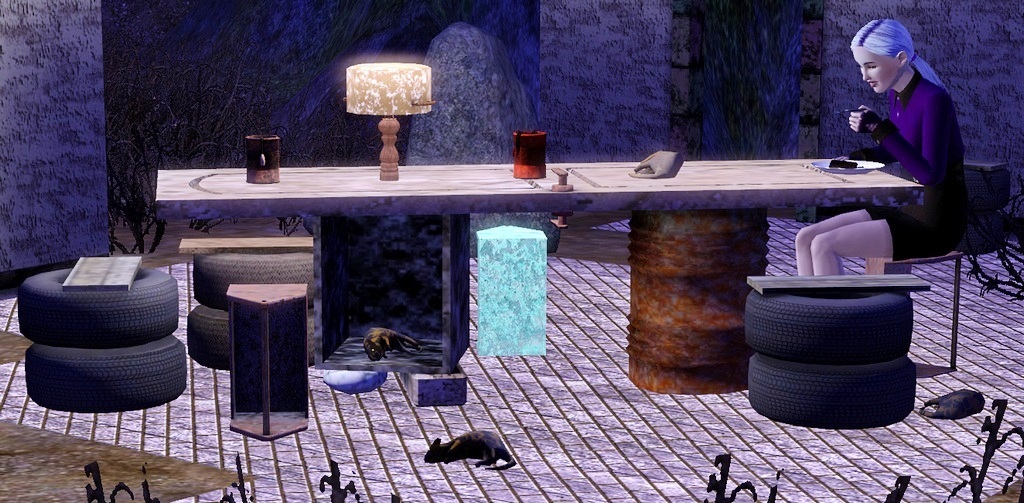
The set contains 6 new meshes:
The dining table (extra slot in the box used as table leg)
- catalog location: Surface/dining table
- Price: 90§
A toolbox as chair
-catalog location: comfort/dining chair
-price: 15§
Tyres as chair too
-catalog location: comfort/dining chair
-price: 17§
The table lamp
-catalog location: lighting/table lamp
-price: 18§
A dead plant
-catalog location: Decor/plants
-price: 2§
and a poor Dead rat
-catalog location: Decor/Miscellaneous
-price: 8§
Each item has 3 color channels
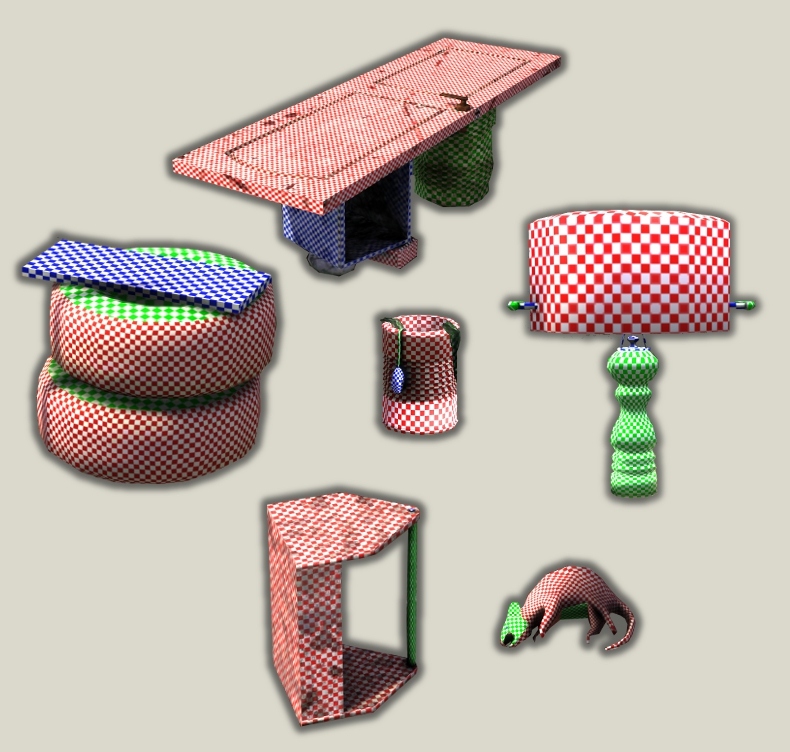
Concerning the rat, the third channel is its eye (not really visible on the screenshot :/ )
 Updated for patch1.7
Hope this will make you want to create new lots with this set

Maylin
Polygon Counts:
Faces (High poly/Low poly)
Table: 973/607
Toolbox: 151/84
Tyres: 910/333
Lamp: 814/461
Plant: 732/503
Rat: 434/332
Additional Credits:
Thanks to Lee who gave me the idea of the dead rat!
Made with Blender, MS, TSRW.
This is a new mesh, and means that it's a brand new self contained object that usually does not require a specific Pack (although this is possible depending on the type). It may have Recolours hosted on MTS - check below for more information.
|
Tyres.rar
Download
Uploaded: 20th Oct 2011, 322.5 KB.
8,686 downloads.
|
||||||||
|
Dead plant.rar
Download
Uploaded: 22nd Aug 2011, 248.8 KB.
8,536 downloads.
|
||||||||
|
Table Lamp.rar
Download
Uploaded: 22nd Aug 2011, 110.7 KB.
8,891 downloads.
|
||||||||
|
Dead rat.rar
Download
Uploaded: 22nd Aug 2011, 208.0 KB.
8,740 downloads.
|
||||||||
|
Toolbox chair.rar
Download
Uploaded: 22nd Aug 2011, 409.1 KB.
10,159 downloads.
|
||||||||
|
Dining table.rar
Download
Uploaded: 22nd Aug 2011, 452.1 KB.
10,584 downloads.
|
||||||||
| For a detailed look at individual files, see the Information tab. | ||||||||
Install Instructions
1. Click the download button, or the filename, to download the file to your computer.
2. Extract the zip, rar, or 7z file. Now you will have either a .package or a .sims3pack file.
For Package files:
1. Cut and paste the file into your Documents\Electronic Arts\The Sims 3\Mods\Packages folder. If you do not already have this folder, you should read the full guide to Package files first: Sims 3:Installing Package Fileswiki, so you can make sure your game is fully patched and you have the correct Resource.cfg file.
2. Run the game, and find your content where the creator said it would be (build mode, buy mode, Create-a-Sim, etc.).
For Sims3Pack files:
1. Cut and paste it into your Documents\Electronic Arts\The Sims 3\Downloads folder. If you do not have this folder yet, it is recommended that you open the game and then close it again so that this folder will be automatically created. Then you can place the .sims3pack into your Downloads folder.
2. Load the game's Launcher, and click on the Downloads tab. Find the item in the list and tick the box beside it. Then press the Install button below the list.
3. Wait for the installer to load, and it will install the content to the game. You will get a message letting you know when it's done.
4. Run the game, and find your content where the creator said it would be (build mode, buy mode, Create-a-Sim, etc.).
Extracting from RAR, ZIP, or 7z: You will need a special program for this. For Windows, we recommend 7-Zip and for Mac OSX, we recommend Keka. Both are free and safe to use.
Need more help?
If you need more info, see:
- For package files: Sims 3:Installing Package Fileswiki
- For Sims3pack files: Game Help:Installing TS3 Packswiki
Loading comments, please wait...



Uploaded: 22nd Aug 2011 at 11:19 PM
Updated: 20th Oct 2011 at 7:29 PM
#apocalypse, #dining set, #table, #chair, #plant, #rat, #dead rat, #apocalyptic
-
*UPDATED* Cozy Cottage Dining Set
by cmomoney 13th Nov 2009 at 9:59pm
-
-
Antiques in auction: A Dining set
by nanisim 22nd Jan 2010 at 6:56pm
-
-
-
by rolltocrit 14th Jun 2011 at 8:43pm
-
-
by sailfindragon 1st Jul 2012 at 3:36pm
-
-

Myshunosun's Sona Dining Set 4to3 Conversion
by zoe22 25th Feb 2026 at 2:25am


-
-

Royal Goblet and Peasant Bowls meshes / Medieval Challenge
by -Maylin- 30th Mar 2010 at 11:39pm
Hi all Two different decorative items for medieval kitchens or dining rooms: The Royal goblet : Catalog Location : Decorative/Plants Price: 260§ Recolourable Channels: more...
 10
53.3k
134
10
53.3k
134
-
Luxury Nursery Set : 4 new meshes + 3 recolours
by -Maylin- 18th Nov 2006 at 1:22pm
Hi everybody, Here my new Nursery set: It contains 4 new meshes: -The crib more...
 40
132.1k
63
40
132.1k
63
-
Ivory bathroom set (recolor of Mahogany bathroom Set)
by -Maylin- 13th Jul 2006 at 2:45pm
I made a recolor in Ivory wood of my Mahogany bathroom set. more...
-
"Old style", Afterschool items for Kids: 4 new meshes
by -Maylin- 16th Oct 2008 at 5:54pm
Hi all! more...
57
102.6k
182
-
-
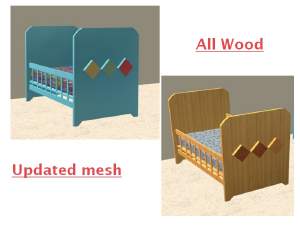
updated mesh + a recolor in all wood (New Crib)
by -Maylin- 27th Feb 2006 at 6:17pm
Please redownload the mesh of my new crib . I fixed some bugs on it and now it looks better. more...
9
17.7k
11
-
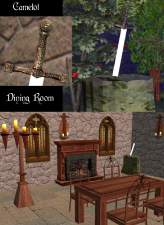
-
Elegance Dining Set : 4 new meshes & recolours
by -Maylin- 19th Mar 2009 at 3:36pm
Hi all This is not really a new dining room, but as I have completely redone, the meshes, more...
-