Sign in to Mod The Sims
 Change Outfit After Work Mod v5
 Change Outfit After Work Mod v5

ChangeOutfitAfterWork.jpg - width=1143 height=923
No more ugly work outfits at home
 Updated 12-31-2018 - Version 5 of the mod now supports game versions 1.47.49 (November 13, 2018) or higher. Be sure to remove any older version of the mod from your mods folder when updating!
Older versions of the mod are no longer supported and have been removed.
Change Outfit After Work Mod
Tired of finding your sim wearing their ugly work outfit hours after returning home? This is a script mod to make sims automatically change to their first everyday outfit when returning home from work (or school).
Installation and Compatibility
Extract the ts4script file from the downloaded zip and install it into your mods folder. As a script mod, it cannot be installed more than one subfolder deep.
This is a script mod, so scripting must be enabled in your game options.
This mod should be compatible with any version of the game since 1.47.49 (November 13, 2018).
The script source is included in the zip file.
Additional Credits:
All of the brilliant people who have worked on getting the game's base scripts decompiled.
Thanks to Fetusdip for his reload script to make testing a whole lot easier, and Scripthoge for the Python script injection routines required to make this mod possible.
|
ChangeOutfitAfterWork.zip
| Change Outfit After Work - Version 5 for Nov 13, 2018 game patch
Download
Uploaded: 31st Dec 2018, 2.5 KB.
11,653 downloads.
|
||||||||
| For a detailed look at individual files, see the Information tab. | ||||||||
Install Instructions
1. Download: Click the File tab to see the download link. Click the link to save the .rar or .zip file(s) to your computer.
Read the upload description for installation instructions. If nothing else is specified, do the following:
2. Extract: Use WinRAR (Windows) to extract the .package file(s) (if included, ts4script as well) from the .rar or .zip file(s).
3. Cut and paste the .package file(s) (if included, ts4script as well) into your Mods folder
- Windows XP: Documents and Settings\(Current User Account)\My Documents\Electronic Arts\The Sims 4\Mods\
- Windows Vista/7/8/8.1: Users\(Current User Account)\Documents\Electronic Arts\The Sims 4\Mods\
Need more information?
- Anyone can use both .rar and .zip files easily! On Windows, use WinRAR.
- If you don't have a Mods folder, just make one.
- Mod still not working? Make sure you have script mods enabled

Loading comments, please wait...



Uploaded: 5th Oct 2014 at 12:51 AM
Updated: 31st Dec 2018 at 7:18 AM - Updated for Get Famous game patch
-
by plasticbox updated 22nd Dec 2014 at 4:21pm
 192
296k
801
192
296k
801
-
by scumbumbo updated 26th Jun 2015 at 4:30am
89
126.9k
259
-

Education Maintenance Allowance
by nickyclem1 updated 11th Jun 2024 at 4:43pm
+1 packs
4 30.6k 22 High School Years
-

by nickyclem1 updated 9th Nov 2024 at 11:42pm
10
41.4k
42
-
by TURBODRIVER updated 12th Oct 2025 at 5:53am
19
64.7k
141
-

by nickyclem1 updated 9th Nov 2024 at 11:40pm
6
16.6k
30
-
by o19 30th Jan 2024 at 11:34am
14
10.6k
7
-
by Reve 27th Apr 2024 at 1:35pm
7
12.1k
13
-
by nickyclem1 updated 9th Nov 2024 at 11:39pm
2
5.1k
11
-

by baciaangi 1st Sep 2026 at 1:08pm




-
-
More Traumatic Divorce for Children
by scumbumbo updated 7th Mar 2019 at 6:14am
This mod for The Sims 4 increases the sadness children experience when their parents get divorced. more...
58
141k
367
-
(Outdated - Fixed by Game Patches) Homework Fix
by scumbumbo 23rd Jan 2016 at 8:07am
Bugfix for children and teens not picking up homework when done more...
44
43.7k
173
-
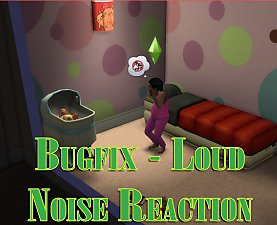
Bugfixes - It's a Crying Shame
by scumbumbo updated 14th Nov 2018 at 12:06am
Two bug fixes for TS4 addressing Sims being woken by loud noises more...
17
36.7k
54
-
-
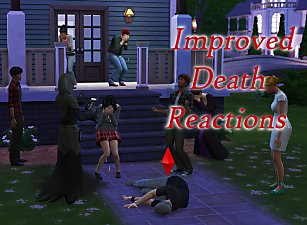

(OUTDATED - See for Link to New Version) Improved Death Reactions Mod
by scumbumbo updated 24th Feb 2016 at 9:19pm
This mod for The Sims 4 improves the reactions to death in several ways. more...
70
102.6k
310
-

-
-
-