
 Sign in to Mod The Sims
 Colonial Double Wide [2-Story]
 Colonial Double Wide [2-Story]


colonial2Story-1.jpg - width=800 height=800
colonial2Story-2.jpg - width=800 height=800
mapping.jpg - width=800 height=800
colonial2Story-3.jpg - width=512 height=512

This curtain has been slaved to the original base game curtain which required remapping of the curtain, and I have added a diagonal.
 Recolor "Floor-Length Tieback Curtains". This is the one tile, full height version.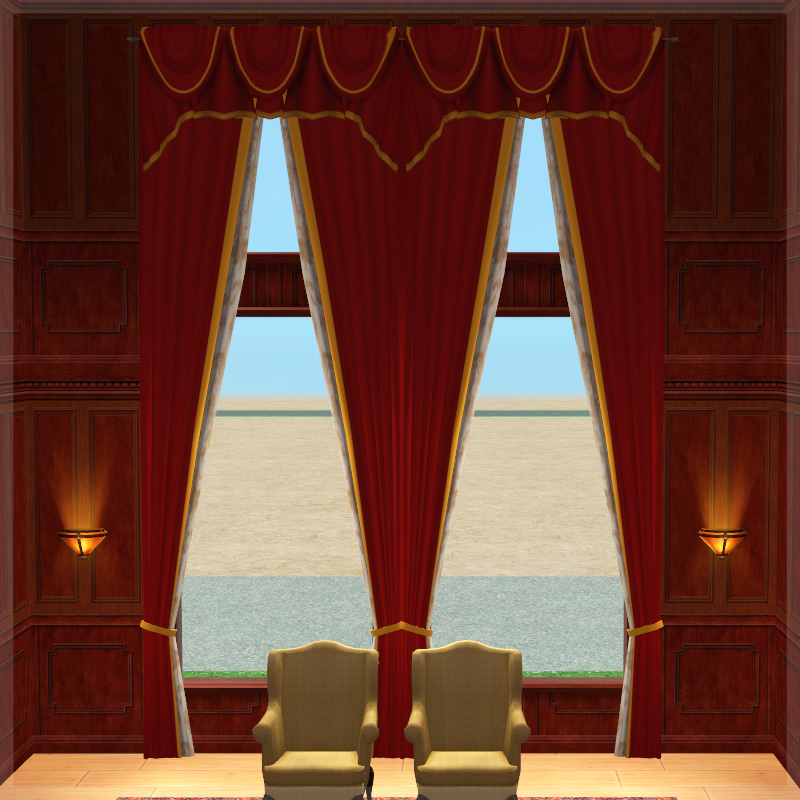
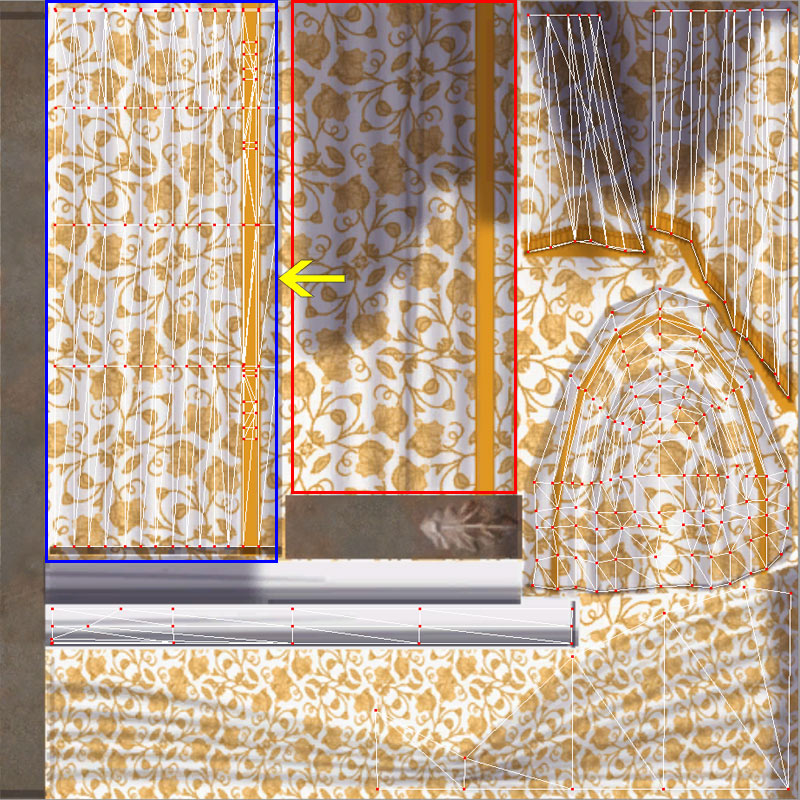
 Remapping
This image shows how I had to alter the mapping. I have moved the upper curtain portion (red outline) to overlap the lower curtain portion (blue outline) due to the shadows on the texture of the upper curtain portion. All recolors of the base game curtain should work just fine, but be aware there may still be some stretching compared to the 1 story version.
Polygon Counts:
1301
Additional Credits:
TheJim01 - mesh
feenix - requested at GoS
This is a new mesh, and means that it's a brand new self contained object that usually does not require a specific Pack (although this is possible depending on the type). It may have Recolours hosted on MTS - check below for more information.
|
HL_TheJim07_Curtain_2StoreyCurtainColonialWide.7z
Download
Uploaded: 18th Aug 2015, 40.7 KB.
2,550 downloads.
|
||||||||
| For a detailed look at individual files, see the Information tab. | ||||||||
Install Instructions
1. Download: Click the download link to save the .rar or .zip file(s) to your computer.
2. Extract the zip, rar, or 7z file.
3. Place in Downloads Folder: Cut and paste the .package file(s) into your Downloads folder:
- Origin (Ultimate Collection): Users\(Current User Account)\Documents\EA Games\The Sims™ 2 Ultimate Collection\Downloads\
- Non-Origin, Windows Vista/7/8/10: Users\(Current User Account)\Documents\EA Games\The Sims 2\Downloads\
- Non-Origin, Windows XP: Documents and Settings\(Current User Account)\My Documents\EA Games\The Sims 2\Downloads\
- Mac: Users\(Current User Account)\Documents\EA Games\The Sims 2\Downloads
- Mac x64: /Library/Containers/com.aspyr.sims2.appstore/Data/Library/Application Support/Aspyr/The Sims 2/Downloads
- For a full, complete guide to downloading complete with pictures and more information, see: Game Help: Downloading for Fracking Idiots.
- Custom content not showing up in the game? See: Game Help: Getting Custom Content to Show Up.
- If you don't have a Downloads folder, just make one. See instructions at: Game Help: No Downloads Folder.
Loading comments, please wait...


Uploaded: 18th Aug 2015 at 4:57 PM
Updated: 3rd Sep 2015 at 1:16 PM
#maxis match, #maxis, #mm, #colonial, #tieback, #curtain, #red velvet, #two story, #2 story
-
-
-
-
-
by SPOILEDROTTEN165 30th Mar 2007 at 11:02pm
 3
15.7k
21
3
15.7k
21
-
-
-
-
-


-
Shutters - Open and Partially Closed Versions
by HugeLunatic 22nd Aug 2008 at 1:20pm
Six sets of shutters for Base, Nightlife, and Open For Business windows. more...
16
18.2k
14
-
by HugeLunatic 30th May 2010 at 4:31am
Edgeview is a large modern home, it is decorated in earthy browns with a few splotches of vibrant colors. more...
 +1 packs
3 9.9k 9
+1 packs
3 9.9k 9 World Adventures
-
by HugeLunatic 1st Feb 2019 at 1:58pm
When I went to recolor the massage table in Island Colors, I found the cushion was not a separate subset more...
+1 packs
3 13.2k 28 Bon Voyage
-


by HugeLunatic updated 6th Apr 2026 at 12:35pm
+1 packs
2 1.4k 5 Open for Business
-


by HugeLunatic 30th Sep 2014 at 3:57am
rawr! Animal prints for your adult males. more...
-
by HugeLunatic 21st Sep 2010 at 1:39am
Basically EA gave us recolors of each wall template and filled up the catalog to make it look like we more...
51
141.3k
251
-
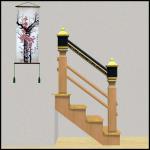
Step Into A World - Open Underneath
by HugeLunatic updated 20th Sep 2020 at 7:43pm
These are for shastakiss, who wanted a recolorable open underneath version of these slaved to my Recolorable Shinto Stairs . more...
+1 packs
19 24.5k 54 Bon Voyage
-
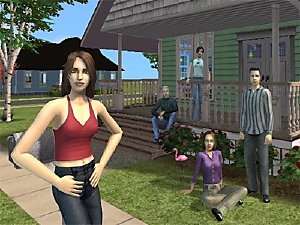
by Hood Building Group updated 12th May 2024 at 9:03pm
Four Corners (aka Riley's Story), a Sims Life Stories neighborhood recreated for TS2. more...
114
104.4k
274
Miscellaneous » Neighborhoods & CAS Screens » Neighbourhoods and Worlds
-
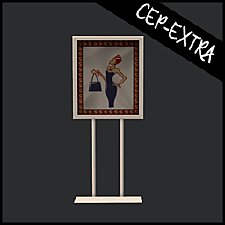

Mr. Generic's Sign [CEP-Extra]
by HugeLunatic 25th Jun 2020 at 5:25pm
This takes two OFB signs and lets them share the sign and metal textures, as requested by DeeDee (https://gardenofshadows.org.uk/gardenofshadows/index.php?topic=36585.0). more...
+1 packs
4 5.3k 15 Open for Business
-
by HugeLunatic 27th Feb 2014 at 4:56pm
I've always liked the style of this gate, but the lack of recolors and lack of proper subsets means I've more...
6
11.4k
21


About Me
Pet Stories || Dog Agility Items? || Castaway Stories || Holy Simoly Extras
4esf Archive || Holy Simoly Archive || CEP-Extras List || Buyable Game Objects
lunie content from GoS/s2a
Installation of CEP Extras-the package with pfiles appended to the name will go into your cep extras folder where your game is installed (typically c drive, you do you)
-the other goes in CEP extra folder in documents.
The following locations are what I am aware of, beyond that you'll have to do some searching.
Downloads Folder:
C:\Users\<user>\Documents\EA Games\The Sims 2 Legacy
C:\Users\<user>\Documents\EA Games\The Sims 2 Ultimate Collection
With multiple launchers, the location for your game install will vary.
C:\Program Files\EA GAMES\The Sims 2 Legacy\TSData\Res\Catalog\zCEP-EXTRA
C:\Program Files\EA GAMES\The Sims 2\TSData\Res\Catalog\zCEP-EXTRA
C:\Program Files (x86)\EA GAMES\The Sims 2\TSData\Res\Catalog\zCEP-EXTRA