
 Sign in to Mod The Sims
 Port of Ennui [CEP-EXTRA]
 Port of Ennui [CEP-EXTRA]


Port-of-Ennui-1.jpg - width=800 height=800
Port-of-Ennui-2.jpg - width=800 height=800
Port-of-Ennui-thumb.jpg - width=256 height=256


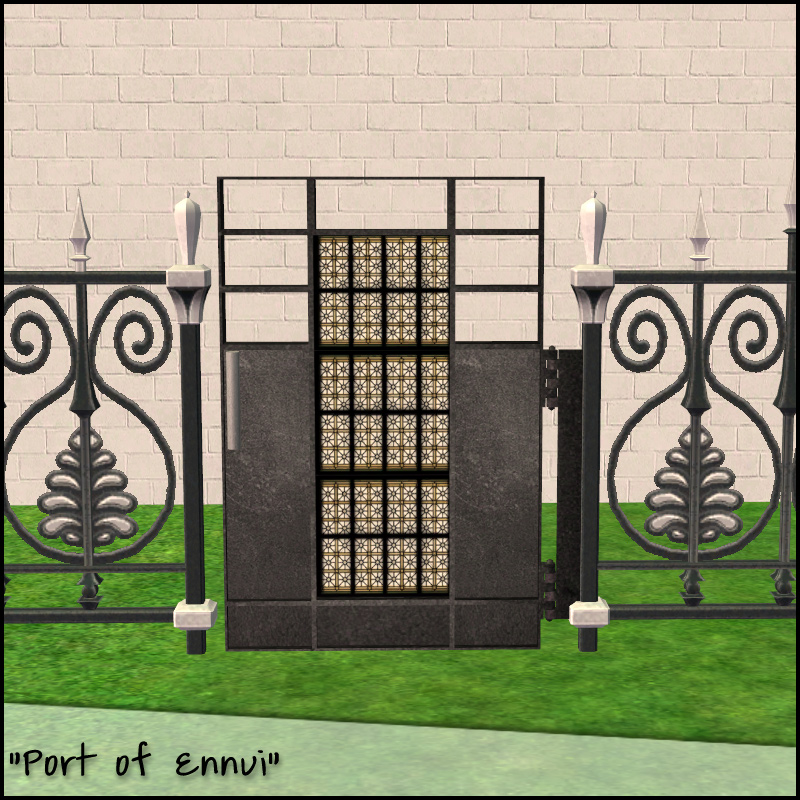
I've remapped the door portion a bit, the mapping still doesn't support directional textures well for the main part, but now the panels have been separated. As you can see in my shoddy recolor preview, you can use nice patterns for that portion. The black texture part around the pattern is also part of the panels, I just chose to have those match the black trim.
 Installation!
The zip contains two files:
HL_CEP_fenceloftgate-programfiles-programFiles - Install this in C:\Program Files (x86)\EA GAMES\The Sims 2\TSData\Res\Catalog\zCEP-EXTRA.
HL_CEP_fenceloftgate-programfiles - Install this in \Documents\EA Games\The Sims 2\zCEP-EXTRA
Note: If you would like to recolor, I've included the uvmap as a psd. It is 1024x1024 for clarity in mapping, but I would recommend you use 512x512 texture size, or the default which is 256x256.
|
fenceloftgate_uv.rar
Download
Uploaded: 27th Feb 2014, 117.6 KB.
691 downloads.
|
||||||||
|
HL_CEP_fenceloftgate.rar
Download
Uploaded: 27th Feb 2014, 356.6 KB.
1,727 downloads.
|
||||||||
| For a detailed look at individual files, see the Information tab. | ||||||||
Install Instructions
1. Download: Click the download link to save the .rar or .zip file(s) to your computer.
2. Extract the zip, rar, or 7z file.
3. Place in Downloads Folder: Cut and paste the .package file(s) into your Downloads folder:
- Origin (Ultimate Collection): Users\(Current User Account)\Documents\EA Games\The Sims™ 2 Ultimate Collection\Downloads\
- Non-Origin, Windows Vista/7/8/10: Users\(Current User Account)\Documents\EA Games\The Sims 2\Downloads\
- Non-Origin, Windows XP: Documents and Settings\(Current User Account)\My Documents\EA Games\The Sims 2\Downloads\
- Mac: Users\(Current User Account)\Documents\EA Games\The Sims 2\Downloads
- Mac x64: /Library/Containers/com.aspyr.sims2.appstore/Data/Library/Application Support/Aspyr/The Sims 2/Downloads
- For a full, complete guide to downloading complete with pictures and more information, see: Game Help: Downloading for Fracking Idiots.
- Custom content not showing up in the game? See: Game Help: Getting Custom Content to Show Up.
- If you don't have a Downloads folder, just make one. See instructions at: Game Help: No Downloads Folder.
Loading comments, please wait...


Uploaded: 27th Feb 2014 at 5:56 PM
Updated: 27th Feb 2014 at 7:53 PM
-
-
Old World Large Window [CEP-EXTRA]
by HugeLunatic 3rd Feb 2014 at 7:45pm
 +1 packs
5 16.2k 43
+1 packs
5 16.2k 43 Apartment Life
-
by HugeLunatic 2nd Jun 2017 at 1:14am
19
12.9k
31
-
by gdayars 28th Oct 2017 at 1:10am
6
12.9k
30
-
by HugeLunatic updated 2nd Apr 2024 at 12:12pm
+1 packs
8 26.2k 12 Apartment Life
-
by HugeLunatic 18th Nov 2018 at 6:07pm
4
12.4k
26
-
-
by vegan_kaktus 28th Nov 2021 at 10:42pm
3
6.1k
30
-
-


-
by HugeLunatic 31st Oct 2016 at 9:33pm
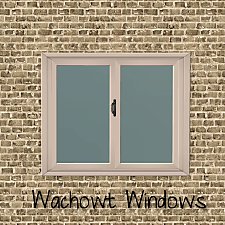
A small collection of windows to match the Wachowt Sliding Door from base game. more...
16
18.1k
46
-
by HugeLunatic 19th May 2010 at 7:48pm
Eagle Ridge is a reasonably priced home designed for beach and cliff lots. more...
 +1 packs
6 9.4k 6
+1 packs
6 9.4k 6 World Adventures
-
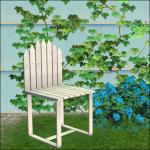
by HugeLunatic 16th Apr 2015 at 1:56am
As part of the Eco theme, I have made this dining table and chair from a recycled picket gate. more...
-
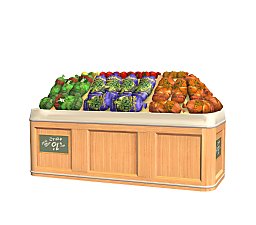
by HugeLunatic 29th Aug 2020 at 10:04pm
This started as simply replacing the produce bin's wood texture to match the freezer bin's, but then I figured why more...
5
13.2k
48
-
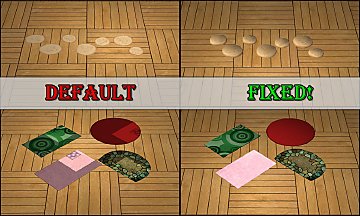
by HugeLunatic updated 15th Dec 2018 at 1:47pm
:alarm: Update!! more...
+1 packs
193 363.4k 1k Nightlife
-
Backyard Pyramid "Step it Up" - [CEP-EXTRA]
by HugeLunatic updated 21st Dec 2021 at 1:20pm
It's taken quite a while, but I've finally got the steps from Bon Voyage recolorable. more...
+1 packs
7 21.4k 63 Bon Voyage
-
by HugeLunatic 8th Sep 2012 at 9:44pm
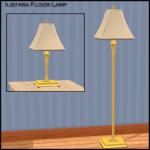
A new lamp add on set to match the base game table lamp "Ilistara Table Lamp". more...
25
26.5k
60
-
Hemnes Bed & Study Recolor *NOT IKEA SP*
by HugeLunatic 27th Dec 2008 at 10:02pm
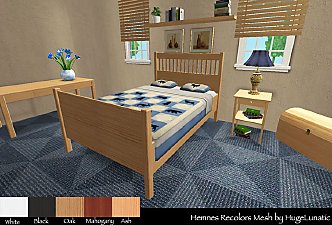
Updated 23-Dec-09 This set is now slaved. The master mesh is the bookcase. more...
-
SimSentry Clothing Booth [CEP-Extra]
by HugeLunatic 24th Feb 2020 at 12:38am
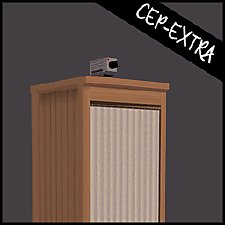
As requested by shastakiss, the cheap base game clothing booth with two subsets. more...
4
6.3k
9
-
Green Dragon Brocade Classic Living
by HugeLunatic 21st Aug 2007 at 2:43am
I absolutely adore Crocobaura's new Classic Living meshes and have been waiting to use this texture for what seems forever. more...


About Me
 Installation of CEP Extras
-the package with pfiles appended to the name will go into your cep extras folder where your game is installed (typically c drive, you do you)
-the other goes in CEP extra folder in documents.
The following locations are what I am aware of, beyond that you'll have to do some searching.
Downloads Folder:
C:\Users\<user>\Documents\EA Games\The Sims 2 Legacy
C:\Users\<user>\Documents\EA Games\The Sims 2 Ultimate Collection
With multiple launchers, the location for your game install will vary.
C:\Program Files\EA GAMES\The Sims 2 Legacy\TSData\Res\Catalog\zCEP-EXTRA
C:\Program Files\EA GAMES\The Sims 2\TSData\Res\Catalog\zCEP-EXTRA
C:\Program Files (x86)\EA GAMES\The Sims 2\TSData\Res\Catalog\zCEP-EXTRA