
 Sign in to Mod The Sims
 "Nina" Wrap Jumpsuit (BGC)
 "Nina" Wrap Jumpsuit (BGC)


jump1.jpg - width=768 height=768
jump2.jpg - width=768 height=768
Screenshot-94.jpg - width=818 height=768
Screenshot-93.jpg - width=768 height=768
jump3.jpg - width=768 height=768
Screenshot-89.jpg - width=768 height=768

jumpsuit.gif - width=293 height=500

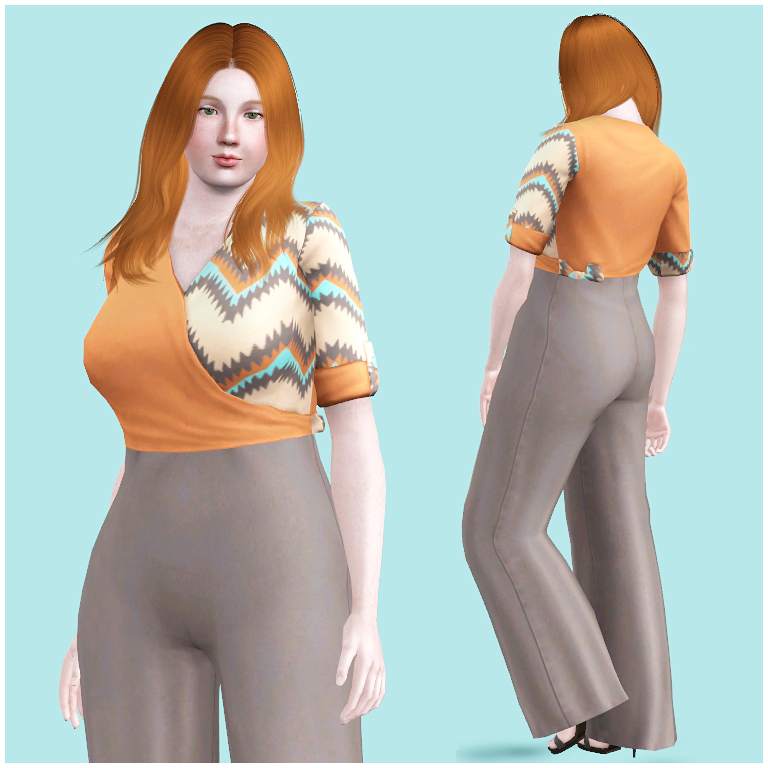
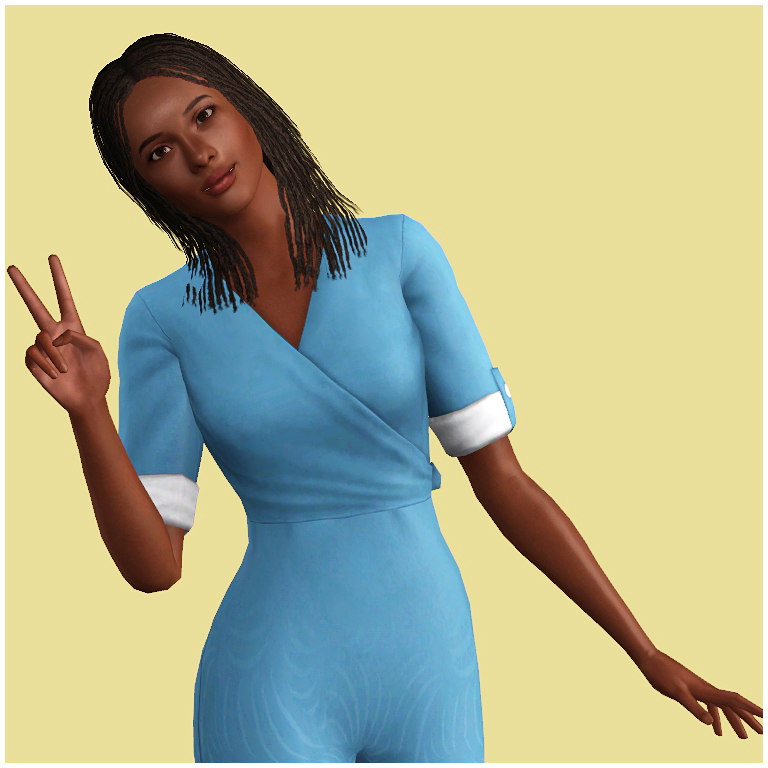
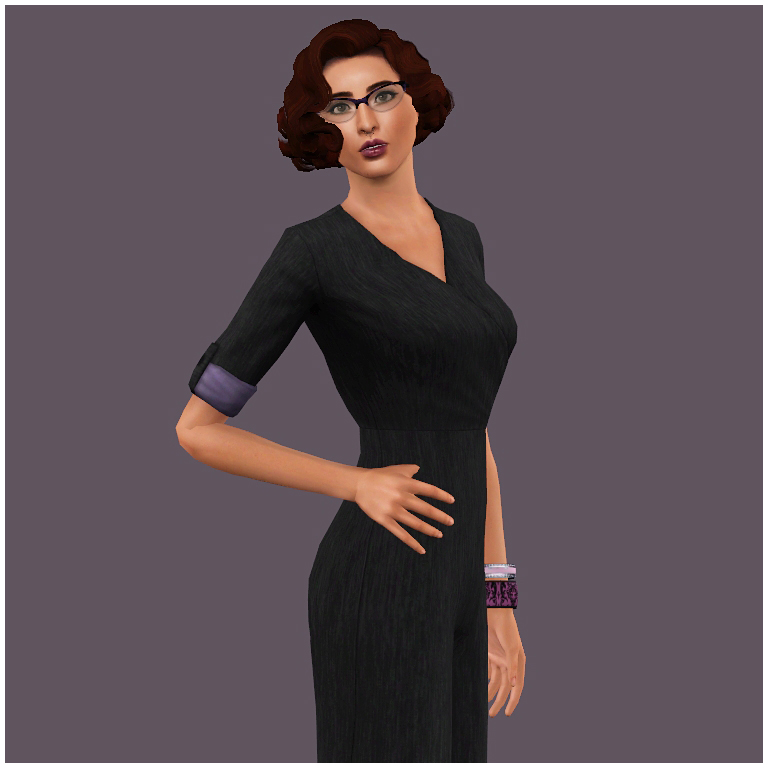
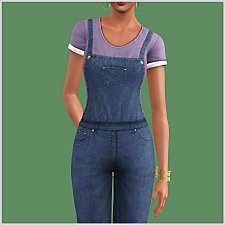
The Nina (named for yet another of my lovely simming friends) is very versatile and with the right pattern can be workplace appropriate, casual or even suitable for your sim's vacation wardrobe.
There are three different channel options and each has four channels.
1. A) Left top section, bow and right sleeve rolls B) Right top section, left sleeve roll and back C) leg section D) Sleeve Buttons
2. A) Main body and bow B) Lower leg gradient C) Sleeve rolls D) Sleeve Buttons
3. A) Main body B) Bow C) Sleeve rolls D) Sleeve Buttons
Enabled for:
Everyday
Formal
Career
Makeover
Random
Maternity
Base Game Compatible
Polygon Counts:
2860
Additional Credits:
Simlicious' wonderful tutorials
TSRW
Milkshape
This is a new mesh, and means that it's a brand new self contained object that usually does not require a specific Pack (although this is possible depending on the type). It may have Recolours hosted on MTS - check below for more information.
|
HFO_TS3AFWrapJumpsuit.zip
Download
Uploaded: 18th Jun 2017, 1.59 MB.
10,396 downloads.
|
||||||||
| For a detailed look at individual files, see the Information tab. | ||||||||
Install Instructions
1. Click the download button, or the filename, to download the file to your computer.
2. Extract the zip, rar, or 7z file. Now you will have either a .package or a .sims3pack file.
For Package files:
1. Cut and paste the file into your Documents\Electronic Arts\The Sims 3\Mods\Packages folder. If you do not already have this folder, you should read the full guide to Package files first: Sims 3:Installing Package Fileswiki, so you can make sure your game is fully patched and you have the correct Resource.cfg file.
2. Run the game, and find your content where the creator said it would be (build mode, buy mode, Create-a-Sim, etc.).
For Sims3Pack files:
1. Cut and paste it into your Documents\Electronic Arts\The Sims 3\Downloads folder. If you do not have this folder yet, it is recommended that you open the game and then close it again so that this folder will be automatically created. Then you can place the .sims3pack into your Downloads folder.
2. Load the game's Launcher, and click on the Downloads tab. Find the item in the list and tick the box beside it. Then press the Install button below the list.
3. Wait for the installer to load, and it will install the content to the game. You will get a message letting you know when it's done.
4. Run the game, and find your content where the creator said it would be (build mode, buy mode, Create-a-Sim, etc.).
Extracting from RAR, ZIP, or 7z: You will need a special program for this. For Windows, we recommend 7-Zip and for Mac OSX, we recommend Keka. Both are free and safe to use.
Need more help?
If you need more info, see:
- For package files: Sims 3:Installing Package Fileswiki
- For Sims3pack files: Game Help:Installing TS3 Packswiki
Loading comments, please wait...


Uploaded: 18th Jun 2017 at 7:30 PM
Updated: 22nd Jun 2017 at 10:26 PM
-
by Anubis360 13th Sep 2009 at 3:42pm
 49
196.8k
234
-
by Kiara24 17th May 2010 at 12:35am
30
81.3k
170
Female » Formal » Young Adult
-
-
-
by HystericalParoxysm 26th Jul 2014 at 12:13am
32
60.8k
200
-
by HystericalParoxysm 27th Jul 2014 at 11:31pm
27
32.3k
108
-
by HystericalParoxysm 2nd Aug 2014 at 8:52pm
29
60.5k
275
-
by Hellfrozeover 18th Jun 2017 at 2:49pm
28
32.9k
133
-
by Hellfrozeover 23rd Feb 2018 at 11:56pm
13
20.8k
60
-
by marydehoyos 4th Feb 2022 at 7:08am
7
18.6k
51

-
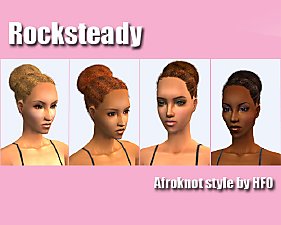
Rocksteady: Afroknot style by Hellfrozeover
by Hellfrozeover 21st Dec 2006 at 8:30pm
This is my first upload to MTS2 and just a thankyou for all the downloads I've collected from this site more...
-
Hold the Gin, Dahling! - Maternity Wear for the Affluent Lady
by Hellfrozeover 20th Aug 2017 at 11:36pm
Classic Maternity Wear for those ladies that are quite simply allergic to stretch-fabric! more...
14
27.9k
114
Female » Formal » Young Adult
-
by Hellfrozeover 12th Nov 2017 at 1:57pm
Attempts were made by previous owners to have this cottage match its quaint surroundings, but the mid-century more...
 +13 packs
2 9.5k 21
 Get to Work
 Outdoor Retreat
 Get Together
 City Living
 Spa Day
 Dine Out
 Romantic Garden Stuff
 Backyard Stuff
 Vintage Glamour Stuff
 Vampires
 Horse Ranch
 Bowling Night Stuff
 Parenthood
-
by Hellfrozeover 26th Mar 2018 at 11:25pm
Izzy dreams of becoming a renowned chef. more...
-
by Hellfrozeover 17th Jul 2017 at 2:22am
I wanted a neck scarf for my female sims, so I retrieved this one from one of the 70s, 80s more...
+1 packs
20 27.7k 84 World Adventures
-
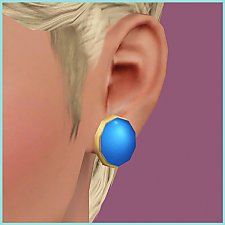
"Katie" - 80s/90s Style Large Pearl/Resin Earrings
by Hellfrozeover 3rd Mar 2019 at 1:38pm
Large pearl earrings with a metal base more...
17
11k
50
-
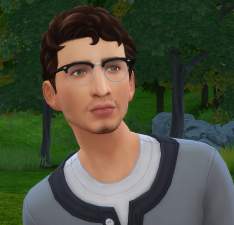
by Hellfrozeover 29th Mar 2018 at 2:45am
Highly intelligent Chester is following his dreams and studying to become a video game designer after an unfortunate and rather more...
-
by Hellfrozeover 23rd Mar 2017 at 8:12pm
Vanessa loves gardening and spending her time outside. more...
-
"Ludmilla" Belted Folk Dress (BGC)
by Hellfrozeover 16th Jul 2017 at 9:43pm
It's spring in my game, so I wanted to create a dress for my sims that would carry them through more...
26
43.9k
89
-
by Hellfrozeover 20th Nov 2017 at 12:40am
When autumn strikes and you're not quite ready to don cardigans and jumpers, but at the same time, want that more...
33
44.8k
175


About Me
Recolours
Retextures
Mesh Conversions (within the Sims series)
Mesh Edits
Reuploads on foreign language sites to make it easier for non English speaking players to access it. A link to my own site is preferable if you could, but this is okay as long as you provide credit and a link back to the original.
Including the mesh in your recolour as long as you credit and link back.
Optional (nice, but not necessary)
Tagging when you use my CC if you want me to see it. I love seeing what you all create and do with it :)
Comments and feedback
No!
Taking credit for my CC or claiming it as your own
Converting my CC outwith the Sims series without my permission
Using my CC or any part of it (including textures) to make money, including Patreon Early Releases
Uploading my CC to Paysites or putting it behind a pay wall (looking at you, Simsdom)
Anything to do with TSR
Reuploading my CC to English language sites. What’s the point? Just link to the original!
If I leave the simming community, my CC may be uploaded to a free, adlink-free graveyard site.
Yes - Sims
Change their names/traits etc
Make them over
Edit them with sliders
Use them in your stories
No - Sims
Reupload them
Claim them as your own
Anything to do with T$R, the Gallery or Sims 3 Studio
Involve them in Simumblr blogs, because no
Don't punch dolphins