
 Sign in to Mod The Sims
 Unique Elder Body Skins
 Unique Elder Body Skins


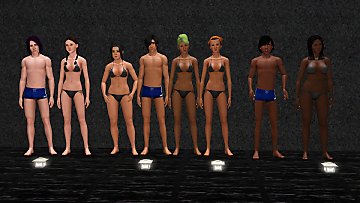
UniqueElderBodySkins_Thumb.jpg - width=1920 height=1440
Body skin textures featured in this preview are taken from Kurasoberina's Primer skin.
UniqueElderBodySkins_Before_After.png - width=2860 height=1440
Before and after having this mod installed. Elders no longer share the same skin body textures as teens and adults.
Did you know that EA was likely planning on adding unique body textures to elders? Separate beta textures exist for them within the game files. This mod restores this feature and allows elders to have age details on their bodies, without having to apply a non-default CC skin.
Backstory: I felt disappointed that the elder skin from Kurasoberina's Primer was only available with the non-default version. It's pretty weird how elder Sims look just as buttery smooth as teens and adults when it comes to their body. So I was determined to give elders the wrinkly and sun-damaged skin that they deserve.
The way I've achieved this is by editing the skintone resources of all the default skins. Elders will now use body textures different from the teen and adult ones. Youthful and flawless skin begone!
IMPORTANT!
It's required to either download an elder body skin texture default replacement included here or one by someone else. Otherwise your elders will be using the old beta skin texture (which looks ugly and has no age details). The elder skin body texture DRs included with this mod are taken from the non-default Primer skin by Kurasoberina and are meant to be used with the default version: LINK.
You must clear your (World) Caches for this mod to take effect!
(In)compatibilities
This mod doesn't conflict with any default replacement skins. However, for a skin DR to be truly compatible it needs to also replace the textures used by this mod. Otherwise there might be a mismatch with the body and face. This mod does conflict with any other mod that replaces the skintone/TONE files. Ones that replace the colors of the default skintone ramps are compatible - like this one by analect - since those only replace tone ramp texture files. This mod doesn't affect CC skins, so you don't need to worry about any mismatch with those. However it also doesn't affect additional custom skintone ramps which use your default skin, so those need to be edited for compatibility.
| Skintone | Instance ID |
|---|---|
| Alien Skin | 0x0354796A-0x00000000-0x262FAAF4DD56EFED |
| AlienEP08 Skin | 0x0354796A-0x00000000-0x93FF0DAF49FC1CB4 |
| Aqua Skin Tone | 0x0354796A-0x00000000-0xDC0D672E4F3DEFE8 |
| Blue Skin | 0x0354796A-0x00000000-0x74CDD4F14DE5CE34 |
| Default Skin | 0x0354796A-0x00000000-0xE8A7D5F0FEC3D90B |
| Gold Skin Tone | 0x0354796A-0x00000000-0x15107FCE1E3B55B6 |
| Green To Blue Skin Tone | 0x0354796A-0x00000000-0x419FAADB7E084236 |
| Monochromatic Skin Tone | 0x0354796A-0x00000000-0xB93C88CD44494517 |
| Pink Skin Tone | 0x0354796A-0x00000000-0xD6C2E82F80AC7338 |
| Purple Skine Tone | 0x0354796A-0x00000000-0x3A667174B5B8842D |
| Red Skin | 0x0354796A-0x00000000-0xE8059D4EFFBCC3ED |
| Red Tone Skin | 0x0354796A-0x00000000-0x2C4A4357368204F9 |
| Yellow Tone Skin | 0x0354796A-0x00000000-0x5ACC6BB31852D59A |
 Making a DR skin or custom skintone compatible
It's very easy to make a DR skin compatible with this mod! Of course you must have a texture with age details meant for elders, otherwise it's pretty pointless. All you need to do is replace the texture resources referenced by this mod. The simplest way to go about it is to open a DR elder body skin package included with this mod and replace the textures within using S3PE.
| Skin texture | Instance ID |
|---|---|
| efBodyDark_m | 0x00B2D882-0x00000000-0x13F78C079D70D7F8 |
| efBody_m | 0x00B2D882-0x00000000-0x798410349B50700C |
| emBodyDark_m | 0x00B2D882-0x00000000-0xD4EE1715BCEA0F77 |
| emBody_m | 0x00B2D882-0x00000000-0x9121FA3B0B65C88F |
Making a custom skintone ramp which uses the default skin textures compatible is less straightforward, but the steps are the same as that I took to create this mod. Basically what you'll need to do is copy existing TextureKeys and change some values. A tutorial can be found inside of the spoiler below:
- Open the package with S3PE > select the TONE file > Grid > Click TextureKeys > Click the tiny '...' button on the right.
- Identify the correct TextureKeys for both the female and male teen/adult/elder bodies by clicking each and expanding the dropdowns of AgeGenderFlags and TypeFlags. It's usually [0D] and [0E].
- Select the identified TextureKeys and disable both for elder under the Age dropdown.
- Next copy both TextureKeys by selecting one and clicking Copy. Then make sure to click OK > Commit.
- Return to the TextureKeys tab > Select both newly added TextureKeys > Disable both for teen and adult > Enable both for elder.
- Lastly, copy over the instance IDs found above. For example, with the elder female body TextureKey copy and paste the instance ID of 'efBodyDark_m' into DetailDarkKey and copy over 'efBody_m' into DetailLightKey.
 Extra info
Referencing to the unused elder skin body textures in the game files was done so there's something for the game to fall back on if you were to remove your skin texture replacements. The skins themselves are old beta variants of the default EA skins with no elder specific details. Identical beta skin textures exist for teens and were most likely used for adults too at one point. So once again: make sure to have a default replacement for those textures, like the ones included with this mod.
It's also possible to add unique body normal maps and speculars to elders, but I don't know if anyone has created those. Likewise it's possible to add unique skin textures to teens as well, but I don't know of any CC skins with unique textures for them.
Credits & tool used
Credits go to Kurasoberina for the elder body default replacement textures included with this mod. These are meant to be used with the default version of her Primer skin, which in my opinion is the best CC skin that exists for TS3!
Tool used:
- S3PE by Simlogical
| Filename | Type | Size |
|---|---|---|
| DR_Skintones_UniqueElderBodySkins.zip | zip | |
| VirtualHugs_DR_Skintones_UniqueElderBodySkins.package | package | 13977 |
| Filename | Type | Size |
|---|---|---|
| DR_UniqueElderBodySkins_KBPrimerSD.zip | zip | |
| VirtualHugs_DR_UniqueElderBodySkins_KBPrimerSD.package | package | 1812647 |
| Filename | Type | Size |
|---|---|---|
| DR_UniqueElderBodySkins_KBPrimerHD.zip | zip | |
| VirtualHugs_DR_UniqueElderBodySkins_KBPrimerHD.package | package | 6938282 |
Note from the Creator:
You may PICK ONLY ONE of the included elder body skin texture replacements. Choose which texture sizes you prefer. These are meant to be used with Kurasoberina's Primer DR skin.
You can also use other elder skin body textures by downloading a different DR skin that is compatible with this mod.
Check the description if you want to make a DR skin compatible yourself.
|
DR_UniqueElderBodySkins_KBPrimerHD.zip
| PICK ONLY ONE! Replaces the elder body textures with ones from KB's Primer HD (2048x2048) skin. This is meant to be used with Primer's DR version.
Download
Uploaded: 13th Apr 2026, 5.79 MB.
250 downloads.
|
||||||||
|
DR_UniqueElderBodySkins_KBPrimerSD.zip
| PICK ONLY ONE! Replaces the elder body textures with ones from KB's Primer SD (1024x1024) skin. This is meant to be used with Primer's DR version.
Download
Uploaded: 13th Apr 2026, 1.53 MB.
132 downloads.
|
||||||||
|
DR_Skintones_UniqueElderBodySkins.zip
| REQUIRED! Edits all default skintone resources to give elders separate body skin textures.
Download
Uploaded: 13th Apr 2026, 1.8 KB.
295 downloads.
|
||||||||
| For a detailed look at individual files, see the Information tab. | ||||||||
Install Instructions
1. Click the download button, or the filename, to download the file to your computer.
2. Extract the zip, rar, or 7z file. Now you will have either a .package or a .sims3pack file.
For Package files:
1. Cut and paste the file into your Documents\Electronic Arts\The Sims 3\Mods\Packages folder. If you do not already have this folder, you should read the full guide to Package files first: Sims 3:Installing Package Fileswiki, so you can make sure your game is fully patched and you have the correct Resource.cfg file.
2. Run the game, and find your content where the creator said it would be (build mode, buy mode, Create-a-Sim, etc.).
For Sims3Pack files:
1. Cut and paste it into your Documents\Electronic Arts\The Sims 3\Downloads folder. If you do not have this folder yet, it is recommended that you open the game and then close it again so that this folder will be automatically created. Then you can place the .sims3pack into your Downloads folder.
2. Load the game's Launcher, and click on the Downloads tab. Find the item in the list and tick the box beside it. Then press the Install button below the list.
3. Wait for the installer to load, and it will install the content to the game. You will get a message letting you know when it's done.
4. Run the game, and find your content where the creator said it would be (build mode, buy mode, Create-a-Sim, etc.).
Extracting from RAR, ZIP, or 7z: You will need a special program for this. For Windows, we recommend 7-Zip and for Mac OSX, we recommend Keka. Both are free and safe to use.
Need more help?
If you need more info, see:
- For package files: Sims 3:Installing Package Fileswiki
- For Sims3pack files: Game Help:Installing TS3 Packswiki
Loading comments, please wait...
Uploaded: 13th Apr 2026 at 1:02 PM
-
"Custard" Anti-Puddingface Texture Replacer
by HystericalParoxysm 22nd Jun 2009 at 3:15am
-
Asian skins made by 234jiao-TS3 Skin Replacements add a new style
by 234jiao updated 16th Jul 2009 at 11:31am
-
-
Children's face skin remake by subaxi
by subaxi 11th Sep 2009 at 2:52pm
-
-
by LadyFrontbum 26th Mar 2010 at 3:48pm
-
by LadyFrontbum 17th May 2010 at 3:34am
-
Eskin WEAK set with Default replacement
by teru_k 3rd May 2012 at 4:39pm
-

-
ColorLash: Eyelashes Match Eyebrow Color + Mascara
by VirtualHugs updated 10th Jul 2026 at 7:39pm
ColorLash is a collection of default replacements to allow for recolorable eyelashes and to restore the cut mascara feature. more...
-
The Sims 2 Grim Reaper Default Replacement
by VirtualHugs 1st Feb 2025 at 8:21am
Happy 25th birthday to The Sims! more...
-
by VirtualHugs updated 17th Jul 2024 at 12:00pm
Here are some sporty things for your child to elder sims to wear. more...
 10
8.8k
41
10
8.8k
41
-
-
The Sims Medieval Grim Reaper Default Replacement
by VirtualHugs 10th Jul 2024 at 3:22pm
The Reaper of the past has returned to come reap the souls of your Sims in the present! After some rejuvenation more...
-
by VirtualHugs 10th May 2025 at 9:15pm
A comfy hoodie for your active & lazy male Sims Here's another conversion from GTA Online. more...
9
7.3k
18
Male » Athletic » Young Adult
-

by VirtualHugs 15th Mar 2026 at 6:01pm
-
by VirtualHugs 23rd Feb 2025 at 11:50pm
Teen Sims now have a chance to learn about the teen hangout in town when chatting with another teen in more...
19
33.3k
97
-


California Grannies Conversion Dump
by VirtualHugs 31st Mar 2026 at 11:19pm
+1 packs
2 1.5k 2 Katy Perry Stuff
Female » Mixed Sets » Elder
-
Late 2000s Winter Teen Conversion Mini Dump
by VirtualHugs 4th Feb 2026 at 4:48pm
7
6.4k
13
Female » Mixed Sets » Teen


